
1. Introduction
Thank you for choosing the Haverland ASPEN-10S Ceramic Heater. This manual provides essential information for the safe installation, operation, and maintenance of your new radiant heater. Please read these instructions carefully before use and retain them for future reference.
2. Safety Instructions
To prevent personal injury or property damage, always observe basic safety precautions when using electrical appliances. This appliance is designed for indoor use only.
- Electrical Safety: Ensure the power supply voltage matches the rating on the heater (230V). The unit is Class II and IP24 rated, indicating protection against solid objects over 12.5mm and splashing water from any direction. Installation should be performed by a qualified electrician if hardwiring is required, as the unit is sold without a plug.
- Placement: Install the heater on a stable, vertical wall, ensuring adequate clearance from combustible materials such as curtains, furniture, and other objects. Do not place the heater directly below a power outlet.
- Ventilation: Do not cover the heater. Obstruction of the air vents can lead to overheating and fire hazards. Ensure free airflow around the unit.
- Children and Vulnerable Persons: This appliance can be used by children aged 8 years and above and persons with reduced physical, sensory or mental capabilities or lack of experience and knowledge if they have been given supervision or instruction concerning use of the appliance in a safe way and understand the hazards involved. Children shall not play with the appliance. Cleaning and user maintenance shall not be made by children without supervision.
- Maintenance: Always disconnect the heater from the power supply before cleaning or performing any maintenance.
- Damage: Do not operate the heater if it has a damaged cord or plug, or if it has malfunctioned or been dropped or damaged in any manner. Contact qualified service personnel for examination, electrical or mechanical adjustment, or repair.
3. Package Contents
Please check the contents of the box upon unpacking:
- Haverland ASPEN-10S Ceramic Heater Unit
- Wall mounting bracket and hardware
- User Manual (this document)
If any items are missing or damaged, please contact your retailer.
4. Product Overview
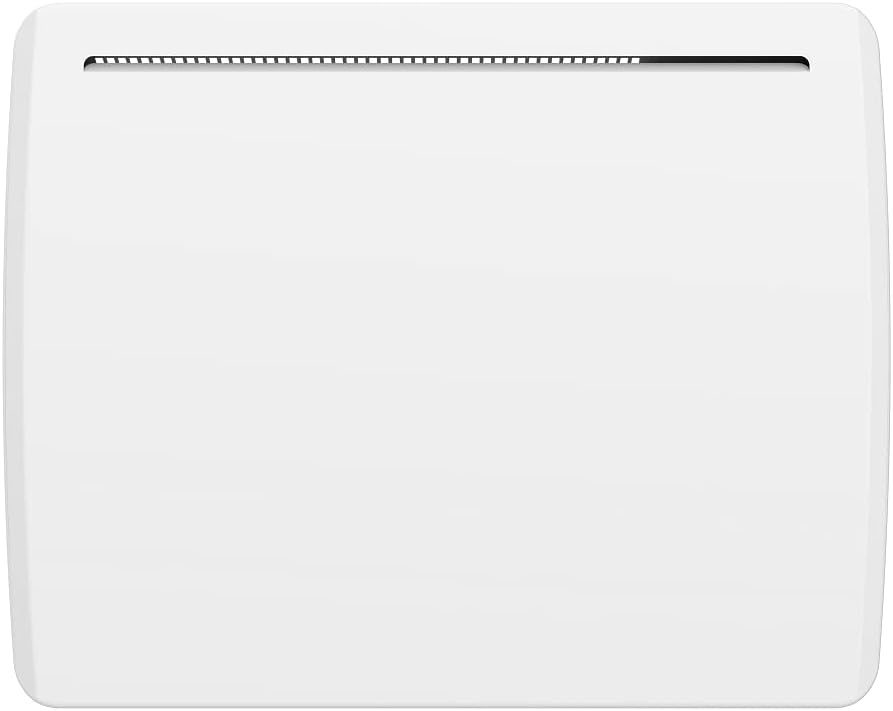
The Haverland ASPEN-10S is a wall-mounted ceramic radiant heater designed for efficient and comfortable heating. It features an electronic thermostat with an LCD screen for precise temperature control and programming.


5. Installation and Setup
The Haverland ASPEN-10S heater requires wall mounting. It is recommended that installation be carried out by a qualified professional to ensure proper and safe setup.
5.1 Mounting the Heater
- Choose Location: Select a suitable wall location, ensuring it is structurally sound and allows for the required clearances from flammable materials. Avoid areas prone to drafts or direct sunlight, which can affect thermostat accuracy.
- Mark Drill Points: Use the provided mounting bracket as a template to mark the drill points on the wall. Ensure the bracket is level.
- Drill Holes: Drill holes of the appropriate size for the wall plugs (if applicable) and screws.
- Secure Bracket: Attach the mounting bracket securely to the wall using the provided screws and wall plugs.
- Mount Heater: Carefully lift the heater and engage it onto the mounting bracket. Ensure it is securely seated and locked into place.
5.2 Electrical Connection
The ASPEN-10S is supplied without a plug. It is designed for permanent installation or connection via a user-supplied plug. The electrical connection must comply with local wiring regulations.
- Ensure the power supply is disconnected before making any electrical connections.
- Connect the heater's wiring to a suitable 230V, 50Hz power supply circuit. The heater has a power rating of 1000W.
- If using the 6-row Fil Pilot (control line) feature for centralized control, ensure it is correctly wired according to the system's specifications.
- Once connected, restore power and proceed to initial setup.
6. Operating Instructions
The ASPEN-10S features an intuitive control panel with an LCD screen.
6.1 Control Panel Overview
Refer to Figure 3 for a visual guide to the control panel.
- LCD Screen: Displays current temperature, mode, and program information.
- Up/Down Arrows (▲ / ▼): Adjust temperature settings or navigate menu options.
- Power Button (⏻): Turns the heater on or off.
- PRG Button: Accesses and selects preset programs or programming mode.
- M Button: Selects operating modes (e.g., Manual, Program).
6.2 Basic Operation
- Power On/Off: Press the Power button (⏻) to turn the heater on or off.
- Set Temperature (Manual Mode): In Manual mode, use the Up (▲) and Down (▼) arrows to adjust the desired room temperature. The LCD will display the set temperature.
6.3 Operating Modes and Programming
The ASPEN-10S offers flexible heating options:
- Manual Mode: Provides continuous heating to the set temperature. Select this mode using the 'M' button.
- Preset Programs (P1, P2, P3): The heater comes with 3 pre-defined programs. Use the 'PRG' button to cycle through and select these programs. Each program is designed for different heating needs.
- User-Defined Programming: The heater allows for user-defined programming to customize heating schedules. Refer to the detailed programming section in the full manual (if available) or experiment with the 'PRG' button in conjunction with the Up/Down arrows to set your own weekly schedule.
6.4 Special Features
- Open Window Recognition: This function automatically detects a sudden drop in room temperature (e.g., due to an open window) and temporarily switches the heater to an anti-frost mode to save energy. Normal operation resumes when the window is closed or after a set period.
- Keyboard Lock: To prevent accidental changes to settings, the control panel can be locked. Consult the full manual for instructions on how to activate and deactivate the keyboard lock.
- Temperature Limiter: The heater is equipped with an internal temperature limiter for safety, preventing the unit from exceeding safe operating temperatures.
- 6-row Fil Pilot (Control Line): This feature allows for integration into a centralized heating control system, enabling external control of the heater's operating mode.
7. Maintenance
Regular maintenance ensures optimal performance and longevity of your heater.
- Cleaning: Before cleaning, always switch off the heater and disconnect it from the power supply. Allow the unit to cool down completely. Wipe the exterior surfaces with a soft, damp cloth. Do not use abrasive cleaners, solvents, or harsh chemicals, as these can damage the finish.
- Do Not Cover: As a safety reminder, never cover the heater, even when it is off. This can impede heat dissipation and create a fire hazard.
- Storage: If storing the heater for an extended period, ensure it is clean, dry, and stored in a safe, dust-free location.
8. Troubleshooting
If you experience issues with your Haverland ASPEN-10S heater, refer to the following common problems and solutions:
| Problem | Possible Cause | Solution |
|---|---|---|
| Heater does not turn on. | No power supply; Power button not pressed; Keyboard lock active. | Check power connection and circuit breaker. Press the Power button. Deactivate keyboard lock (refer to section 6.4). |
| Heater is on but not heating. | Temperature set too low; Open window detected; Heater in standby/anti-frost mode. | Increase the set temperature. Close any open windows. Check the operating mode. |
| Display shows an error code. | Internal malfunction or sensor issue. | Disconnect power for a few minutes, then reconnect. If the error persists, contact customer support. |
| Heater cycles on and off frequently. | Room temperature fluctuating; Heater placed near a draft. | Ensure stable room conditions. Relocate heater if necessary to avoid drafts. |
If the problem persists after attempting these solutions, please contact Haverland customer support or a qualified technician.
9. Specifications
| Feature | Specification |
|---|---|
| Model | ASPEN-10S |
| Brand | HAVERLAND |
| Power | 1000 W |
| Voltage | 230 V |
| Dimensions (H x W x D) | 450 x 564 x 100 mm (approx. 17.7 x 22.2 x 3.9 inches) |
| Product Weight | 5 Kilogram |
| Heating Method | Radiant |
| Protection Class | Class II |
| IP Rating | IP24 |
| Special Features | Open window recognition, Keyboard lock, LCD electronic thermostat, 3 preset programs, Manual mode, Temperature limiter, 6-row Fil Pilot (control line), Energy Efficient |
| Assembly Required | Yes |
| Power Source | Corded Electric (Sold without plug) |
| Color | White |
10. Warranty and Support
For warranty information, please refer to the documentation provided with your purchase or contact your retailer. Haverland provides customer support for technical assistance and service inquiries.
For further assistance, please visit the official Haverland website or contact their customer service department directly.

