
1. Introduction
Thank you for choosing the VIHELM DT-1308 Split Digital Illuminometer. This device is designed for precise measurement of light intensity (illuminance) in various environments. It features a split design with a separate sensor for flexible positioning, automatic ranging, and a wide measurement range of 0 to 300,000 LUX/FC. This manual provides detailed instructions for the safe and effective use of your illuminometer.
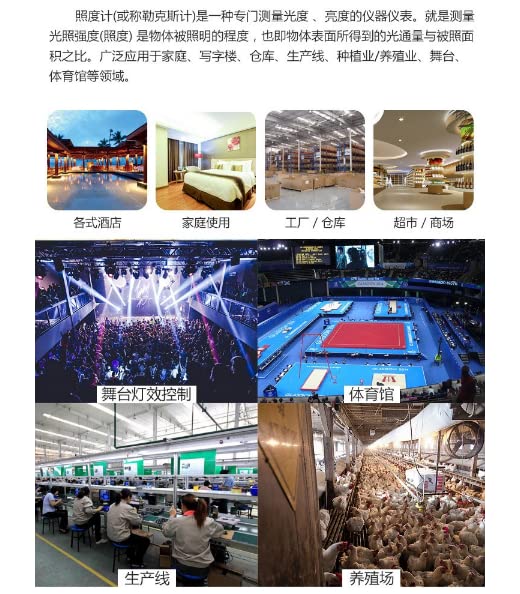
The DT-1308 is suitable for a wide range of applications, including residential, office, warehouse, production line, agriculture, stage lighting control, and sports facility illumination measurements.
This image displays several scenarios where a light meter like the DT-1308 can be used, such as measuring illumination in hotels, residential areas, industrial factories, retail stores, for stage lighting control, in sports arenas, on production lines, and in agricultural settings like farms.
2. Safety Information
Please read and understand all safety instructions before operating the device. Failure to follow these instructions may result in injury or damage to the instrument.
- Do not operate the device if it appears damaged.
- Do not attempt to repair or modify the device. Refer all servicing to qualified personnel.
- Keep the device away from water and other liquids.
- Avoid exposing the device to extreme temperatures or direct sunlight for prolonged periods.
- Remove batteries if the device is not used for an extended period to prevent leakage.
- Dispose of batteries and the device according to local regulations.
3. Product Overview
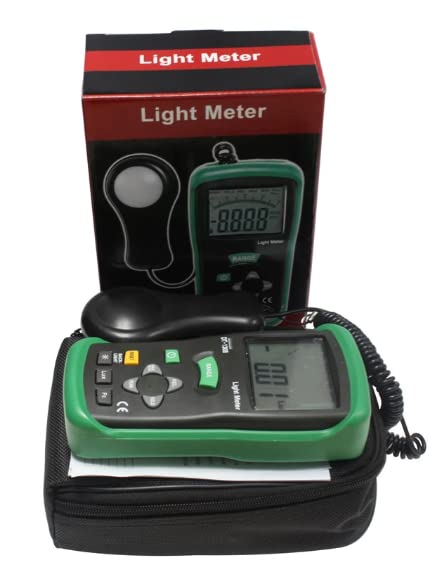
The VIHELM DT-1308 consists of a main display unit and a separate light sensor connected by a coiled cable. The main unit features an LCD display, control buttons, and a battery compartment. The sensor is designed for accurate light detection.
3.1 Components
- Main Display Unit
- Light Sensor (Photodetector)
- Coiled Connection Cable
- Protective Rubber Holster (Green)
- Integrated Kickstand
This image shows the front of the VIHELM DT-1308 digital illuminometer, featuring its green casing and the separate light sensor unit connected by a coiled cable.
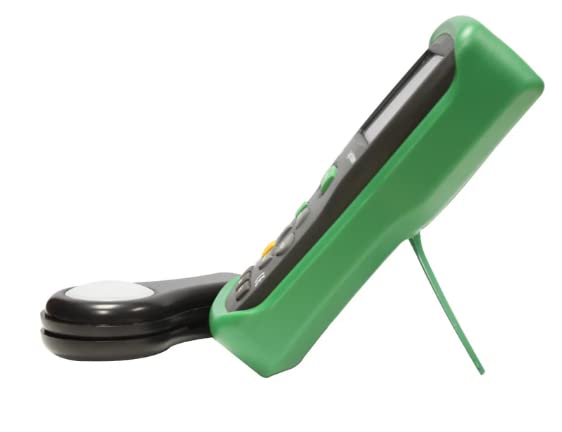
The side view of the VIHELM DT-1308 digital illuminometer, showing its integrated kickstand extended for desktop use, alongside the detached light sensor.
3.2 Control Panel
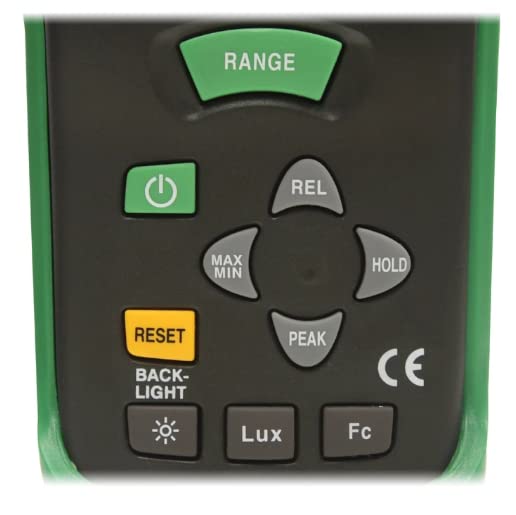
A detailed view of the control panel buttons on the VIHELM DT-1308, including Power, Range, REL, MAX/MIN, HOLD, RESET, PEAK, Backlight, Lux, and Fc buttons.
- POWER (⏻): Turns the device on or off.
- RANGE: Manually selects the measurement range.
- REL (Relative): Activates relative measurement mode.
- MAX/MIN: Displays maximum or minimum measured values.
- HOLD: Freezes the current display reading.
- RESET: Resets MAX/MIN or PEAK values.
- PEAK: Captures peak light intensity.
- BACKLIGHT (☀): Toggles the display backlight.
- Lux: Selects Lux as the measurement unit.
- Fc: Selects Foot-candle as the measurement unit.
4. Setup
4.1 Battery Installation
The DT-1308 requires one 9V battery for operation.
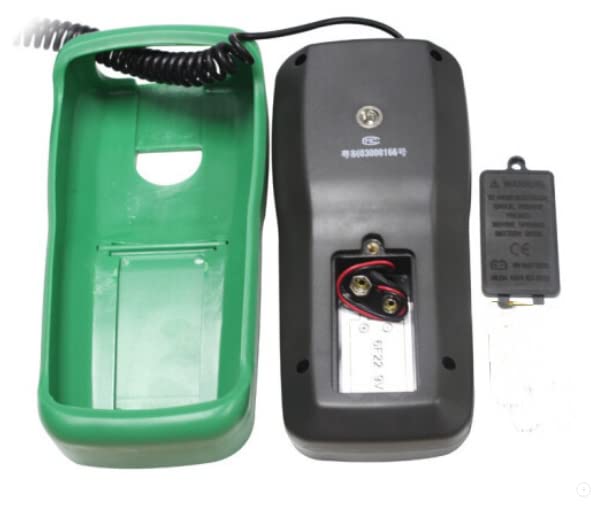
- Locate the battery compartment on the back of the main unit.
- Slide the battery compartment cover downwards to open it.
- Connect a new 9V battery to the battery connector inside the compartment, ensuring correct polarity.
- Place the battery into the compartment.
- Replace the battery compartment cover by sliding it upwards until it clicks into place.
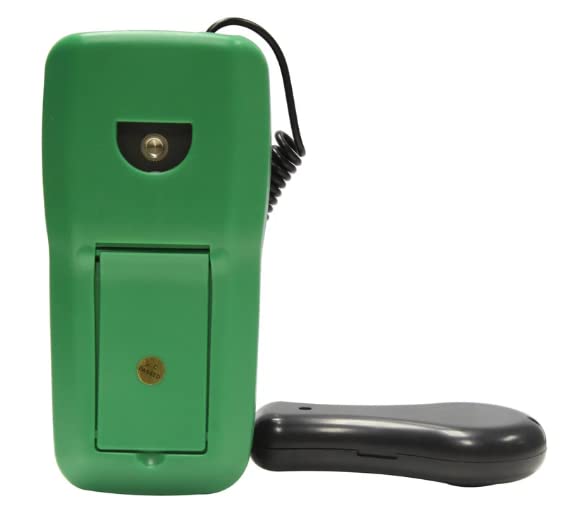
The back of the VIHELM DT-1308 digital illuminometer is shown, highlighting the battery compartment cover and the tripod mount.
This image shows the VIHELM DT-1308 digital illuminometer with its battery compartment cover removed, revealing the 9V battery connector and terminals.
5. Operating Instructions
5.1 Power On/Off
- To turn on the device, press the POWER (⏻) button.
- To turn off the device, press and hold the POWER (⏻) button for approximately 2 seconds. The device also features an auto power-off function after 30 minutes of inactivity.
5.2 Unit Selection (Lux/Fc)
- Press the Lux button to select Lux as the measurement unit.
- Press the Fc button to select Foot-candle as the measurement unit.
5.3 Range Selection
- The device operates in automatic ranging mode by default.
- To manually select a range, press the RANGE button. Each press cycles through available ranges.
- To return to auto-ranging, press and hold the RANGE button.
5.4 Data Hold
- Press the HOLD button to freeze the current reading on the display. The 'HOLD' indicator will appear.
- Press the HOLD button again to release the hold function and resume live measurements.
5.5 MAX/MIN Measurement
- Press the MAX/MIN button once to display the maximum measured value since activation. 'MAX' will appear on the display.
- Press the MAX/MIN button again to display the minimum measured value. 'MIN' will appear.
- Press the MAX/MIN button a third time to exit MAX/MIN mode.
- To clear MAX/MIN values, press the RESET button while in MAX/MIN mode.
5.6 Relative Measurement (REL)
- Press the REL button to activate relative measurement mode. The current reading becomes the reference value (0), and subsequent measurements are displayed as the difference from this reference.
- Press the REL button again to exit relative measurement mode.
5.7 Peak Measurement (PEAK)
- Press the PEAK button to capture the peak light intensity. This function is useful for measuring short-duration light pulses.
- Press the PEAK button again to exit peak measurement mode.
- To clear the peak value, press the RESET button while in PEAK mode.
5.8 Backlight
- Press the BACKLIGHT (☀) button to turn the display backlight on or off for improved visibility in low-light conditions.
A close-up of the VIHELM DT-1308 digital illuminometer's LCD screen, clearly showing a measured value of '305 Lux'.
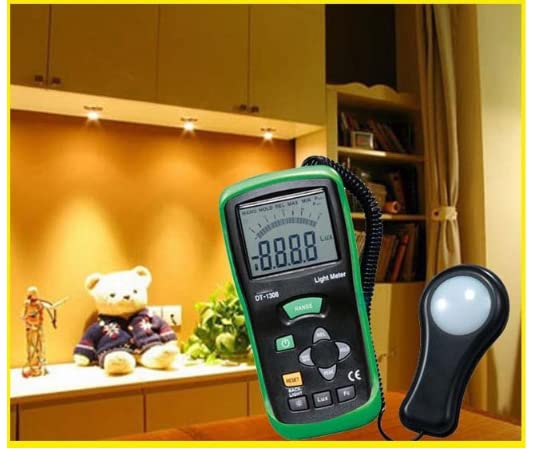
The VIHELM DT-1308 digital illuminometer is depicted in a home or office setting, actively measuring light levels, with its display showing a reading.
6. Features
The VIHELM DT-1308 Digital Illuminometer offers the following key features:
- Light-measuring levels ranging from 0.01 lux/0.01 fc to 300,000 lux/30,000 fc.
- High accuracy and rapid response.
- Data-hold function for holding measured values.
- Unit and sign display for easy reading.
- Automatic zeroing.
- Meter corrected for spectral relative efficiency.
- Correction factor need not be manually calculated for non-standard light sources.
- Short rise and fall times.
- Peak-hold function for tracing the peak signal of light pulse with least duration and keeping it.
- Capable of selecting measuring mode in lux or fc scale alternatively.
- Auto power off 30 minutes.
- Maximum and minimum measurements.
- Relative reading function.
- Easy to read large backlight display.
- Easy to read large backlight display.
7. Specifications
Technical specifications for the VIHELM DT-1308:
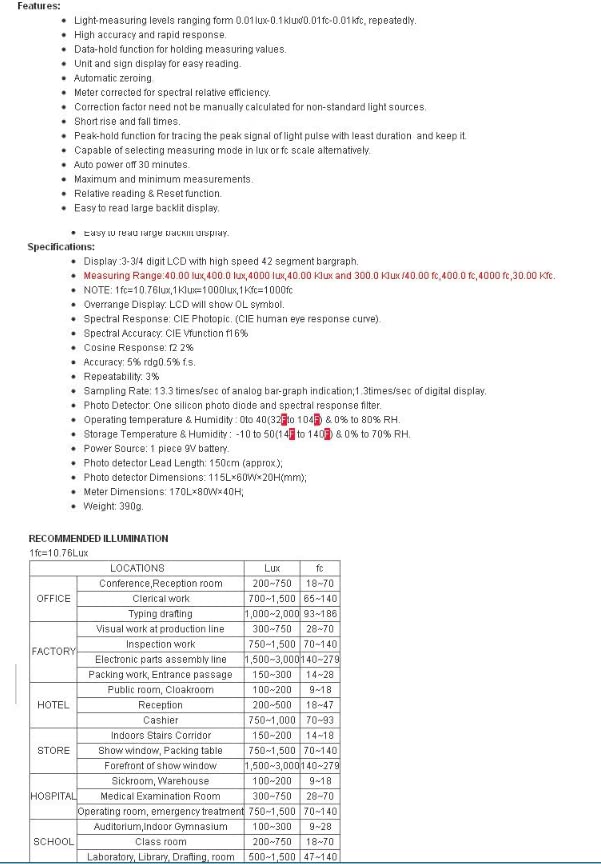
- Display: 3-3/4 digit LCD with high speed 42 segment bargraph.
- Measuring Range: 40.00 lux, 400.0 lux, 4000 lux, 40.00 klux, 300.0 klux / 40.00 fc, 400.0 fc, 4000 fc, 30.00 kfc.
- NOTE: 1fc=10.76lux, 1klux=1000lux, 1kfc=1000fc.
- Overrange Display: LCD will show 'OL' symbol.
- Spectral Response: CIE Photopic (CIE Human eye response curve).
- Spectral Accuracy: CIE Vλ function f1′ ≤ 6%.
- Cosine Response: f2′ ≤ 2%.
- Accuracy: ±5% rdg ±0.5% f.s.
- Repeatability: ±3%.
- Sampling Rate: 3.3 times/sec of analog bar-graph indication; 1.3 times/sec of digital display.
- Photo Detector: One silicon photo diode and spectral response filter.
- Operating Temperature & Humidity: 0 to 40°C (32 to 104°F) & 0% to 80% RH.
- Storage Temperature & Humidity: -10 to 50°C (14 to 140°F) & 0% to 70% RH.
- Power Source: 1 piece 9V battery.
- Photo detector Lead Length: 150cm (approx).
- Photo detector Dimensions: 115L×60W×20H(mm).
- Meter Dimensions: 170L×80W×40H.
- Weight: 390g.
8. Recommended Illumination Levels
The following table provides general guidelines for recommended illumination levels in various locations. Note that 1 fc = 10.76 Lux.
| LOCATIONS | Lux | fc |
|---|---|---|
| Conference, Reception room | 200-750 | 18-70 |
| Clerical work | 700-1,500 | 65-140 |
| Typing, drafting | 1,000-2,000 | 93-186 |
| Visual work at production line | 500-750 | 47-70 |
| Inspection work | 750-1,500 | 70-140 |
| Electronic parts assembly line | 1,500-3,000 | 140-279 |
| Packing work, Entrance passage | 150-300 | 14-28 |
| Public room, Cloakroom | 100-200 | 9-18 |
| Reception | 200-500 | 18-47 |
| Casino | 750-1,000 | 70-93 |
| Indoors, Stairs Corridor | 150-300 | 14-28 |
| Show window, Packing table | 750-1,500 | 70-140 |
| Forefront of show window | 1,500-3,000 | 140-279 |
| Sickroom, Warehouse | 100-200 | 9-18 |
| Medical Examination Room | 300-750 | 28-70 |
| Operating room, Emergency treatment | 750-1,500 | 70-140 |
| Auditorium, Indoor Gymnasium | 100-200 | 9-18 |
| Class room | 200-750 | 18-70 |
| Laboratory, Library, Drafting, room | 500-1,500 | 47-140 |
9. Maintenance
Proper maintenance ensures the longevity and accuracy of your illuminometer.
- Cleaning: Wipe the device with a soft, dry cloth. Do not use abrasive cleaners or solvents. Keep the light sensor clean and free from dust or smudges.
- Storage: Store the device in a cool, dry place away from direct sunlight and extreme temperatures. If storing for an extended period, remove the battery.
- Calibration: For continued accuracy, periodic calibration by a qualified service center is recommended.
10. Troubleshooting
If you encounter issues with your DT-1308, please refer to the following common troubleshooting steps:
- Device does not power on: Check if the battery is correctly installed and has sufficient charge. Replace the battery if necessary.
- Inaccurate readings: Ensure the light sensor is clean and unobstructed. Verify that the correct measurement unit (Lux/Fc) is selected. Check if the device is in a special mode (e.g., HOLD, MAX/MIN, REL) that might affect live readings.
- 'OL' displayed: This indicates an overrange condition. The light intensity exceeds the current measurement range. If in manual range mode, switch to a higher range. If in auto-range, the light intensity is beyond the device's maximum capability.
- Display is dim or flickering: The battery may be low. Replace the 9V battery.
11. Warranty and Support
VIHELM products are manufactured to high-quality standards. For warranty information, technical support, or service inquiries, please refer to the contact information provided with your purchase or visit the official VIHELM website. Please retain your proof of purchase for warranty claims.