
Introduction
This manual provides comprehensive instructions for the setup, operation, and maintenance of your SCS Sentinel HCN0067 Digital Indoor Thermometer-Hygrometer. Please read this manual carefully before using the device to ensure proper function and longevity. Keep this manual for future reference.
Product Overview
The SCS Sentinel HCN0067 is designed to monitor indoor temperature and humidity levels, providing essential information for maintaining a comfortable and healthy environment. It features a clear digital display with a comfort indicator, date, time, and min/max value tracking.
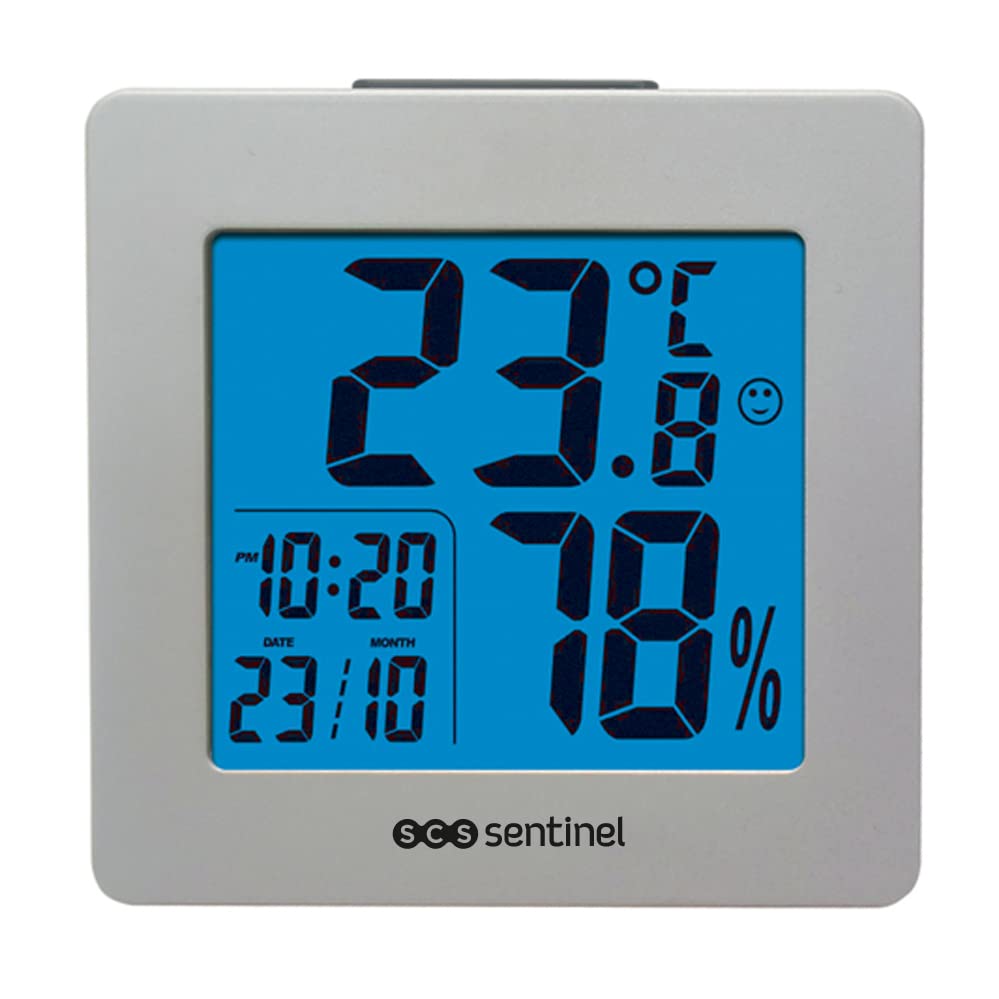
Image: SCS Sentinel HCN0067 Digital Indoor Thermometer-Hygrometer. The device features a silver-colored frame and a blue backlit display. The display shows a temperature of 26.6°C, a humidity of 51%, and the current time as 21:20. A comfort indicator icon (a smiling face) is visible next to the temperature. The brand 'SCS Sentinel' is printed at the bottom of the display.
Setup
- Unpacking: Carefully remove the thermometer-hygrometer from its packaging. Verify that all components listed in the 'Included Components' section are present.
- Battery Installation:
- Locate the battery compartment on the back of the device.
- Open the battery compartment cover.
- Insert the required batteries (type not specified in product data, typically AAA or AA) according to the polarity markings (+ and -).
- Close the battery compartment cover securely.
- Placement: Place the device on a flat, stable surface using its tabletop stand. Ensure it is not exposed to direct sunlight, drafts, or extreme temperature fluctuations, which could affect measurement accuracy.
Operating Instructions
Display Information:
- Temperature: Displays indoor temperature in Celsius (°C) or Fahrenheit (°F). The measurement range is typically 0°C to 50°C (32°F to 122°F) with a precision of +/- 0.5°C.
- Humidity: Displays indoor air humidity as a percentage (%). The operating humidity range is 30% to 70%.
- Comfort Indicator: A character icon (e.g., smiling face) indicates the comfort level based on combined temperature and humidity readings.
- Date and Time: Shows the current day and time (AM/PM format).
Functions:
- Setting Date and Time:
Refer to the specific buttons on your device (usually labeled 'MODE', 'SET', or similar) to enter the setting mode. Follow the on-screen prompts to adjust the year, month, day, and time.
- Temperature Unit Selection (°C/°F):
A dedicated button (often labeled '°C/°F' or 'MODE') allows you to switch between Celsius and Fahrenheit temperature units.
- Min/Max Function:
Press the 'MIN/MAX' button (or similar) to view the highest (MAX) and lowest (MIN) recorded temperature and humidity values since the last reset. Press again to cycle through MAX, MIN, and current readings. To reset the recorded values, typically press and hold the 'MIN/MAX' button for a few seconds.
- Alarm Function:
The device includes an alarm function. To set an alarm, enter the alarm setting mode (usually by pressing 'MODE' multiple times or a dedicated 'ALARM' button). Adjust the alarm time using the setting buttons. Activate or deactivate the alarm as needed.
Maintenance
- Cleaning: Wipe the device with a soft, dry cloth. Do not use abrasive cleaners or solvents, as these can damage the display or casing.
- Battery Replacement: When the display becomes dim or the device stops functioning, replace the batteries. Follow the battery installation steps outlined in the 'Setup' section. Dispose of old batteries responsibly according to local regulations.
- Storage: If storing the device for an extended period, remove the batteries to prevent leakage and damage. Store in a cool, dry place.
Troubleshooting
| Problem | Possible Cause | Solution |
|---|---|---|
| No display or dim display | Low or dead batteries; incorrect battery installation. | Replace batteries with new ones, ensuring correct polarity. |
| Inaccurate readings | Device placed in direct sunlight, near a heat source, or in a draft; sensor obstruction. | Relocate the device to a stable indoor environment away from extreme conditions. Ensure sensors are clean and unobstructed. |
| Buttons not responding | Temporary software glitch; low batteries. | Remove and reinsert batteries to reset the device. Replace batteries if they are low. |
Specifications
- Model: HCN0067 ThermoHygro
- Brand: SCS Sentinel
- Color: Gray
- Mounting Type: Tabletop
- Temperature Range: 0°C to 50°C (32°F to 122°F)
- Temperature Accuracy: +/- 0.5°C
- Operating Humidity Range: 30% to 70%
- Power Source: Batteries (type not specified, typically AAA or AA)
- Included Components: 1 Digital Thermometer-Hygrometer, User Manual
- Item Length: 3 Centimeters
Warranty and Support
SCS Sentinel guarantees the reliability of its products. This device is designed for easy installation and use, combining comfort and safety. For any assistance with product installation or operation, our technical support team, based in France, is available to provide informed and personalized advice. Your satisfaction is our priority.
For technical support, please refer to the contact information provided on the product packaging or the official SCS Sentinel website.

