
Introduction
This manual provides detailed instructions for the installation, operation, and maintenance of your ExBrite LED Lighted Bathroom Medicine Cabinet with Mirror (Model DHMC3026V3TX). Please read this manual thoroughly before installation and use to ensure proper function and safety. Keep this manual for future reference.
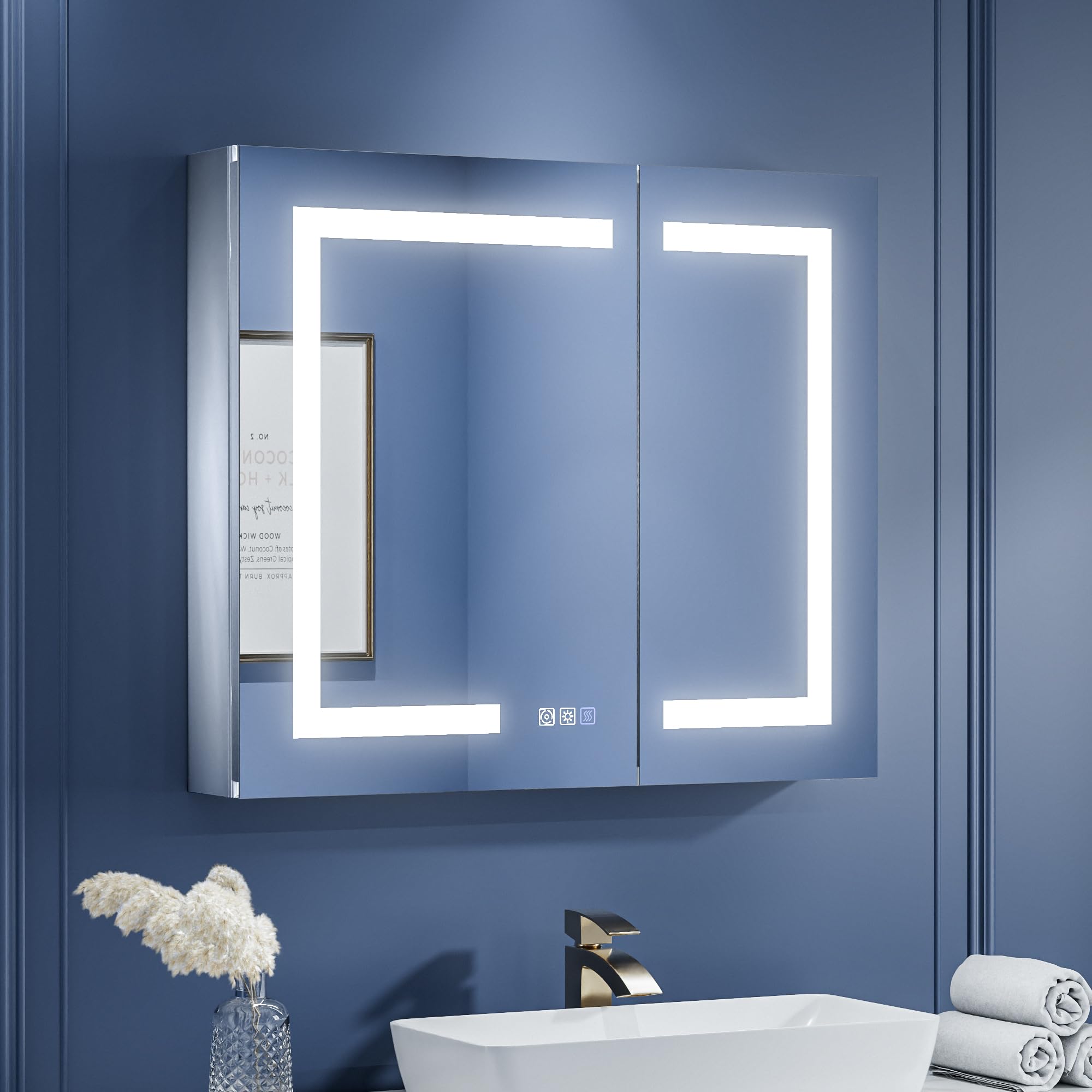
Image: The ExBrite LED Lighted Bathroom Medicine Cabinet with Mirror, showcasing its illuminated design.
Safety Information
Important Safety Instructions:
- Always follow professional guidance for installation. Electrical installation should be performed by a qualified electrician.
- Be cautious of the 120° door opening angle to prevent injury. Ensure sufficient clearance.
- Do not exceed the load limit of 11 pounds (5 kg) per shelf. Overloading can cause damage or injury.
- This product is ETL certified as a complete unit and critical components are UL certified, ensuring compliance with safety standards.
- The cabinet is built with an IP44-rated waterproof aluminum frame for durability and protection in bathroom environments.
Package Contents
Verify that all components are present before beginning installation:
- ExBrite LED Lighted Bathroom Medicine Cabinet with Mirror
- Adjustable Tempered Glass Shelves (2 included)
- Mounting Hardware (for both surface and recessed installation)
- Instruction Manual
Setup and Installation
Your ExBrite medicine cabinet supports both surface-mount and recessed installation, offering flexibility for various bathroom layouts. Professional installation is recommended.
Installation Options
- Surface Mount: The cabinet is mounted directly onto the wall surface. This is a simpler setup.
- Recessed Installation: The cabinet is installed into a wall cutout, with only approximately 1 inch protruding from the wall for a sleek, space-saving appearance.

Image: Visual comparison illustrating the appearance of surface-mount versus recessed installation methods.
Recessed Installation Cutout Dimensions
For recessed installation, prepare a wall opening according to the dimensions provided below. Ensure precise measurements for a secure fit.
| Dimensions | Width | Height | Depth |
|---|---|---|---|
| 30"x26" | 29-1/4" | 25-1/4" | 4-3/8" |

Image: Diagram showing side and top views for recessed installation cutout dimensions.
General Installation Steps (Summary)
- Prepare the Area: Turn off power at the circuit breaker. For recessed installation, create the wall cutout according to the specified dimensions.
- Mount the Cabinet: Securely attach the cabinet to the wall using the provided mounting hardware. Ensure it is level and stable.
- Electrical Connection: Connect the cabinet's electrical wiring to your bathroom's electrical supply. This step must be performed by a qualified electrician.
- Install Shelves: Insert the adjustable tempered glass shelves into the desired positions.
- Test Functions: Restore power and test all functions (lights, defogger, outlets).
Operating Instructions
Stepless Dimming & Color Temperature Control
The cabinet features touch controls on the mirror surface for adjusting lighting. You can customize both brightness and color temperature:
- Brightness Adjustment: Long press the brightness button (often indicated by a sun icon) to adjust the light intensity from 10% to 100%.
- Color Temperature Change: Long press the color temperature button (often indicated by a circular arrow icon) to cycle through color temperatures from 3000K (warm white) to 6000K (cool white).

Image: Illustration of touch controls for adjusting light brightness (10%-100%) and color temperature (3000K-6000K).
Enhanced Defogging Function
Activate the defogging function to maintain a clear mirror surface, especially after hot showers. The defogger quickly warms the mirror to approximately 40°C.
- Activation: Press the defog button (often indicated by a steam icon) on the mirror surface.
- Automatic Shut-off: For safety and energy conservation, the defogging function automatically turns off after 60 minutes or when the light is turned off.

Image: Visual guide on activating the one-touch anti-fog feature on the mirror.
Interior Sensor Light
The cabinet includes a built-in 6000K LED interior light that activates automatically when the cabinet door is opened. This provides convenient illumination for accessing items inside.

Image: View of the cabinet interior showing the motion sensor light, adjustable glass shelves, and 110° soft-close hinges.
High-Power Outlets and USB Ports
The cabinet is equipped with two built-in 1800W high-power dual outlets and two USB ports, located inside the cabinet. These are ideal for charging and powering various bathroom devices.
- Use for hairdryers, electric shavers, electric toothbrushes, and other small appliances.
- Ensure devices are unplugged when not in use and the cabinet door is closed to prevent moisture exposure.

Image: Close-up view of the internal 1800W high-power dual outlets and USB ports for convenient device charging.
Product Tour Video
Video: A detailed product tour of the ExBrite LED lighted medicine cabinet, demonstrating its features and functionality.
Maintenance
Cleaning Instructions
To maintain the appearance and functionality of your medicine cabinet:
- Wipe the mirror and exterior surfaces with a soft, damp cloth.
- Avoid using abrasive cleaners, ammonia-based products, or harsh chemicals, as these can damage the mirror finish or frame.
- For glass shelves, use a standard glass cleaner and a soft cloth.
- Ensure no liquid enters the electrical components or outlets.
Troubleshooting
If you encounter issues with your ExBrite medicine cabinet, consider the following:
- No Light/Power: Check the circuit breaker to ensure power is supplied to the cabinet. Verify all electrical connections are secure (consult a qualified electrician if unsure).
- Defogger Not Working: Ensure the defog function is activated via the touch button. Allow a few minutes for the mirror surface to warm up.
- Touch Controls Unresponsive: Ensure the mirror surface is clean and dry. Try gently pressing the buttons. If issues persist, power cycling the cabinet (turning off and on at the breaker) may resolve minor electronic glitches.
- Door Alignment: The 110° soft-close hinges are designed for long-term reliability and to maintain door alignment. If alignment issues occur, inspect hinges for damage or loose screws.
For persistent issues not resolved by these steps, please contact customer support.
Specifications
| Feature | Detail |
|---|---|
| Brand | ExBrite |
| Model Number | DHMC3026V3TX |
| Product Dimensions (D x W x H) | 5"D x 30"W x 26"H |
| Material | Aluminum Frame, Tempered Glass Shelves |
| Mounting Type | Wall Mount (Recessed or Surface) |
| Number of Shelves | 2 (Adjustable) |
| Shelf Weight Capacity | 11 pounds (5 kg) per shelf |
| Lighting Features | Stepless Dimming (10%-100%), Stepless Color Temperature (3000K-6000K), Interior Sensor Light (6000K) |
| Defogging | Enhanced Defogging Technology, Auto Shut-off (60 min) |
| Electrical Outlets | 2 x 1800W High-Power Dual Outlets, 2 x USB Ports |
| Certifications | ETL Certified (complete unit), UL Certified (critical components) |
| Item Weight | 41.1 pounds |
| UPC | 669423314141 |
Warranty and Support
ExBrite is committed to providing quality products and customer satisfaction.
Warranty Information
- Return Policy: This product is eligible for a 30-day easy return policy.
- Product Warranty: The product comes with up to a 1-year warranty. Please retain your proof of purchase for warranty claims.
Customer Support
For any questions, concerns, or technical assistance, please contact ExBrite customer service. We aim to reply by email within 24 hours.

Image: ExBrite customer service details, including 24-hour email response, 30-day free return, and up to 1-year warranty.


