
Introduction
Thank you for purchasing the SINWE Portable Karaoke Machine. This versatile system is designed to provide high-quality audio entertainment for various occasions, from home parties to outdoor activities. Featuring two wireless microphones, an LED screen, and multiple connectivity options, it offers a comprehensive karaoke experience for all ages.

Figure 1: The SINWE Portable Karaoke Machine with its two wireless microphones.
Package Contents
- 1 x SINWE Portable Karaoke Machine (Model: SD-318)
- 2 x Wireless Microphones
- 1 x Auxiliary Cable
- 1 x Power Cable
- 1 x User Manual
Safety Information
- Do not expose the device to water or excessive moisture.
- Avoid placing the device near heat sources or in direct sunlight.
- Use only the provided power cable for charging.
- Keep out of reach of small children to prevent accidental ingestion of small parts.
- Do not attempt to disassemble or repair the device yourself. Contact qualified service personnel.
Setup
Initial Charging
Before first use, fully charge the karaoke machine and both wireless microphones. The microphones can be charged by placing them in their designated slots on the speaker or individually via their Type-C charging ports.
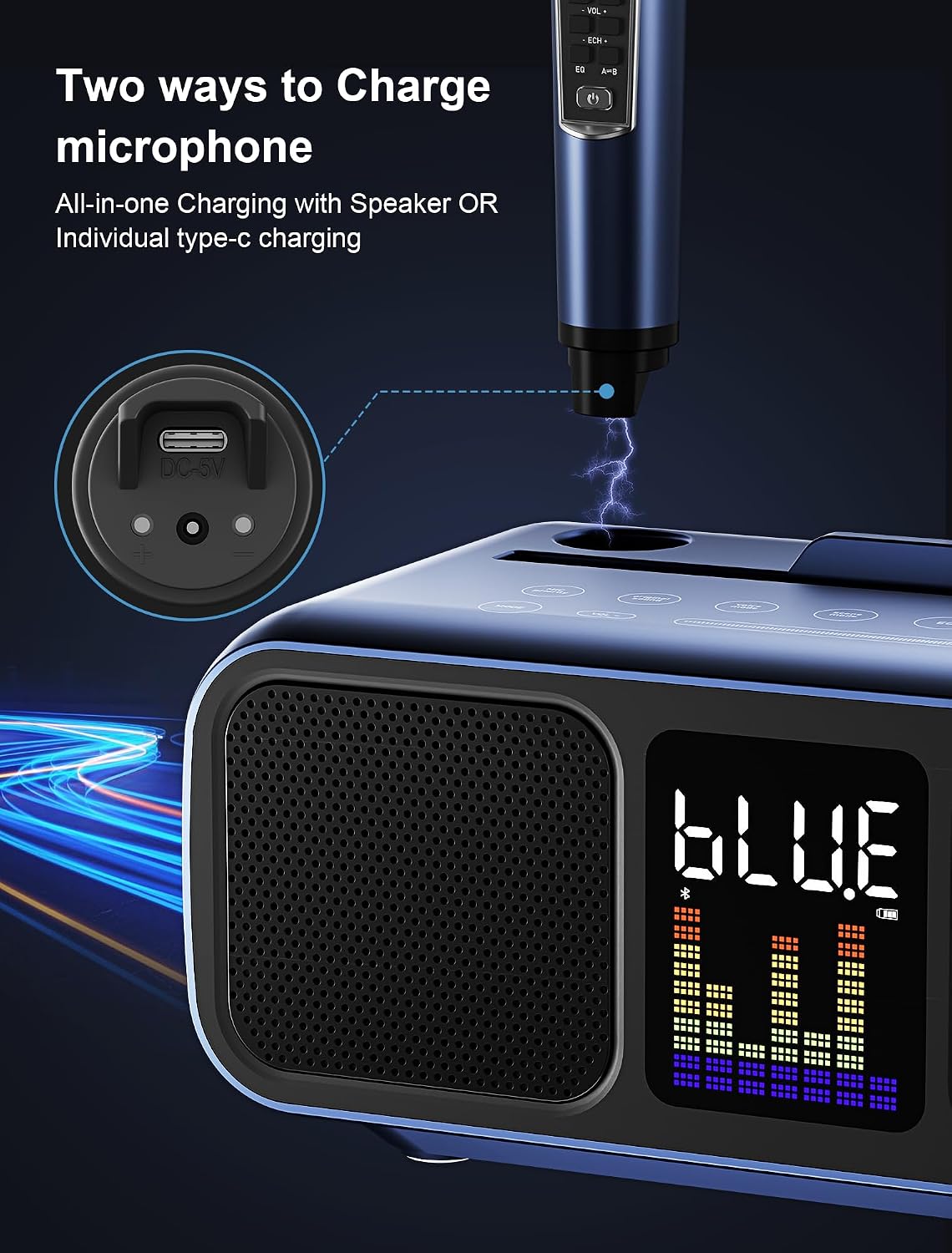
Figure 2: Microphones can be charged by placing them in the speaker's charging slots or via individual Type-C ports.
Connecting to Audio Sources
The SINWE Karaoke Machine offers multiple connectivity options:
- Bluetooth: Turn on the karaoke machine. The LED screen will display "BLUE". Enable Bluetooth on your smartphone, tablet, or smart TV and select "SDRD" (or similar device name) from the list of available devices to pair.
- AUX: Connect your audio device to the AUX input port on the back of the machine using the provided auxiliary cable.
- USB/TF Card: Insert a USB drive or TF (micro SD) card containing your music files into the respective slots on the back of the machine. The system will automatically detect and play the audio.
- Type-C: For compatible devices, use the Type-C port for audio input.

Figure 3: Connecting the karaoke machine to a large screen for lyric display via Bluetooth.
Operating Instructions
Speaker Controls
The top panel of the karaoke machine features sensitive touch buttons for various functions:

Figure 4: Overview of the sensitive touch buttons on the speaker's top panel.
- Volume Slider: Smoothly slide your finger across the volume bar to adjust the main speaker volume.
- Mode Button: Press to switch between input modes (Bluetooth, TF Card, USB, LINE IN).
- MIC Priority: Lowers background music to highlight your singing voice.
- Original Sound: One-click return to the original sound mode.
- Voice Mode: Change your voice (male, female, baby voice).
- Scene Mode: Select between KTV and Concert Hall modes for different audio environments.
- EQ (Equalizer): Adjust sound effects (Pop, Classical, Rock, Classic, Bass, Treble, Standard).
- Music/Orig: If you don't have a backing track, click this to reduce the original vocals of the song.
- Playback Controls: Buttons for previous track, play/pause, and next track.

Figure 5: Detailed diagram of speaker controls and microphone functions.
Microphone Controls
Each wireless microphone has independent controls for personalized sound:

Figure 6: The two wireless microphones feature individual controls and a display for battery and channel information.
- Power Switch: Long press to turn the microphone on/off.
- Volume Control: Adjust microphone volume independently.
- Echo Control: Adjust the echo effect on your voice.
- EQ (Equalizer): Fine-tune the microphone's sound profile.
- Channel Selection: Switch between microphone channels (A/B) to avoid interference.
- Display: Shows battery level and current channel.
The microphones offer a 10-meter transmission distance with no audio delay, high sound quality, anti-interference, and noise reduction functions.
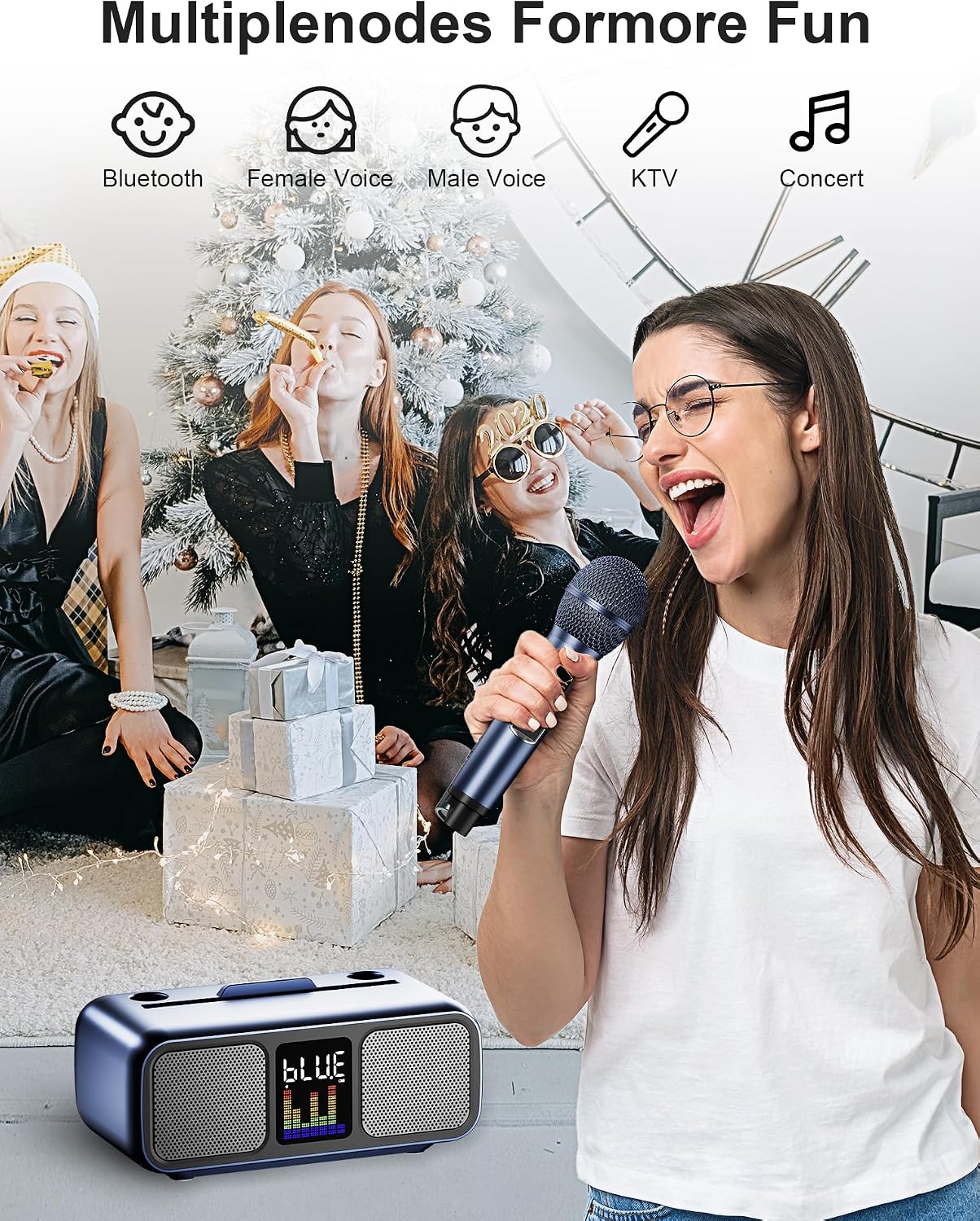
Figure 7: The karaoke machine supports multiple modes for enhanced entertainment, including various voice effects and scene modes.
Maintenance
- Cleaning: Use a soft, dry cloth to clean the surface of the machine and microphones. Do not use abrasive cleaners or solvents.
- Storage: Store the device in a cool, dry place away from direct sunlight and extreme temperatures.
- Battery Care: For optimal battery life, fully charge the device before long periods of inactivity and recharge every 3-6 months.
Troubleshooting
| Problem | Possible Cause | Solution |
|---|---|---|
| No power/Device won't turn on | Low battery; Power switch off | Charge the device fully; Ensure power switch on the back is in the ON position. |
| No sound from speaker | Volume too low; Incorrect input mode; Device not paired (Bluetooth) | Increase volume; Select correct input mode; Re-pair via Bluetooth. |
| Microphone not working | Microphone off; Low microphone battery; Incorrect channel | Turn on microphone; Charge microphone; Switch microphone channel (A/B). |
| Sound distortion/feedback | Microphone too close to speaker; Volume too high; Interference | Increase distance between mic and speaker; Lower volume; Change microphone channel. |
Specifications

Figure 8: The karaoke machine features a double powerful speaker system for 360° stereo quality sound.
- Brand: SINWE
- Model Number: SD-318
- Item Weight: 6.93 pounds
- Product Dimensions: 14.96 x 8.27 x 8.66 inches
- Speaker Count: 2
- Voltage: 5 Volts
- Connectivity Technology: Bluetooth, Auxiliary, USB
- Compatible Devices: Amplifier
- Included Components: Amplifier, Auxiliary Cable, Battery, Microphone, Power Cable
Warranty and Support
The SINWE Portable Karaoke Machine comes with a standard manufacturer's warranty. For detailed warranty information, product support, or service inquiries, please refer to the contact information provided on the product packaging or visit the official SINWE website.
For additional assistance, you may also contact Amazon customer service for support related to your purchase.