
1. Introduction and Overview
This manual provides instructions for the safe and efficient use of your CJP-Geek AC-DC Adapter, model CJP-Geek-PSA-20221025-CA227. This adapter is specifically designed to power and charge the RP-PB054 RAVPower 20100mAh Portable Powerstation.
Key features of this adapter include a wide input voltage range of 100-240V AC, ensuring compatibility with various power outlets worldwide. It is designed for portability and includes multiple safety protections to ensure reliable operation.

Image 1: The CJP-Geek AC-DC Adapter, showing the main power brick, detachable AC input cable, and DC output cable with connector.
2. Package Contents
Verify that your package contains the following items:
- 1 x AC / DC Power Supply Charger (CJP-Geek AC-DC Adapter)
3. Setup Instructions
- Verify Compatibility: Ensure that the output specifications of this CJP-Geek AC-DC Adapter match the power input requirements of your RP-PB054 RAVPower 20100mAh Portable Powerstation. Refer to your power station's manual for specific input voltage and current requirements.
- Connect to Device: Insert the DC output plug of the adapter firmly into the charging port of your RP-PB054 RAVPower 20100mAh Portable Powerstation.
- Connect to Power Outlet: Plug the AC input cable into a standard 100-240V AC wall outlet.
- Confirm Charging: Observe your power station's charging indicator to confirm that it has begun charging.
4. Operating Instructions
- The adapter is designed for continuous use when charging compatible devices.
- Always operate the adapter in a well-ventilated area to prevent excessive heat buildup.
- Do not cover the adapter with cloths or other materials during operation, as this can impede heat dissipation.
- Disconnect the adapter from the power outlet and your device when it is not in use for extended periods.
5. Maintenance
- Cleaning: Keep the adapter clean and free from dust. Use a dry, soft cloth for cleaning. Do not use liquid cleaners or solvents.
- Storage: Store the adapter in a cool, dry place away from direct sunlight and moisture when not in use.
- Cable Inspection: Regularly inspect the power cables for any signs of damage, such as fraying, cuts, or exposed wires. If any damage is observed, discontinue use immediately and replace the adapter.
- Environmental Conditions: Avoid exposing the adapter to extreme temperatures, high humidity, or corrosive environments.
6. Safety Information
Important Safety Notice: Before connecting, always double-check that the adapter's output specifications (voltage and current) are compatible with your device's input requirements. Using an incompatible adapter can damage your device or the adapter itself.
This CJP-Geek AC-DC Adapter is CE certified and incorporates multiple protection features to ensure safe operation:
- Short Circuit Protection: Prevents damage from electrical shorts.
- Over-Current Protection: Safeguards against excessive current flow.
- Over-Voltage Protection: Protects against voltage surges.
- Overload Protection: Prevents damage from drawing too much power.
- Over Charge Protection: Helps prevent overcharging of connected devices.
- Temperature Protection: Monitors and regulates internal temperature.
General Safety Precautions:
- Do not disassemble or modify the adapter.
- Keep the adapter out of reach of children.
- For indoor use only. Do not expose to rain or moisture.
- Do not use the adapter if it has been dropped or damaged.
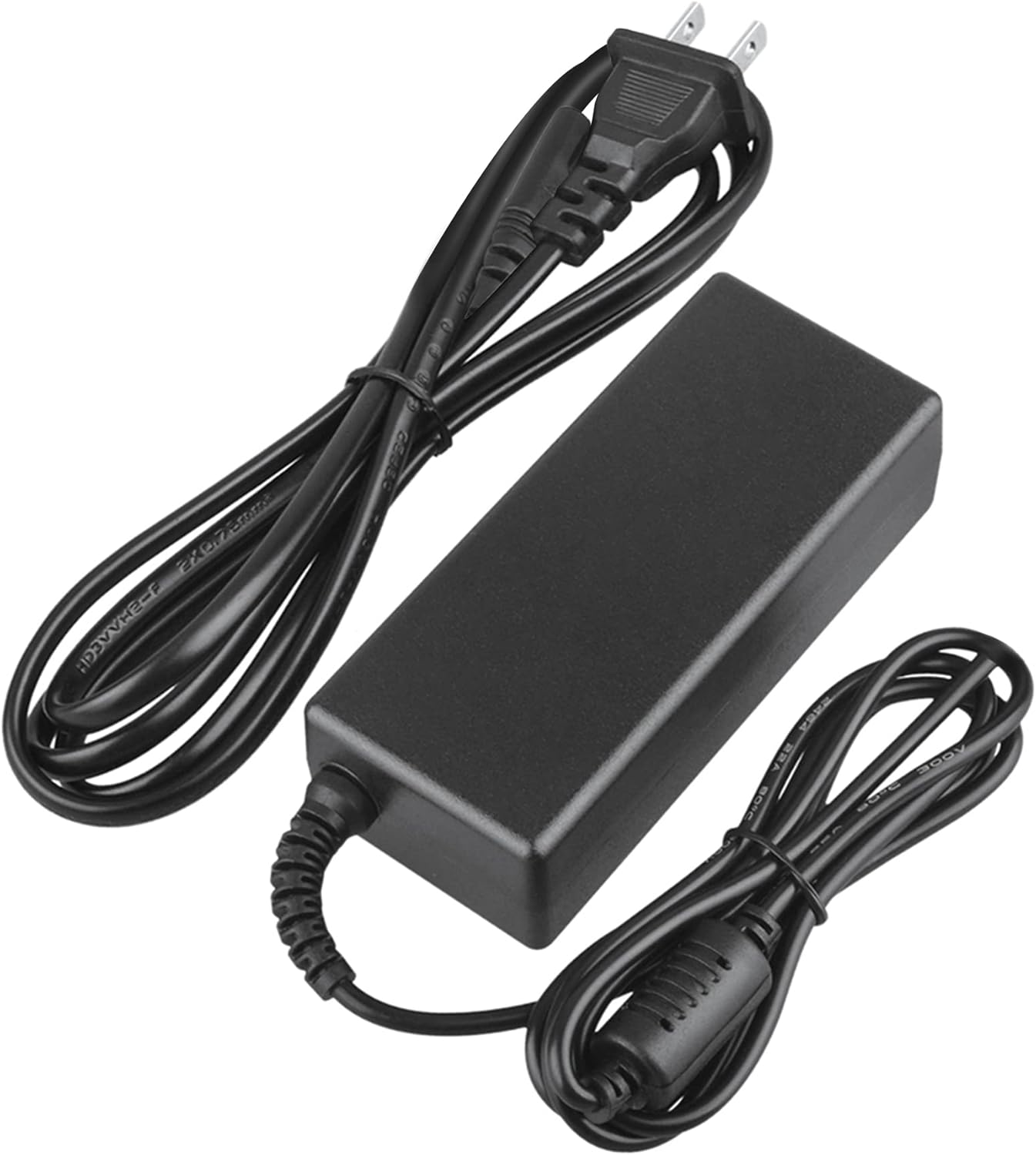
Image 2: Visual representation of the safety features, including overload, over voltage, over charge, over current, short circuit, and temperature protection.
7. Troubleshooting
- Device Not Charging:
- Ensure the adapter is securely plugged into both the wall outlet and your device.
- Check if the wall outlet is functional by plugging in another appliance.
- Verify that the adapter's output specifications are correct for your device.
- Inspect the adapter and cables for any visible damage.
- Adapter Overheating:
- Ensure the adapter is in a well-ventilated area and not covered.
- Disconnect the adapter and allow it to cool down before resuming use.
- If overheating persists, discontinue use and contact customer support.
- No Power Indicator on Device:
- Confirm all connections are secure.
- Test with a different wall outlet.
- If possible, test the device with another compatible power source to rule out a device issue.
8. Specifications
| Attribute | Specification |
|---|---|
| Model Number | CJP-Geek-PSA-20221025-CA227 |
| Input Voltage | 100-240V AC, 50/60Hz |
| Output | Refer to device requirements for RP-PB054 RAVPower 20100mAh Portable Powerstation |
| Product Dimensions (L x W x H) | 5 x 3 x 8 inches |
| Item Weight | 9 ounces |
| AC Cable Length | Approximately 47 inches (1.2 meters) |
| DC Cable Length | Approximately 47 inches (1.2 meters) |
| Total Cable Length (approx.) | 7.87 feet (2.4 meters) including adapter body |

Image 3: Detailed view of the adapter's dimensions and features, including cable lengths and a 'Copper interface' for stable output.
9. Warranty and Support
Warranty Information:
- 30 Days Money Back Guarantee
- 60 Days Free Exchange with Paid Return Label
- 2 Years Worry-Free Warranty
Customer Support:
For any product-related issues or inquiries, please contact CJP-Geek customer service. We are committed to assisting you in resolving any problems you may encounter. If the item is found to be defective within the 2-year warranty period, a replacement will be provided without the need to return the defective unit.