
Product Overview
The Bostitch Impulse Drive Electric Stapler is designed for high-volume, non-stop stapling with ease. It features optical trip firing for fast operation and AntiJam™ floating core technology to prevent staple jams. This package also includes Bostitch Office Premium Standard Staples, manufactured from high carbon steel wire for superior performance.
Key Features
- AntiJam™ Floating Core: Eliminates staple jams for continuous operation.
- Solenoid Driven: Ensures non-stop stapling ease.
- Low Staple Indicator Light: Alerts you when staples are running low.
- Finely Honed Chisel Points: For maximum penetration and less jamming.
- Full Strip Staples: Each strip contains 210 staples for extended use.
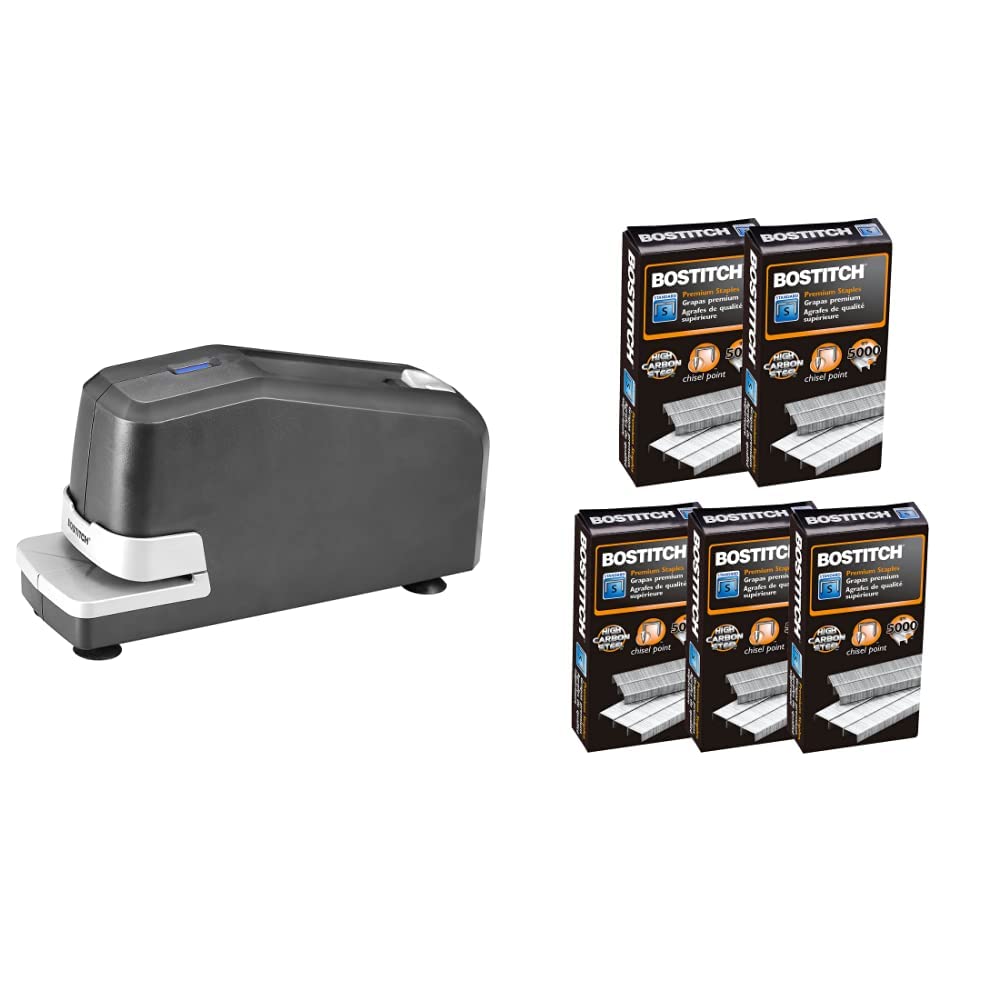
Image: The Bostitch Impulse Drive Electric Stapler, showcasing its compact and modern design.
Setup Instructions
Unpacking
Carefully remove the stapler and staples from their packaging. Ensure all components are present and undamaged. Place the stapler on a stable, flat surface.
Power Connection
Connect the power cord from the stapler to a standard electrical outlet. The stapler is now ready for use.

Image: The electric stapler positioned on a desk, ready for operation.
Operating Instructions
Loading Staples
- Press the quick-release button located on the top of the stapler to open the staple tray.
- Insert a full strip of Bostitch Office Premium Standard Staples into the tray, ensuring the staple points are facing down.
- Gently push the staple tray back into the stapler until it clicks securely into place.

Image: Demonstrating the quick-release button and the open staple tray for easy loading.
Stapling Documents
To staple, simply insert the papers into the stapling slot. The optical trip firing mechanism will automatically detect the paper and staple it. The stapler can handle up to 30 sheets of 20-lb bond paper.

Image: The electric stapler efficiently stapling multiple sheets of paper.
Low Staple Indicator
The stapler is equipped with a low staple indicator light. This light will illuminate when the staple supply is running low, signaling that it is time to reload.
Maintenance
Cleaning
To maintain optimal performance, periodically wipe the exterior of the stapler with a soft, dry cloth. Avoid using abrasive cleaners or solvents.
Staple Removal
If a staple needs to be removed, use a standard staple remover. The stapler itself does not have a built-in remover.
Troubleshooting
Staple Jams
The Bostitch Impulse Drive Electric Stapler features AntiJam™ technology. In the rare event of a jam, ensure you are using Bostitch Office Premium Standard Staples. Clear any visible jammed staples from the stapling mechanism.
Stapler Not Firing
Check if the stapler is properly plugged into a working electrical outlet. Verify that there are sufficient staples in the tray. If the low staple indicator light is on, reload staples.
Staples Not Penetrating
Ensure you are using Bostitch Office Premium Standard Staples. Using off-brand or incorrect staples can lead to poor penetration and increased jamming. Also, verify that the number of sheets does not exceed the stapler's 30-sheet capacity.
Product Specifications
| Specification | Detail |
|---|---|
| Brand | Bostitch |
| Model | Impulse Drive Electric Stapler |
| Material | Carbon Steel, Metal, Plastic |
| Operation Mode | Automatic |
| Staple Capacity | 30 Sheets (20-lb bond) |
| Staple Type | 1/4" Standard Staples (Full Strip) |
| Staples Included | 25,000 (5 boxes of 5,000) |
Compatible Staples
For optimal performance and to prevent jams, use only Bostitch Office Premium Standard Staples (1/4" leg length, full strip). These staples are designed with sharp chisel points for maximum penetration.


Image: Bostitch Premium Standard Staples, available in boxes and as individual strips.
Warranty and Support
For warranty information or technical support, please refer to the official Bostitch website or contact their customer service department. Keep your purchase receipt for warranty claims.