

Introduction
Welcome to the user manual for your ACAGET Wireless Earbuds. These earbuds are designed to provide a high-fidelity audio experience with advanced features for daily use, sports, and travel. This manual will guide you through setup, operation, maintenance, and troubleshooting to ensure optimal performance and enjoyment of your device.
Package Contents
Please verify that all items listed below are included in your package:
- 1x True Bluetooth Headphone (Wireless Earbuds)
- 1x Charging Box
- 1x USB-C Charging Cable
- 1x Earhooks (for secure fit)
- 1x Silicone Earbud Protective Case
- 1x User Manual

Image: The package contents laid out, including the earbuds, charging case, USB-C cable, earhooks, and user manual.
Setup
Charging the Earbuds and Case
The charging case has a 300mAh battery and can recharge the earbuds approximately 4 times, providing up to 25 hours of additional playtime. The earbuds themselves offer 4-5 hours of playtime on a single full charge.
To charge the case, connect the provided USB-C charging cable to the charging port on the case and a compatible power source. The indicator light on the case will illuminate to show charging status. A full charge for the case takes approximately 1.5 hours.
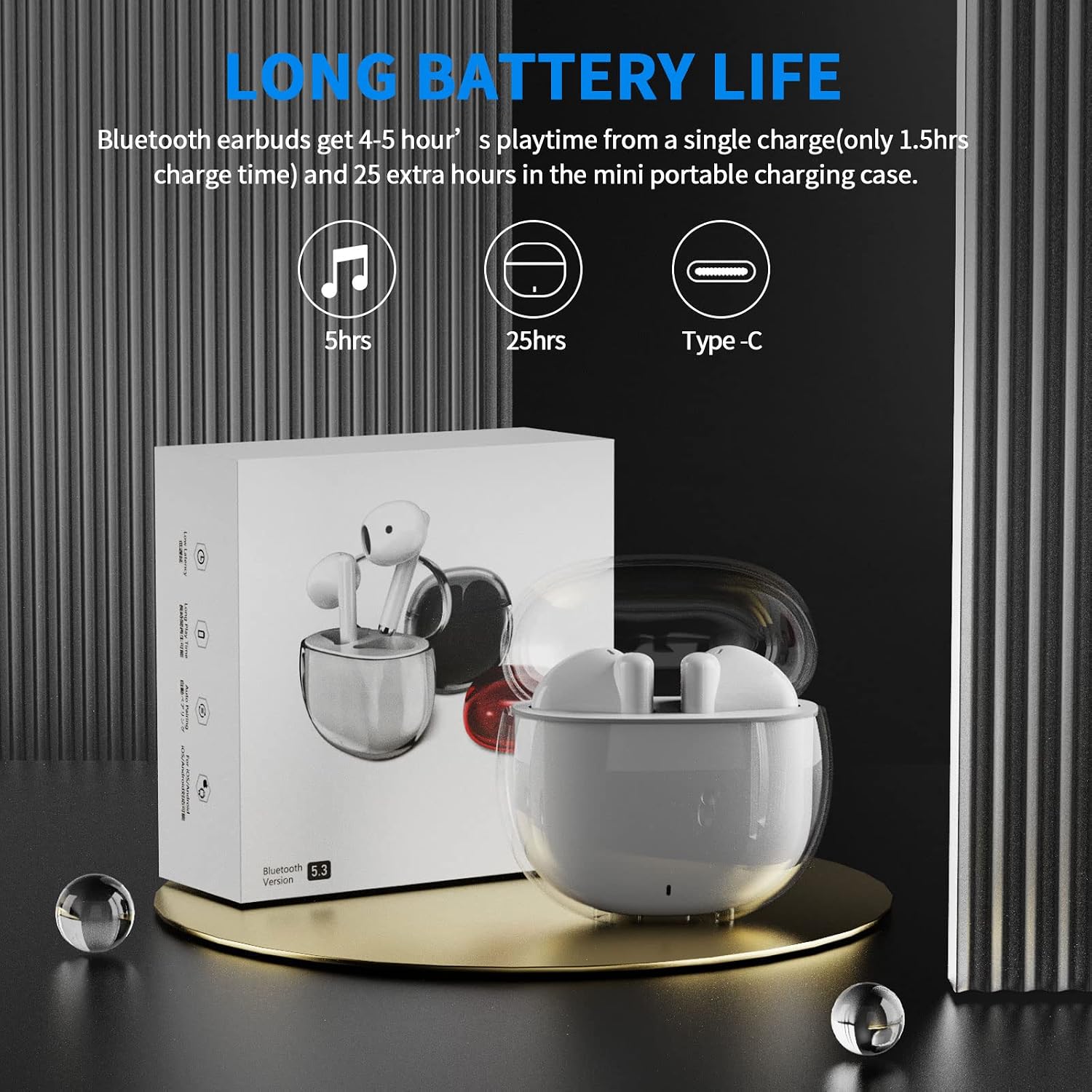
Image: A visual representation of the earbuds' battery life, showing 5 hours for earbuds and 25 hours total with the charging case, and the USB-C charging port.
Pairing with Your Device
The earbuds feature one-step pairing for quick and easy connection to your devices. They utilize advanced Bluetooth 5.3 technology for a stable and fast connection.
- Ensure your device's Bluetooth is turned on.
- Open the charging case. The earbuds will automatically power on and enter pairing mode.
- On your device (smartphone, tablet, laptop), go to the Bluetooth settings and select "ACA-i23" from the list of available devices to connect.
- Once connected, you will hear a confirmation tone, and the earbuds will be ready for use.

Image: A graphic illustrating the advanced Bluetooth 5.3 technology and the one-step pairing process with a smartphone, showing the "ACA-i23" device name.
Video: This official ACAGET video demonstrates the simple one-step pairing process and how to use the smart touch controls for music playback and call management.
Operating Instructions
Smart Touch Controls
The earbuds feature intuitive touch controls for managing your audio and calls without needing to access your connected device.
- Play/Pause Music: Double-tap the right earbud.
- Next Track: Triple-tap the right earbud.
- Previous Track: Triple-tap the left earbud.
- Answer/End Call: Double-tap either earbud.
- Reject Call: Press and hold either earbud for 2 seconds.
- Wake Up Voice Assistant (Siri): Double-tap the left earbud.

Image: A visual guide detailing the various touch control gestures for music playback, call management, and voice assistant activation on the earbuds.
Video: This official ACAGET video highlights the ergonomic design, Bluetooth 5.3 features, smart touch controls, long battery life, and the secure fit provided by the included over-ear earhooks.
Maintenance
Cleaning
To maintain optimal performance and hygiene, regularly clean your earbuds and charging case. Use a soft, dry, lint-free cloth. Avoid using harsh chemicals, abrasive materials, or excessive moisture, as these can damage the device.
Water Resistance
The ACAGET Wireless Earbuds are rated IPX4 waterproof, meaning they are protected against splashing water from any direction. This makes them suitable for use during workouts, in light rain, or when sweating. Note: The earbuds are not designed for submersion in water and should not be used for swimming or bathing.
Troubleshooting
Common Issues and Solutions
Earbuds not pairing:
- Ensure both earbuds are in the charging case and fully charged.
- Make sure Bluetooth is enabled on your device and "ACA-i23" is selected from the available devices.
- Try resetting the earbuds by placing them in the case, closing the lid, and reopening after a few seconds.
Only one earbud charging/working:
- Verify that both earbuds are properly seated in the charging case and making firm contact with the charging pins.
- Clean the charging contacts on both the earbuds and the case with a dry cotton swab to remove any debris.
- If the issue persists, contact customer support for further assistance.
Sound quality issues:
- Ensure the earbuds are properly fitted in your ears for optimal sound delivery.
- Check the audio source and volume levels on your connected device.
- Move closer to your device to avoid interference or range issues, as the Bluetooth range is up to 15 meters.
Specifications
Technical Specifications
| Feature | Detail |
|---|---|
| Model Name | i23 Wireless Earbuds |
| Connectivity Technology | Wireless |
| Wireless Communication Technology | Bluetooth |
| Bluetooth Version | 5.3 |
| Bluetooth Range | 15 Meters |
| Battery Life (Earbuds) | 5 Hours |
| Carrying Case Battery Life | 25 Hours |
| Carrying Case Battery Capacity | 300 Milliamp Hours |
| Charging Time | 1.5 Hours |
| Water Resistance Level | IPX4 Waterproof |
| Control Type | Media Control |
| Control Method | Touch |
| Audio Driver Type | Dynamic Driver |
| Audio Driver Size | 13 Millimeters |
| Frequency Range | 20 Hz - 20,000 Hz |
| Sensitivity | 105 dB |
| Impedance | 32 Ohm |
| Item Weight | 3.84 ounces |
| Product Dimensions | 5.9 x 4.72 x 1.18 inches |
| Material | Acrylonitrile Butadiene Styrene (ABS) |
| Compatible Devices | Compatible with various Bluetooth devices, including cellphones, iPad, laptops, and many Android and iOS smartphones. |
Warranty and Support
Warranty Information
ACAGET provides a 90-day refund and 6-month replacement policy for any defect problems with your earbuds. This warranty covers manufacturing defects and ensures your satisfaction with the product.
Customer Support
For any issues, questions, or suggestions regarding your ACAGET Wireless Earbuds, please do not hesitate to contact us through the message system. Our support team is committed to responding immediately to assist you.
For a detailed user guide, you can also refer to the official PDF document: User Manual (PDF).

