
ttec AirCharger Trio M
ttec AirCharger Trio M User Manual
MagSafe Compatible 3-in-1 Wireless Fast Charging Stand for iPhone, Apple Watch, and AirPods
Introduction
Thank you for choosing the ttec AirCharger Trio M. This 3-in-1 wireless charging stand is designed to provide a convenient and efficient charging solution for your iPhone (MagSafe compatible), Apple Watch, and AirPods (with wireless charging case). Please read this manual carefully before use to ensure optimal performance and safety.
Product Features
- 3-in-1 Wireless Charging: Simultaneously charges iPhone, Apple Watch, and AirPods.
- MagSafe Compatibility: Secure magnetic attachment for iPhone 12 and later models.
- Fast Charging: Total output power of 15 Watts. Supports PD/QC 3.0 fast charging technologies.
- Safe Charging: Built-in current protection.
- Versatile Phone Placement: Supports vertical and horizontal use of the phone while charging.
- Stylish Design: Helps avoid cable tangles, providing a neat charging solution.
- Touch LED Light: Integrated LED light for convenience.
- Durable Construction: Made from high-quality, durable materials.
Package Contents
- ttec AirCharger Trio M Wireless Charging Stand
- Type-C to USB-A Fast Charging Cable
- User Manual
Setup Guide
- Connect Power: Insert the Type-C end of the provided fast charging cable into the charging port on the back of the ttec AirCharger Trio M. Connect the USB-A end of the cable to a compatible power adapter (minimum 18W recommended for fast charging, not suitable for use with computer USB ports).
- Power On: Once connected to a power source, the stand is ready for use. The integrated LED light may illuminate to indicate power.
- Place iPhone: Align your MagSafe-compatible iPhone (iPhone 12 or later) with the magnetic charging pad on the stand. The phone will snap into place magnetically and begin charging.
- Place Apple Watch: Place your Apple Watch on the dedicated charging module. Ensure it is properly seated to initiate charging.
- Place AirPods: Place your AirPods (with wireless charging case) on the charging base. Ensure the charging case is centered on the charging area.
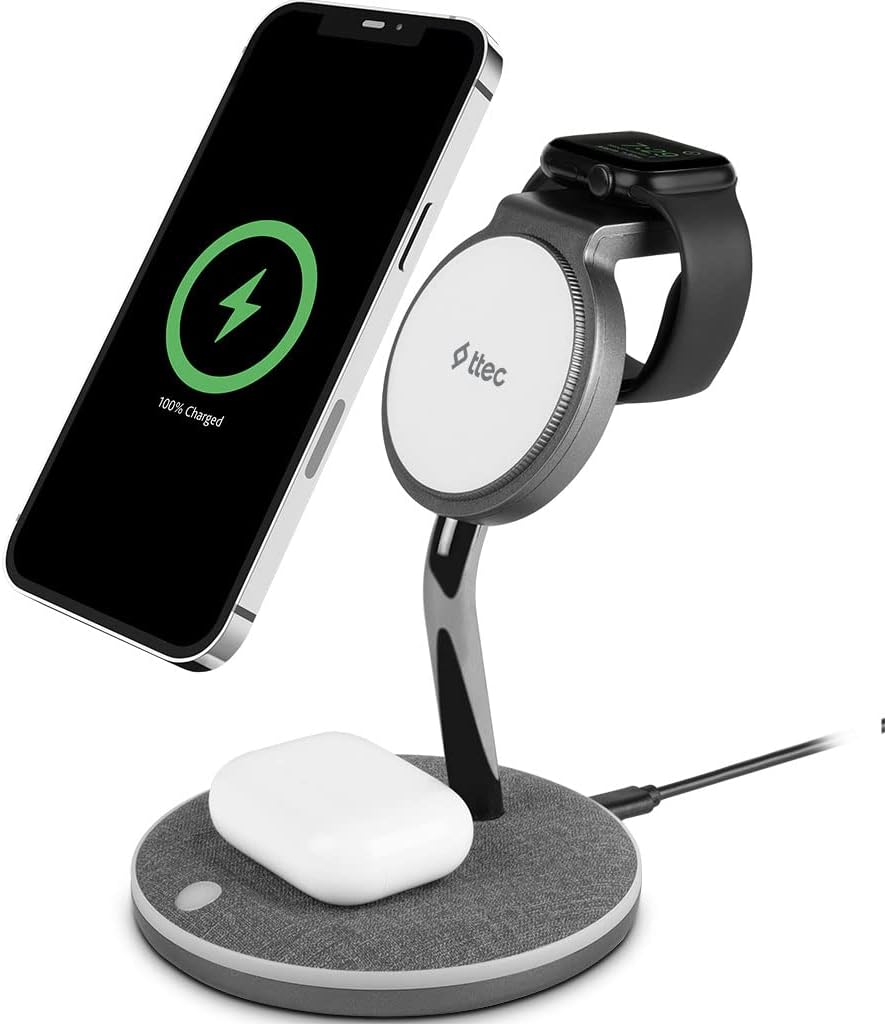
Image: The ttec AirCharger Trio M charging stand with an iPhone magnetically attached, an Apple Watch on its charging module, and AirPods on the base. This illustrates the 3-in-1 charging capability.
Operating Instructions
Charging Devices
The ttec AirCharger Trio M allows for simultaneous wireless charging of up to three devices:
- iPhone: For optimal magnetic alignment and charging, use MagSafe-compatible iPhones (iPhone 12 and later). The phone can be placed vertically or horizontally on the magnetic pad.
- Apple Watch: The integrated module is designed for Apple Watch charging.
- AirPods: Place AirPods with a wireless charging case on the flat base.

Image: A visual representation of the ttec AirCharger Trio M simultaneously charging an iPhone, Apple Watch, and AirPods, highlighting the MagSafe compatibility and magnetic grip.

Image: An iPhone shown charging on the ttec AirCharger Trio M, demonstrating its ability to hold the phone both vertically and horizontally, indicated by circular arrows.
Fast Charging
The stand supports fast charging with a total output of 15 Watts. To achieve fast charging, ensure your power adapter is at least 18W and supports PD/QC 3.0 technologies.

Image: This image highlights the fast charging capabilities of the ttec AirCharger Trio M, including PD/QC 3.0 support, safe charging with current protection, and the inclusion of a Type-C to USB-A fast charging cable. It also notes the requirement for a minimum 18W charger and that it's not suitable for computer use.
Touch LED Light
The base of the charging stand features a touch-sensitive LED light. Tap the designated area on the base to turn the light on or off, providing ambient illumination.
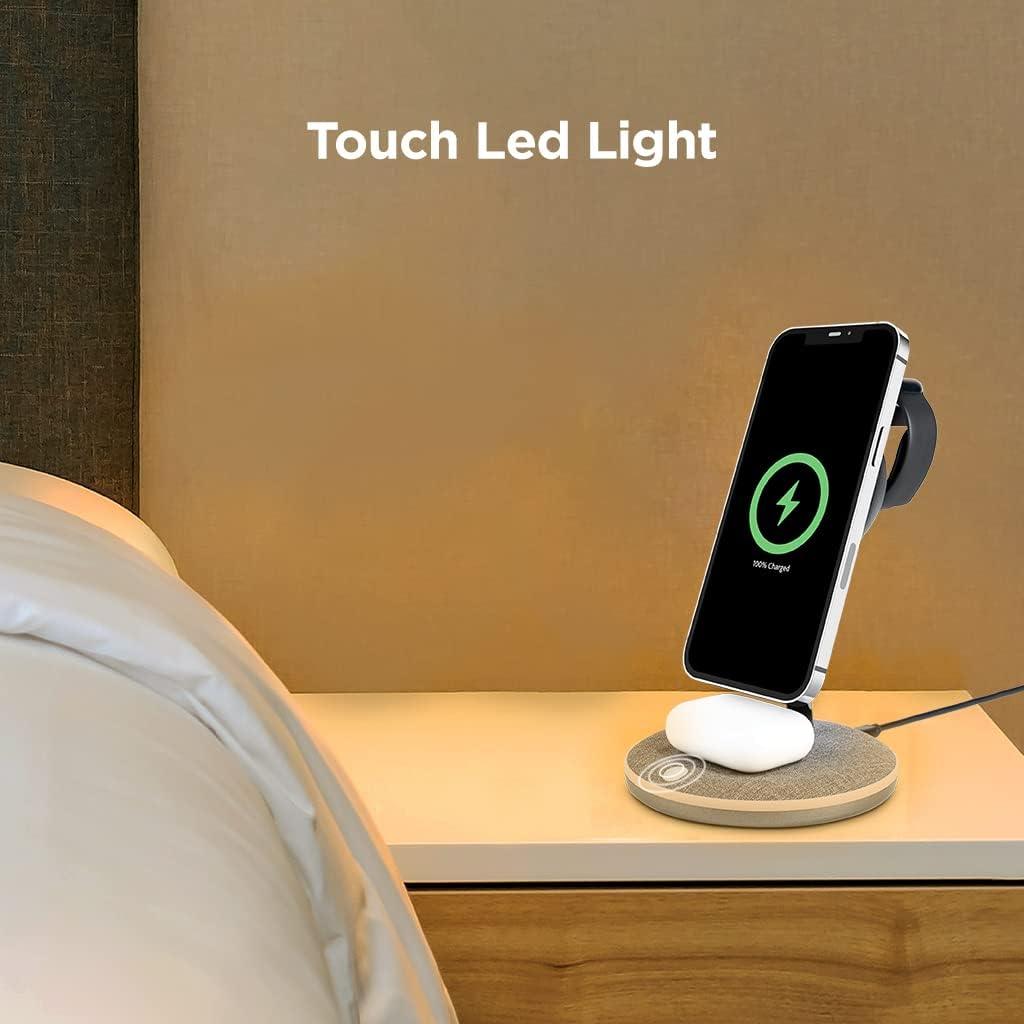
Image: The ttec AirCharger Trio M placed on a bedside table, with its touch LED light illuminated, demonstrating its use as a convenient charging station and light source in a personal space.
Maintenance and Care
- Keep the charging stand clean by wiping it with a soft, dry cloth.
- Avoid using harsh chemicals or abrasive cleaners.
- Do not expose the device to water or excessive moisture.
- Store in a cool, dry place when not in use.
- Ensure no metal objects are placed between the charging surfaces and your devices, as this can interfere with wireless charging and potentially cause damage.
Troubleshooting
| Problem | Possible Cause | Solution |
|---|---|---|
| Device not charging. | Not properly aligned; Power adapter insufficient; Cable issue; Device not wireless charging compatible. | Ensure device is centered on the charging area. Use an 18W or higher power adapter. Check cable connections. Verify your device supports wireless charging. |
| Slow charging. | Power adapter not powerful enough; Background apps on device; Device case too thick. | Use an 18W or higher PD/QC 3.0 compatible power adapter. Close unnecessary apps. Remove thick phone cases. |
| LED light not working. | No power; Faulty unit. | Check power connection. Contact customer support if problem persists. |
| Phone not magnetically attaching. | Not a MagSafe compatible iPhone; Non-MagSafe case. | Ensure you have an iPhone 12 or later. Use a MagSafe compatible case or no case. |
Specifications
- Brand: ttec
- Model: AirCharger Trio M
- Input Voltage: 9V (via USB-C)
- Total Output Power: 15W (Max)
- Charging Technology: Wireless (Qi compatible), MagSafe compatible
- Fast Charging Support: PD/QC 3.0
- Compatible Devices: iPhone (MagSafe compatible models), Apple Watch, AirPods (with wireless charging case)
- Power Source: Wired Electric
- Mounting Type: Desktop Mount
- ASIN: B0BJVNCXBT
- First Available Date: October 20, 2022
Safety Information
- Do not disassemble or modify the product.
- Keep away from extreme temperatures, direct sunlight, and humid environments.
- Avoid dropping or subjecting the device to strong impacts.
- Do not place foreign objects on the charging surface.
- This product is not a toy. Keep out of reach of children.
Warranty and Support
For warranty information and technical support, please refer to the warranty card included with your product or visit the official ttec website. Please have your product model number (AirCharger Trio M) and ASIN (B0BJVNCXBT) ready when contacting support.
Contact Information:
- Brand: ttec
- Manufacturer: ttec
- Website: www.ttec.com.tr (Please note: This is a placeholder URL as no specific support URL was provided in the data.)
Related documentsAirCharger Trio M


Ask a question about this manual
Ask about setup, troubleshooting, compatibility, parts, safety, or missing instructions. Manuals+ will review the question and use this page’s manual context to help answer it.