
VLOXO Y4100
VLOXO Cordless Electric Scissors (Model Y4100) Instruction Manual
Brand: VLOXO | Model: Y4100
1. Introduction
This manual provides essential information for the safe and effective operation, maintenance, and troubleshooting of your VLOXO Cordless Electric Scissors. Please read this manual thoroughly before first use and retain it for future reference.
General Safety Warnings
- Always keep the cutting blade away from body parts, especially fingers, during operation.
- Ensure the safety lock is engaged when the tool is not in use or during storage.
- Do not attempt to cut materials exceeding the specified cutting capacity.
- Keep the tool dry and clean. Avoid exposure to moisture.
- Store the tool out of reach of children.
2. Package Contents
Verify that all items listed below are included in your package:
- 1x VLOXO 4.2V Electric Scissor Unit
- 1x TYPE-C Charge Cable
- 1x Storage Case
- 1x User Manual

Image: VLOXO Cordless Electric Scissors, charging cable, and storage case.
3. Setup
3.1. Initial Charging
Before first use, fully charge the electric scissors. Connect the provided TYPE-C charging cable to the charging port located at the rear of the handle and plug the other end into a compatible USB power source. The indicator light will be red during charging and turn green when fully charged.
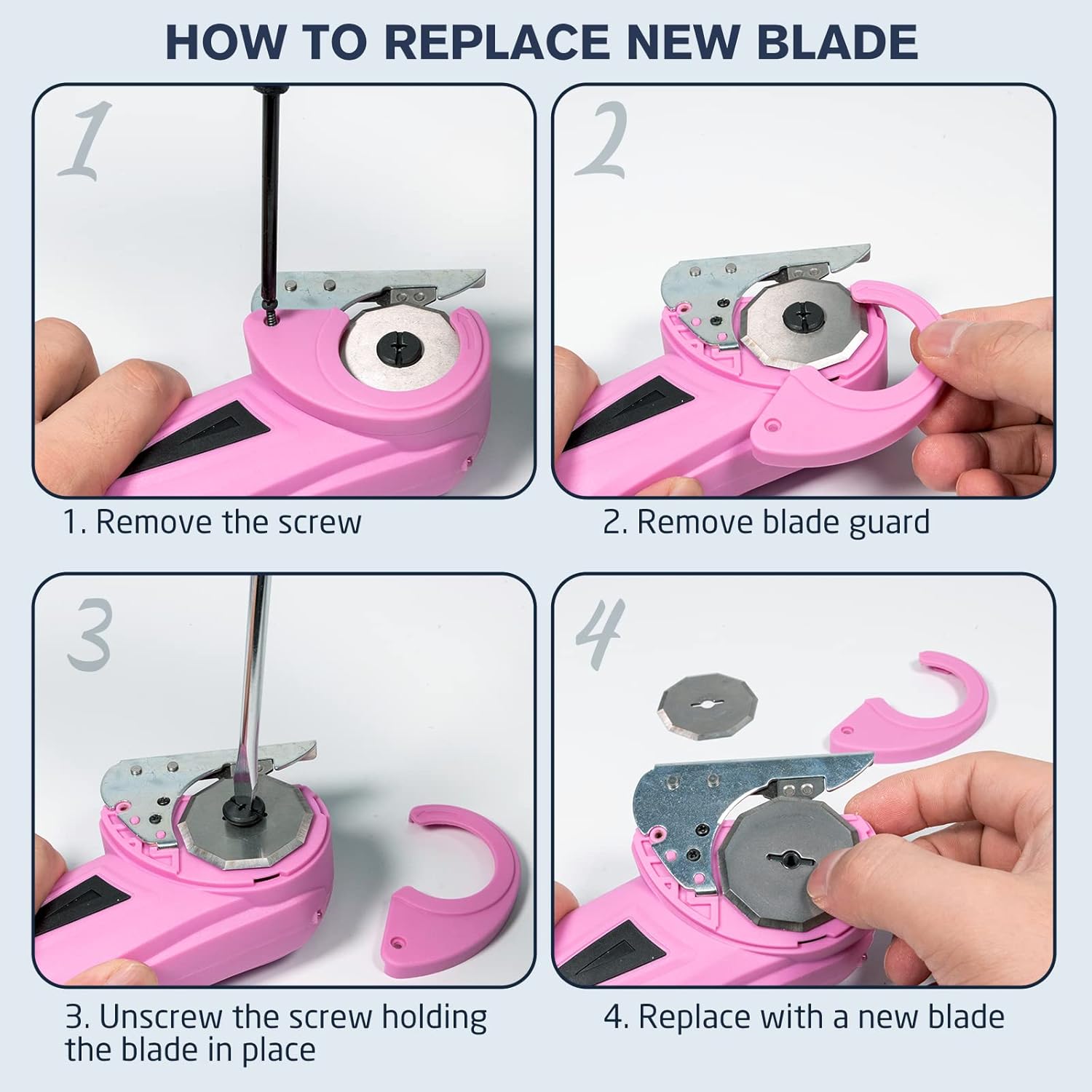
Image: USB Type-C charging port on the VLOXO electric scissors.
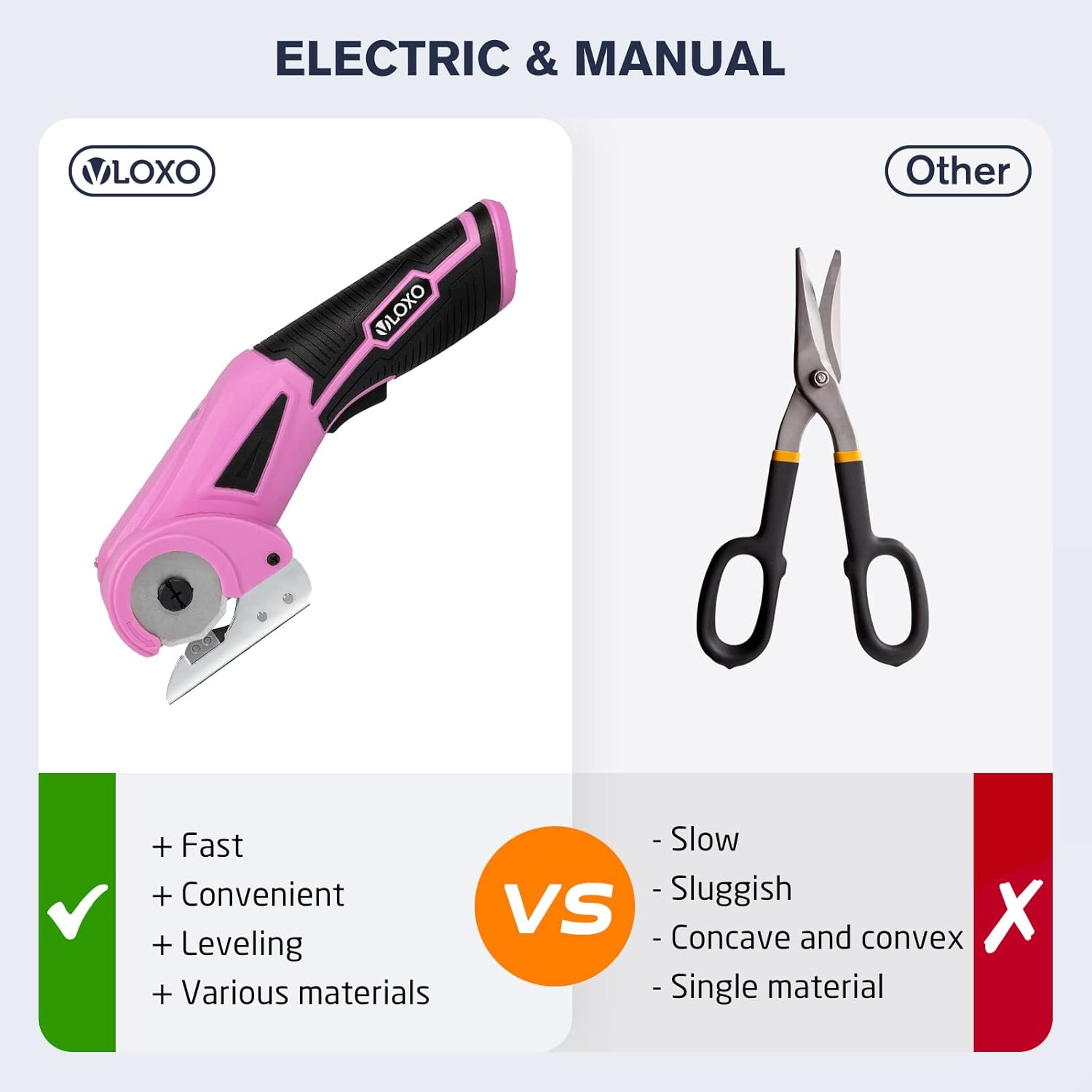
Image: Red indicator light showing the scissors are charging.
3.2. Activating the Safety Lock
The electric scissors are equipped with a safety lock switch to prevent accidental activation. To operate the scissors, first press the safety lock switch (located on the top of the unit) until the indicator light turns on. Then, press the main power switch (trigger) to begin cutting. The indicator light will turn off automatically after 30 seconds of inactivity.

Image: Safety lock and power switch operation.
4. Operating Instructions
4.1. General Operation
After activating the safety lock, press the main power switch to start the rotary blade. Guide the scissors along the material you wish to cut. Release the power switch to stop the blade. The ergonomic design allows for comfortable use by both left-handed and right-handed users.
4.2. Cutting Various Materials
The VLOXO electric scissors are designed for multi-material cutting with a 1/4-inch (6.35mm) cutting capacity and 240 RPM cutting speed. They can cut materials such as cardboard, leather, plastic mats, carpets, and felt.
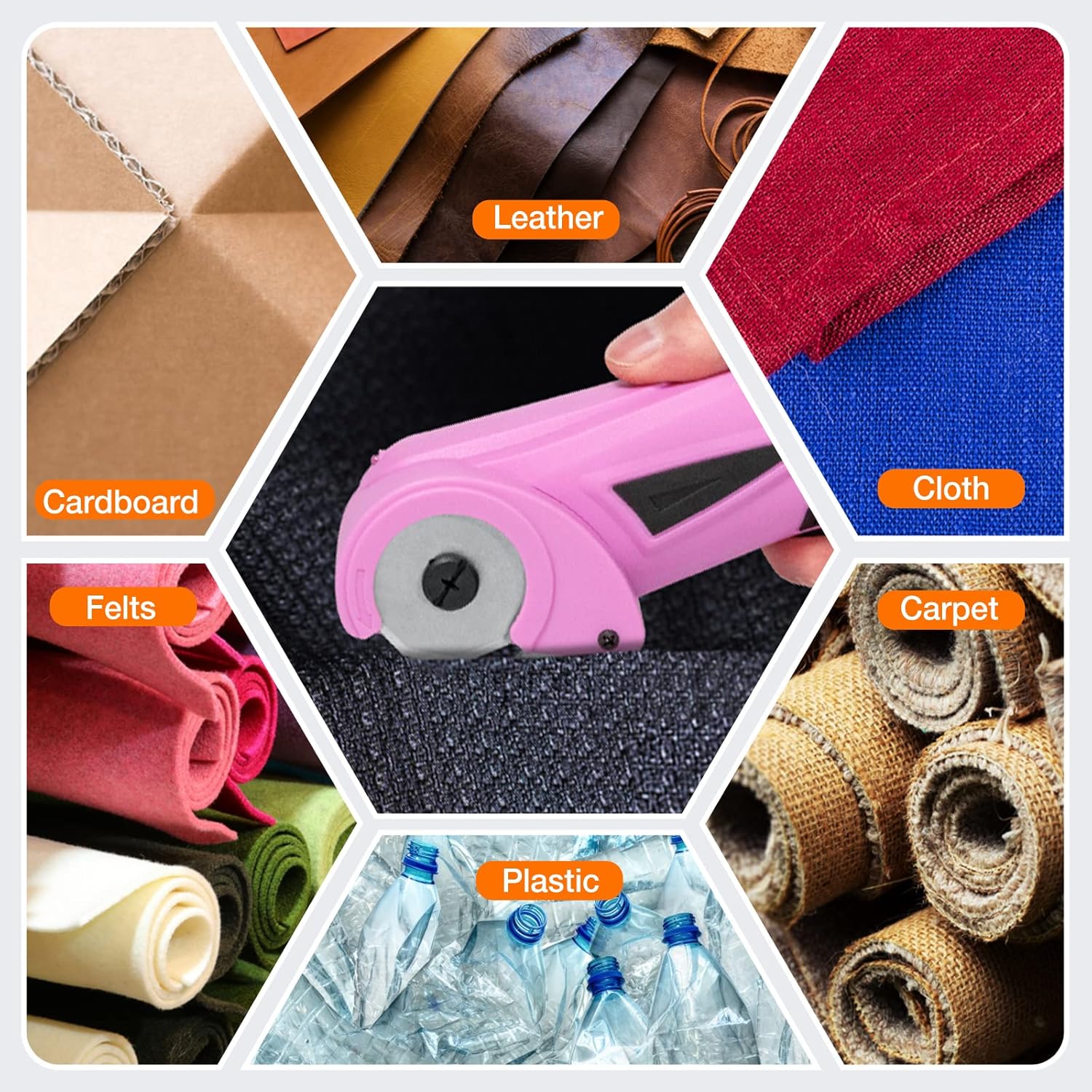
Image: Examples of materials suitable for cutting.
Cutting Cardboard
For cardboard, ensure the material fits within the blade guard. Apply steady, gentle pressure. Thicker cardboard may require slightly more force. The tool is effective for breaking down boxes for recycling or craft projects.
Video: Demonstration of cutting cardboard and leather with the VLOXO electric scissors.
Cutting Fabric and Leather
The rotary blade is suitable for various fabrics, leather, and felt. Ensure the material is laid flat and taut for a clean cut. For multiple layers, ensure the total thickness does not exceed 1/4 inch.
Video: Demonstration of the VLOXO electric scissors cutting through fabric.
5. Maintenance
5.1. Blade Sharpening
The rotary cloth cutter is equipped with an automatic sharpening system to maintain sharp blade edges. For optimal performance, regularly clean the area around the blade guard.
5.2. Cleaning
After each use, remove dust and material chips from the blade area using a brush or compressed air. Do not use liquids or abrasive cleaners.
5.3. Blade Replacement
If the blade becomes dull or damaged, it can be replaced. Follow these steps:
- Remove the screw securing the blade guard.
- Carefully remove the blade guard.
- Unscrew the screw holding the blade in place.
- Replace with a new blade, ensuring it is correctly seated.
- Reattach the blade guard and secure it with the screw.
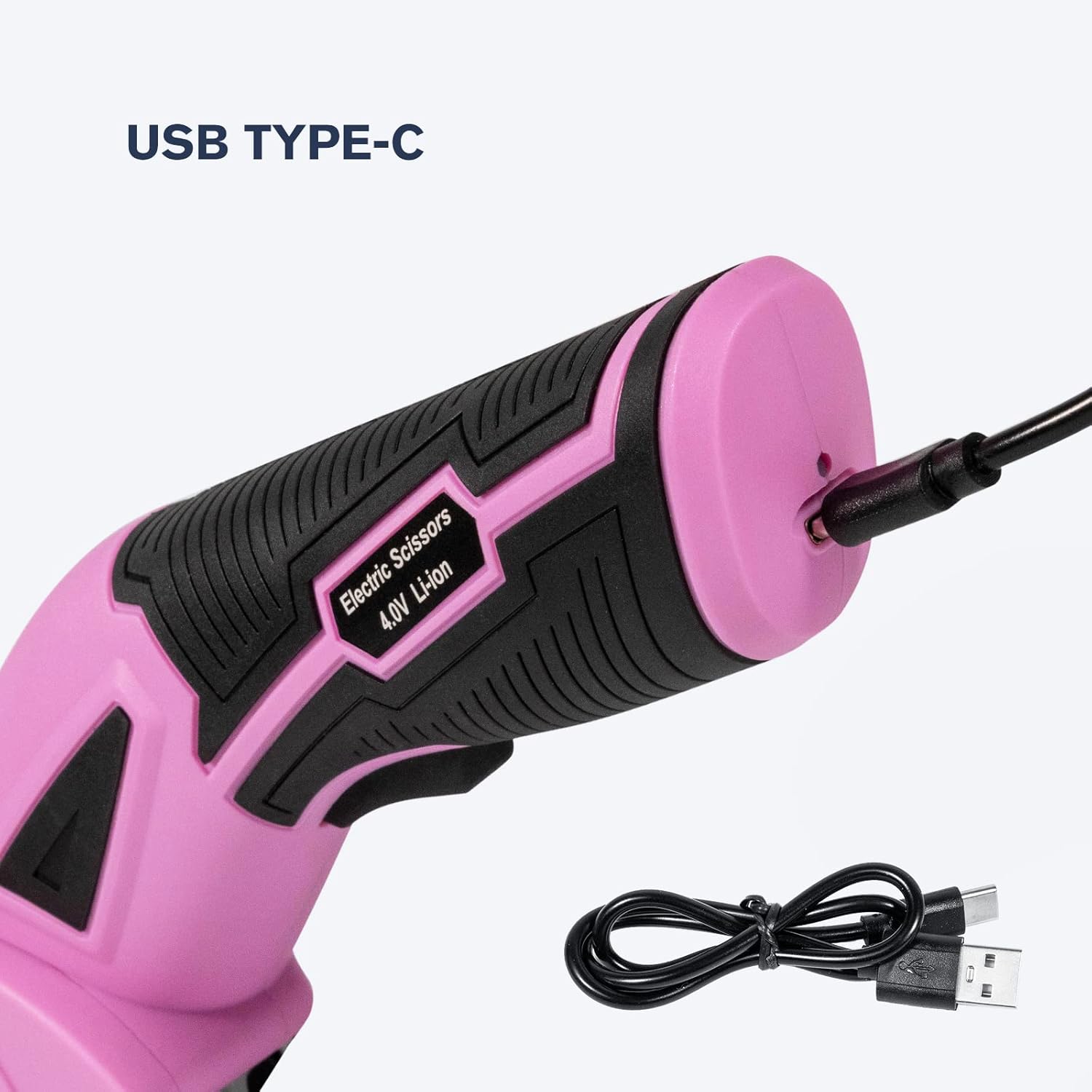
Image: Step-by-step guide for blade replacement.
6. Troubleshooting
| Problem | Possible Cause | Solution |
|---|---|---|
| Scissors do not turn on. | Battery is low or depleted. Safety lock not engaged. | Charge the battery fully. Ensure the safety lock button is pressed and its indicator light is on before pressing the main power switch. |
| Blade is not cutting smoothly or material is snagging. | Blade is dull. Material is too thick or bunched. Blade guard is obstructed. | Clean the blade area. Replace the blade if dull. Ensure material thickness is within 1/4 inch capacity and is laid flat. |
| Difficulty cutting thick cardboard. | Material is too dense or exceeds capacity. | Apply steady, firm pressure. Ensure the cardboard is not excessively thick or multi-layered beyond the 1/4 inch capacity. |
7. Specifications
| Feature | Detail |
|---|---|
| Brand | VLOXO |
| Model Number | Y4100 |
| Color | Pink |
| Material | Plastic, Leather (Handle) |
| Blade Material | Stainless Steel |
| Product Dimensions | 3.54"L x 8.66"W |
| Item Weight | 1.3 Pounds |
| Hand Orientation | Ambidextrous |
| Cutting Speed | 240 RPM |
| Cutting Capacity | 1/4" (6.35mm) |
| Battery | 1 Lithium Metal battery (included) |
| Charging | TYPE-C Charge Cable |

Image: Product dimensions and labeled parts.
8. Warranty and Support
For warranty information or technical support, please contact VLOXO customer service through the retailer where the product was purchased or visit the official VLOXO website. Please have your model number (Y4100) and purchase details ready.
Related documentsY4100

Ask a question about this manual
Ask about setup, troubleshooting, compatibility, parts, safety, or missing instructions. Manuals+ will review the question and use this page’s manual context to help answer it.