
1. Introduction
Thank you for purchasing the TOMZON P7 Drone. This drone is designed for beginners and kids, offering an easy-to-fly experience with features like 1080P HD camera, headless mode, and 3D flips. Please read this manual thoroughly before operating the drone to ensure safe and optimal performance. Keep this manual for future reference.
2. Safety Guidelines
- Age Recommendation: This drone is recommended for users aged 14 years and up.
- Flight Environment: Fly in open, clear areas away from people, animals, buildings, and obstacles. Avoid flying in strong winds or adverse weather conditions.
- Battery Safety: Use only original batteries and charging cables. Do not overcharge or short-circuit batteries. Discontinue use if batteries are damaged or swollen.
- Propeller Safety: Keep fingers, hair, and loose clothing away from rotating propellers. The drone includes propeller protection guards for added safety.
- Emergency Stop: Familiarize yourself with the emergency stop function to quickly power off the drone in critical situations.
- Supervision: Adult supervision is recommended for younger users.
3. Package Contents
Ensure all items are present in your package:
- TOMZON P7 Drone (x1)
- Remote Controller (x1)
- Rechargeable Drone Batteries (x2)
- USB Charging Cable (x1)
- Spare Propellers (x4)
- Propeller Removal Tool (x1)
- Screwdriver (x1)
- User Manual (x1)

Figure 3.1: TOMZON P7 Drone package contents including the drone, remote controller, and two batteries.
4. Setup Guide
4.1 Charging Batteries
Fully charge both drone batteries before first use. Connect the USB charging cable to the battery and a suitable USB power adapter (not included). The indicator light on the cable will show charging status. Charging time is approximately 60-90 minutes per battery, providing up to 10 minutes of flight time each.
4.2 Installing Drone Battery
Carefully insert a charged battery into the drone's battery compartment until it clicks into place. Ensure it is securely fastened.

Figure 4.1: Illustration of inserting the battery into the drone.
4.3 Remote Controller Setup
Install 3 AAA batteries (not included) into the remote controller. Power on the controller. To pair the drone with the controller, place the drone on a flat surface, turn on the drone, then turn on the controller. Push the left joystick up and then down. The drone's lights will stop blinking, indicating successful pairing.
4.4 App Installation (Optional for FPV)
For FPV (First Person View) and advanced features, download the dedicated TOMZON drone app from your device's app store. Connect your smartphone to the drone's Wi-Fi network (usually named "TOMZON-P7-XXXX").
5. Operating Instructions
5.1 Basic Flight
- One-Key Take-off/Landing: Press the one-key take-off/landing button on the controller to automatically launch or land the drone.
- Altitude Hold: The drone features an altitude hold function, maintaining its height automatically for stable flight.
- Throw to Go: For quick launch, gently toss the drone into the air after pairing, and its propellers will automatically start spinning.

Figure 5.1: The 'Throw to Go' feature allows for an easy start by gently tossing the drone.
5.2 Advanced Features
- Headless Mode: Activate headless mode to control the drone's direction relative to the pilot, regardless of the drone's actual orientation.
- 3D Flip: Press the 3D flip button and move the right joystick in any direction to perform an exciting 360° flip.
- Custom Path Flight: Use the app to draw a desired flight path on your screen, and the drone will follow it automatically.
- Gravity Sensor Control: Control the drone's movement by tilting your smartphone using the gravity sensor feature in the app.
- Hand Gesture Function: Perform specific hand gestures in front of the camera to take photos or record videos.
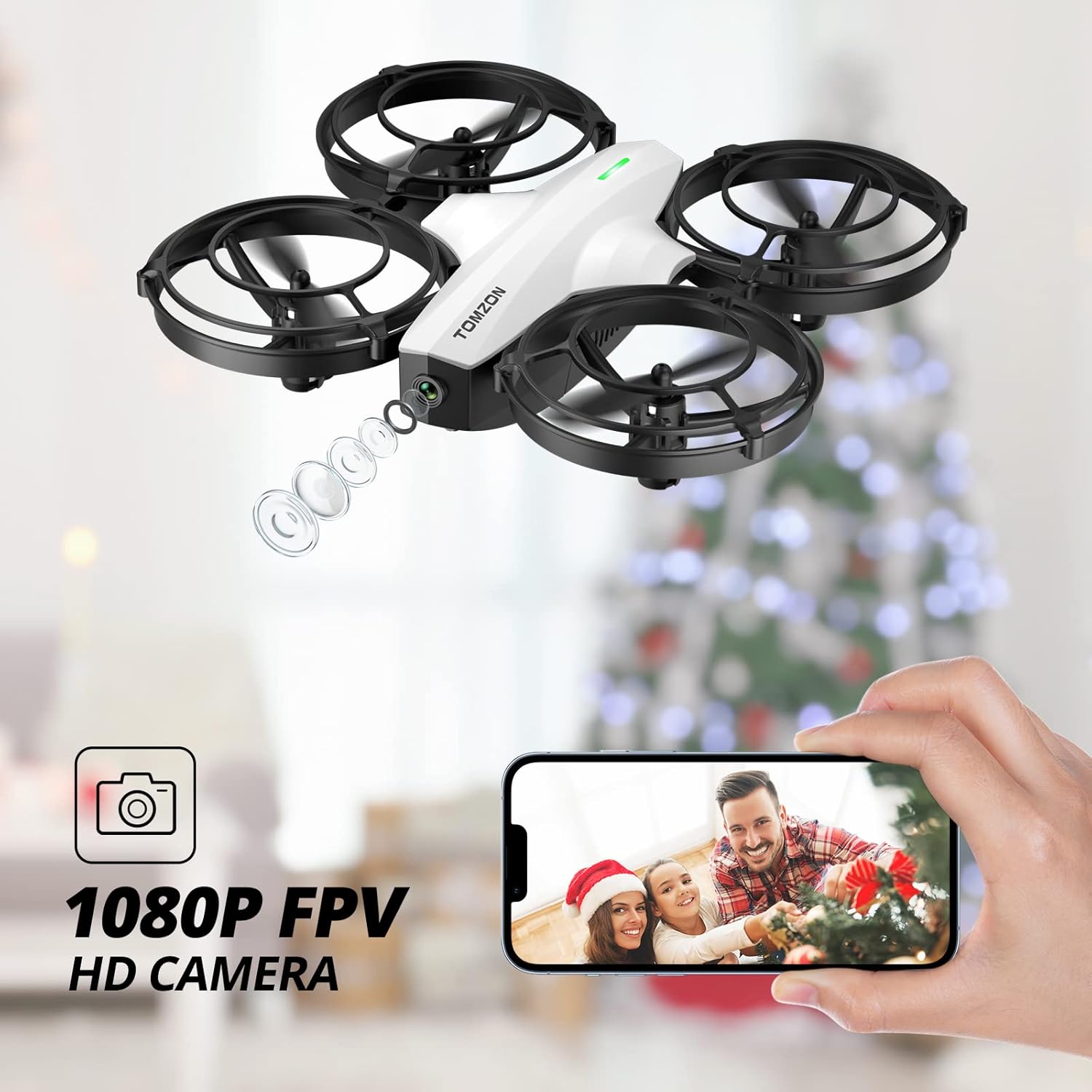
Figure 5.2: The 1080P HD Camera provides clear FPV (First Person View) via the app.

Figure 5.3: The drone can perform auto-rotation maneuvers.

Figure 5.4: Hand gestures can be used to trigger photo and video recording.
5.3 Battle Mode
The TOMZON P7 drone supports a unique battle mode feature, allowing two drones to engage in simulated aerial combat. Each drone is equipped with an infrared sensor to detect hits. When a drone is hit, it will react with a visual or auditory cue. Multiple hits can lead to a simulated 'downed' drone, adding an exciting competitive element to your flight experience.
Video 5.1: Official demonstration of the TOMZON P7 Drone's battle mode, 3D flip, headless mode, and gesture recognition features.
6. Maintenance
- Cleaning: Use a soft, dry cloth to clean the drone and controller. Avoid using water or solvents.
- Propeller Replacement: If propellers are damaged, use the provided propeller removal tool and screwdriver to replace them with spare ones. Ensure correct propeller (A or B) is installed on the corresponding motor.
- Battery Care: Store batteries in a cool, dry place. Do not store fully charged or completely depleted batteries for extended periods. Charge them to about 50% for long-term storage.
7. Troubleshooting
| Problem | Possible Cause | Solution |
|---|---|---|
| Drone does not respond to controller. | Not paired correctly; low battery on drone or controller. | Re-pair drone and controller; charge/replace batteries. |
| Drone drifts during flight. | Not calibrated; strong wind. | Calibrate the drone on a flat surface; fly in calmer conditions. |
| Poor camera feed/connection. | Weak Wi-Fi signal; app not connected. | Ensure strong Wi-Fi connection; restart app and drone. |
| Short flight time. | Battery not fully charged; old battery. | Ensure full charge; consider replacing aging batteries. |
8. Specifications
- Brand: TOMZON
- Model Name: P7 (DSDR07A)
- Color: White
- Video Capture Resolution: 1080p
- Connectivity Technology: Wi-Fi
- Skill Level: Beginner
- Item Weight: 72 Grams (2.54 ounces)
- Product Dimensions: 5.7"L x 5.3"W x 1.37"H
- Battery Type: Lithium Polymer (2 included)
- Max Flight Time: Up to 20 minutes (with 2 batteries)
- Control Type: Remote Control
- Manufacturer Recommended Age: 14 years and up
9. Warranty and Support
TOMZON products come with a standard manufacturer's warranty. For detailed warranty information, technical support, or customer service inquiries, please visit the official TOMZON website or contact their customer support team directly. Contact information can typically be found on the product packaging or the TOMZON brand store page on Amazon.
Online Support: Visit the TOMZON Store on Amazon
