
Introduction
Thank you for choosing the Spigen Rugged Armor case for your Samsung Galaxy S23. This manual provides essential information for the proper installation, use, and maintenance of your new case, ensuring optimal protection for your device.
The Spigen Rugged Armor case is designed with a flexible yet resilient Thermoplastic Polyurethane (TPU) material, featuring Air Cushion Technology for enhanced shock absorption and a precise fit for the Samsung Galaxy S23.
Setup: Case Installation
Follow these steps to properly install the Spigen Rugged Armor case on your Samsung Galaxy S23:
- Prepare Your Device: Ensure your Samsung Galaxy S23 is clean and free of dust or debris.
- Align the Case: Hold the case with the back facing up. Carefully align the phone with the case, ensuring the camera cutout and button positions match.
- Insert the Phone: Gently push the phone into the case, starting with one side (e.g., the top or bottom edge). Apply even pressure around the edges until the phone is fully seated within the case. The flexible TPU material allows for easy installation.
- Verify Fit: Once installed, check that all edges of the phone are securely covered by the case and that all ports, buttons, and the camera are properly aligned with the case's cutouts.
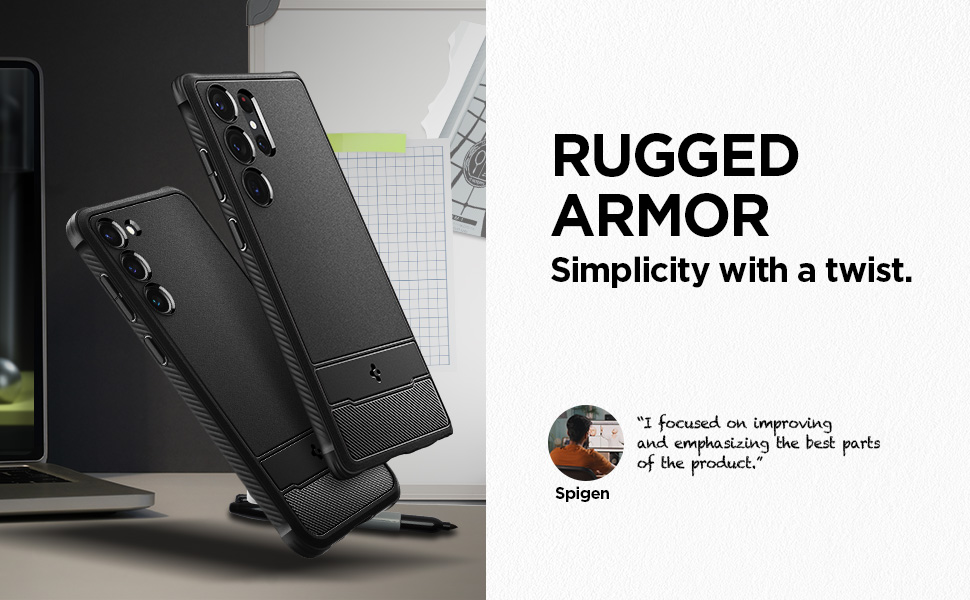
Image: The Spigen Rugged Armor case precisely fitted onto a Samsung Galaxy S23, illustrating its design and access to phone features.
Operating Instructions
The Spigen Rugged Armor case is designed for seamless daily use with your Samsung Galaxy S23.
- Button Access: The case features precise cutouts and tactile button covers, ensuring easy access and responsiveness for volume and power buttons.
- Port Access: All ports (charging port, speakers) are easily accessible through accurately designed cutouts.
- Wireless Charging: The case is compatible with wireless charging. You do not need to remove the case to charge your device wirelessly.
- Air Cushion Technology: Integrated Air Cushion Technology in the corners provides enhanced shock absorption, protecting your device from drops and impacts.

Image: Detailed view of the Spigen Rugged Armor case, illustrating its textured grip and precise engineering for device protection.
Maintenance and Care
To keep your Spigen Rugged Armor case in optimal condition and ensure its longevity:
- Cleaning: Wipe the case regularly with a soft, damp cloth to remove dust, dirt, and fingerprints. For stubborn stains, a mild soap solution can be used, followed by wiping with a clean, damp cloth and air drying.
- Avoid Harsh Chemicals: Do not use abrasive cleaners, solvents, or harsh chemicals, as these can damage the TPU material and finish of the case.
- Storage: When not in use, store the case in a cool, dry place away from direct sunlight and extreme temperatures.
Troubleshooting
If you encounter any issues with your Spigen Rugged Armor case, consider the following:
- Case Fit Becomes Loose:
Over time, frequent removal and reinstallation, or exposure to extreme conditions, might slightly affect the case's fit. Ensure the phone is correctly seated within the case, applying gentle pressure around all edges. If the fit significantly loosens and compromises protection, consider replacing the case.
- Buttons Not Responsive:
Check if the phone is properly aligned within the case. Remove the case and re-install it, ensuring all buttons align perfectly with the case's tactile covers. Ensure no debris is lodged between the phone's buttons and the case.
- Wireless Charging Issues:
Verify that your wireless charger is functioning correctly and that the phone is placed centrally on the charging pad. Ensure there are no foreign objects between the phone and the case, or between the case and the charging pad. The case is designed to be wireless charging compatible.
Specifications
| Feature | Detail |
|---|---|
| Brand | Spigen |
| Model Name | Rugged Armor |
| Model Number | ACS05711 |
| Compatible Phone Models | Samsung Galaxy S23 |
| Color | Matte Black |
| Material | Thermoplastic Polyurethane (TPU) |
| Product Features | Anti-Fingerprint, Anti-Slip, Flexible, Shock-Absorbent, Wireless Charging Compatible |
| Item Dimensions | 7.5 x 15 x 1.1 Centimeters |
| Item Weight | 35.22 Grams |
| Country of Origin | Korea, Republic of |
Warranty Information
The Spigen Rugged Armor case comes with a 1 Year Warranty Against Manufacturing Defects Only.
This warranty covers defects in materials and workmanship under normal use. It does not cover damage caused by misuse, abuse, accidents, or unauthorized modifications.
Customer Support
For warranty claims, technical assistance, or any other inquiries regarding your Spigen Rugged Armor case, please contact Spigen customer support:
- Email: spigen.support@spigen.com
- Manufacturer: Spigen Korea Co., Ltd.
- Importer (India): Spigen India Pvt. Ltd., No.295-296, Ecotech-1, Extension, Greater Noida, UP


