
1. Introduction
Thank you for choosing the LTC MOB20RED Senior Phone. This device is designed with ease of use in mind, featuring large keys, a loud voice readout, and essential functions tailored for seniors. It includes a dedicated SOS button for emergencies, a built-in flashlight, and a long-lasting battery. This manual provides detailed instructions for setting up, operating, and maintaining your phone to ensure optimal performance and safety.
2. Safety Information
- Battery Safety: Use only the original battery and charger provided. Do not short-circuit, puncture, or expose the battery to extreme temperatures or fire. Dispose of batteries properly according to local regulations.
- Charging: Charge the phone in a well-ventilated area. Do not charge near flammable materials.
- Water Resistance: This phone is not water-resistant. Avoid exposure to liquids.
- Cleaning: Use a soft, dry cloth to clean the phone. Do not use harsh chemicals or abrasive cleaners.
- Hearing Protection: Avoid prolonged listening at high volume levels to prevent hearing damage.
- Medical Devices: Maintain a safe distance between the phone and medical devices like pacemakers. Consult your physician and the medical device manufacturer for specific guidelines.
- Driving Safety: Do not use the phone while driving. Always prioritize road safety.
3. Package Contents
Please check the package contents upon unboxing:
- LTC MOB20RED Senior Phone
- Li-Ion Battery (900 mAh)
- AC Power Adapter
- User Manual (this document)
4. Product Overview
Familiarize yourself with the key components of your LTC MOB20RED phone.
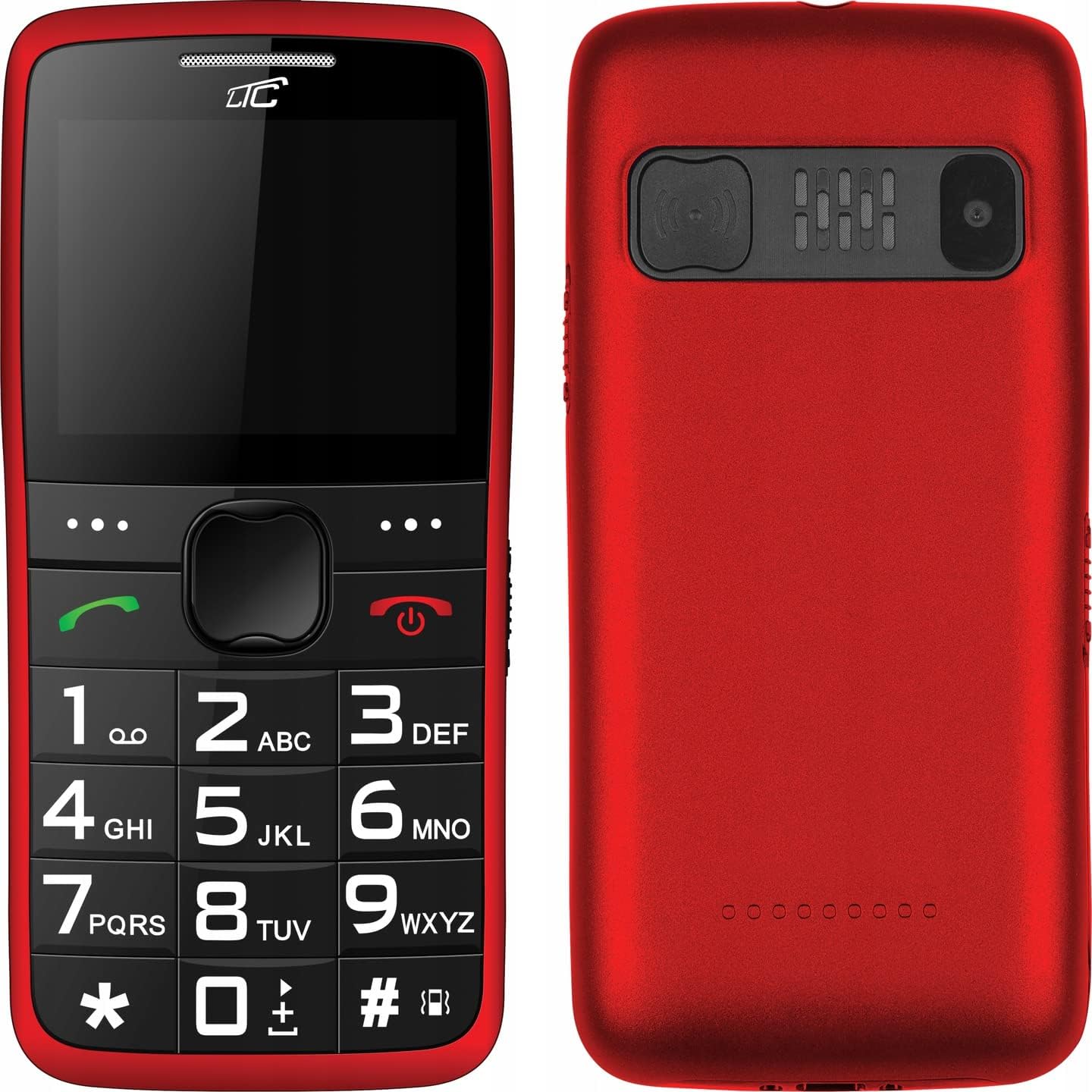
Figure 4.1: Front and Back View of the Phone. This image displays both the front with its large keypad and screen, and the back with the SOS button and camera module.
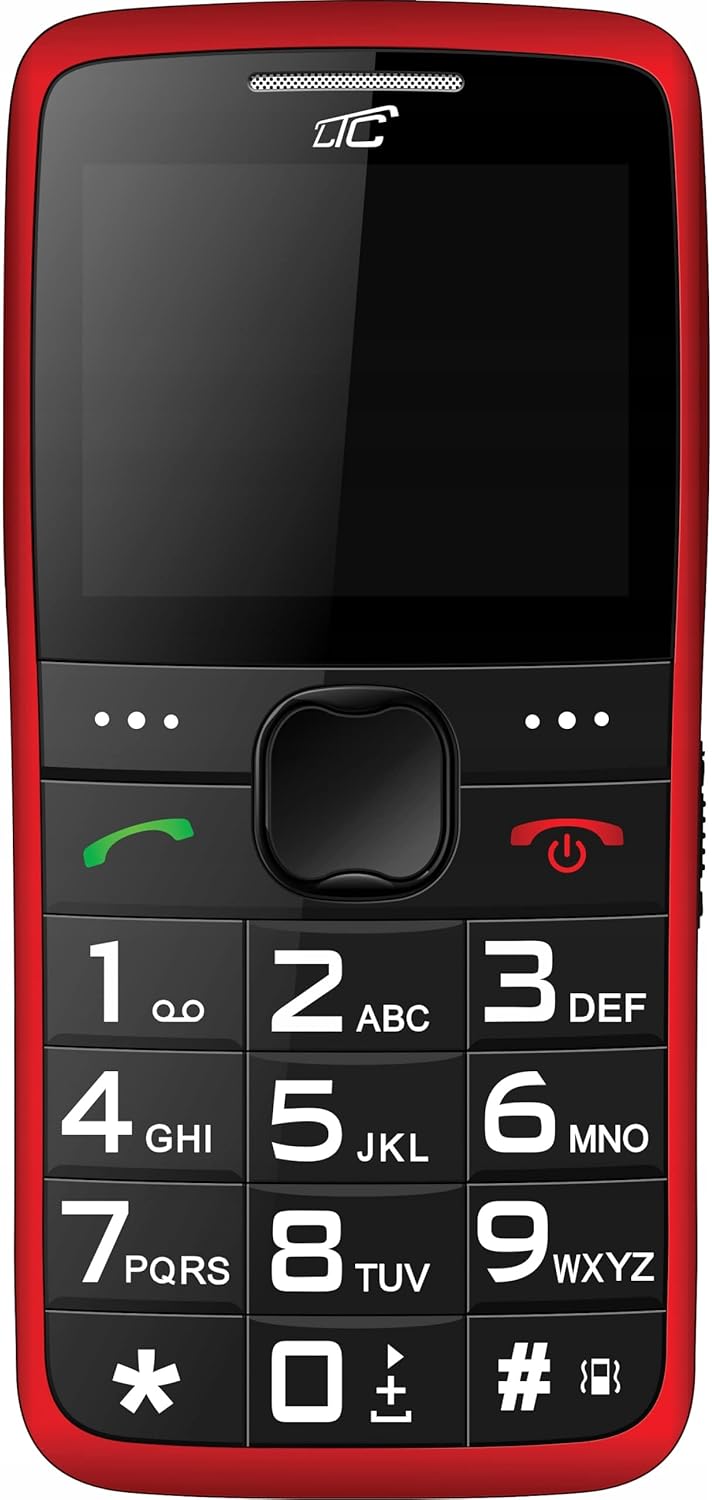
Figure 4.2: Front View. A clear view of the phone's front, highlighting the spacious keypad with large, easy-to-read numbers and letters, and the color display.
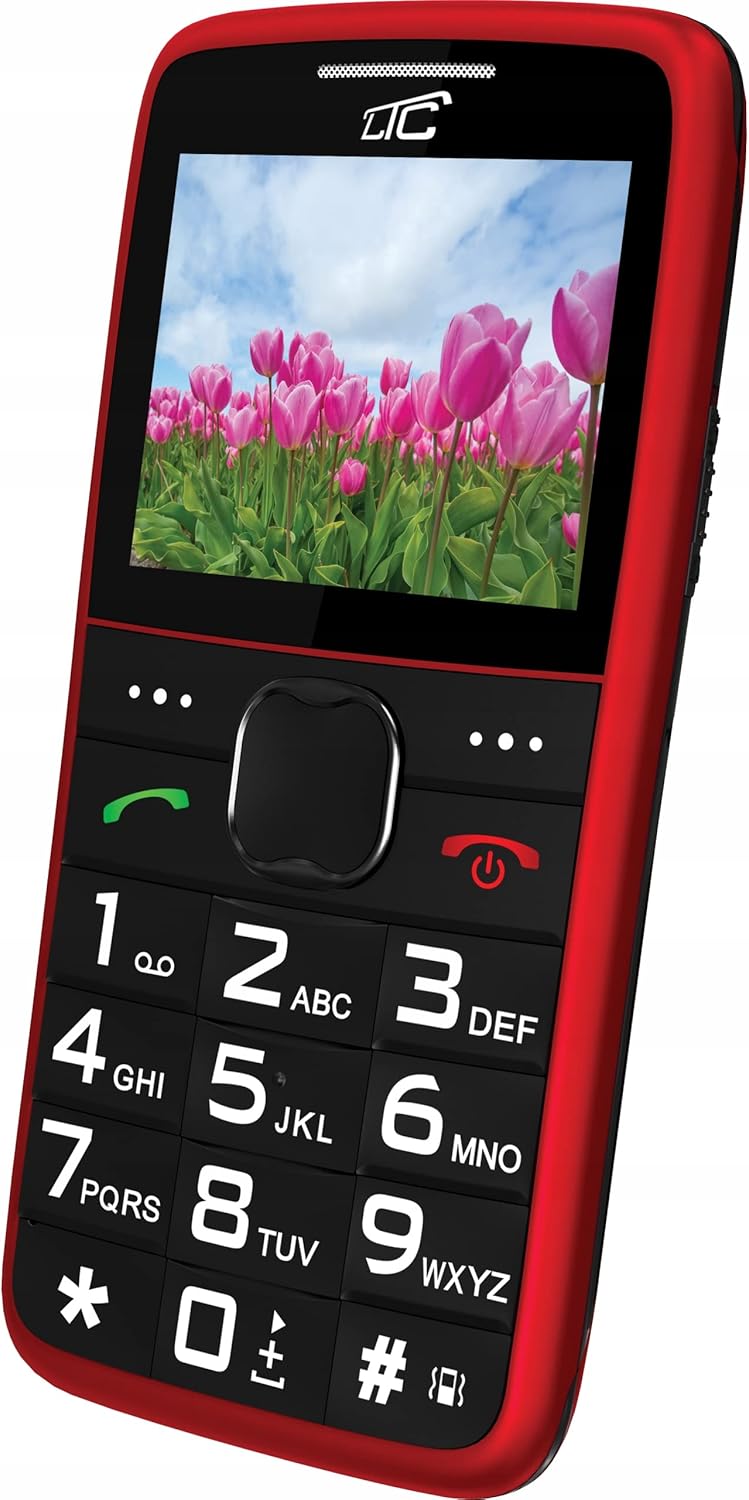
Figure 4.3: Angled Front View with Display On. This image shows the phone from an angle, with the screen displaying a vibrant image, demonstrating its color capabilities.
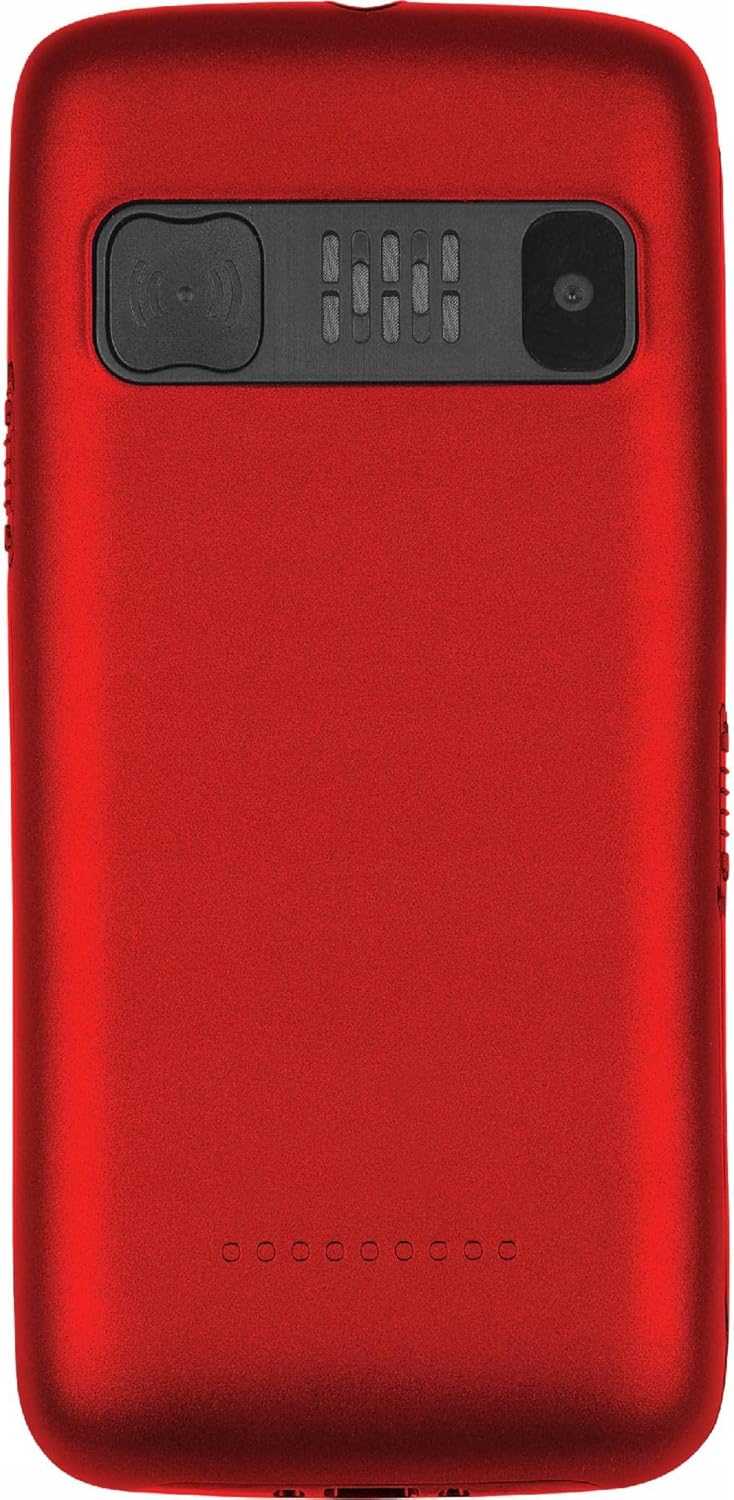
Figure 4.4: Back View. The rear of the phone is shown, featuring the prominent SOS button, the camera lens, and the speaker grille.
Key Features:
- Large Keys: Easy to press and read, designed for comfortable dialing and texting.
- Large Display: 2.2-inch color LCD with clear, large font for easy viewing.
- SOS Button: Located on the back, allows quick access to emergency contacts.
- Loud Voice Readout: Announces pressed keys (numbers, asterisk, hash) for confirmation. This feature can be toggled on/off in settings.
- High Capacity Battery: 900 mAh Li-Ion battery provides up to 7-10 days of standby time.
- Flashlight: Built-in for convenience.
- Dual SIM Support: Allows use of two SIM cards simultaneously.
- MicroSD Card Slot: Supports up to 32 GB for expanded storage.
- Multimedia: Includes FM Radio, Audio/Video Player, Alarm Clock, Calendar, Calculator, and Voice Recorder.
- Bluetooth: For wireless connectivity.
5. Setup
5.1 Inserting SIM Card(s) and MicroSD Card
- Remove the back cover of the phone by gently prying it open from the notch.
- If the battery is installed, remove it.
- Locate the SIM card slot(s) and the microSD card slot.
- Insert your SIM card(s) into the designated slot(s) with the gold contacts facing down, ensuring it clicks into place.
- If desired, insert a microSD card (up to 32 GB) into its slot.
5.2 Inserting the Battery
- Align the battery's gold contacts with the contacts in the phone's battery compartment.
- Gently press the battery down until it is securely seated.
- Replace the back cover, pressing firmly until it snaps into place.
5.3 Charging the Phone
- Connect the small end of the charging cable to the charging port on the phone.
- Plug the other end of the charger into a standard wall outlet.
- The battery indicator on the screen will show the charging status.
- Once fully charged, disconnect the charger. A full charge typically takes a few hours.
6. Operating Instructions
6.1 Power On/Off
- To Power On: Press and hold the red Power/End Call button until the screen lights up.
- To Power Off: Press and hold the red Power/End Call button until the power off options appear, then select "Power off".
6.2 Making and Receiving Calls
- To Make a Call: Dial the number using the large keypad. The phone will audibly read out each digit you press (if voice readout is enabled). Press the green Call button to initiate the call.
- To Receive a Call: When the phone rings, press the green Call button to answer.
- To End a Call: Press the red Power/End Call button.
6.3 Speed Dial
You can assign frequently called numbers to keys 0-9 for quick dialing.
- Go to Settings > Speed Dial.
- Select a key (0-9) and assign a contact from your phonebook or enter a new number.
- To use speed dial, press and hold the assigned key until the call is initiated.
6.4 SOS Function
The SOS button is a critical safety feature. When pressed, it will automatically call and/or send an SMS to pre-set emergency contacts.
- Setting Up SOS Contacts: Go to Settings > SOS Settings.
- Add up to 5 emergency contact numbers. You can also enable/disable SMS sending and customize the SOS message.
- Using the SOS Function: In an emergency, press and hold the SOS button on the back of the phone for a few seconds. The phone will then sequentially call the pre-set numbers until one answers, and/or send the emergency SMS.
6.5 Flashlight
To turn the flashlight on or off, locate the dedicated flashlight button (usually on the side of the phone) and slide or press it. Refer to the phone's physical layout for exact location.
6.6 Other Functions
- FM Radio: Access from the main menu. You may need to connect headphones (not included) to act as an antenna.
- Audio/Video Player: Use to play media files stored on your microSD card.
- Alarm Clock: Set multiple alarms with customizable tones.
- Calendar: View dates and add reminders.
- Calculator: Perform basic arithmetic operations.
- Voice Recorder: Record audio notes.
- Bluetooth: Enable Bluetooth in settings to pair with compatible devices like headsets.
7. Maintenance
- Cleaning: Wipe the phone regularly with a soft, lint-free cloth. Do not use liquid cleaners or aerosols.
- Battery Care: To prolong battery life, avoid fully discharging the battery frequently. Charge the phone before the battery level drops too low. Do not leave the phone connected to the charger for excessively long periods after it's fully charged.
- Storage: Store the phone in a cool, dry place away from direct sunlight and extreme temperatures.
- Software Updates: While this phone typically does not receive frequent software updates, ensure you are using the latest available firmware if prompted.
8. Troubleshooting
| Problem | Possible Cause | Solution |
|---|---|---|
| Phone does not turn on. | Battery is depleted or not inserted correctly. | Charge the battery. Ensure the battery is correctly inserted. |
| Cannot make or receive calls. | No network signal, SIM card not inserted, or SIM card issue. | Check network signal strength. Reinsert SIM card. Contact your service provider. |
| Voice readout not working. | Feature is disabled in settings. | Go to Settings and enable voice readout for keys. |
| SOS button not working. | SOS contacts not set up or battery is too low. | Ensure SOS contacts are configured in SOS Settings. Charge the phone. |
| Battery drains quickly. | Heavy usage, poor network signal, or aging battery. | Reduce usage. Move to an area with better signal. Consider replacing the battery if it's old. |
9. Specifications
| Feature | Detail |
|---|---|
| Model | MOB20RED |
| Network Frequency | 850 / 900 / 1800 / 1900 MHz (2G) |
| Display | 2.2-inch LCD, 160 x 128 pixels (effective 240 x 320) |
| Camera | 0.3 MP |
| Internal Memory | 32 + 32 MB (RAM: 32 MB, Flash: 32 MB) |
| Expandable Memory | Up to 32 GB (microSD) |
| Battery Capacity | 900 mAh Li-Ion |
| Max Standby Time | 7 - 10 days |
| Bluetooth | Yes |
| Flashlight | Built-in |
| SOS Function | Yes (Quick button) |
| Dimensions (L x W x H) | 113.3 x 54 x 12.8 mm |
| Weight | 91 g |
| Operating System | Symbian 9.1 |
| Audio Formats | MP3 |
10. Warranty and Support
The LTC MOB20RED Senior Phone comes with a standard manufacturer's warranty. Please refer to the warranty card included in your product packaging or contact your point of purchase for specific warranty terms and conditions.
For technical support, troubleshooting assistance, or service inquiries, please contact the retailer or manufacturer directly. Keep your purchase receipt as proof of purchase for warranty claims.
Manufacturer: LAMEX
Brand: LTC