
Introduction
This manual provides detailed instructions for the assembly, operation, and maintenance of your ODK JCFZ-01 L-Shaped Computer Desk. Designed for versatility, this desk features a reversible configuration, ample storage, and a stable structure, making it suitable for home offices, gaming setups, and study areas.
Setup and Assembly
The ODK JCFZ-01 L-Shaped Computer Desk is designed for straightforward assembly. Please follow these instructions carefully to ensure proper setup and stability.
1. Unpacking and Part Identification
Carefully unpack all components and verify against the included parts list. Ensure all hardware is present. Keep small parts organized to prevent loss.
2. Assembly Steps
Refer to the detailed assembly diagram provided in your package. The desk features a reversible design, allowing you to configure the longer side to either the left or right, depending on your space requirements. Attach all screws loosely at first, then tighten them securely once all components are aligned. This method helps prevent misalignment and ensures a sturdy build.

Figure 1: Desk dimensions and reversible setup options.
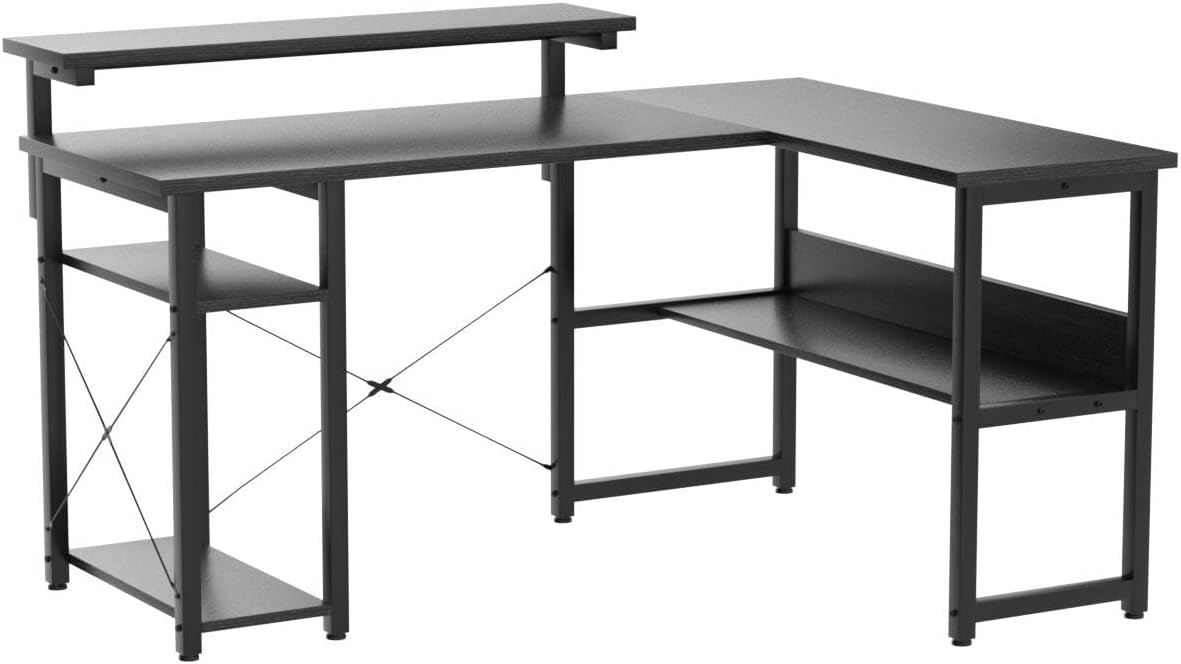
Figure 2: Fully assembled ODK L-shaped desk.
Operating and Usage
The ODK JCFZ-01 desk offers a functional and spacious workspace for various activities.
1. Reversible Configuration
The L-shaped design can be assembled with the longer section extending to either the left or right, adapting to your room layout. This flexibility allows for optimal use of corner spaces.
2. Spacious Desktop
The main desktop surface measures 55 cm (21.7 inches) deep, providing ample room for multiple monitors, laptops, keyboards, and other essential equipment. This generous depth enhances comfort and productivity.
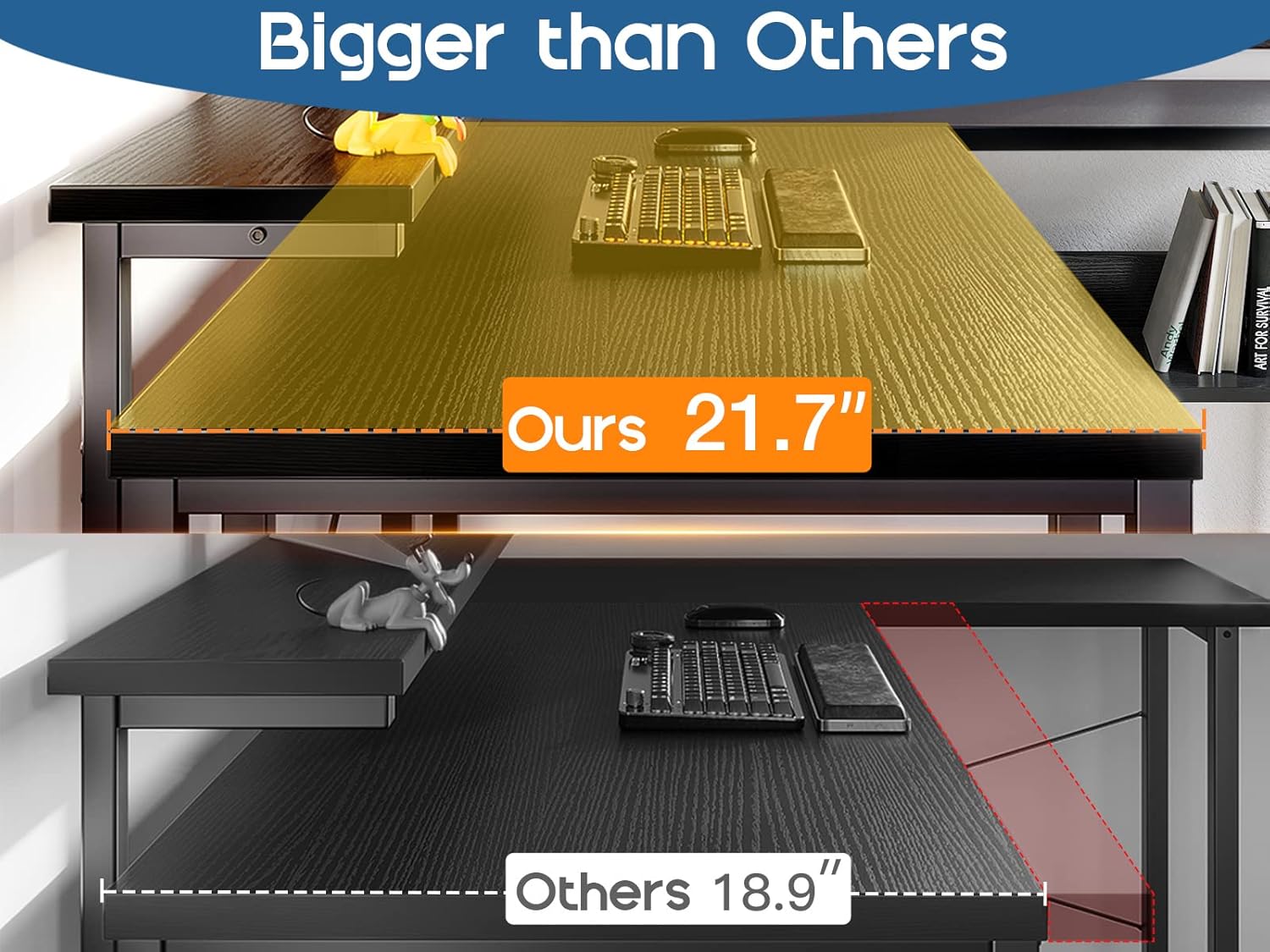
Figure 3: Desktop depth comparison, illustrating the ODK desk's larger surface.
3. Integrated Storage
The desk includes multiple storage options to keep your workspace organized:
- Lower Bookshelf: A dedicated shelf provides space for books or other items.
- Two-Tier Storage Shelves: Located on one side, these shelves offer additional space for office supplies, decorative items, or small electronics.
- Computer Tower Stand: A designated area beneath the desk accommodates a tower computer, keeping it off the floor and easily accessible.

Figure 4: Detail of the two-tier storage shelves.

Figure 5: Computer tower stand for convenient placement.
4. Adjustable Monitor Stand
The adjustable monitor stand can support up to two monitors and other accessories. Adjust its height to achieve a comfortable viewing angle, which can help reduce neck and back strain during prolonged use.
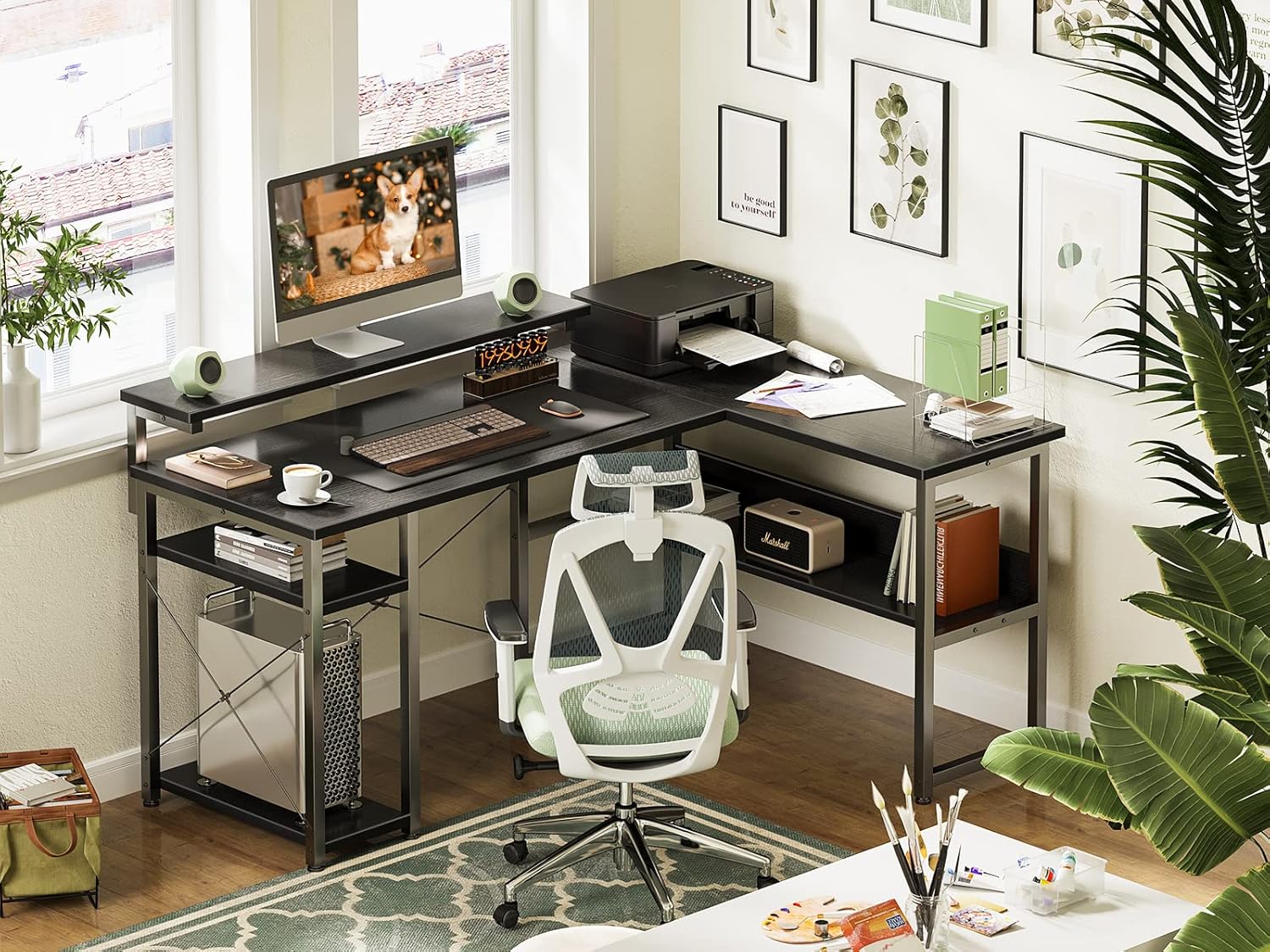
Figure 6: Example of the desk in use with a monitor on the stand.
Maintenance and Care
To ensure the longevity and appearance of your ODK JCFZ-01 L-Shaped Computer Desk, follow these simple maintenance guidelines:
- Cleaning: Wipe the desk surfaces with a soft, damp cloth. Avoid using abrasive cleaners or harsh chemicals, as these can damage the scratch-resistant and waterproof finish.
- Spills: Promptly clean up any spills to prevent water damage or staining.
- Stability Check: Periodically check all screws and connections to ensure they remain tight. Retighten if necessary to maintain the desk's stability.
- Weight Distribution: Avoid placing excessively heavy items on one section of the desk. Distribute weight evenly to prevent stress on the frame.
Troubleshooting
Here are solutions to common issues you might encounter:
- Desk Wobbles: If the desk feels unstable, check that all screws are fully tightened. The adjustable foot pads can also be used to level the desk on uneven floors. Adjust each foot pad until the desk is stable.
- Assembly Difficulties: If you encounter difficulty during assembly, re-read the instructions carefully. Ensure that screws are not fully tightened until all parts are correctly aligned and in place. Sometimes, partially tightening all screws first, then fully tightening them in sequence, can resolve alignment issues.
- Missing Parts: In the rare event of missing parts, please contact customer support with your purchase details and a description of the missing components.
Specifications
| Feature | Detail |
|---|---|
| Model Number | JCFZ-01 |
| Brand | ODK |
| Color | Black |
| Product Dimensions (D x W x H) | 101.98 x 136.98 x 76 cm |
| Product Weight | 22.8 kg |
| Shipping Weight | 24.95 kg |
| Assembly Required | Yes |
| Main Material | Metal |
| Top Material | Engineered Wood |
| Finish Type | Powder Coated |
| Style | Modern |
| Item Shape | L-shaped |
| Special Features | Reversible, Adjustable Monitor Stand |
Warranty Information
Specific warranty details for the ODK JCFZ-01 L-Shaped Computer Desk may vary by retailer and region. Please refer to your purchase documentation or contact the retailer directly for information regarding warranty coverage and terms.
Customer Support
For any questions, concerns, or assistance with your ODK JCFZ-01 L-Shaped Computer Desk, please contact the retailer or manufacturer's customer service department. Have your model number (JCFZ-01) and purchase information ready for faster service.


