
eleror Z1
eleror Z1 Mini Wireless Bluetooth Earbuds User Manual
Model: Z1
1. Introduction
Thank you for choosing the eleror Z1 Mini Wireless Bluetooth Earbuds. These ultra-small, lightweight, and thin earbuds are designed for maximum comfort, even for extended wear or while sleeping on your side. Featuring high-quality Bluetooth 5.2 connectivity and IPX5 water resistance, they deliver clear audio for music, podcasts, calls, and more, making them ideal for various activities from work to fitness.
2. What's Included
- eleror Z1 Mini Wireless Earbuds (Left and Right)
- Charging Case
- USB Charging Cable
- User Manual

Image: The eleror Z1 Mini Wireless Earbuds and their compact charging case.
3. Setup and Initial Use
3.1 Before First Use
For optimal performance, fully charge your earbuds and charging case before first use.
- Take the earbuds out of the case.
- Put them back into the case and close the lid.
- Charge the case with the earbuds inside for at least 10 minutes using the provided USB cable.

Image: Diagram illustrating the initial charging process for the earbuds within their case.
3.2 Pairing with Your Device
The eleror Z1 earbuds offer hassle-free pairing with iOS/Android phones, Mac, or Windows laptops/desktop PCs via Bluetooth connection.
- Ensure the earbuds are charged and inside the charging case.
- Open the charging case lid. The earbuds will automatically enter pairing mode (indicated by a flashing light on the earbuds).
- On your device (smartphone, tablet, computer), go to Bluetooth settings.
- Search for available devices and select "eleror Z1" from the list.
- Once connected, the earbud indicator light will stop flashing, and you will hear a confirmation tone.
4. How to Wear
The eleror Z1 earbuds feature a semi in-ear design for ultimate comfort and a secure fit, even for small ears or when sleeping on your side.
- Gently take the earbuds out of the charging case.
- Place each earbud into your ear, ensuring it sits close to your ear canal.
- Slightly rotate the earbud to lock it into a comfortable and secure position.
Image: Diagram illustrating the correct way to insert and secure the earbuds in your ear.

Image: A man comfortably sleeping on his side while wearing the eleror Z1 earbuds, demonstrating their low-profile design.
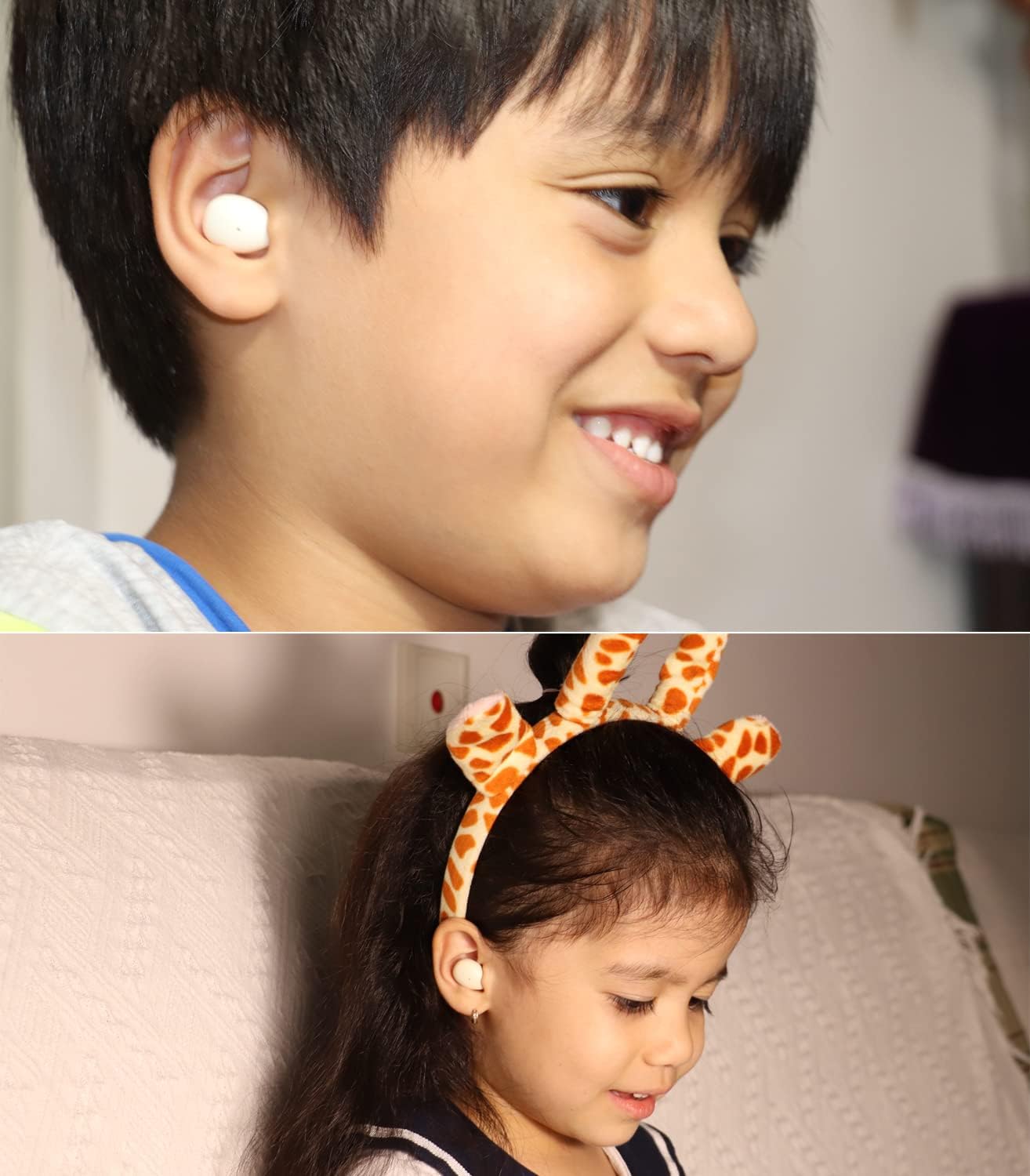
Image: Two children wearing eleror Z1 earbuds, highlighting their suitability for smaller ears.
5. Operating Instructions (Touch Controls)
The eleror Z1 earbuds feature intuitive touch controls for managing your audio and calls. The touch sensor is located on the outer surface of each earbud.
Image: Visual guide to the touch control functions on the earbuds.
| Action | Function |
|---|---|
| Tap Twice (Left or Right Earbud) | Play/Pause Music |
| Tap Once (Left or Right Earbud) | Answer/End Call |
| Press and Hold for 2 seconds (Left or Right Earbud) | Reject Call |
| Tap Triple (Left Earbud, when connected) | Previous Track |
| Tap Triple (Right Earbud, when connected) | Next Track |
| Quick Tap Triple (Left or Right Earbud, when unconnected) | Reset Earbuds |
6. Charging
The eleror Z1 earbuds provide extended listening time with their charging case.
- Earbud Battery Life: Approximately 5 hours per charge.
- Total Battery Life (with Charging Case): Up to 20 hours (3 extra charges from the case).
- Charging Time: Approximately 1.5 hours for a full charge of the earbuds and case.
6.1 Charging the Earbuds
Place the earbuds into their respective slots in the charging case. Close the lid. The earbuds will automatically begin charging.
6.2 Charging the Case
Connect the provided USB charging cable to the charging port on the case and to a compatible USB power source (e.g., computer USB port, wall adapter). The indicator light on the case will show charging status.

Image: Visual representation of the earbud and charging case battery life.
7. Features and Specifications
7.1 Key Features
- Ultra-Compact Design: Only 0.08oz (2.3g) per earbud, making them small, light, and thin for superior comfort.
- Premium HD Sound: High-quality Bluetooth 5.2 chipset for stable connection and clear audio with balanced bass, mids, and highs.
- Semi In-Ear Fit: Designed to sit comfortably close to the ear canal, reducing fatigue during long listening sessions and allowing for some ambient sound awareness.
- Simple Pairing & Controls: Easy Bluetooth connection and user-friendly touch controls for playback, calls, and volume.
- Water and Sweat Resistant (IPX5): Strong enough to resist splashes, sweat, and light rain, suitable for outdoor activities.

Image: The eleror Z1 earbuds emphasizing their mini, wireless, small, light, and thin characteristics.

Image: An exploded view of an earbud showing its internal components, highlighting the advanced Bluetooth 5.3 master chip for strong performance and faster transmission.
7.2 Technical Specifications
| Specification | Value |
|---|---|
| Model Name | eleror Z1 |
| Connectivity Technology | Wireless (Bluetooth 5.2) |
| Ear Placement | In Ear (Semi In-Ear Form Factor) |
| Item Weight | 78 Grams (total package) |
| Water Resistance Level | IPX5 (Waterproof, Sweatproof) |
| Frequency Response | 10 Hz - 10,000 Hz |
| Sensitivity | 102 dB |
| Impedance | 16 Ohm |
| Charging Time | 1.5 Hours |
| Battery Average Life | 6 Hours (earbuds) |
| Microphone Format | Built-In, Bidirectional |
| Compatible Devices | iPhone, Tablets, Android Phones, Laptops, Desktops |
8. Maintenance
Proper care will extend the life of your eleror Z1 earbuds.
- Cleaning: Regularly clean the earbuds and charging contacts with a soft, dry, lint-free cloth. Do not use harsh chemicals or abrasive materials.
- Storage: When not in use, always store the earbuds in their charging case to protect them from dust and damage.
- Water Exposure: While IPX5 rated, avoid submerging the earbuds in water. Dry them thoroughly if they get wet from sweat or light rain before placing them back in the charging case.
- Temperature: Avoid exposing the earbuds to extreme temperatures (hot or cold) or high humidity.
9. Troubleshooting
If you encounter issues with your eleror Z1 earbuds, try the following solutions:
| Problem | Possible Solution |
|---|---|
| Earbuds not pairing/connecting |
|
| No sound or low volume |
|
| One earbud not working |
|
| Earbuds constantly disconnecting |
|
| Loud voice prompts/low battery warnings |
|
10. Warranty and Support
The eleror Z1 Mini Wireless Bluetooth Earbuds typically come with a 1-year manufacturer's warranty covering defects in materials and workmanship.
For warranty claims, technical support, or any product-related inquiries, please contact the seller or manufacturer directly through your purchase platform. Please have your order number and product model (Z1) ready when contacting support.
Related documentsZ1

Ask a question about this manual
Ask about setup, troubleshooting, compatibility, parts, safety, or missing instructions. Manuals+ will review the question and use this page’s manual context to help answer it.