
1. Introduction
This manual provides instructions for the installation, operation, and maintenance of your TP-Link VIGI C340 4MP Full-Color Outdoor Bullet Network Camera. This camera is designed for outdoor security, offering 4MP high-definition video, 24-hour full-color imaging, and smart detection features. It is built with IP66 waterproof protection for stable performance in various outdoor conditions.

Image 1.1: Front view of the TP-Link VIGI C340 camera, showcasing its bullet design and lens array.
2. Package Contents
Verify that all items are present in your package:
- VIGI Network Camera
- Quick Start Guide
- Waterproof Cable Attachments
- Mounting Screws and Wall Plugs
- Mounting Template Sticker

Image 2.1: Contents of the VIGI C340 camera package, including the camera, quick start guide, and mounting accessories.
3. Setup and Installation
The VIGI C340 camera supports Power over Ethernet (PoE) for simplified wiring, allowing both power supply and data transmission through a single RJ45 cable. Alternatively, it can be powered via a 12V DC adapter (not included).
3.1 Mounting Options
The camera offers flexible installation options for optimal vantage points:
- Ceiling Mounting: Secure the camera to a ceiling surface.
- Wall Mounting: Attach the camera to a vertical wall.
- Pole Mounting: Use appropriate straps or brackets to mount on a pole.

Image 3.1: Diagrams illustrating ceiling, wall, and pole mounting methods for the VIGI C340 camera.
3.2 Wired Connection
Connect the camera to your network using an RJ45 Ethernet cable. If using PoE, this single cable will provide both power and data. Ensure waterproof cable attachments are used for outdoor installations to maintain IP66 rating.
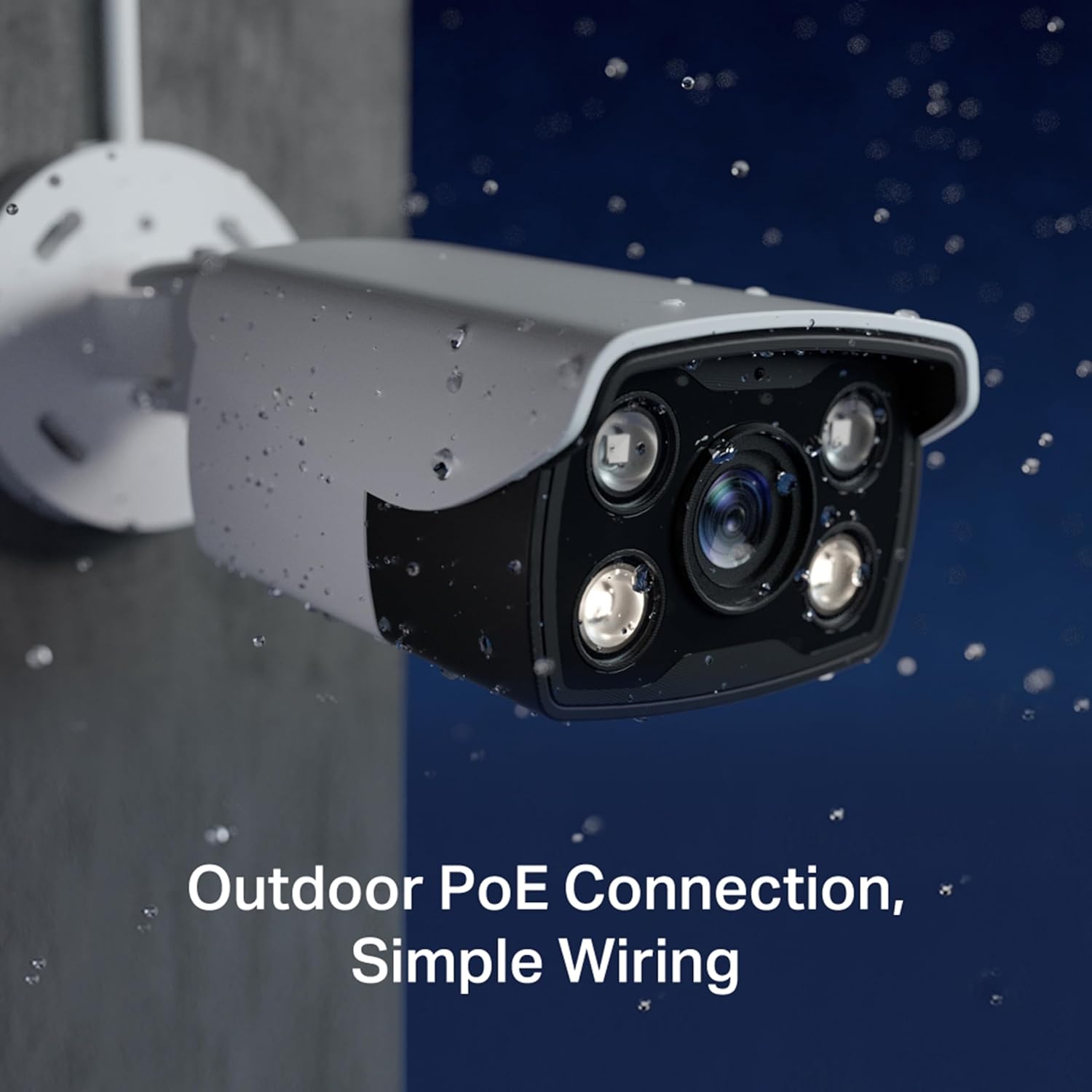
Image 3.2: The VIGI C340 camera installed outdoors, demonstrating its waterproof design and simple PoE wiring.
4. Operating the Camera
The VIGI C340 camera can be managed through various methods, including the VIGI app, VIGI Security Manager software, or a VIGI Network Video Recorder (NVR).
4.1 VIGI App
Manage your security system from your mobile device using the VIGI app. The app allows for live viewing, playback, and configuration of camera settings.
- Download the VIGI app from your device's app store.
- Follow the in-app instructions to add your VIGI C340 camera.
- Access live feeds, review recorded footage, and adjust settings remotely.
4.2 Smart Detection Features
The camera incorporates advanced AI algorithms for smart detection, providing accurate event notifications:
- Human Detection: Identifies human figures, reducing false alarms from other movements.
- Motion Detection: Triggers recording and alerts upon detecting any movement.
- Area Intrusion: Notifies when an object enters a predefined area.
- Line-Crossing: Alerts when an object crosses a specified virtual line.
- Video Tampering: Detects attempts to obstruct or disable the camera.

Image 4.1: Visual representation of various smart detection capabilities, including motion, line-crossing, and intrusion detection.
4.3 24-hour Full-Color Imaging
The VIGI C340 utilizes a high-sensitivity sensor and integrated spotlight LEDs to capture full-color video details even in low-light or pitch-black conditions.
5. Maintenance
Regular maintenance ensures optimal performance and longevity of your VIGI C340 camera.
- Cleaning: Periodically clean the camera lens and housing with a soft, damp cloth. Avoid abrasive cleaners.
- Firmware Updates: Check the TP-Link website or VIGI app for available firmware updates to ensure the camera has the latest features and security patches.
- Cable Inspection: Regularly inspect all cables and connections for any signs of wear or damage, especially in outdoor environments.
- Environmental Protection: While the camera is IP66 rated, ensure it is installed in a location that minimizes direct exposure to extreme weather conditions where possible.
6. Troubleshooting
If you encounter issues with your VIGI C340 camera, refer to the following common problems and solutions:
| Problem | Possible Solution |
|---|---|
| Camera not powering on. |
|
| No video feed. |
|
| Poor image quality. |
|
| Smart detection not working correctly. |
|
For further assistance, please contact TP-Link support.
7. Specifications
| Feature | Detail |
|---|---|
| Model | VIGI C340 (6mm) |
| Resolution | 4MP High Definition |
| Imaging | 24h Full-Color |
| Waterproof Rating | IP66 |
| Video Compression | H.265+ |
| Smart Detection | Human Detection, Motion Detection, Area Intrusion, Line-Crossing, Video Tampering |
| Power Options | PoE (Power over Ethernet) / 12V DC |
| Connectivity | Wired (Ethernet) |
| Operating Temperature | -30 to 60 °C (-22 to 140 °F) |
| Dimensions (LxWxH) | 7.8 x 18.8 x 7.1 Centimeters |
| Weight | 280 g |
8. Warranty and Support
Warranty: This product comes with a 2-year warranty. Please retain your proof of purchase for warranty claims.
Support: For technical support, product information, and troubleshooting, please visit the official TP-Link support website or contact their customer service:
- Toll Free: 1800 2094 168
- Email: support.in@tp-link.com
- Website: TP-Link India Support


