
Introduction
This manual provides comprehensive instructions for the Limitless TikiTunes Pro Portable Bluetooth Speaker. This device combines a powerful 10-watt Bluetooth speaker with an ambient 3-mode LED flame light. It is designed for portable use, featuring water resistance and the ability to wirelessly connect with up to 100 other TikiTunes Pro speakers for an immersive audio experience.
What's Included
- (1) TikiTunes Pro Bluetooth Speaker + Ambient Light
- (1) Type-C USB Cable (36 inches)
- (1) User Manual (this document)
Product Overview
Familiarize yourself with the components and controls of your TikiTunes Pro speaker.

Image: TikiTunes Pro Components. This image displays the top control panel with buttons for power, play/pause, volume, track navigation, light control, battery check, and PartySync mode. It also shows the ambient light section and the threaded insert at the bottom.
Control Panel Functions:
- Power Button: Turns the speaker on or off.
- Play/Pause Button: Controls audio playback.
- Volume Up (+): Increases audio volume. Also functions as "Next Song" when held.
- Volume Down (-): Decreases audio volume. Also functions as "Last Song" when held.
- Light Button: Turns the LED flame light on/off and cycles through light modes.
- Battery Check Button: Displays current battery level.
- PartySync™ Button: Activates multi-speaker pairing mode.
Setup
1. Charging the Speaker
Before initial use, fully charge your TikiTunes Pro speaker.
- Connect the included Type-C USB cable to the charging port on the speaker.
- Connect the other end of the USB cable to a compatible USB power adapter (not included).
- The charging indicator light will illuminate. Once fully charged, the light will change or turn off (refer to specific LED behavior in the full manual if available).
- A full charge provides up to 12 hours of playtime.
2. Powering On/Off
- To power on, press and hold the Power Button until you hear an audible prompt or see the indicator light.
- To power off, press and hold the Power Button again until the speaker shuts down.
3. Bluetooth Pairing
Connect your TikiTunes Pro to a Bluetooth-enabled device.
- Ensure the speaker is powered on and within close proximity to your device.
- On your device, navigate to the Bluetooth settings.
- Search for available devices and select "TikiTunes Pro" from the list.
- Once connected, you will hear a confirmation sound.
4. PartySync™ Multi-Speaker Pairing
Connect up to 100 TikiTunes Pro speakers for synchronized audio.

Image: PartySync Technology. This image shows multiple TikiTunes Pro speakers wirelessly connected, creating a distributed audio environment.
- Ensure all TikiTunes Pro speakers you wish to pair are powered on and not currently connected to any other Bluetooth device.
- Connect your primary device (e.g., smartphone) to one TikiTunes Pro speaker via Bluetooth (this will be your "Master" speaker).
- On the Master speaker, press the PartySync™ Button. The indicator light will flash, indicating it is searching for other speakers.
- On each additional TikiTunes Pro speaker (the "Slave" speakers), press the PartySync™ Button. They will automatically connect to the Master speaker.
- Once connected, all speakers will play synchronized audio from your primary device.
- To disconnect a single speaker from the PartySync group, press its PartySync™ Button again.
- To disconnect all speakers, turn off the Master speaker or disconnect your primary device's Bluetooth connection.
Operating Instructions
1. Audio Playback
- Play/Pause: Press the Play/Pause Button to start or pause music.
- Volume Adjustment: Press the Volume Up (+) or Volume Down (-) buttons to adjust the volume.
- Next Track: Press and hold the Volume Up (+) button.
- Previous Track: Press and hold the Volume Down (-) button.
2. LED Flame Light Operation
The TikiTunes Pro features a realistic flickering LED flame light with three modes.
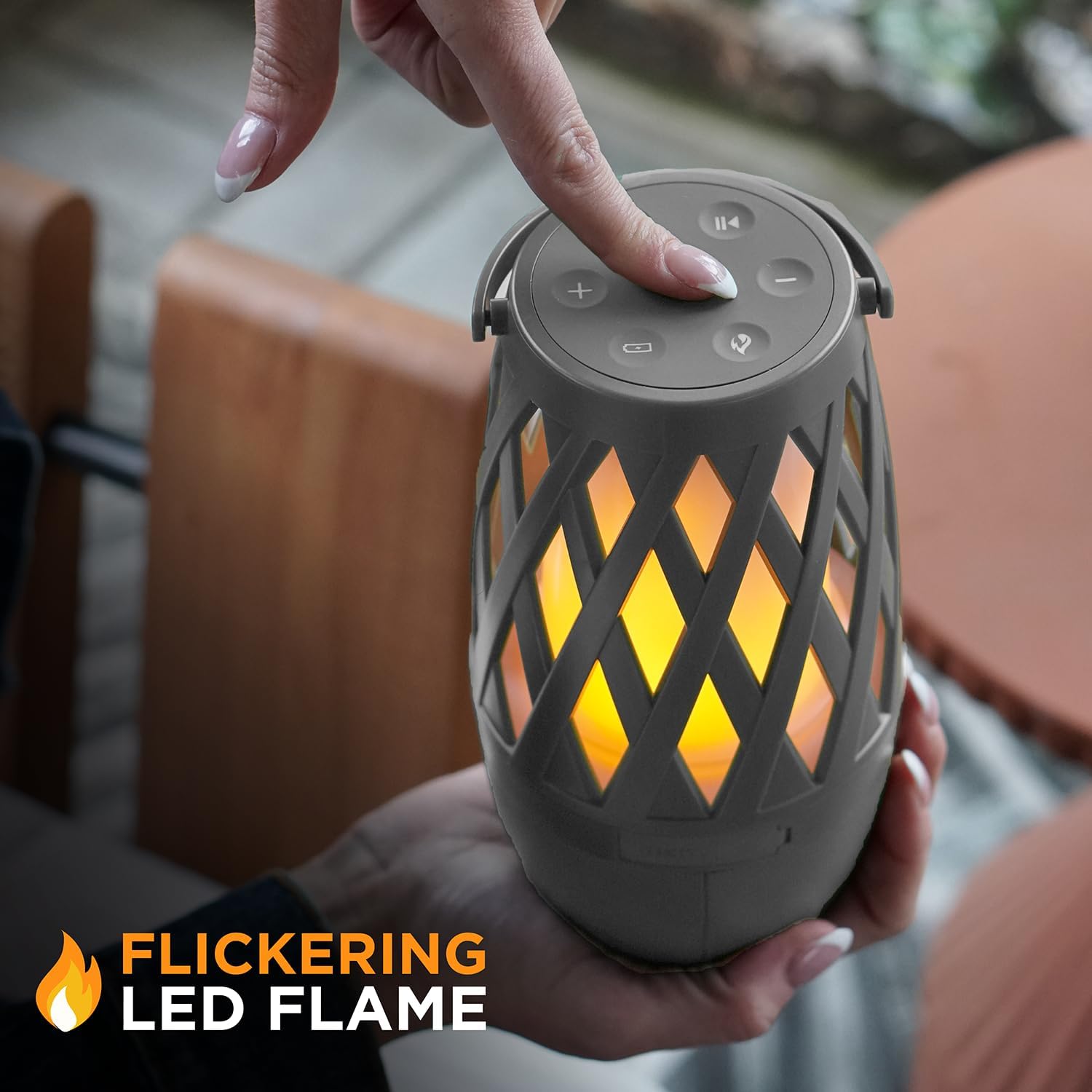
Image: Flickering LED Flame. This image highlights the realistic flame effect produced by the speaker's LED light.
- Press the Light Button to turn the flame light on.
- Press the Light Button repeatedly to cycle through the available light modes (e.g., flickering flame, solid light, breathing light).
- Press and hold the Light Button to turn the flame light off.
3. Checking Battery Level
- Press the Battery Check Button to view the current battery status. Indicator lights will show the remaining charge.
Maintenance
To ensure the longevity and optimal performance of your TikiTunes Pro speaker, follow these maintenance guidelines:
- Cleaning: Wipe the speaker with a soft, damp cloth. Do not use abrasive cleaners or solvents.
- Water Resistance: The speaker is IPX6 water-resistant, meaning it can withstand powerful water jets. It is not designed for submersion. Ensure the charging port cover is securely closed when exposed to water.
- Storage: Store the speaker in a cool, dry place when not in use. Avoid extreme temperatures.
- Battery Care: For best battery life, avoid fully discharging the battery frequently. Charge regularly.

Image: IPX6 Water Resistance. This image illustrates the speaker's ability to withstand water exposure, suitable for outdoor environments.
Troubleshooting
| Problem | Possible Solution |
|---|---|
| Speaker does not power on. | Ensure the battery is charged. Connect to a power source and try again. |
| Cannot pair via Bluetooth. |
|
| No sound or low volume. |
|
| PartySync™ not working. |
|
| Flame light not working. | Ensure the speaker is powered on and press the Light Button to activate. Check battery level. |
Specifications
| Feature | Detail |
|---|---|
| Model Name | YTY-21700-4000mAh-3.7V |
| Item Model Number | TIKITUNES-PRO-026 |
| Brand | Limitless Innovations |
| Speaker Type | Component |
| Special Feature | Portable, Water Resistant |
| Connectivity Technology | Bluetooth, USB (for charging) |
| Wireless Communication Technology | Bluetooth |
| Speaker Maximum Output Power | 10 Watts |
| Power Source | Battery Powered |
| Battery Type | 1 Lithium Ion battery (included) |
| Battery Capacity | 4000 mAh |
| Playtime | Up to 12 hours |
| Product Dimensions | 3.98"D x 3.98"W x 7.4"H |
| Item Weight | 1.5 pounds |
| Water Resistance Rating | IPX6 |
| Compatible Devices | Smartphone, Tablet, Laptop |
| UPC | 850031971318 |
Warranty Information
The Limitless TikiTunes Pro speaker comes with a Limited Warranty. For specific terms and conditions, please refer to the warranty card included with your product or visit the official Limitless Innovations website.
Customer Support
For further assistance, technical support, or inquiries regarding your TikiTunes Pro speaker, please contact Limitless Innovations customer service.
- Online Support: Visit the Limitless Innovations website for FAQs and support resources.
- Contact Information: Refer to the packaging or the official website for current contact details (phone, email).
