1. Introduction
Welcome to the user manual for your new Xiaomi TV Max 86 Inch. This guide provides essential information to help you set up, operate, maintain, and troubleshoot your television. Please read this manual thoroughly before using the product to ensure safe and optimal performance.
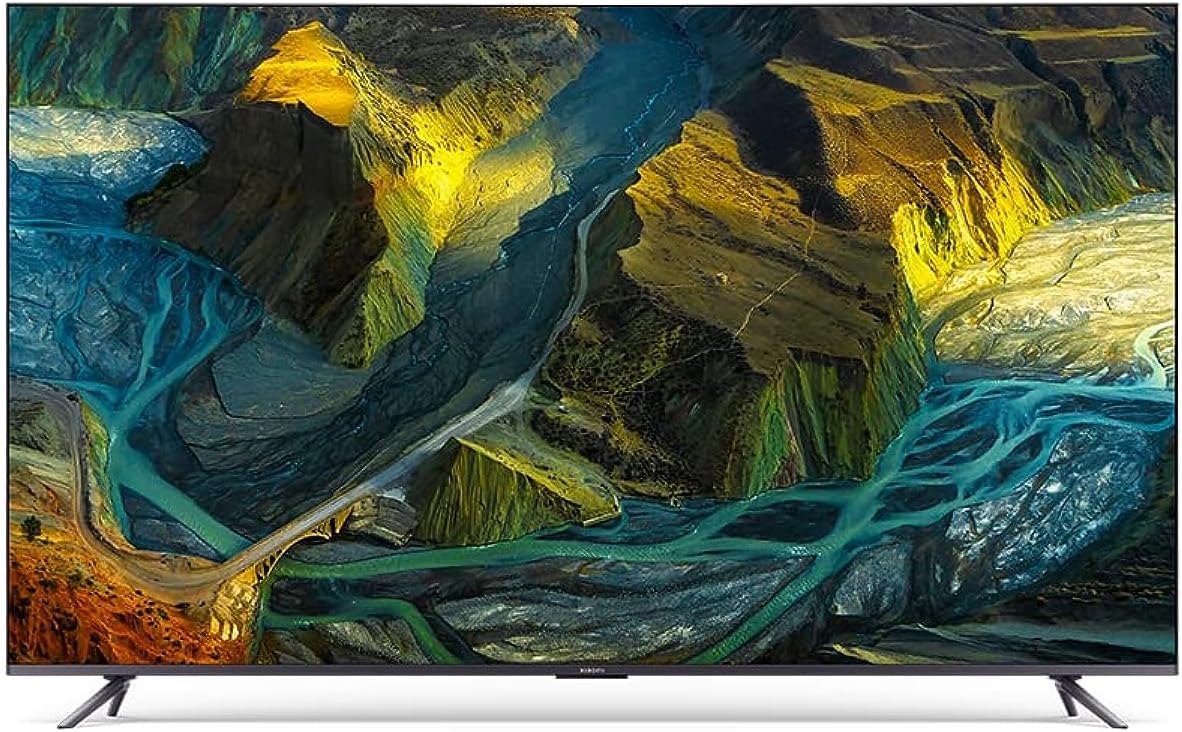
Figure 1.1: Front view of the Xiaomi TV Max 86 Inch. This image showcases the large 86-inch display with minimal bezels, presenting a vivid, high-resolution image of a colorful, mountainous landscape with rivers.
2. Important Safety Information
Always follow basic safety precautions when using this product to reduce the risk of fire, electric shock, and injury.
- Power Source: Ensure the TV is connected to a power supply that matches the voltage specified on the product label.
- Ventilation: Do not block ventilation openings. Allow adequate space around the TV for proper airflow.
- Cleaning: Unplug the TV before cleaning. Use a soft, dry cloth. Do not use liquid cleaners or aerosol cleaners.
- Water and Moisture: Do not expose the TV to rain or moisture. Do not place objects filled with liquids, such as vases, on the TV.
- Placement: Place the TV on a stable, level surface. Avoid placing it in direct sunlight or near heat sources.
- Children: Supervise children to ensure they do not climb on or play with the TV.
3. Package Contents
Verify that all items listed below are included in your package:
- User manual x 1
- Screws bag x 1
- 360° Bluetooth remote control x 1
- Stands x 2
- Power cable x 1
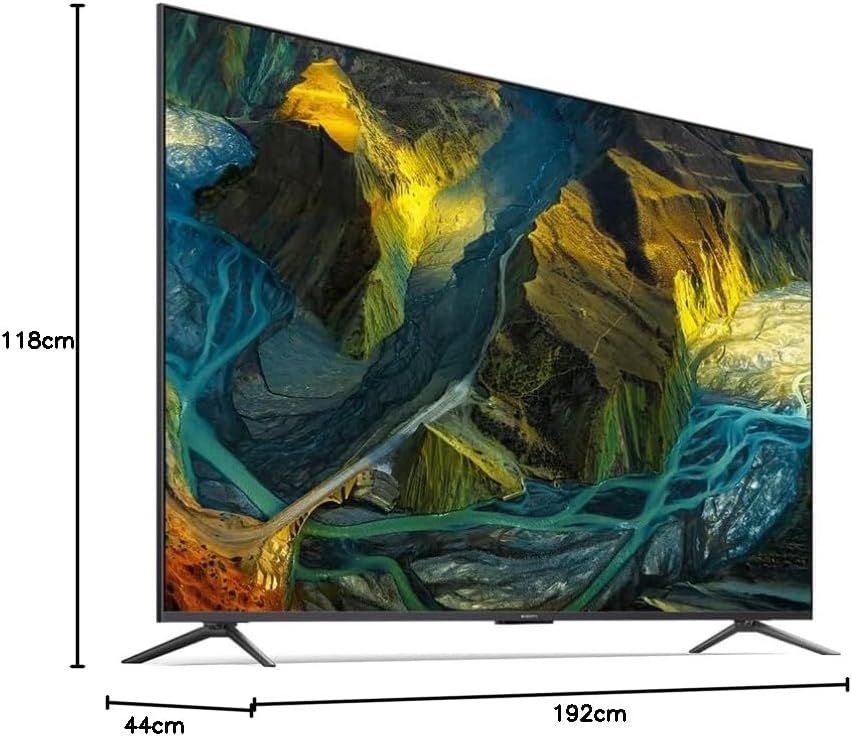
Figure 3.1: Product dimensions of the Xiaomi TV Max 86 Inch. This diagram illustrates the TV's height (118cm), depth (44cm), and width (192cm), providing a clear visual reference for installation planning.
4. Setup
4.1 Assembling the Stands
To attach the included stands:
- Carefully place the TV face down on a soft, flat surface to prevent screen damage.
- Align each stand with the corresponding screw holes on the bottom of the TV.
- Secure the stands using the screws provided in the screws bag. Ensure they are tightened firmly.

Figure 4.1: Side view of the Xiaomi TV Max 86 Inch with its two stands. This image shows the television from an angle, highlighting the slim profile and the design of the attached support stands.
4.2 Wall Mounting (Optional)
If you choose to wall mount your TV, ensure you use a VESA-compatible wall mount kit (not included) that supports the TV's weight and size. Consult a professional for installation to ensure safety and proper mounting.
4.3 Connecting Peripherals
Your Xiaomi TV Max 86 Inch offers various connectivity options:
- HDMI: Connect gaming consoles, Blu-ray players, or set-top boxes using HDMI cables. The TV features HDMI 2.1 ports for 4K 120Hz ultra-high quality transmission, ideal for gaming.
- USB: Plug in USB drives for media playback.
- Ethernet: For a stable wired internet connection.
- Wi-Fi: Connect to your wireless network for smart features and streaming.
- Bluetooth: Pair with compatible audio devices or the 360° Bluetooth remote control.
5. Operating Your TV
5.1 Powering On/Off
Press the power button on the remote control or on the TV itself to turn the TV on or off.
5.2 Remote Control
The included 360° Bluetooth remote control allows for flexible operation without needing to point directly at the TV. Ensure it is paired with the TV for full functionality.
5.3 Initial Software Setup (Android TV)
Upon first power-on, the TV will guide you through the initial setup process. This includes selecting your language, connecting to a network (Wi-Fi or Ethernet), signing in with your Google account, and installing essential applications. The Android TV 11 operating system provides access to a wide range of apps and services.
5.4 Picture and Sound Settings
Optimize your viewing experience through the TV's settings menu:
- Display: Adjust brightness, contrast, color, and sharpness. The TV supports 4K Ultra HD resolution and a 120Hz refresh rate with MEMC technology for smooth motion.
- HDR: Benefit from Dolby Vision IQ, which leverages the TV's intelligence to deliver a perfect picture in your room at every moment, adapting to ambient light.
- Audio: Customize sound modes. The TV supports Dolby Atmos for immersive 3D sound effects.

Figure 5.1: Dolby Vision IQ Smart dynamic HDR. This image shows the TV displaying a vibrant scene with a sailboat on water, emphasizing the enhanced picture quality and dynamic range provided by Dolby Vision IQ and HDR technologies.

Figure 5.2: 1.07 billion colors DCI-P3. This image features a colorful chameleon on a branch, demonstrating the TV's ability to restore true film colors with 1.07 billion color depth and 90% DCI-P3 wide color gamut, resulting in smoother color transitions.
5.5 Smart Features
Leverage the smart capabilities of your TV:
- Chromecast Built-in: Cast content from your smartphone, tablet, or computer directly to the TV.
- Google Assistant: Use voice commands via the remote control to search for content, control smart home devices, and get information.
6. Maintenance
6.1 Cleaning the Screen
To clean the screen, gently wipe it with a soft, lint-free cloth. For stubborn marks, slightly dampen the cloth with water or a specialized screen cleaner. Never spray liquid directly onto the screen.
6.2 General Care
Keep the TV free from dust by regularly wiping the cabinet with a soft, dry cloth. Avoid placing heavy objects on top of the TV or blocking its ventilation slots.
7. Troubleshooting
Refer to the table below for common issues and their solutions:
| Problem | Possible Cause | Solution |
|---|---|---|
| TV does not turn on. | No power supply. | Check if the power cable is securely plugged into the TV and the wall outlet. Ensure the outlet has power. |
| No picture or sound. | Incorrect input source; loose cable connection. | Press the 'Input' or 'Source' button on the remote to select the correct input. Check all cable connections (HDMI, AV, etc.). |
| Remote control not working. | Low batteries; not paired. | Replace batteries. If it's a Bluetooth remote, ensure it's paired with the TV according to the initial setup instructions. |
| Cannot connect to Wi-Fi. | Incorrect password; router issue; signal interference. | Double-check the Wi-Fi password. Restart your router. Move the TV closer to the router or reduce interference. |
8. Technical Specifications
| Feature | Specification |
|---|---|
| Model Number | Xiaomi TV Max 86" |
| Screen Size | 86 Inches (219 cm visible diagonal) |
| Display Technology | QLED |
| Resolution | 4K Ultra HD |
| Refresh Rate | 120 Hz (with MEMC) |
| Product Dimensions (D x W x H) | 192D x 44W x 118H centimeters |
| Weight | 44.5 kg |
| Connectivity | Bluetooth, Wi-Fi, USB, Ethernet, HDMI (HDMI 2.1) |
| Operating System | Android TV 11 |
| Special Features | Built-in speaker, Chromecast, Flat display, Parental Controls, Browser, Dolby Vision IQ, Dolby Atmos |
9. Warranty and Support
9.1 Warranty Information
Your Xiaomi TV Max 86 Inch is covered by a manufacturer's warranty. Please refer to the warranty card included in your package or visit the official Xiaomi website for detailed terms and conditions regarding warranty coverage and duration.
9.2 Customer Support
For technical assistance, service requests, or further inquiries, please visit the official Xiaomi support website or contact their customer service hotline. Contact information can typically be found on the Xiaomi official website or in your product documentation.
Xiaomi Official Website: https://www.mi.com/global/support


