
1. Introduction
Thank you for choosing the HEYSONG FITNESS Bluetooth Speaker. This portable wireless speaker is designed to deliver powerful audio with rich bass and clear treble, featuring IP67 waterproof and dustproof capabilities, colorful LED lights, and a built-in power bank function. Please read this manual carefully before use to ensure proper operation and to maximize your listening experience.
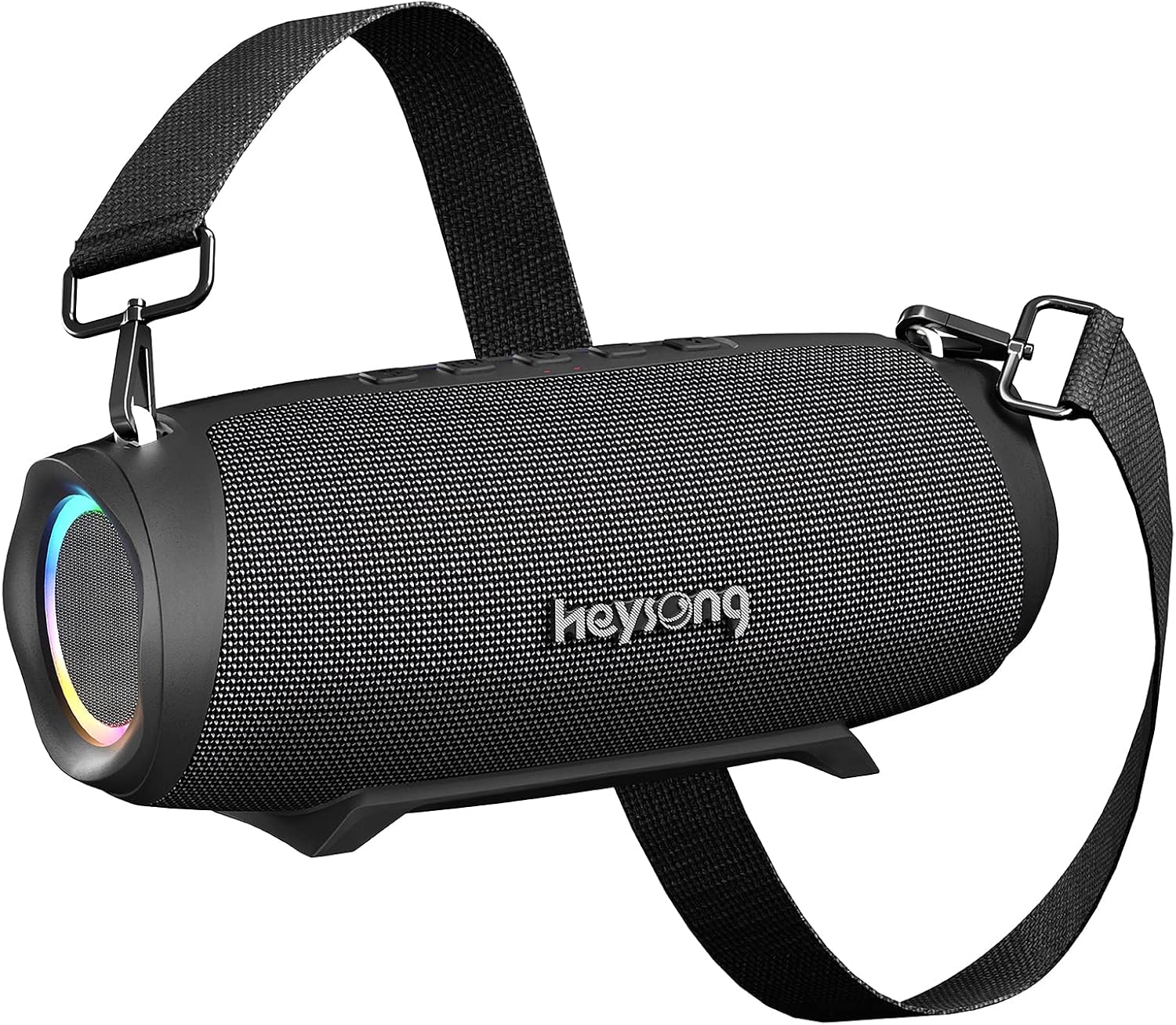
Image 1.1: HEYSONG FITNESS Bluetooth Speaker with detachable shoulder strap.
2. Package Contents
Ensure all items are present in the package:
- 1 x HEYSONG FITNESS Bluetooth Speaker
- 1 x Removable Shoulder Strap
- 1 x USB-C Charging Cable (Adapter Not Included)
- 1 x 3.5mm Audio Cable (Adapter Not Included)
- 1 x User Manual (English, Spanish, French, German, Italian)
3. Product Overview
3.1 Control Buttons

Image 3.1: Top panel with control buttons.
- Power Button: Press and hold to power on/off. Double-click to control LED lights.
- Play/Pause Button: Press to play or pause music. Press to answer/end calls.
- Volume Down (-): Press to decrease volume. Hold to play previous track.
- Volume Up (+): Press to increase volume. Hold to play next track.
- Bluetooth/TWS Button: Press to enter Bluetooth pairing mode. Hold to initiate TWS pairing.
3.2 Ports

Image 3.2: Rear port cover, protecting charging and audio inputs.
- USB-C Charging Port: For charging the speaker.
- USB-A Output Port: For using the speaker as a power bank.
- AUX-in Port: For wired audio connection using the 3.5mm audio cable.
3.3 Internal Speaker Components

Image 3.3: Internal speaker design with mid-tweeters, passive radiator, and woofers for balanced sound.
The speaker features a professional design with two independent speaker cavities. The front cavity houses two mid-tweeters and one passive radiator for clear treble, while the rear cavity contains two woofers for powerful bass.
4. Setup
4.1 Charging the Speaker
- Open the protective cover on the rear of the speaker.
- Connect the USB-C charging cable to the speaker's USB-C port and to a compatible USB power adapter (not included).
- The LED indicator will show charging status. A full charge takes approximately 4 hours.

Image 4.1: Charging the HEYSONG FITNESS speaker.
4.2 Power On/Off
- To Power On: Press and hold the Power Button for 2-3 seconds until you hear an audible prompt and the LED lights activate.
- To Power Off: Press and hold the Power Button for 2-3 seconds until you hear an audible prompt and the LED lights turn off.
4.3 Bluetooth Pairing
- Ensure the speaker is powered on and in Bluetooth pairing mode (the LED indicator will flash). If not, press the Bluetooth button.
- On your device (smartphone, tablet, laptop), enable Bluetooth and search for available devices.
- Select "HEYSONG FITNESS" from the list of devices.
- Once connected, you will hear a confirmation sound, and the LED indicator will stop flashing.
The speaker uses Bluetooth 5.0 technology for a stable connection up to 66 feet (20 meters).
5. Operating Instructions
5.1 Music Playback
- Play/Pause: Press the Play/Pause Button.
- Volume Up: Press the '+' button.
- Volume Down: Press the '-' button.
- Next Track: Hold the '+' button.
- Previous Track: Hold the '-' button.
5.2 Call Functions
With the built-in microphone, you can manage calls when connected via Bluetooth:
- Answer/End Call: Press the Play/Pause Button.
- Reject Call: Hold the Play/Pause Button.
5.3 LED Lights Control
The speaker features colorful LED lights that can synchronize with your music.

Image 5.1: Speaker displaying colorful LED light effects.
- Turn On/Off Lights: Double-click the Power Button.
- The lights will flash and dance to the rhythm of your music.
5.4 True Wireless Stereo (TWS) Pairing
You can pair two HEYSONG FITNESS speakers together for a true stereo sound experience.

Image 5.2: Two speakers connected via TWS for enhanced audio.
- Ensure both speakers are powered on and not connected to any Bluetooth device.
- On one speaker (this will be the primary speaker), press and hold the Bluetooth/TWS Button until you hear a prompt indicating TWS pairing mode.
- The two speakers will automatically connect to each other. You will hear a confirmation sound once paired.
- Now, connect your device to the primary speaker via Bluetooth as described in Section 4.3.
6. Power Bank Function
The HEYSONG FITNESS speaker can also function as a power bank to charge your mobile devices using its built-in 20000mAh battery.

Image 6.1: Speaker acting as a power bank to charge a smartphone.
- Open the protective cover on the rear of the speaker.
- Connect your device's charging cable to the speaker's USB-A output port.
- Charging will begin automatically.
7. Water Resistance (IP67)
The HEYSONG FITNESS speaker is rated IP67, meaning it is protected against dust ingress and can withstand immersion in water up to 1 meter for 30 minutes. This makes it suitable for outdoor use, by the pool, or in the shower.

Image 7.1: Speaker by the pool, highlighting its waterproof design.
Important: Ensure the protective cover for the charging and audio ports is securely closed before exposing the speaker to water or dust.
8. Maintenance
- Clean the speaker with a soft, damp cloth. Do not use abrasive cleaners or solvents.
- Store the speaker in a cool, dry place when not in use.
- Avoid exposing the speaker to extreme temperatures or direct sunlight for extended periods.
- Keep the protective port cover closed when not charging or using the AUX-in port to maintain water and dust resistance.
9. Troubleshooting
9.1 Speaker will not power on
- Ensure the speaker is fully charged. Connect it to a power source using the USB-C cable.
- Press and hold the Power Button for 2-3 seconds.
9.2 Cannot pair with Bluetooth device
- Ensure the speaker is in Bluetooth pairing mode (LED indicator flashing).
- Make sure the speaker is within 66 feet (20 meters) of your device.
- Turn off Bluetooth on other devices that may be connected to the speaker.
- Try restarting both the speaker and your Bluetooth device.
- If previously paired, try forgetting the device on your phone and re-pairing.
9.3 No sound or low volume
- Increase the volume on both the speaker and your connected device.
- Ensure the speaker is properly connected via Bluetooth or AUX-in.
- Check if the audio source is playing.
9.4 LED lights are not working
- Double-click the Power Button to toggle the LED lights on/off.
- Ensure the speaker has sufficient battery charge.
10. Specifications
| Feature | Specification |
|---|---|
| Model Name | HEYSONG FITNESS |
| Speaker Type | Outdoor |
| Connectivity Technology | Bluetooth 5.0, Auxiliary |
| Wireless Communication Range | Up to 66 Feet (20 meters) |
| Speaker Maximum Output Power | 50 Watts |
| Audio Output Mode | Stereo |
| Water Resistance Level | IPX7 Waterproof |
| Battery Capacity | 20000mAh (Power Bank Function) |
| Charging Time | Approximately 4 Hours |
| Playtime | Up to 20 Hours (varies with volume and content) |
| Product Dimensions | 11.5"D x 5.23"W x 5.23"H |
| Item Weight | 4.62 pounds (2.1 Kilograms) |
| Special Features | Hi-Fi Stereo Sound, Rich Bass, Colorful LED Lights, Removable Shoulder Strap, Built-in Microphone, Power Bank Function |
11. Warranty and Support
The HEYSONG FITNESS Bluetooth Speaker comes with a limited warranty. For detailed warranty information, please refer to the terms provided at the time of purchase.
If you have any questions, encounter issues, or require technical assistance, please contact HEYSONG customer support. We aim to provide a 24-hour response time to assist you with the most satisfactory solution.
Contact Information: Please refer to your purchase documentation or the official HEYSONG website for current customer support contact details.


