
1. Product Overview
The BIGBIG WON Armor-X Pro is a wireless back button attachment designed to enhance your gaming experience on multiple platforms. It adds four remappable back buttons, motion control, turbo, macro functions, and on-board memory profiles to your Xbox Series X|S, Xbox One, Switch, and Windows controllers.
This attachment features a 2.4GHz wireless adapter for low-latency connectivity and a built-in 1300mAh rechargeable lithium battery for extended playtime.
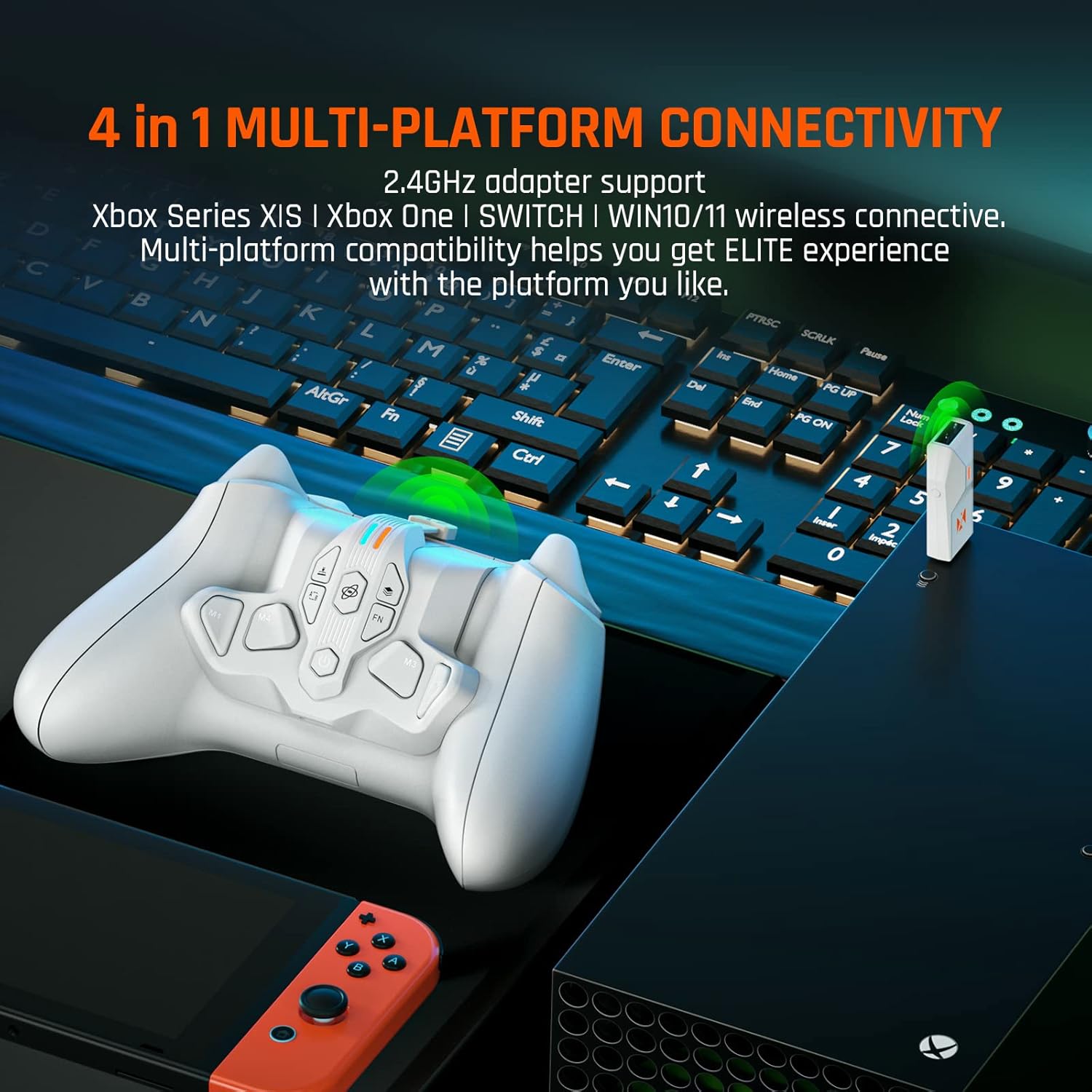
Figure 1: Overview of the Armor-X Pro's main functions, including its 1300mAh battery, motion control, back buttons, companion app, and wireless adapter.
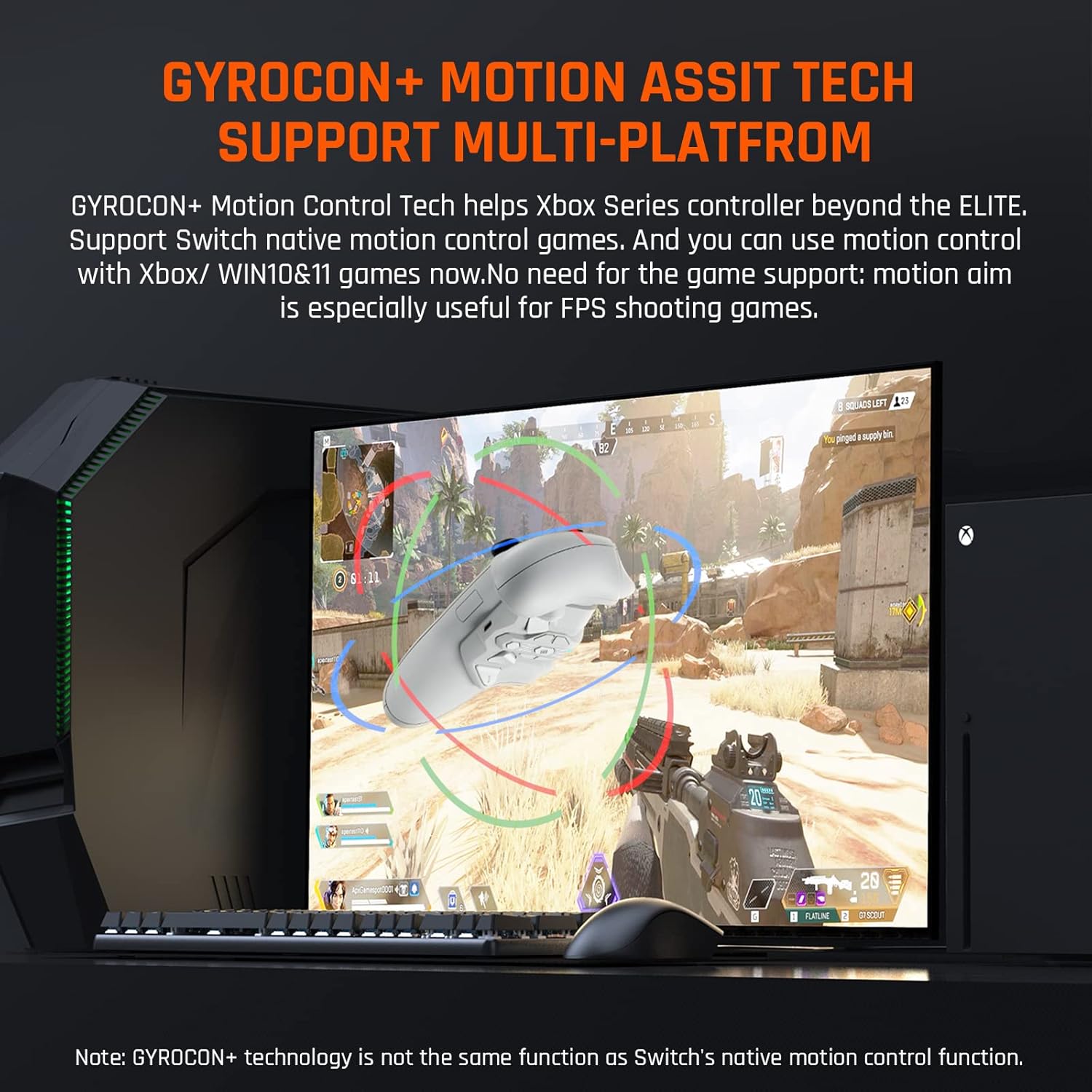
Figure 2: The Armor-X Pro supports multi-platform connectivity, including Xbox Series X|S, Xbox One, Switch, and Windows 10/11.
2. Setup Instructions
Follow these steps to attach and connect your BIGBIG WON Armor-X Pro to your controller:
- Remove the battery compartment cover from your Xbox Series X|S or Xbox One controller.
- Attach the Armor-X Pro to the battery compartment of your controller. Ensure it is securely fitted.
- Plug the USB-C flexible cable of the Armor-X Pro into the USB port of your Xbox Series controller.
- For wireless connection, insert the 2.4GHz adapter into a compatible USB port on your console (Xbox Series X|S, Xbox One, Switch) or PC (Windows 10/11).
Important Note on Audio:
- Only wired connections support the Xbox Series controller's audio port function when using the Armor-X Pro.
- If you intend to use audio/microphone functions with a wireless connection, please use wireless headphones compatible with your console.
- Wired audio connection is not supported on Switch and PS4 Consoles.
- Do not insert the 2.4GHz adapter into the console when in wired connection mode. The 2.4GHz adapter is exclusively for wireless connections.

Figure 3: Step-by-step guide for connecting the Armor-X Pro to your Xbox controller.
3. Operating Instructions
3.1 Remappable Back Buttons
The Armor-X Pro features four remappable back buttons (M1, M2, M3, M4) that provide additional input options. These buttons can be mapped to any standard controller button to suit your playstyle.
3.2 Turbo, Macro, and Vibration Settings
Enhance your gameplay with customizable Turbo, Macro, and Vibration settings:
- Turbo: Adjust the rapid-fire speed with 3 levels.
- Macro: Record and execute complex button sequences with a single press. Key-value mappings and macros can be used simultaneously without conflict.
- Vibration: Customize vibration strength with 4 levels.
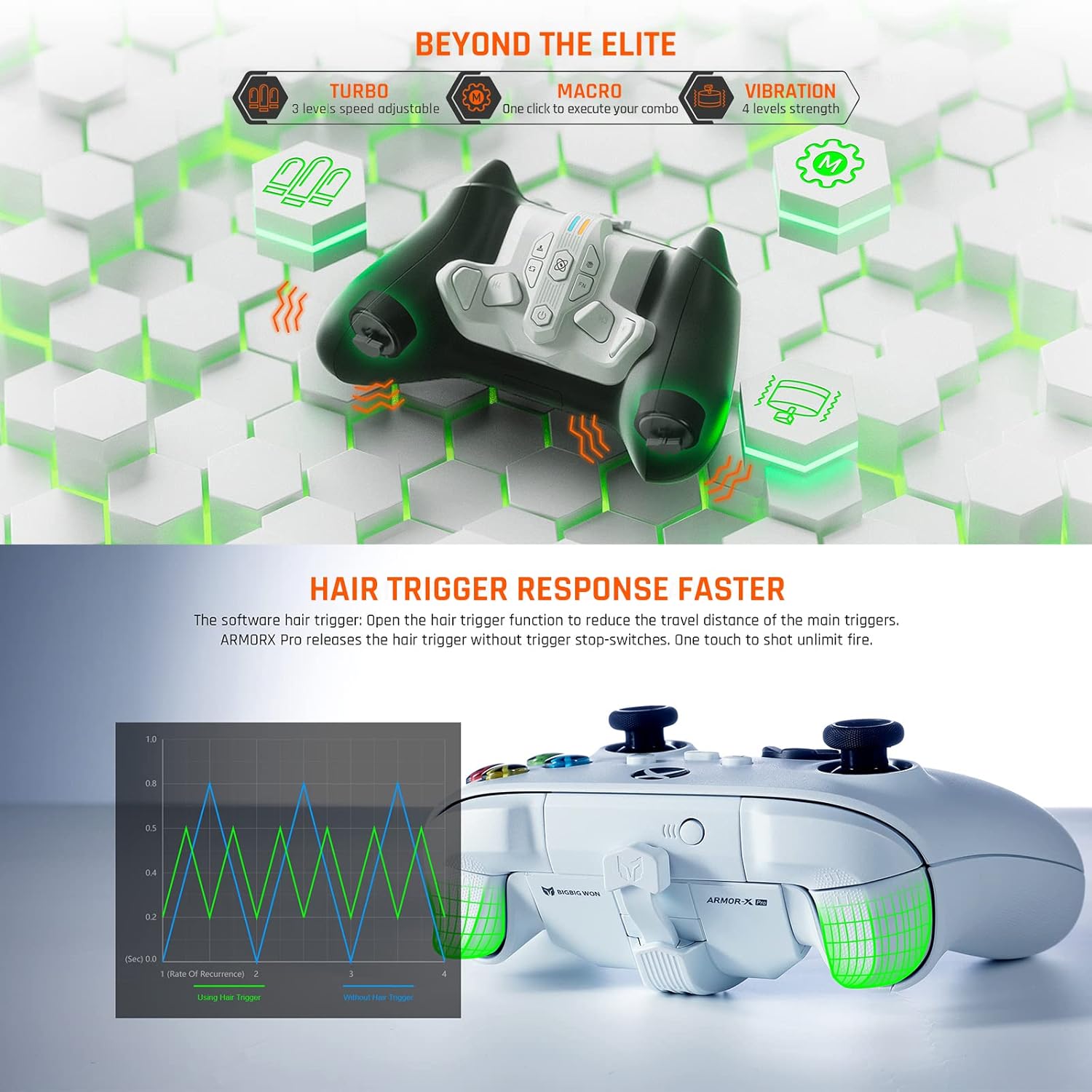
Figure 4: Advanced features including Turbo, Macro, Vibration, and Hair Trigger functionality.
3.3 Motion Control (GYROCON+ Technology)
The Armor-X Pro integrates GYROCON+ Motion Control Technology, allowing for motion aiming and other motion-based inputs. This feature is particularly useful for FPS shooting games and supports Switch native motion control games. Motion control is compatible with Xbox and Windows 10/11.
Note: GYROCON+ technology functions independently and is not identical to Switch's native motion control.
3.4 On-board Memory Profiles
Store up to 3 distinct profile configurations directly on the Armor-X Pro. This allows you to switch between different button mappings, macro settings, and other customizations on the fly, adapting to various game types or personal preferences without needing to reconfigure each time.
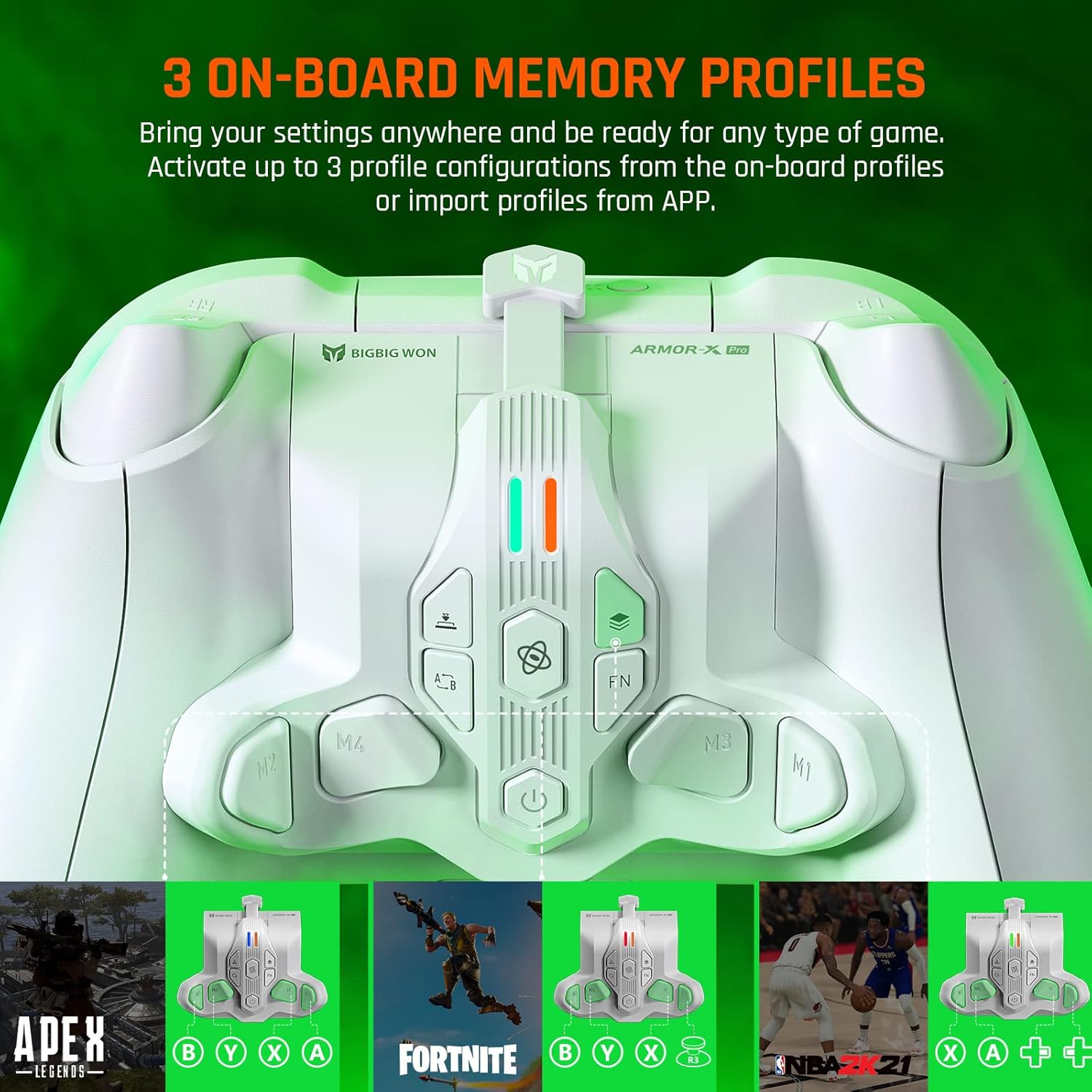
Figure 5: The Armor-X Pro supports 3 on-board memory profiles for quick setting changes.
3.5 Hair Trigger Response
Activate the hair trigger function to significantly reduce the travel distance of the main triggers on your controller. This allows for faster, more responsive inputs, particularly beneficial in competitive gaming scenarios where quick reactions are crucial.
3.6 App Real-Time Customization (Android & iOS)
The dedicated BIGBIG WON companion app, available for Android and iOS devices, allows for real-time customization of your Armor-X Pro. Through the app, you can adjust:
- Lighting effects
- Button mapping
- Joystick/trigger dead zone and sensitivity
- Motion sensitivity
- Macro programming
Configurations made in the app can be saved and shared, maximizing resource utilization.
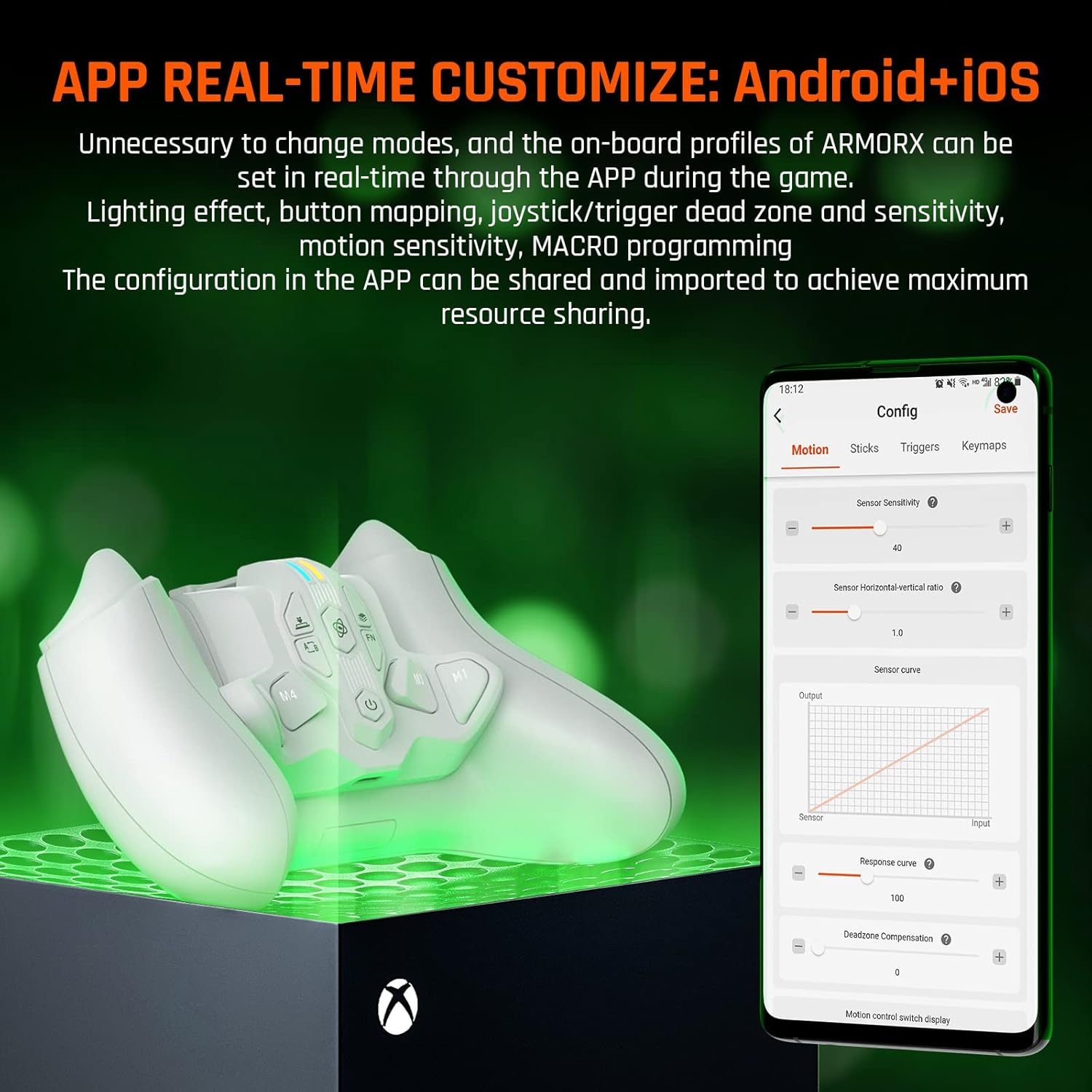
Figure 6: The BIGBIG WON app provides extensive real-time customization options for your Armor-X Pro.
4. Maintenance
4.1 Battery Information
The Armor-X Pro is equipped with a 3.7V 1300mAh rechargeable lithium battery, providing over 10 hours of playtime on a full charge. This integrated battery eliminates the need for disposable batteries, contributing to environmental sustainability.
- To charge, connect the Armor-X Pro (while attached to the controller) to a power source using a compatible USB-C cable.
- Avoid exposing the device to extreme temperatures or moisture.
- Do not attempt to replace the internal battery yourself. Contact customer support if battery issues arise.

Figure 7: The Armor-X Pro features a 1300mAh rechargeable lithium battery for extended gaming sessions.
5. Troubleshooting
- Connectivity Issues: If the device is not connecting wirelessly, ensure the 2.4GHz adapter is properly inserted into your console/PC and the Armor-X Pro is powered on. Try re-pairing the device if necessary (refer to the app or product documentation for specific pairing instructions).
- Button Mapping Not Working: Verify that the buttons are correctly mapped using the BIGBIG WON app. Ensure you have saved your profile settings.
- Audio Problems: Remember that wired audio is only supported on Xbox controllers when the Armor-X Pro is connected via its USB-C cable. For wireless audio, use compatible wireless headphones.
- Device Not Powering On: Ensure the battery is charged. Connect the device to a power source and allow it to charge for a period before attempting to power it on again.
- App Not Detecting Device: Ensure Bluetooth is enabled on your mobile device and the Armor-X Pro is in a discoverable mode (if applicable). Restart both the app and the Armor-X Pro.
For further assistance, please refer to the official BIGBIG WON support resources or contact customer service.
6. Specifications
| Feature | Detail |
|---|---|
| Model Name | BIGBIG WON Armor-X Pro Wireless Back Button Attachment |
| Model Number | BBW-ARMOR |
| Compatible Devices | Xbox Series S Controller, Xbox Series X Controller |
| Compatible Consoles | Microsoft Xbox Series S, Microsoft Xbox Series X, Xbox One, Nintendo Switch |
| Hardware Platform | Windows 10 & 11 |
| Connectivity Technology | 2.4Ghz Wireless |
| Controller Type | Paddle Attachment |
| Additional Features | Wireless, 4 Remappable Buttons, Turbo, Macro, Motion Control, 3 On-board Memory Profiles, Hair Trigger Response, App Customization |
| Power Source | Battery Powered (1300mAh Rechargeable Lithium Battery) |
| Item Weight | 55 g |
| Item Dimensions | 2.56 x 3.39 x 1.57 inches |
| Color | White |
7. Warranty and Support
For information regarding product warranty, returns, or technical support, please visit the official BIGBIG WON website or contact their customer service department. Keep your purchase receipt as proof of purchase for any warranty claims.
Official BIGBIG WON Website: www.bigbigwon.com


