
1. Introduction
This manual provides detailed instructions for the proper use and maintenance of your CREATIVE Sensemore Air True Wireless In-Ear Headphones. Please read this manual thoroughly before using the product to ensure optimal performance and longevity.
The CREATIVE Sensemore Air headphones offer a superior audio experience with advanced features such as Sensemore Technology, Ambient Mode, Active Noise Cancellation (ANC), and clear call quality through quad microphones. Designed for comfort and durability, they are also IPX5 sweatproof.
2. What's in the Box
- CREATIVE Sensemore Air True Wireless Earbuds (Left and Right)
- Charging Case
- USB-C Charging Cable
- Silicone Ear Tips (S, M, L sizes)
- Quick Start Guide (This manual)

Image: CREATIVE Sensemore Air earbuds and charging case, illustrating the main components.
3. Setup
3.1 Charging the Device
Before first use, fully charge the CREATIVE Sensemore Air earbuds and charging case.
- Charging the Earbuds: Place the earbuds into the charging case. Ensure they are correctly seated. The LED indicators on the case will show charging status.
- Charging the Case: Connect the USB-C charging cable to the charging port on the case and to a power source. Alternatively, place the charging case on a Qi-certified wireless charging pad.
- Quick Charge: A 10-minute charge provides up to 2 hours of playback.
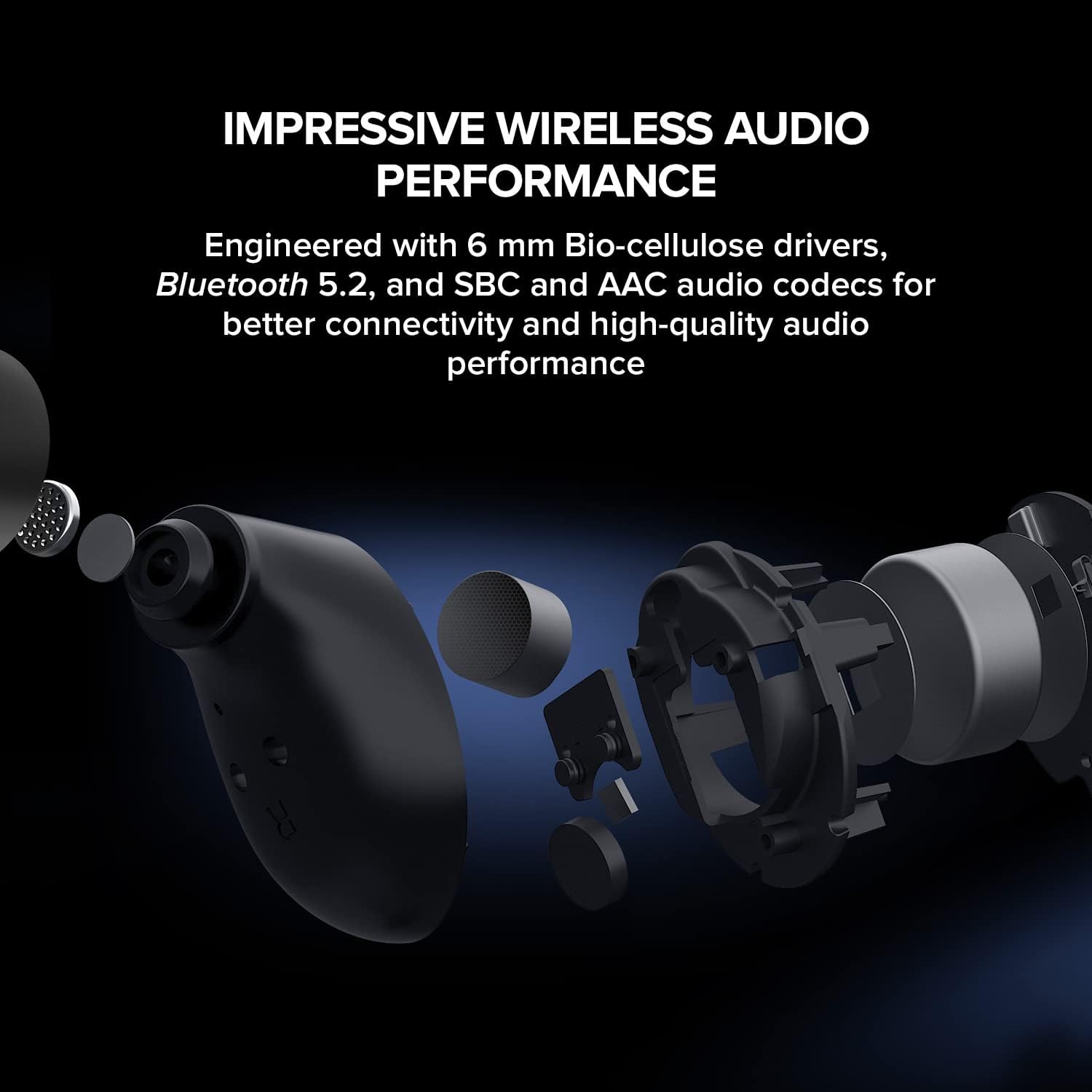
Image: The CREATIVE Sensemore Air charging case resting on a wireless charging pad, indicating wireless charging capability.
3.2 Bluetooth Pairing
- Ensure the earbuds are in the charging case and the case has sufficient battery.
- Open the charging case. The earbuds will automatically enter pairing mode, indicated by flashing LED lights.
- On your device (smartphone, tablet, computer), enable Bluetooth and search for new devices.
- Select "CREATIVE Sensemore Air" from the list of available devices.
- Once connected, the earbuds' LEDs will stop flashing, and you will hear an audio confirmation.
3.3 Fitting the Earbuds
Proper fit is crucial for sound quality and noise cancellation effectiveness.
- Choose the silicone ear tips that provide the best seal and comfort for your ears. Three sizes (S, M, L) are included.
- Gently insert the earbuds into your ear canals and twist slightly to secure them.
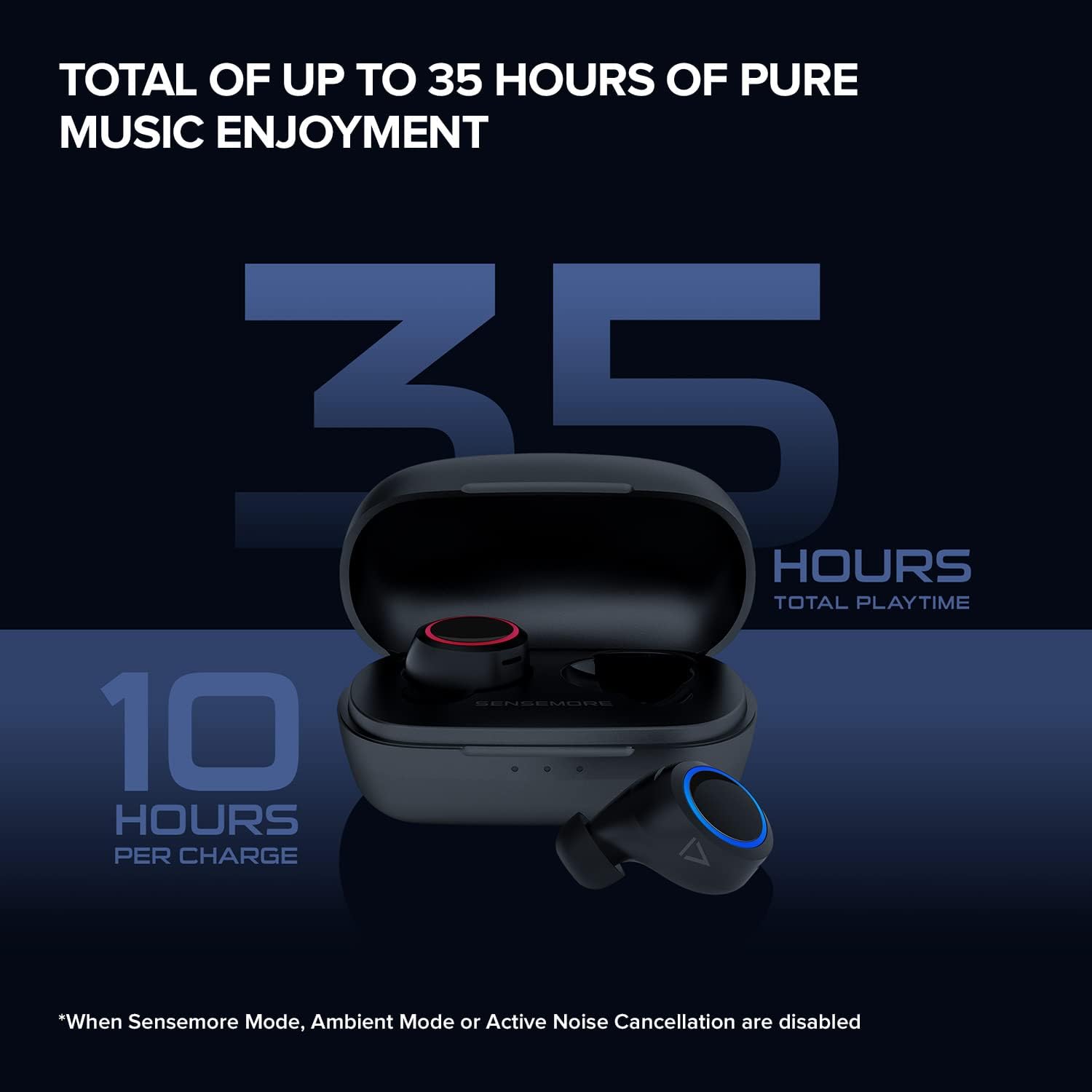
Image: The CREATIVE Sensemore Air earbuds displayed alongside small, medium, and large silicone ear tips, highlighting the options for a customized fit.
4. Operating Instructions
4.1 Power On/Off
- Power On: The earbuds automatically power on when removed from the charging case.
- Power Off: Place the earbuds back into the charging case to automatically power them off and begin charging.
4.2 Touch Controls
The CREATIVE Sensemore Air earbuds feature customizable touch controls. Functions can be reassigned via the Creative app.
- Default Controls (Example):
- Single Tap: Play/Pause, Answer/End Call
- Double Tap: Noise Control Mode Cycle (Left earbud), Next Track (Right earbud)
- Triple Tap: Voice Assistant (Left earbud), Previous Track (Right earbud)
- Long Press: Volume Down (Left earbud), Volume Up (Right earbud)
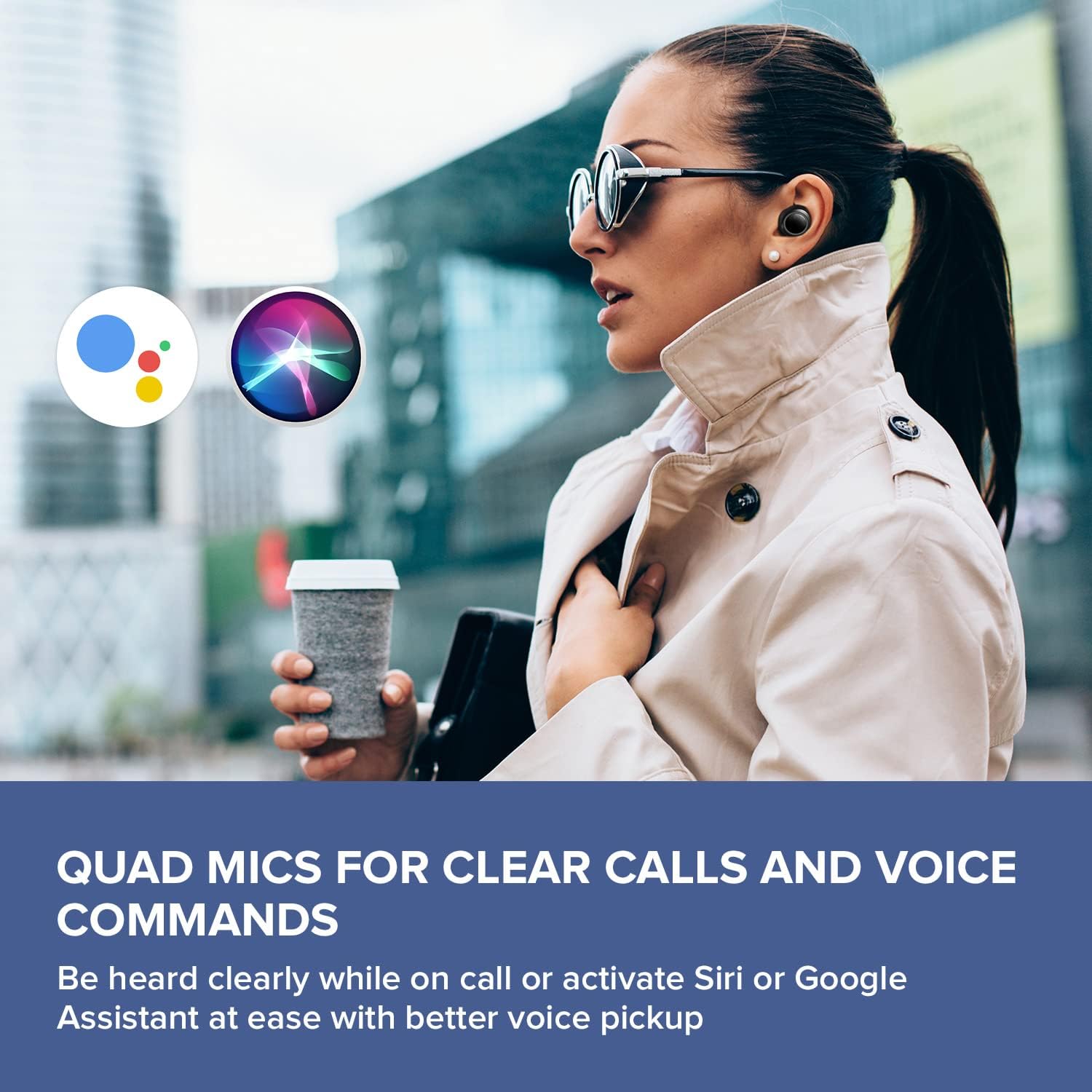
Image: A smartphone screen displaying the Creative app's custom button settings interface, allowing users to personalize touch controls for their earbuds.
4.3 Noise Control Modes
The earbuds offer three distinct noise control modes:
- Active Noise Cancellation (ANC): Blocks out external noise, allowing for immersive audio listening.
- Ambient Mode: Allows you to hear your surroundings while still enjoying your audio, enhancing situational awareness.
- Sensemore Mode: Amplifies surrounding sounds, making it easier to hear conversations or important announcements in high definition.
Cycle through these modes using the designated touch control (default: double tap on the left earbud) or through the Creative app.

Image: A person on a bus wearing Creative Sensemore Air headphones, with text overlay explaining the Sensemore, Ambient, and Active Noise Cancellation modes and their functions.
4.4 Making Calls
The integrated quad microphones ensure clear voice pickup during calls.
- Answer/End Call: Single tap on either earbud.
- Reject Call: Long press on either earbud.
4.5 Voice Assistant
Activate your device's voice assistant (Siri or Google Assistant) with a simple touch command (default: triple tap on the left earbud).

Image: A person walking outdoors, wearing Creative Sensemore Air headphones, with the logos for Siri and Google Assistant floating nearby, indicating voice assistant compatibility.
5. Maintenance
5.1 Cleaning
- Regularly clean the earbuds and charging case with a soft, dry, lint-free cloth.
- Remove ear tips and clean them with mild soap and water, then dry thoroughly before reattaching.
- Ensure charging contacts on both earbuds and case are clean and free of debris.
5.2 Storage
When not in use, always store the earbuds in their charging case to protect them and keep them charged.
5.3 Water Resistance (IPX5)
The CREATIVE Sensemore Air earbuds are IPX5-rated, meaning they are resistant to sweat and light splashes of water. They are not designed for submersion in water. Avoid exposing them to heavy rain or direct water jets.
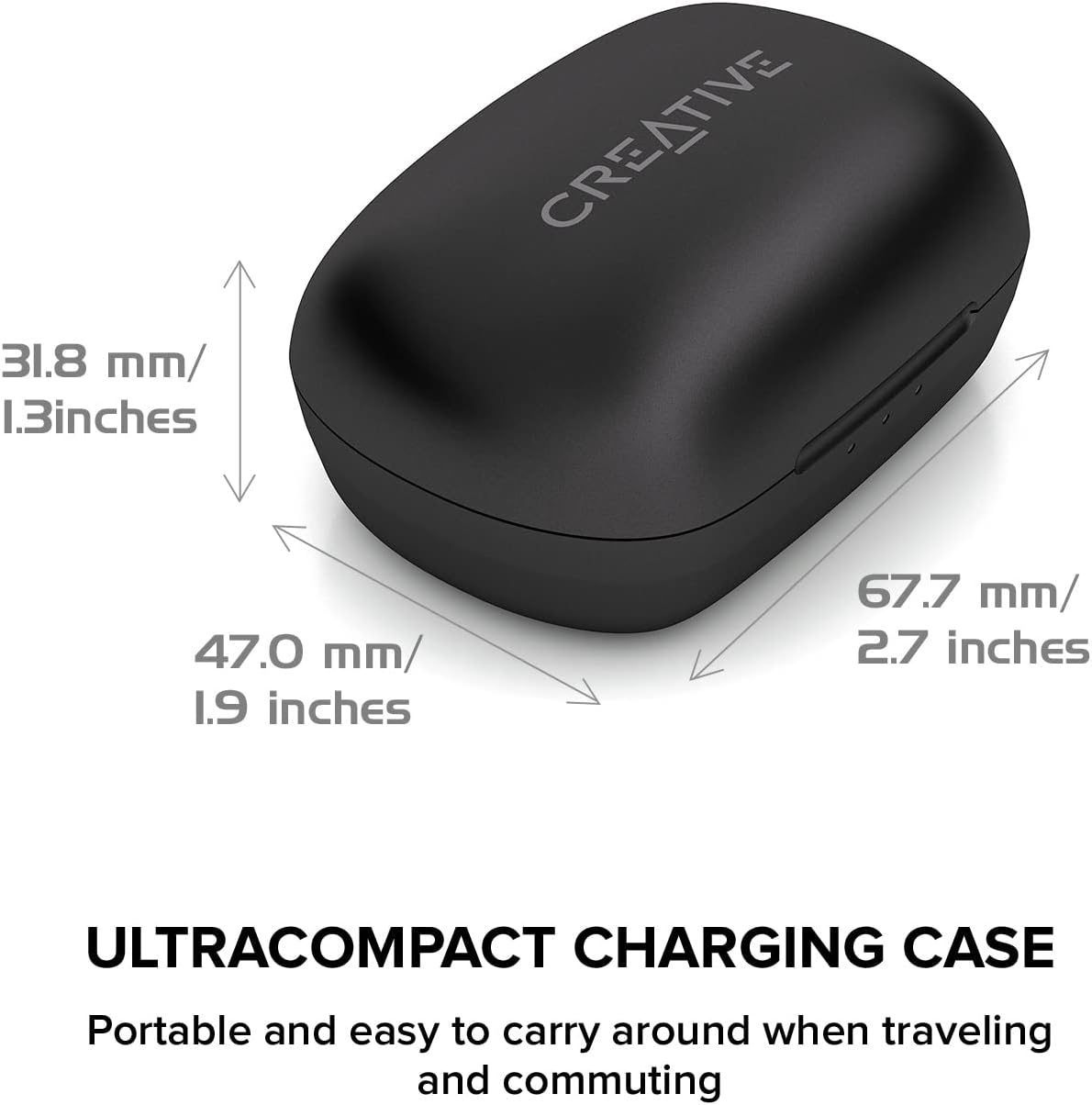
Image: A person running outdoors in the rain, wearing Creative Sensemore Air headphones, demonstrating their IPX5 sweatproof and water-resistant capabilities.
6. Troubleshooting
- Earbuds not pairing: Ensure both earbuds are in the case, close and reopen the case. Check your device's Bluetooth settings.
- Only one earbud working: Place both earbuds back in the case, close it, wait a few seconds, then reopen. Re-pair if necessary.
- Poor sound quality: Ensure ear tips provide a good seal. Clean earbuds and check for debris.
- Charging issues: Verify the USB-C cable and power source are working. Ensure charging contacts are clean. For wireless charging, confirm the case is correctly placed on the Qi pad.
- Touch controls unresponsive: Ensure earbuds are clean. Try resetting the earbuds (refer to the Creative app or manufacturer's website for specific reset instructions).
For further assistance, refer to the Creative app or the official Creative support website.
7. Specifications
| Feature | Specification |
|---|---|
| Model Name | Sensemore Air |
| Model Number | EF1020 |
| Connectivity Technology | Wireless (Bluetooth 5.2) |
| Audio Codecs | AAC, SBC |
| Driver Size | 6 mm Bio-cellulose drivers |
| Microphones | Quad Microphones |
| Noise Control | Active Noise Cancellation (ANC), Ambient Mode, Sensemore Mode |
| Water Resistance Rating | IPX5 (Sweatproof, splash-resistant) |
| Battery Life (Earbuds) | Up to 10 hours per charge |
| Total Battery Life (with Case) | Up to 35 hours |
| Quick Charge | 10 minutes charge for 2 hours playback |
| Charging Interface | USB-C, Qi Wireless Charging |
| Weight (Charging Case) | 48.4 grams |
| Dimensions (Product) | 11.5 x 6.83 x 4.04 cm |
| Compatible Devices | Phone, Tablet, Computer, Laptop, Gaming Console |
8. Warranty and Support
Your CREATIVE Sensemore Air True Wireless In-Ear Headphones are covered by a limited warranty. For detailed warranty information, including terms and conditions, please refer to the warranty card included with your product or visit the official CREATIVE website.
For technical support, product registration, FAQs, and software updates, please visit the official CREATIVE support portal:
You can also download the Creative app from your device's app store for additional features and customization options.


