Introduction
This manual provides instructions for the setup, operation, and maintenance of your XTREME DIGITAL LIFESTYLE ACCESSORIES Monster Sound-Reactive Color Flow LED Equalizer Light Bar. This product features sound-reactive lighting, customizable color modes, and flexible mounting options, designed to enhance your environment with dynamic visual effects.

Image: The Monster Sound-Reactive Color Flow LED Equalizer Light Bar shown both in its retail packaging and as a standalone unit, highlighting its design and features.
Package Contents
- 2 x Monster Sound-Reactive Color Flow LED Equalizer Light Bars
- 2 x Vertical Stands
- 2 x USB Charging Cables
- Instruction Manual (this document)
Setup
The Monster LED Equalizer Light Bar offers versatile placement options. Follow these steps for initial setup:
- Charging the Device: Before first use, fully charge the light bar using the provided USB charging cable. Connect the cable to the light bar's charging port and a standard USB power source (e.g., computer, USB wall adapter). The charging indicator will show the charging status. A full charge provides approximately 3-4 hours of continuous light.
- Mounting Options:
- Vertical Placement: Attach the included base to the bottom of the light bar for vertical orientation. Ensure the bar is securely seated in the base.
- Horizontal Placement: The light bar can be placed horizontally on any flat surface without the base.

Image: A visual representation illustrating the two mounting methods: vertically with the included stand and horizontally on a flat surface.
Operating Instructions
The light bar can be controlled via built-in buttons or a dedicated mobile application.
1. Basic Operation (Built-in Buttons)
The light bar features control buttons, typically located on the device, to manage power, modes, and settings.
- Power Button: Press and hold to turn the device ON or OFF.
- Mode Button: Short press to cycle through the 18 color modes and 8 equalizer patterns.
- Brightness/Speed Button: Short press to adjust brightness (4 levels) or speed (5 settings) depending on the active mode.
2. Advanced Operation (Mobile App Control)
For full customization and control, download the official Monster LED app from your device's app store. The app allows access to all 18 color modes, 8 equalizer patterns, 4 brightness levels, and 5 speed settings.
- App Download: Search for "Monster LED" or "Xtreme LED" in your smartphone's app store (iOS App Store or Google Play Store).
- Pairing:
- Ensure your light bar is powered on and within Bluetooth range of your smartphone.
- Open the app and follow the on-screen instructions to discover and pair with your light bar.
- Note: Some users have reported initial difficulties with Bluetooth pairing. Ensure Bluetooth is enabled on your phone and try restarting both the light bar and the app if issues persist.
- Customization: Use the app interface to select desired color modes, equalizer patterns, adjust brightness, and set animation speeds.
3. Sound-Reactive Displays (Music Mode)
Activate Music Mode via the built-in buttons or the mobile app to enable the light bar to react to ambient sounds and music, creating dynamic visual effects synchronized with audio.

Image: Multiple LED light bars showcasing various multicolor moving patterns, illustrating the dynamic visual effects.

Image: A close-up of the LED light bar with a USB charging cable connected, indicating its rechargeable feature.
Maintenance
To ensure the longevity and optimal performance of your LED Equalizer Light Bar, follow these maintenance guidelines:
- Cleaning: Use a soft, dry cloth to gently wipe the surface of the light bar. Avoid abrasive cleaners, solvents, or excessive moisture, as these can damage the device.
- Storage: When not in use for extended periods, store the light bar in a cool, dry place away from direct sunlight and extreme temperatures.
- Battery Care: To maintain battery health, avoid fully discharging the device frequently. Recharge the battery periodically even if not in regular use.
- Water Resistance: This product is not water resistant. Avoid exposure to liquids or high humidity.
Troubleshooting
If you encounter issues with your Monster LED Equalizer Light Bar, refer to the following common solutions:
- Device Not Turning On:
- Ensure the device is fully charged. Connect it to a USB power source and allow it to charge for at least 30 minutes before attempting to power on again.
- Verify the power button is pressed and held for a few seconds.
- Lights Not Reacting to Sound:
- Confirm that Music Mode is activated.
- Ensure there is sufficient ambient sound for the microphone to pick up.
- Check the sensitivity settings via the mobile app, if applicable.
- Difficulty with App Pairing (Bluetooth):
- Ensure Bluetooth is enabled on your smartphone and the light bar is powered on and nearby.
- Try restarting both the light bar and the mobile application.
- If issues persist, try unpairing and re-pairing the device through your phone's Bluetooth settings and the app.
- Short Battery Life:
- Ensure the device is fully charged before use.
- Battery life can vary based on brightness levels and active modes. Higher brightness and complex patterns consume more power.
- If battery life significantly degrades over time, it may indicate battery wear.
Specifications
| Brand | XTREME DIGITAL LIFESTYLE ACCESSORIES |
| Model Number | ECOM-1087-PP2 |
| Color | Multicolor |
| Indoor/Outdoor Usage | Indoor |
| Special Feature | Rechargeable |
| Light Source Type | LED |
| Power Source | Battery Powered |
| Material | Plastic |
| Controller Type | App Control, Touch |
| Number of Light Sources | 32 |
| Wattage | 1 watts |
| Item Weight | 8 ounces (0.5 Pounds) |
| Product Dimensions (L x W x H) | 2.75 x 1.6 x 7.4 inches |
| Water Resistance Level | Not Water Resistant |
| UPC | 805106234331 |
Warranty Information
For detailed warranty information, please refer to the manufacturer's official website or contact their customer support. Keep your proof of purchase for any warranty claims.
Customer Support
If you require further assistance or have questions not covered in this manual, please contact XTREME DIGITAL LIFESTYLE ACCESSORIES customer support. Visit their official website for contact details or refer to the product packaging.
You can also visit the XTREME DIGITAL LIFESTYLE ACCESSORIES Store on Amazon for more information.
Additional Product Views

Image: Four LED light bars displayed on a desk, showcasing their use in a typical setup.

Image: Four LED light bars against a vibrant, abstract equalizer graphic, emphasizing their sound-reactive capabilities.
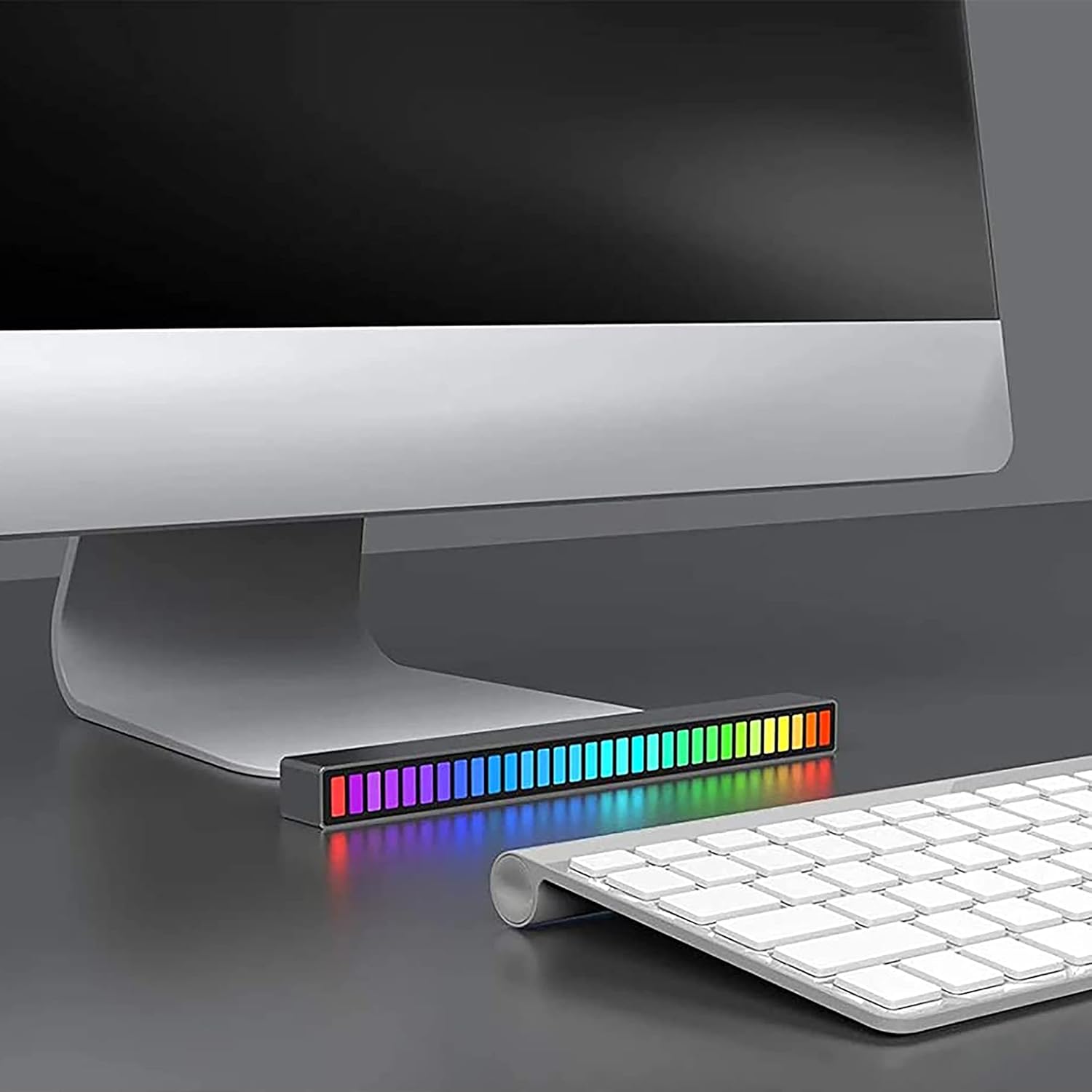
Image: A single LED light bar positioned horizontally beneath a computer monitor, demonstrating a common placement.

Image: Two LED light bars integrated into a DJ setup, illustrating their use in a music-centric environment.

Image: Two LED light bars used to augment a gaming station, providing ambient lighting during gameplay.

Image: An LED light bar positioned in a home theater setup, contributing to the atmospheric lighting while a person watches a film.

Image: Two LED light bars placed in a music studio, providing visual feedback to a person playing a guitar.
Important Safety Information
- Do not disassemble, modify, or attempt to repair the device.
- Keep away from water, fire, and high temperatures.
- Use only the provided USB charging cable or a certified equivalent.
- Dispose of the product and its battery responsibly according to local regulations.


