
1. Introduction and Overview
The Sunthysis 2000W Pure Sine Wave Power Inverter is a high-quality device designed to convert 12V DC power from batteries into stable 110V/120V AC power. This inverter is ideal for various applications including off-grid solar systems, RVs, homes, and remote workplaces, providing reliable power for sensitive electronics and appliances. It delivers a continuous output of 2000W with a peak power of 4000W, ensuring efficient and safe operation.

Figure 1: Sunthysis 2000W Pure Sine Wave Power Inverter and accessories.
2. Product Features
- Pure Sine Wave Output: Provides stable and clean power, suitable for sensitive electronics, with a conversion efficiency of ≥ 92%.
- High Power Output: Delivers 2000W continuous power and 4000W peak power.
- Advanced Product Design: Equipped with a high-definition LED screen for displaying voltage, power, and fault codes. Features a rugged aviation aluminum alloy housing and intelligent temperature-controlled fans for efficient heat dissipation.
- Comprehensive Safety Protections: Includes upgraded IC chips offering protection against over-current, overload, over-voltage, undervoltage, high temperature, short circuit, and reverse polarity.
- Universal Compatibility: Suitable for various 12V battery systems, ideal for power failure, emergency, vacation, car, RV, truck, solar energy, and home use.
- User-Friendly Interface: Features a built-in 5V 3A/9V 2A USB port, three AC sockets, and a 19.8ft wired remote control for convenient operation.

Figure 2: Benefits of Pure Sine Wave Technology.
3. Package Contents
Please verify that all items are present and in good condition upon opening the package:
- Sunthysis 2000W Pure Sine Wave Power Inverter Unit
- Wired Remote Control (19.8ft cable)
- 3ft 3AWG Battery Cables (1 Red, 1 Black)
- Mounting Screws and Anchors (for inverter and remote panel)
- User Manual
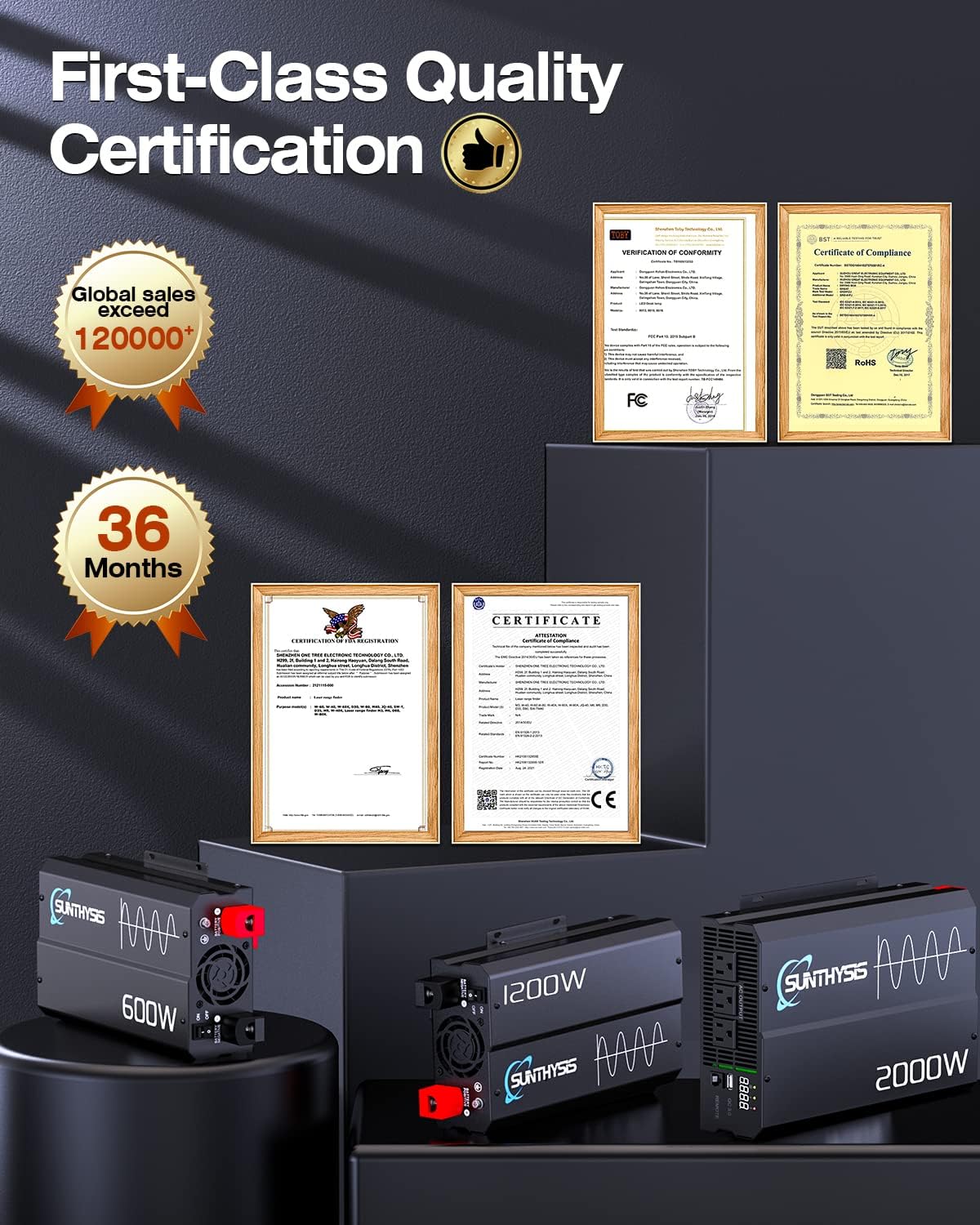
Figure 3: Included accessories with the inverter.
4. Panel Description
Familiarize yourself with the various ports and indicators on the inverter:

Figure 4: Front and Rear Panel Layout.
- AC Output Sockets: Three standard 110V/120V AC outlets for connecting appliances.
- USB Power Port (QC 3.0): Provides 5V 3A/9V 2A output for charging USB devices.
- LED Display: Digital readout for monitoring voltage, power consumption, and fault codes.
- LED Indicators: Lights for battery status, power output, and fault warnings.
- Remote Switch Connection: RJ45 port for connecting the wired remote control.
- Cooling Fans: Intelligent temperature-controlled fans for optimal heat dissipation.
- Battery Terminals: Positive (Red) and Negative (Black) terminals for 12V DC input, with protective covers.
- ON/OFF Switch: Main power switch for the inverter.
5. Setup and Installation
Proper installation is crucial for safe and efficient operation. Follow these steps:
- Choose a Location: Select a dry, well-ventilated area away from direct sunlight, heat sources, and flammable materials. Ensure sufficient space around the inverter for airflow.
- Mounting (Optional): Use the provided screws and anchors to securely mount the inverter and the remote control panel to a stable surface if desired.
- Connect Battery Cables:
- Ensure the inverter's ON/OFF switch is in the "OFF" position.
- Connect the red battery cable to the positive (+) terminal of the 12V battery.
- Connect the other end of the red cable to the positive (+) terminal on the inverter.
- Connect the black battery cable to the negative (-) terminal of the 12V battery.
- Connect the other end of the black cable to the negative (-) terminal on the inverter.
- Ensure all connections are tight and secure to prevent arcing and overheating. Use the protective caps provided for the battery terminals on the inverter.
- Connect Remote Control: Plug the remote control cable into the "REMOTE" port on the inverter.
- Grounding: Connect a ground wire from the inverter's grounding screw to a proper earth ground.

Figure 5: Example of a solar power system setup with the inverter.
6. Operating Instructions
- Powering On: Once all connections are secure, switch the inverter's ON/OFF switch to the "ON" position. The LED display will light up, and the fans may briefly spin up.
- Connecting Appliances: Plug your AC appliances into the AC output sockets. For USB charging, use the QC 3.0 USB port.
- Monitoring: Observe the LED display for real-time voltage and power output. The LED indicators will show battery level and any potential fault conditions.
- Using the Remote Control: The wired remote allows you to turn the inverter ON/OFF from a distance, which is convenient if the inverter is installed in a hard-to-reach location.
- Powering Off: Before disconnecting any appliances or the inverter from the battery, switch the inverter's ON/OFF switch to the "OFF" position.

Figure 6: Multiple AC outputs and USB port for various appliances.
7. Safety Precautions
To ensure safe operation and prevent damage to the inverter or connected devices, adhere to the following:
- Do not exceed the inverter's rated continuous power (2000W) or peak power (4000W).
- Ensure proper ventilation to prevent overheating. Do not block the cooling fans.
- Keep the inverter away from water, moisture, and extreme temperatures (operating range: -40°C to 90°C).
- Always connect the inverter to a 12V DC power source only. Connecting to a higher voltage will cause damage.
- Verify correct polarity when connecting battery cables (Red to Positive, Black to Negative).
- The inverter features built-in protections against:
- Over-current
- Overload
- Over-voltage
- Undervoltage
- High temperature
- Short circuit
- Reverse polarity
- In case of a fault, the inverter may beep or display an error code. Refer to the troubleshooting section.

Figure 7: Comprehensive Safety Protections.
8. Applications
The Sunthysis 2000W Pure Sine Wave Power Inverter is versatile and can be used in numerous scenarios where AC power is needed from a 12V DC source:
- Home Use: Backup power during outages, powering essential appliances.
- Recreational Vehicles (RVs): Running electronics and small appliances while on the go.
- Camping & Outdoors: Powering lights, small cooking appliances, and charging devices.
- Solar Power Systems: Converting DC power from solar panels (via a charge controller and battery) to AC for household use.
- Work Sites: Providing power for tools and equipment in remote locations.
- Marine Applications: Powering electronics on boats and yachts.

Figure 8: Versatile applications of the inverter.
9. Specifications
| Feature | Specification |
|---|---|
| Brand | Sunthysis |
| Model Number | IN-2000 |
| Product Dimensions | 11.8 x 7.5 x 3.2 inches |
| Item Weight | 7.17 pounds |
| Power Source | Battery Powered (12V DC) |
| Continuous Wattage | 2000 watts |
| Peak Wattage | 4000 watts |
| Output Voltage | 110V/120V AC |
| USB Output | 5V 3A / 9V 2A (QC3.0) |
| Conversion Efficiency | ≥ 92% |
| Recommended Uses | Home, travel, camping vehicles |
10. Maintenance
Regular maintenance ensures the longevity and optimal performance of your inverter:
- Cleaning: Periodically clean the exterior of the inverter with a dry, soft cloth. Ensure the cooling vents are free from dust and debris. Do not use liquid cleaners.
- Connection Check: Regularly inspect all electrical connections (battery terminals, AC outlets, remote cable) to ensure they are tight and free from corrosion.
- Storage: If storing the inverter for an extended period, disconnect it from the battery and store it in a cool, dry place.
11. Troubleshooting
If you encounter issues with your inverter, refer to the following common problems and solutions:
- No Power Output:
- Check if the inverter is switched ON.
- Verify battery connections are secure and correct polarity.
- Ensure the battery has sufficient charge (12V minimum).
- Check for blown fuses (if applicable, consult manual for fuse location).
- Inverter Beeping/Error Code on Display:
- Consult the LED display for the specific error code.
- Common codes indicate:
- Low Battery Voltage: Recharge or replace battery.
- Overload: Reduce connected load.
- Over-temperature: Allow inverter to cool down, ensure proper ventilation.
- Short Circuit: Disconnect all loads and check for shorted wiring.
- Connected Device Not Working:
- Ensure the device's power consumption does not exceed the inverter's capacity.
- Check if the device itself is functioning correctly.
For persistent issues, please contact Sunthysis customer support.
12. Warranty and Support
Sunthysis stands behind the quality of its products. This inverter comes with a 36-month warranty from the date of purchase, covering manufacturing defects and material flaws.
We are committed to providing professional customer support. If you have any questions, concerns, or require assistance with your Sunthysis inverter, please do not hesitate to contact our support team. We aim to exceed your expectations.

Figure 9: Quality Certifications and Warranty Information.

