
Rfiver Swivel Floor TV Stand for 32"-70"
Rfiver Floor TV Stand with Swivel Mount User Manual
Brand: Rfiver
Model: Swivel Floor TV Stand for 32"-70"
1. Introduction
This manual provides detailed instructions for the assembly, operation, and maintenance of your Rfiver Floor TV Stand with Swivel Mount. Designed for 32-70 inch LCD LED Flat Screens and Curved TVs, this stand offers robust support, adjustable height, and swivel functionality for an optimal viewing experience. Please read this manual thoroughly before beginning assembly to ensure safe and correct installation.

Figure 1.1: Rfiver Floor TV Stand with Swivel Mount, showcasing its sleek design and integrated Apple TV mount.
2. Key Features
The Rfiver Floor TV Stand is engineered with several features to enhance your television viewing and home organization:
- Heavy Duty Reinforced Structure: Constructed with alloy steel and a thick tempered glass base, providing a secure hold for TVs up to 110 lbs.
- Adjustable Height: Features 12 levels of height adjustment, allowing you to set your TV's position between 45.7 inches and 55.5 inches for optimal eye-level comfort.
- 60° Swivel Adjustment: Smoothly swivel your TV 30° left or right to achieve the perfect viewing angle from anywhere in the room.
- Space-Saving Design: Can be used as a standalone unit or positioned behind a TV cabinet, ideal for small spaces and blending seamlessly with home decor.
- Integrated Cable Management: A system designed to conceal cables, ensuring a clean and organized appearance.
- Easy Assembly: Designed for quick installation, typically within 20 minutes, with no drilling required.
- Universal Compatibility: Fits most 32 to 70 inch flat or curved screen LCD/LED/OLED TVs with VESA patterns from 100x100 mm to 400x400 mm.
- Apple TV/Roku Ultra Mount: Includes a dedicated mount compatible with all Apple TV and Roku Ultra devices.
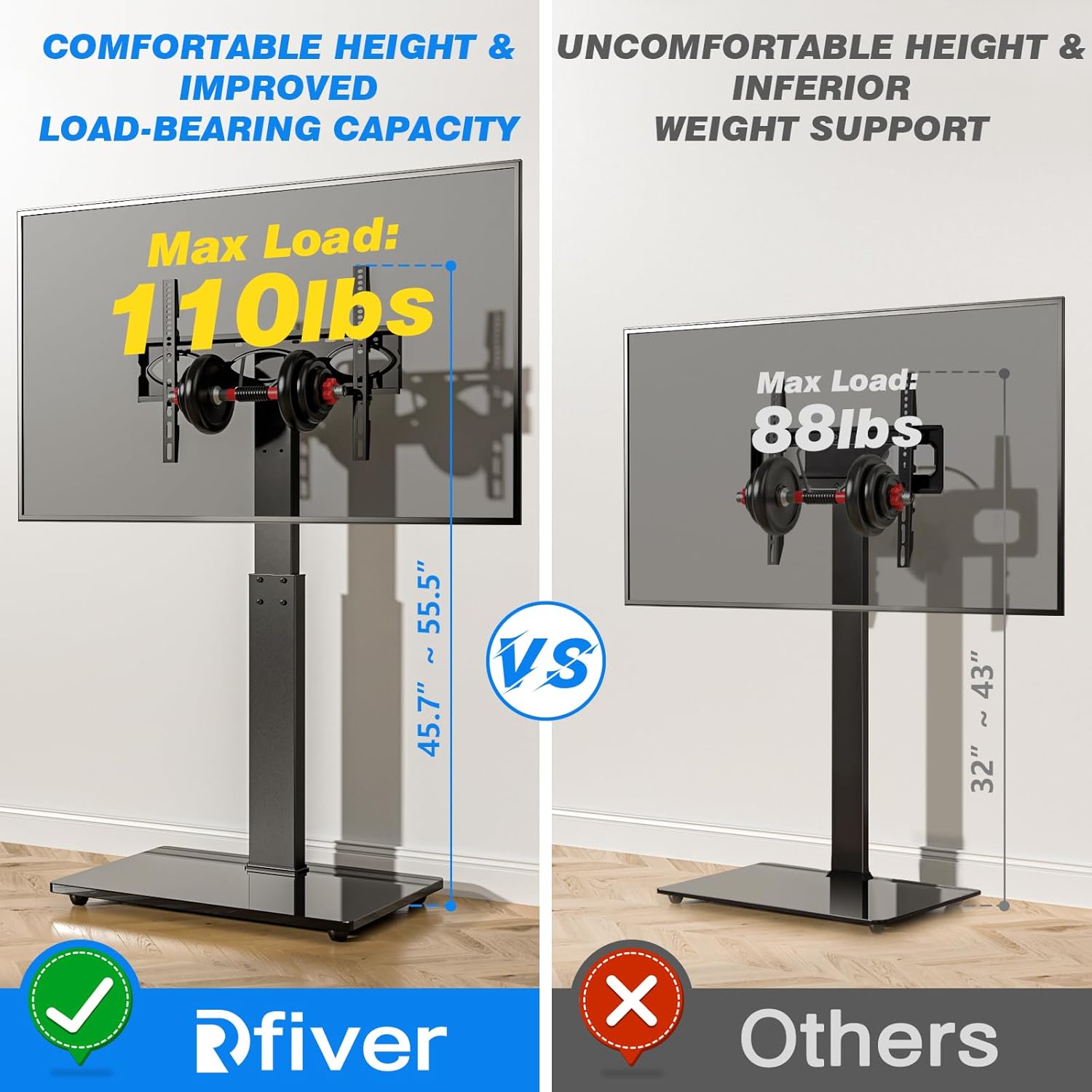
Figure 2.1: Comparison illustrating the superior 110 lbs load capacity of the Rfiver stand compared to others.
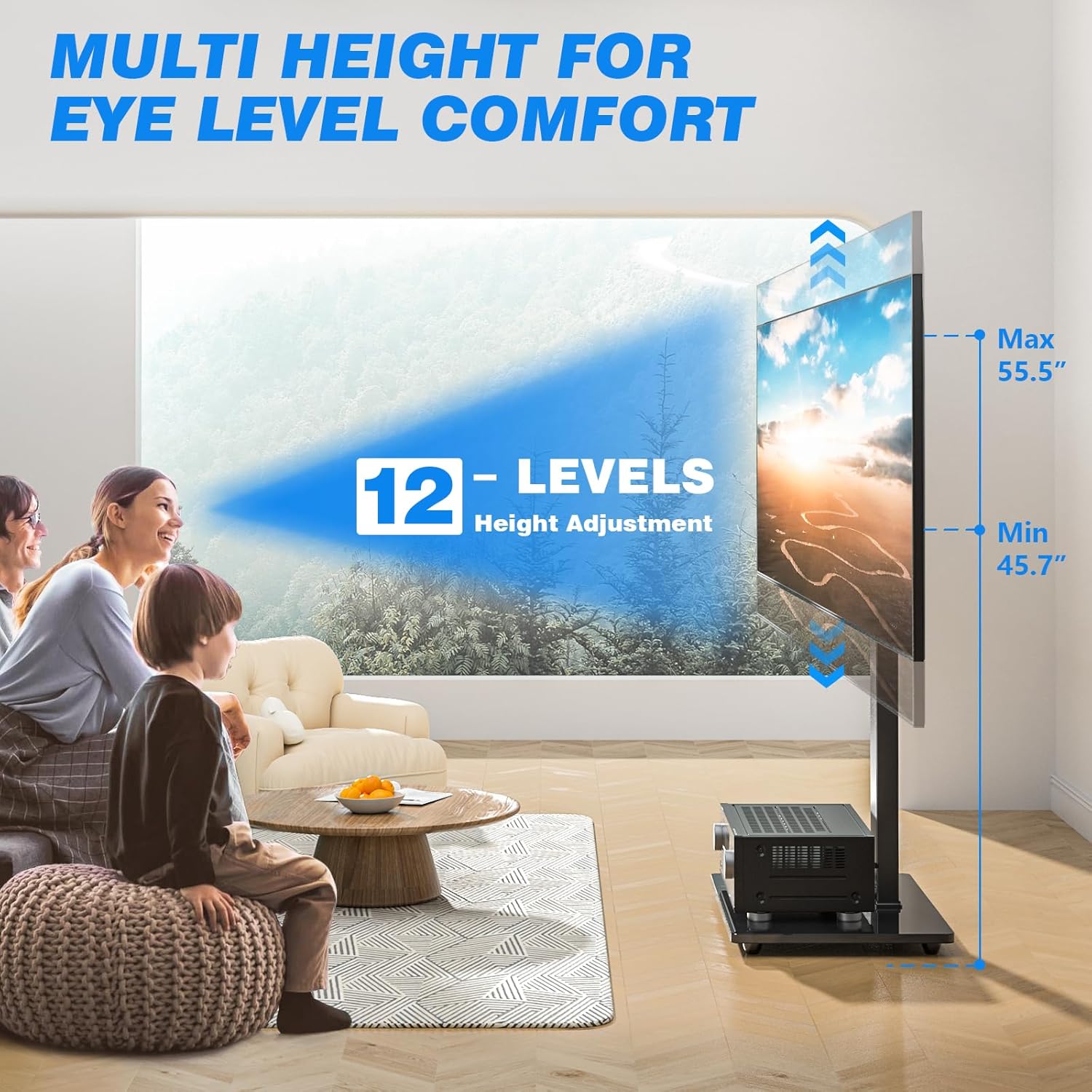
Figure 2.2: Visual representation of the 12 height adjustment levels for optimal eye-level viewing.
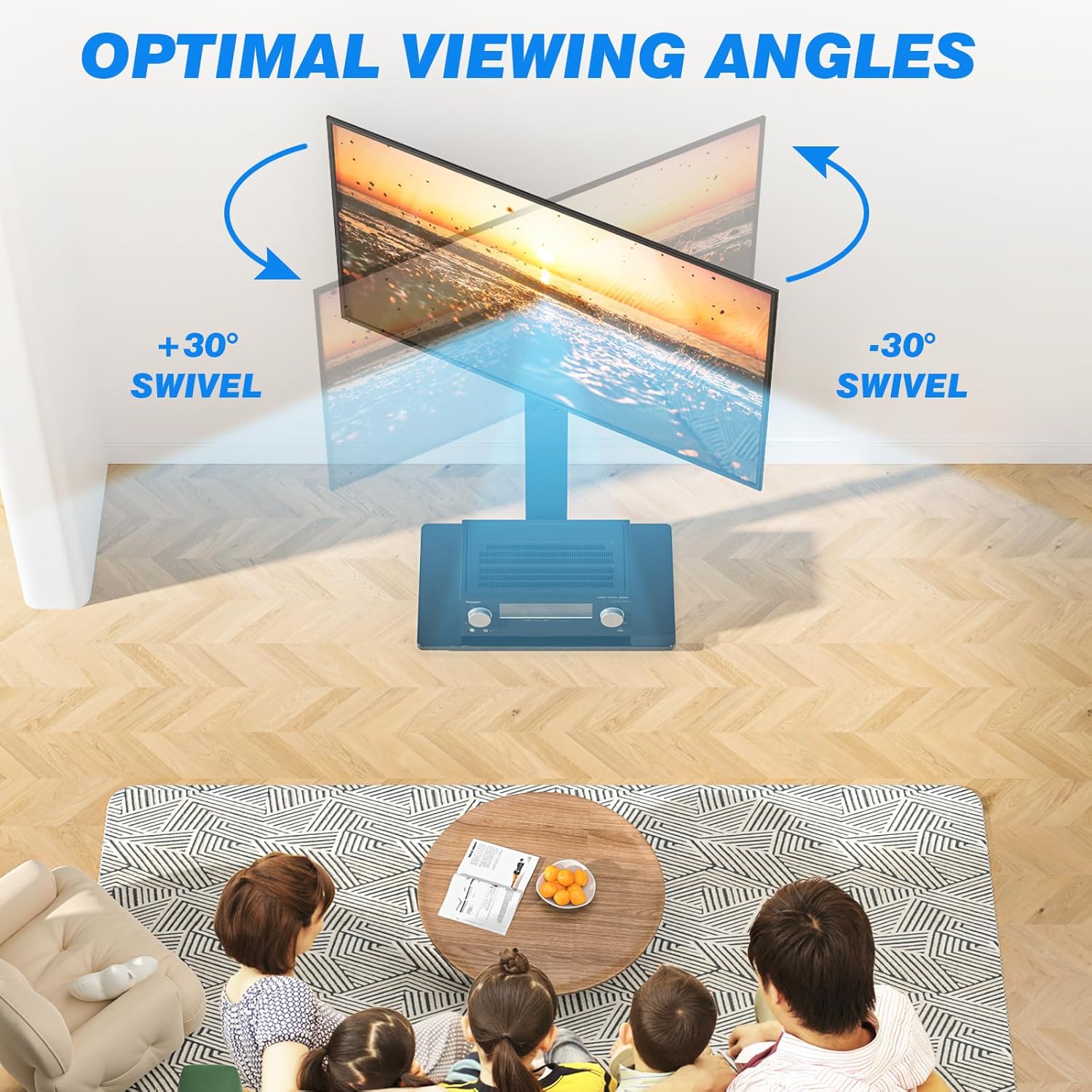
Figure 2.3: Diagram showing the 30-degree left and right swivel capability for flexible viewing angles.

Figure 2.4: Example of the TV stand's space-saving design, allowing it to fit behind existing furniture.
3. Product Specifications
| Attribute | Detail |
|---|---|
| Brand Name | Rfiver |
| Item Weight | 16.7 pounds |
| Product Dimensions | 22.8 x 15.7 x 48.1 inches |
| Item Model Number | Swivel Floor TV Stand for 32"-70" |
| Color Name | Black |
| Special Features | Portable Swivel Floor TV Stand Base |
| Item Display Height | 55 inches (maximum) |
| Mounting Type | Swivel Mount |
| Movement Type | Swivel |
| Material | Metal |
| Compatible Devices | Monitor, Television (32-70 inch) |
| UPC | 762021378321 |
| Max Load Capacity | 110 lbs |
| VESA Compatibility | 100x100 mm to 400x400 mm |

Figure 3.1: Detailed dimensions and supported VESA patterns for the TV stand.
4. Setup and Assembly
The Rfiver Floor TV Stand is designed for straightforward assembly. All necessary hardware and an easy-to-follow manual are included to guide you through the process. No drilling into walls is required.
4.1 Before You Begin
- Unpack all components and verify against the parts list in the included assembly manual.
- Ensure you have adequate space for assembly and that the area is clean and free of obstructions.
- Have basic tools ready, though most required tools are typically included.
4.2 Assembly Steps
Refer to the detailed step-by-step instructions and diagrams provided in the physical assembly manual that came with your product. The general process involves:
- Attaching the main support column to the tempered glass base.
- Assembling the TV mounting bracket.
- Attaching the mounting bracket to the main support column.
- Securing your TV to the mounting bracket using the appropriate VESA screws.
- Installing the cable management system.
- Applying the non-slip rubber pads to the base for added stability.
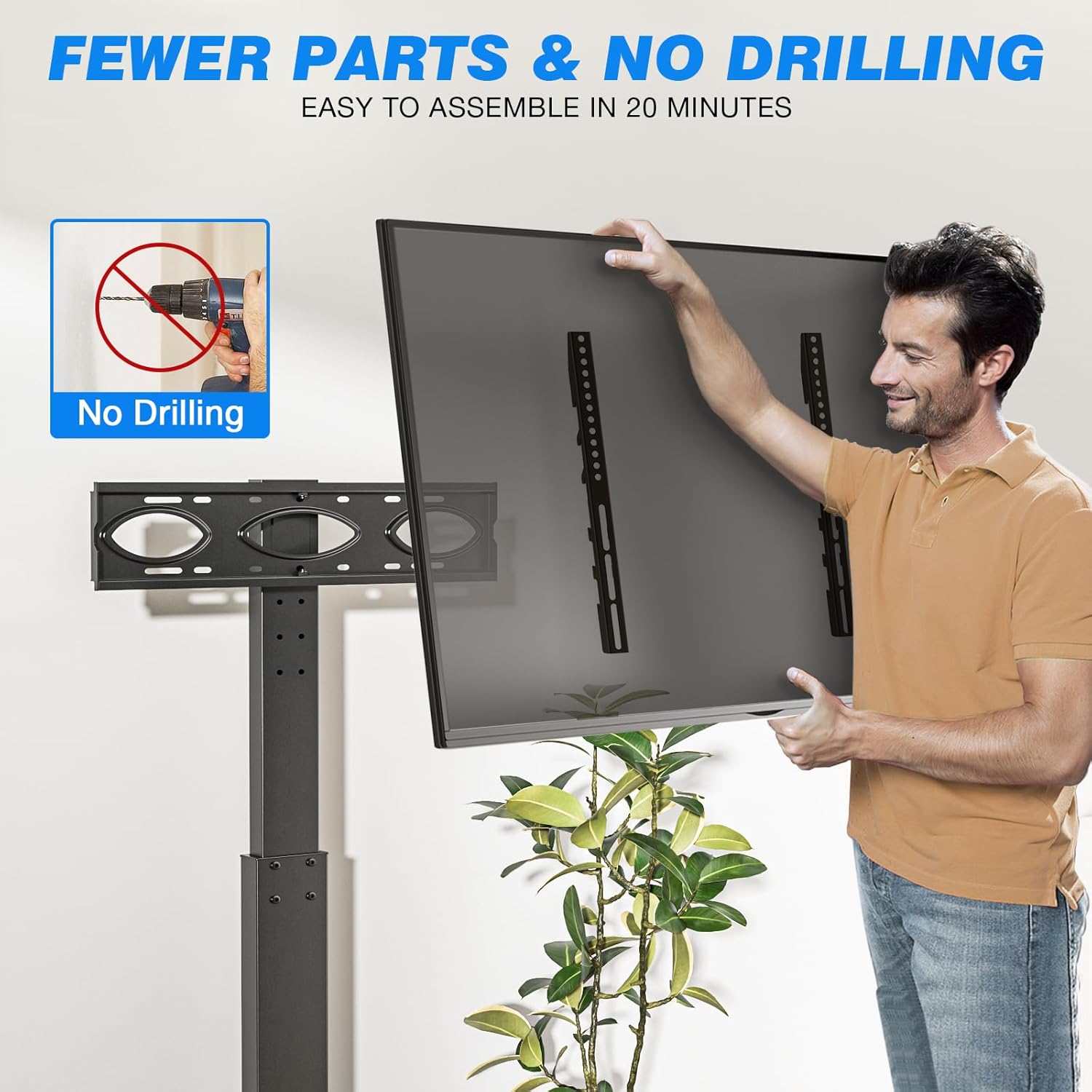
Figure 4.1: Illustration of the simple, no-drilling assembly process.
5. Operating Instructions
5.1 Height Adjustment
The TV stand offers 12 levels of height adjustment to customize your viewing experience. To adjust the height, carefully lift or lower the TV mounting bracket along the main support column. Ensure the TV is securely locked into place at your desired height. For significant height changes, it may be necessary to detach the TV from the mount, adjust the bracket, and then reattach the TV.

Figure 5.1: Visual guide to adjusting the TV height on the stand.
5.2 Swivel Function
The stand allows for a 30-degree swivel to the left or right. To adjust the viewing angle, gently push the TV screen to the desired direction. The swivel mechanism is designed for smooth movement, allowing you to easily direct the screen towards different areas of your room.

Figure 5.2: Demonstration of the TV stand's swivel capability.
5.3 Cable Management
Utilize the integrated cable management system to route and conceal your TV and device cables. This helps maintain a tidy appearance and prevents tangled wires.

Figure 5.3: Close-up of the cable management clips on the stand.
6. Care and Maintenance
To ensure the longevity and appearance of your Rfiver TV stand, follow these simple care instructions:
- Cleaning: Wipe surfaces with a soft, damp cloth. Avoid abrasive cleaners or harsh chemicals that could damage the finish or glass.
- Inspection: Periodically check all screws and connections to ensure they remain tight and secure. Retighten if necessary.
- Weight Limit: Do not exceed the maximum weight capacity of 110 lbs.
- Relocation: When moving the stand, lift it carefully rather than dragging to prevent damage to the base or flooring.
7. Troubleshooting
If you encounter any issues with your Rfiver TV stand, refer to the following common solutions:
- Stand feels unstable:
- Ensure all assembly screws are fully tightened.
- Verify the TV weight does not exceed the 110 lbs capacity.
- Check that the non-slip rubber pads are properly affixed to the base. If they detach, re-secure them or use a stronger adhesive if needed.
- TV not fitting the mount:
- Confirm your TV's VESA pattern is within the supported range (100x100 mm to 400x400 mm).
- Ensure you are using the correct size screws for your TV's VESA holes. A variety of screws are provided; if the exact size (e.g., M5) is not included, it may need to be sourced separately.
- Difficulty adjusting height:
- Ensure no cables are obstructing the vertical movement of the bracket.
- For significant height changes, it is recommended to temporarily remove the TV to safely adjust the bracket.
- Missing parts:
- Carefully re-check all packaging materials. If parts are genuinely missing, contact Rfiver customer service for assistance.
8. Safety Information
Your safety is paramount. Please adhere to the following safety guidelines:
- Weight Capacity: NEVER exceed the maximum weight capacity of 110 lbs (50 kg). Overloading can lead to instability and serious injury.
- TV Size: Ensure your TV size is within the recommended range of 32-70 inches.
- VESA Compatibility: Only use the stand with TVs that have compatible VESA mounting patterns (100x100 mm to 400x400 mm).
- Secure Installation: Always ensure all bolts and screws are securely tightened before placing the TV on the stand.
- Children and Pets: Keep children and pets away from the TV stand during assembly. Do not allow them to climb on or play with the stand or TV.
- Placement: Place the TV stand on a flat, stable, and level surface. Avoid placing it on uneven ground or near edges where it could be easily knocked over.
- Non-Slip Pads: Ensure the non-slip rubber pads are properly attached to the base to prevent sliding.
- Moving the Stand: When moving the assembled stand with a TV, do so slowly and carefully, preferably with assistance, to prevent tipping.
9. Warranty and Customer Support
Rfiver is committed to providing high-quality products. For any questions regarding assembly, missing parts, or product functionality, please contact Rfiver customer support. Refer to the contact information provided in your product packaging or visit the official Rfiver website for assistance.
While specific warranty details are not provided in this manual, most Rfiver products come with a manufacturer's warranty covering defects in materials and workmanship. Please retain your purchase receipt for warranty claims.
You can find more information and contact details on the Rfiver Brand Store on Amazon.
Related documentsSwivel Floor TV Stand for 32"-70"


Ask a question about this manual
Ask about setup, troubleshooting, compatibility, parts, safety, or missing instructions. Manuals+ will review the question and use this page’s manual context to help answer it.