
Xvive T9
Xvive T9 In-Ear Monitor Earphones User Manual
Model: T9 | Brand: Xvive
Introduction
The Xvive T9 In-Ear Monitor Earphones are designed to provide musicians and audio professionals with high-fidelity sound monitoring. Featuring dual balanced armature drivers, these earphones deliver clear, detailed audio across the full frequency spectrum, essential for live performances, studio recording, and critical listening. Their ergonomic design ensures comfort and effective noise isolation, allowing users to focus on their sound without distraction.
What's Included
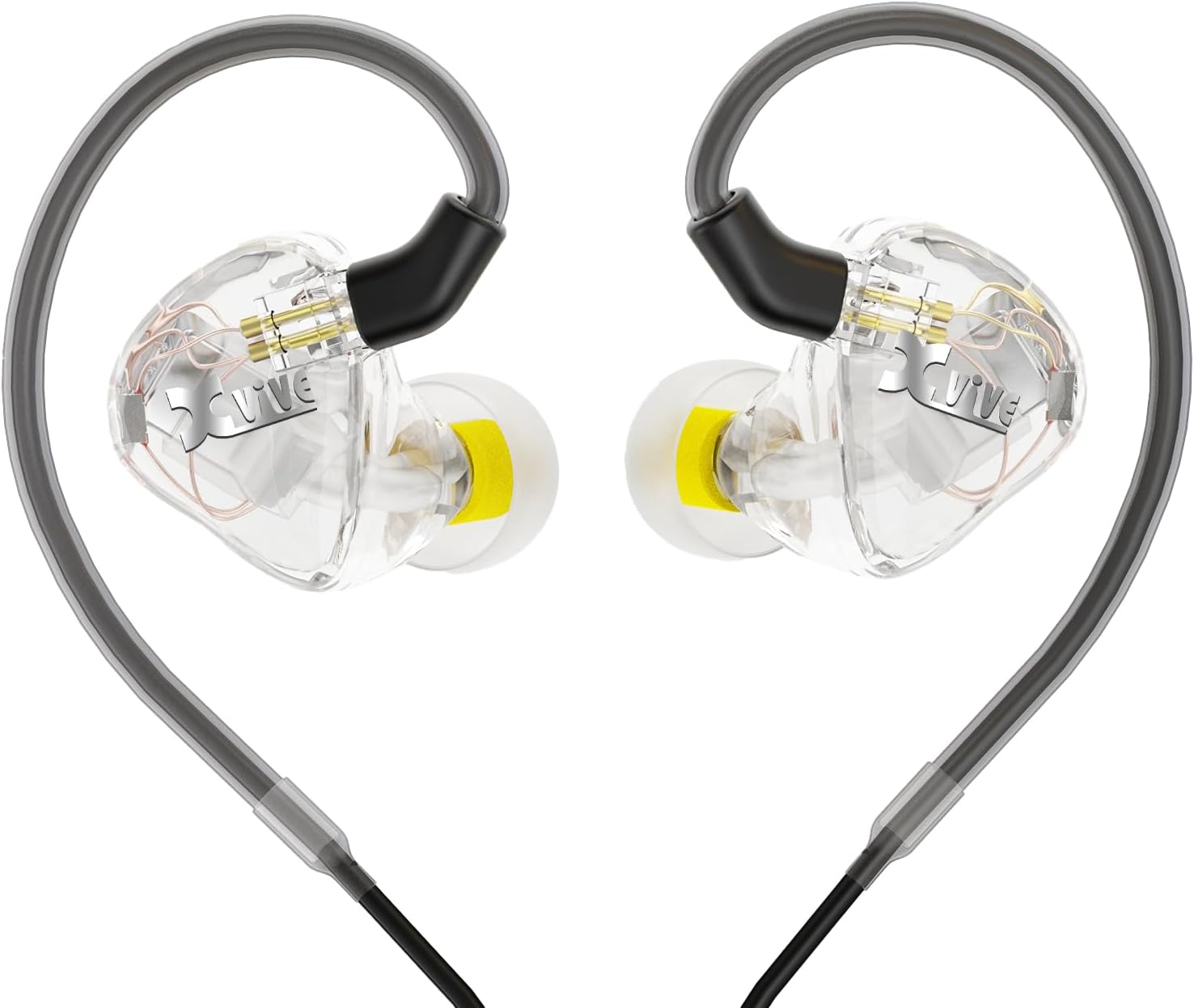
Image: The Xvive T9 In-Ear Monitor Earphones along with their accessories, including the carrying case, various ear tips, cables, and cleaning tool, neatly arranged on a light wooden table.
- Xvive T9 In-Ear Monitor Earphones (1 pair)
- 3.5mm to 1/4" Adapter (1)
- Eartips: Multiple sizes and types (silicone and foam) for optimal fit and noise isolation.
- Cleaning Tool (1)
- Carry Case (1): Hard case for safe storage and transport.
- Replaceable Cable (1): Detachable cable for extended product life.
Setup Guide
1. Choosing the Right Eartips
Selecting the correct eartip size and material is crucial for both sound quality and comfort. The Xvive T9 comes with various silicone and foam eartips. Experiment with different sizes to find the best seal for your ear canal. A proper seal ensures maximum noise isolation and optimal bass response.

Image: A person wearing the Xvive T9 earphones, demonstrating their comfortable and ergonomic fit in the ear.
- Silicone Tips: Offer a good balance of comfort and durability.
- Foam Tips: Provide superior noise isolation and a custom fit as they expand to fill the ear canal. Roll the foam tip between your fingers to compress it before inserting into your ear, then hold it in place until it expands.
2. Connecting the Earphones
The Xvive T9 earphones feature a detachable cable for convenience and longevity. Ensure the cable connectors are securely attached to the earphones. The cable is designed to loop over the ear for a secure and comfortable fit, especially during active use.
Image: A detailed view of the Xvive T9 earphones, showcasing their transparent housing and the detachable cable connection points.
The 3.5mm stereo mini plug provides wide compatibility. For devices requiring a larger connection, use the included 1/4" adapter.
Operating the Earphones
The Xvive T9 earphones are designed for optimal performance in various audio monitoring scenarios. Their high sensitivity (120 dB) means they can produce significant volume with less power, allowing for clear audio even at lower volume settings on your source device. This also contributes to a cleaner sound by reducing the need for excessive amplification.

Image: A musician on stage wearing the Xvive T9 earphones, illustrating their use in a live performance setting for clear and pure sound monitoring.
The dual balanced armature drivers and perfectly tuned crossover ensure a flat frequency response, meaning all frequencies are reproduced accurately without any single band overpowering others. This results in a balanced and detailed sound, allowing you to hear every instrument and vocal clearly.
Video: Official Xvive T9 In-Ear Monitors product video, demonstrating features like dual balanced armature drivers, professional fit, and connectivity options for musicians and producers.
Maintenance
Cleaning Your Earphones
Regular cleaning is essential to maintain sound quality and hygiene. Use the provided cleaning tool to gently remove any earwax or debris from the eartips and the earphone nozzles. Ensure the earphones are dry before storage.
Storage
When not in use, store your Xvive T9 earphones in the included hard carrying case. This protects them from dust, moisture, and physical damage, extending their lifespan.
Troubleshooting
- No Sound or Intermittent Sound:
- Check cable connections at both the earphone and the audio source.
- Ensure the audio source volume is not muted or too low.
- Test with a different audio source or cable to rule out device or cable issues.
- Poor Sound Quality (Muffled, Lack of Bass):
- Verify that the eartips are properly seated and creating a good seal in your ear canal. Try different eartip sizes.
- Clean the earphone nozzles and eartips to remove any obstructions.
- Discomfort or Poor Fit:
- Experiment with all included eartip sizes and materials (silicone vs. foam) to find the most comfortable and secure fit.
- Ensure the cable is correctly looped over your ear for ergonomic support.
Specifications

Image: The Xvive T9 earphones displayed with an overlay of their technical specifications, including frequency response, driver type, sensitivity, impedance, and cable length.
| Feature | Description |
|---|---|
| Driver Type | Knowles Dual Balanced Armature Drivers |
| Frequency Response | 20Hz - 16.5KHz |
| Impedance | 59 ohms |
| Sensitivity | 120 dB |
| Noise Isolation | Up to 20dB (with proper eartips) |
| Connectivity | Wired (3.5mm stereo mini plug, includes 1/4" adapter) |
| Cable Feature | Detachable |
| Item Weight | 4 Ounces |
| Product Dimensions | 3 x 1 x 2 inches |
Warranty and Support
For warranty information and technical support, please refer to the official Xvive website or contact Xvive customer service directly. Keep your purchase receipt as proof of purchase for warranty claims.
Related documentsT9


Ask a question about this manual
Ask about setup, troubleshooting, compatibility, parts, safety, or missing instructions. Manuals+ will review the question and use this page’s manual context to help answer it.