
ATOVANKA 4.3-Y401
ATOVANKA Bicycle Rear View Camera System with 4.3-inch HD Monitor
Model: 4.3-Y401
Introduction
This manual provides detailed instructions for the installation, operation, and maintenance of your ATOVANKA Bicycle Rear View Camera System. This system is designed to enhance cycling safety by providing a clear, real-time view of the area behind you, reducing the need to turn your head while riding. It features a 4.3-inch HD monitor, a 110-degree wide-angle camera with color night vision, and a durable, waterproof design.

Image: The ATOVANKA Bicycle Rear View Camera System, showing the 4.3-inch HD monitor and the compact rear camera unit.
What's Included
Please verify that all components are present in your package:
- 1x 4.3-inch HD Monitor
- 1x Camera with Cable (9.8ft / 118 inches long)
- 1x Adjustable Display Mounting Bracket
- 1x Camera Bracket
- 1x USB-C Charging Cable
- Velcro Stickers
- Gasket
- Instruction Manual (this document)

Image: A visual representation of all components included in the product package, such as the monitor, camera, brackets, and cables.
Setup Instructions
Follow these steps to properly install your bicycle rear view camera system:
- Mount the Monitor:
- Attach the adjustable display mounting bracket to your bicycle handlebar. The bracket supports handlebars with diameters between 18mm and 42mm.
- Secure the 4.3-inch HD monitor to the mounting bracket. Ensure it is positioned for optimal viewing without obstructing your ride.

Image: A detailed view of the monitor bracket, illustrating its design for secure handlebar attachment.
- Mount the Camera:
- Attach the camera bracket to the rear mast or another suitable location on your bicycle. The camera can be rotated 360 degrees for optimal angle adjustment.
- Secure the camera unit to its bracket.

Image: A diagram illustrating the camera's ability to rotate 360 degrees for flexible positioning.
- Connect the Components:
- Connect the camera cable to the monitor. The cable is 9.8 feet (118 inches) long, providing ample length for various bicycle types.
- Ensure all connections are secure. No additional power supply is needed for installation.

Image: A simplified diagram demonstrating the connection process between the camera and the monitor.

Image: The camera unit with its 9.8ft (118-inch) long cable, designed to accommodate various bike sizes.
Operating Instructions
Power On/Off
To power on the system, press and hold the power button on the monitor. The monitor will display the real-time feed from the camera. To power off, press and hold the power button again.
Real-time Rear View
The 4.3-inch HD monitor provides a clear, stable, and real-time view from the 110-degree wide-angle camera. This allows you to monitor traffic and surroundings behind you without needing to turn your head, contributing to a safer riding experience.

Image: The monitor displaying a live feed of two cyclists behind, demonstrating its real-time rear view capability.
Night Vision
The camera features IR technology and LED lights for enhanced night vision. In low-light conditions, the LED lights will automatically activate to supplement illumination, providing optimal night vision performance and clear images even in the dark.
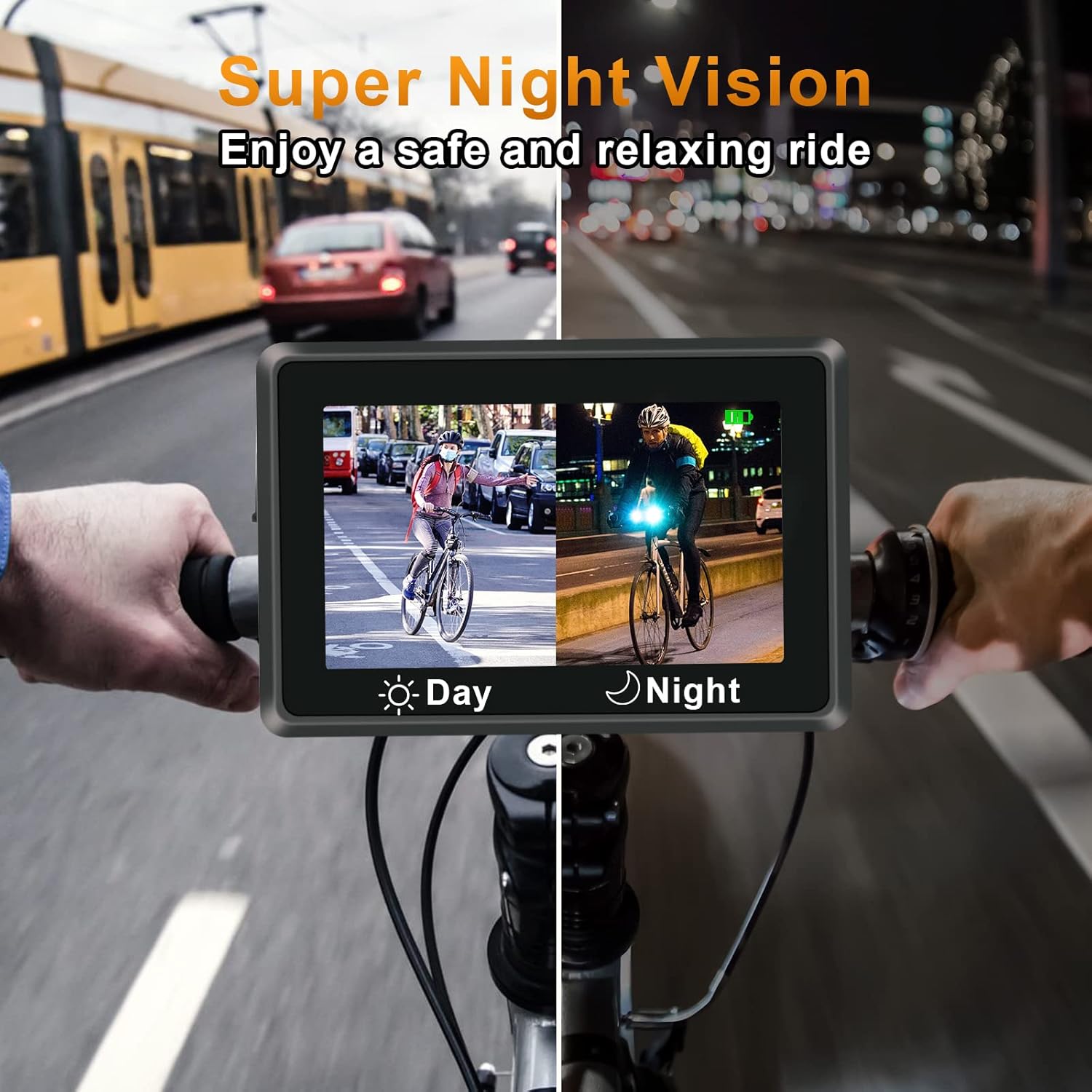
Image: A split screen showing the monitor's view during the day and at night, highlighting the effectiveness of the night vision feature.
Battery Life and Charging
The system is equipped with a built-in 5000 mAh high-performance battery, offering approximately 4-5 hours of continuous operation. To charge the monitor, use the provided USB-C charging cable and connect it to a standard USB power source.

Image: A close-up of the monitor's USB-C charging port, indicating how to connect the charging cable.
Maintenance
- Cleaning: Use a soft, damp cloth to clean the monitor screen and camera lens. Avoid abrasive cleaners or solvents that could damage the surfaces.
- Storage: When not in use for extended periods, store the system in a cool, dry place away from direct sunlight. Ensure the battery is partially charged (around 50%) before long-term storage.
- Water Resistance: The camera is IP68 waterproof, providing protection against dust and immersion in water. However, avoid prolonged submersion or high-pressure water jets.
Troubleshooting
- No Image on Monitor:
- Ensure the camera cable is securely connected to the monitor.
- Check if the monitor is powered on and has sufficient battery charge.
- Verify the camera lens is not obstructed.
- Poor Image Quality:
- Clean the camera lens and monitor screen.
- Ensure the camera is properly aimed and not obstructed.
- Adjust the monitor's brightness if visibility is poor in bright sunlight.
- Short Battery Life:
- Ensure the monitor is fully charged before use.
- Operating in extreme temperatures can affect battery performance.
Specifications
| Feature | Detail |
|---|---|
| Model Number | 4.3-Y401 |
| Monitor Size | 4.3 inches |
| Video Capture Resolution | 1080p |
| Field of View | 110 degrees (Wide Angle) |
| Special Features | Color Night Vision, 9.8ft Long Cable, Rechargeable Battery, HD Real-time Image, Strong Bracket |
| Battery Capacity | 5000 mAh Lithium Ion (included) |
| Battery Life | Up to 4-5 hours |
| Connectivity Technology | HDMI (for internal signal), Wireless (display features) |
| Mounting Type | Handlebar Mount |
| Compatible Handlebar Diameter | 18-42mm (0.63-1.26 inches) |
| Product Dimensions | 4.72 x 3.15 x 0.59 inches |
| Item Weight | 1.26 pounds |
| Manufacturer | ATOVANKA |
| Date First Available | October 12, 2022 |
Warranty and Support
ATOVANKA products are manufactured under strict quality control procedures. For any questions, technical assistance, or support needs, please contact ATOVANKA customer service. We are committed to providing 24-hour service to ensure your satisfaction.

Image: A customer service representative ready to assist, symbolizing ATOVANKA's commitment to 24-hour support.
This product complies with relevant safety and environmental standards, including CE, FCC, and RoHS certifications.
Related documents4.3-Y401

Ask a question about this manual
Ask about setup, troubleshooting, compatibility, parts, safety, or missing instructions. Manuals+ will review the question and use this page’s manual context to help answer it.