
1. Introduction
The ICY DOCK EZ-Adapter MB104U-1SMB is a versatile external reader adapter designed for quick and convenient access to both 2.5-inch SATA SSDs/HDDs and M.2 NVMe/SATA SSDs. This tool-less adapter supports high-speed data transfer up to 10Gbps via USB 3.2 Gen 2, making it an efficient solution for data recovery, cloning, or external storage needs.
2. Product Features
- Dual Drive Support: Supports one 2.5-inch SATA SSD/HDD or one M.2 SATA/NVMe SSD. Note: Simultaneous use of 2.5-inch and M.2 drives is not supported.
- High-Speed Data Transfer: Achieves transfer speeds up to 10Gbps under USB 3.2 Gen 2. Actual speeds may vary depending on the drive and host system specifications.
- Tool-less Installation: Designed for easy, tool-free drive installation and removal, facilitating quick data access.
- Advanced Protocol Support: Supports UASP (USB Attached SCSI Protocol) for enhanced performance, plug and play functionality for immediate use, and TRIM command for optimized SSD performance and longevity.
- LED Indicator: Features a blue LED light to indicate power status and drive activity.

Figure 2.1: The EZ-Adapter MB104U-1SMB in use, demonstrating its compatibility with both 2.5-inch and M.2 drives connected to a laptop.

Figure 2.2: Illustration of the tool-less drive installation for M.2 NVMe/SATA SSDs and 2.5-inch SATA SSDs/HDDs.

Figure 2.3: The open-air design of the adapter promotes passive heat dissipation for optimal drive performance.

Figure 2.4: The compact and lightweight design ensures easy portability.
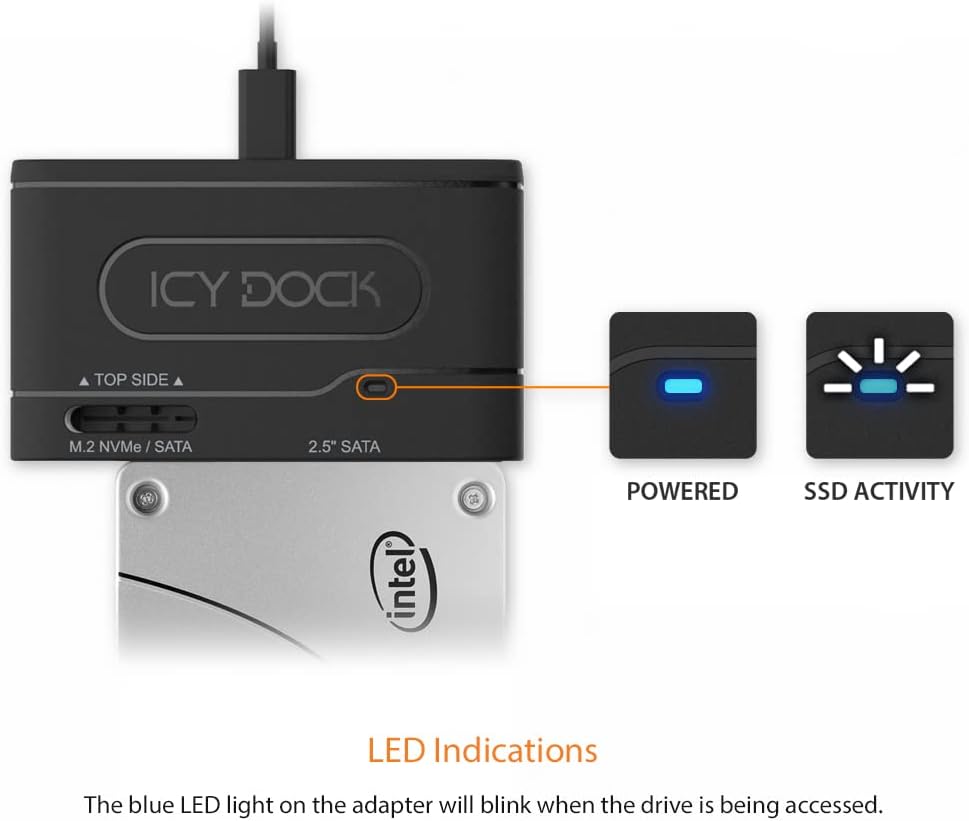
Figure 2.5: The blue LED provides clear indications for power and drive activity.
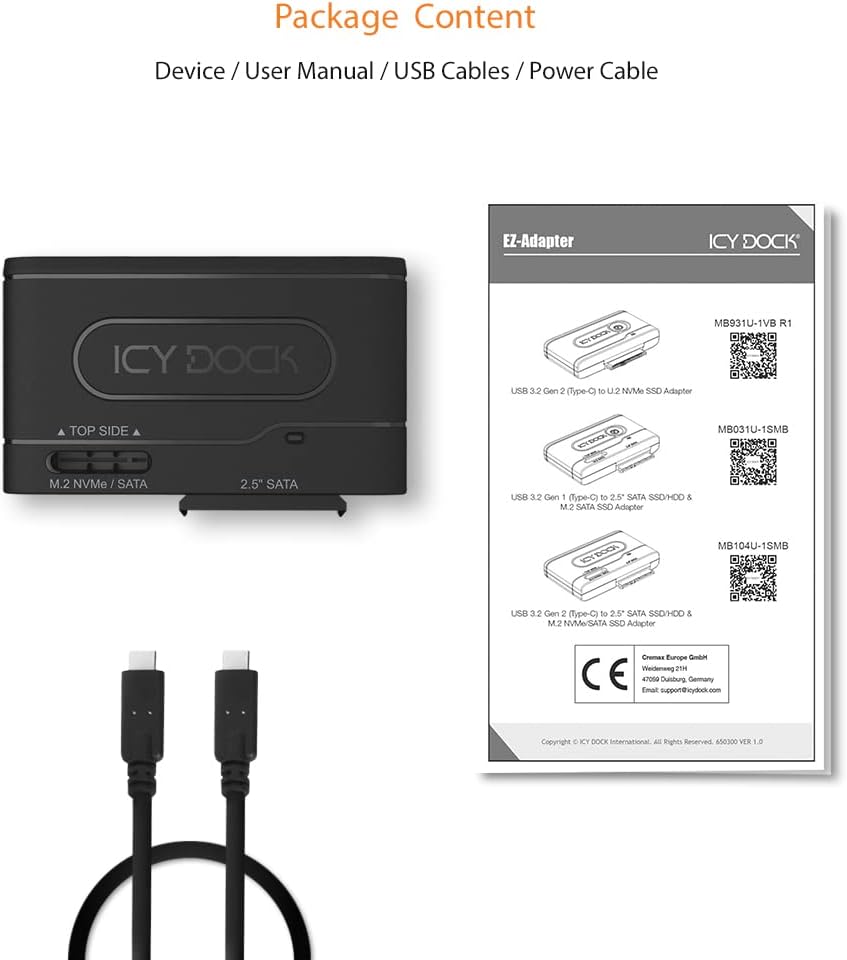
Figure 2.6: Package contents include the EZ-Adapter, user manual, and necessary USB cables.

Figure 2.7: Performance benchmarks illustrating the high transfer speeds achievable with various SSD types.
3. Setup Instructions
3.1 Inserting a 2.5-inch SATA SSD/HDD
- Ensure the EZ-Adapter is disconnected from your computer.
- Align your 2.5-inch SATA SSD or HDD with the 2.5" SATA connector on the side of the adapter.
- Gently push the drive into the connector until it is firmly seated. No tools are required.
3.2 Inserting an M.2 NVMe/SATA SSD
- Ensure the EZ-Adapter is disconnected from your computer.
- Locate the M.2 slot on the top side of the adapter, labeled "M.2 NVMe / SATA".
- Insert your M.2 SSD into the slot at an angle, then gently push down until it clicks into place.
3.3 Connecting to Your Computer
- After inserting your drive, connect the included USB-C to USB-C cable to the USB-C port on the EZ-Adapter.
- Connect the other end of the USB-C cable to an available USB 3.2 Gen 2 (or compatible) port on your computer.
- The blue LED indicator on the adapter will illuminate, signifying power.
Video 3.1: A demonstration of inserting 2.5-inch SATA SSD, M.2 SATA SSD, and M.2 NVMe SSD into the EZ-Adapter and connecting it to a computer.
4. Operating Instructions
4.1 Drive Recognition
Once connected, your operating system (Windows, macOS, Linux) should automatically detect the connected drive. If the drive is new or unformatted, you may need to initialize and format it through your operating system's disk management utility before it appears in your file explorer.
4.2 LED Indicator
- Solid Blue: The adapter is powered on and a drive is detected.
- Flashing Blue: Indicates active data transfer or drive access.
4.3 Safe Removal
To prevent data corruption, always safely eject the drive from your operating system before physically disconnecting the EZ-Adapter from your computer or removing the drive from the adapter.
5. Maintenance
The EZ-Adapter MB104U-1SMB requires minimal maintenance. Keep the device clean and free from dust. Use a soft, dry cloth to wipe the exterior. Avoid using liquid cleaners or solvents. Store the adapter in a cool, dry place when not in use.
6. Troubleshooting
- Drive Not Detected:
- Ensure the USB-C cable is securely connected to both the adapter and your computer.
- Verify the drive is properly seated in its slot (2.5" SATA or M.2).
- Try connecting to a different USB port on your computer.
- If it's a new drive, check your operating system's disk management utility to see if it needs to be initialized and formatted.
- Ensure only one drive type (2.5" or M.2) is inserted at a time.
- Slow Transfer Speeds:
- Confirm your computer's USB port supports USB 3.2 Gen 2 (10Gbps). Connecting to a slower USB port will limit transfer speeds.
- Ensure your drive itself is capable of 10Gbps speeds.
- Verify that UASP is enabled by your operating system (usually automatic).
- Intermittent Disconnections:
- Check for loose cable connections.
- Ensure your computer's USB port is providing sufficient power.
- Avoid placing the adapter in areas with excessive heat, as this can affect drive stability.
7. Specifications
| Feature | Detail |
|---|---|
| Model Number | MB104U-1SMB |
| Hardware Interface | USB 3.2 Gen 2 (USB Type-C), compatible with USB 3.0, USB, Thunderbolt |
| Supported Drive Types | 2.5-inch SATA SSD/HDD, M.2 NVMe SSD, M.2 SATA SSD |
| Data Transfer Rate | Up to 10 Gigabits Per Second |
| Hard Disk Form Factor | 2.5 Inches (for SATA drives) |
| Supported Devices Quantity | 1 (single drive at a time) |
| Color | Black |
| Features | UASP, Plug and Play, TRIM, Tool-less design, LED indicator |
8. Warranty and Support
The ICY DOCK EZ-Adapter MB104U-1SMB comes with a 3-year warranty. For technical assistance, troubleshooting, or warranty claims, please visit the official ICY DOCK website or contact their customer support. Keep your proof of purchase for warranty validation.


