
Introduction
The KINGSTAR K045 is a versatile 2-in-1 device combining a portable Bluetooth speaker with integrated wireless earbuds. This manual provides instructions for setting up, operating, and maintaining your device to ensure optimal performance.
What's in the Box
- Wireless Headset (Earbuds)
- Bluetooth Speaker
- Type-C Charging Cable
- User Manual
Product Overview
Familiarize yourself with the components and controls of your KINGSTAR K045 device.
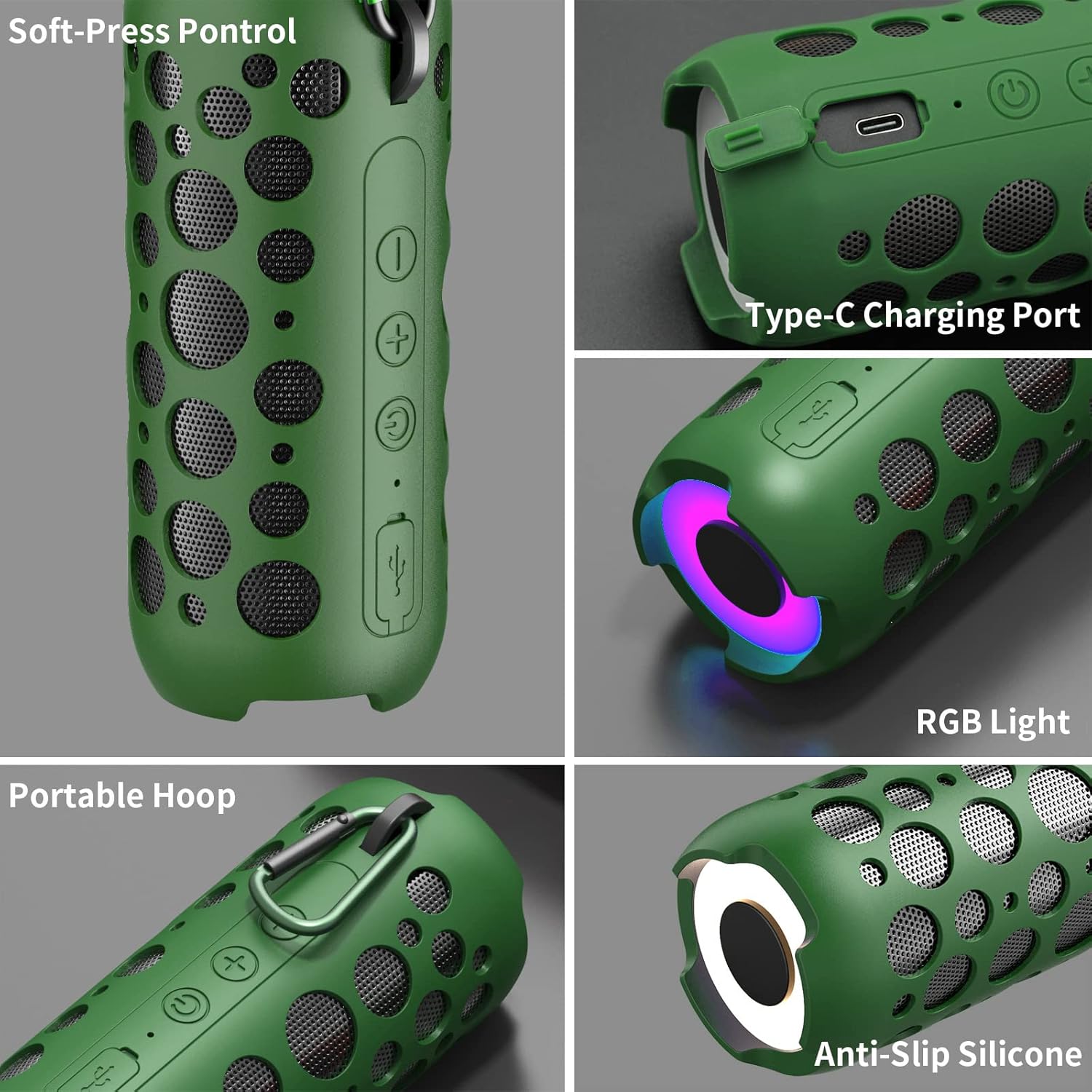
Image Description: This image displays a detailed view of the KINGSTAR K045 Bluetooth speaker. It highlights the soft-press control buttons on the side, the Type-C charging port, the RGB light at one end, the portable carabiner hoop for carrying, and the anti-slip silicone base for stability.
Speaker Components:
- Soft-Press Controls: Buttons for power, volume, and track control.
- Type-C Charging Port: For charging the speaker's internal battery.
- RGB Light: Integrated lighting feature.
- Portable Hoop: A carabiner for easy attachment and carrying.
- Anti-Slip Silicone: Base material for stability on surfaces.
Earbud Components:

Image Description: This image shows the KINGSTAR K045 wireless earbuds, illustrating their compact design. Text overlays describe the smart touch controls for functions such as play/pause, volume adjustment, song switching, and activating voice assistants like Siri.
- Touch Control Surface: For managing playback, calls, and voice assistant.
- Charging Contacts: Located on the earbuds for charging within the speaker housing.
- Built-in Microphone: For hands-free calls.
Setup
1. Charging the Device
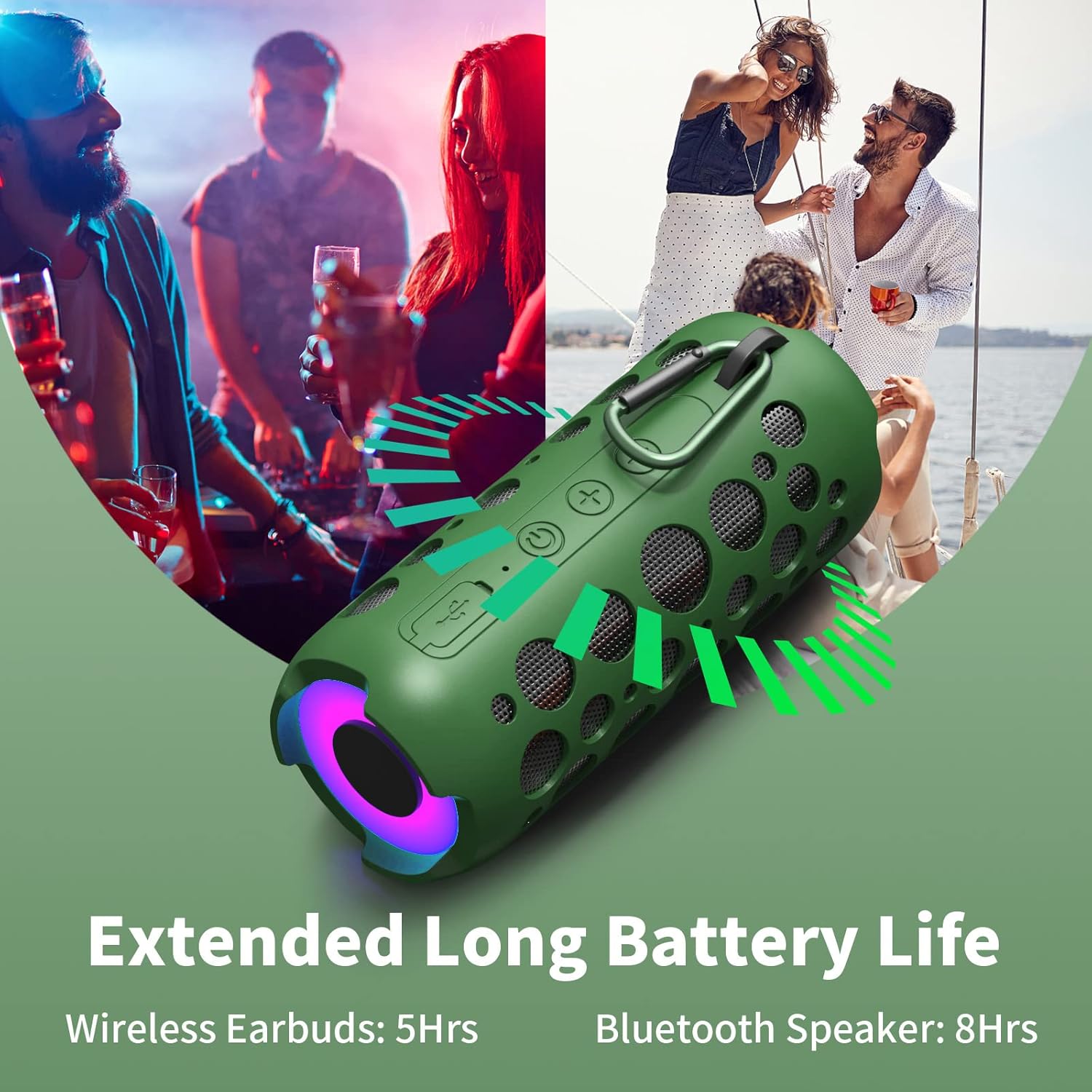
Image Description: This image displays the KINGSTAR K045 speaker and its integrated earbuds. Text indicates the approximate battery life: 5 hours for the wireless earbuds and 8 hours for the Bluetooth speaker.
- Speaker Charging: Connect the provided Type-C charging cable to the speaker's charging port and a suitable USB power adapter (not included). The indicator light will show charging status.
- Earbuds Charging: Place the earbuds into their designated slots within the speaker. They will charge automatically from the speaker's internal battery. Ensure the speaker has sufficient charge.
2. Bluetooth Pairing
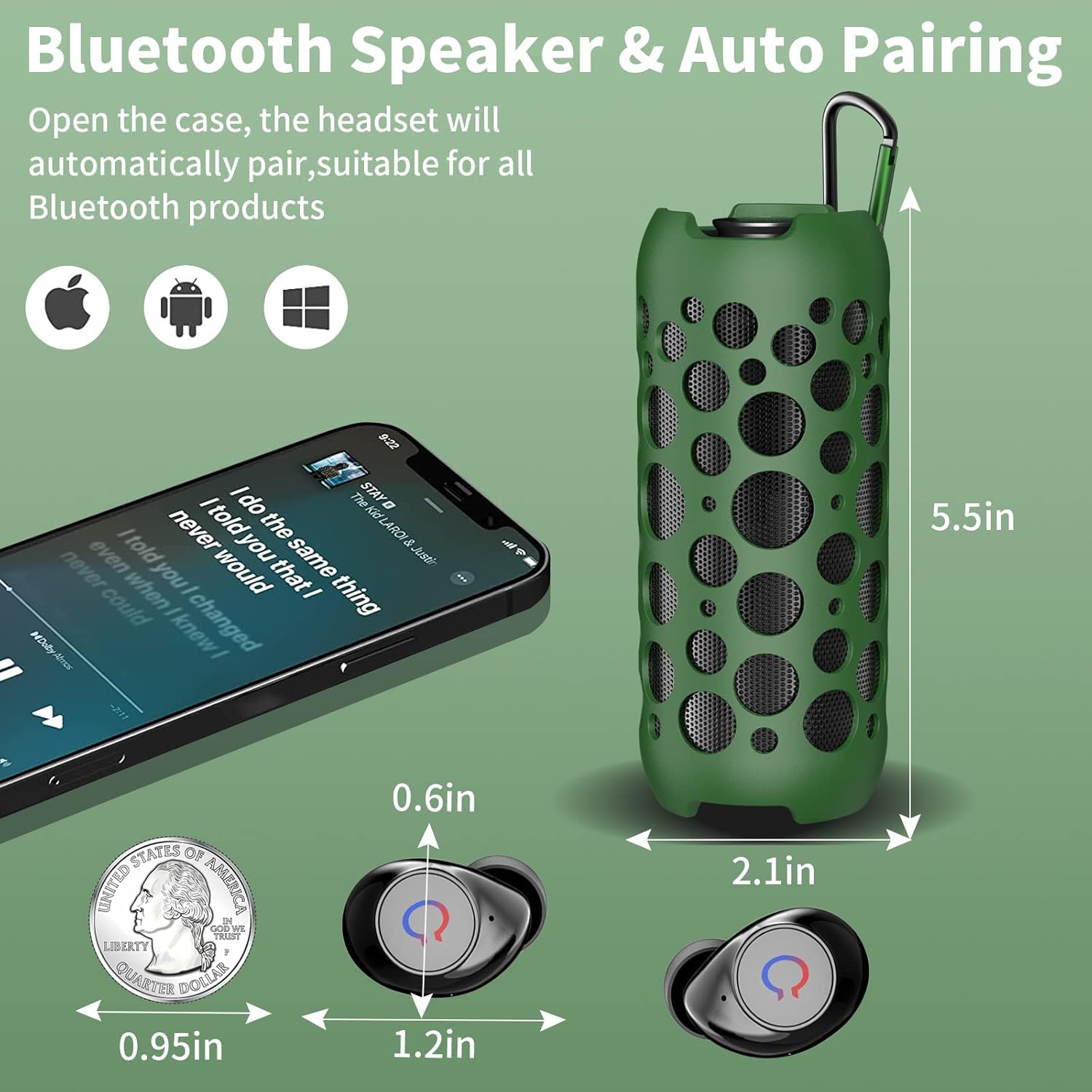
Image Description: This diagram shows a smartphone next to the KINGSTAR K045 Bluetooth speaker and its earbuds, illustrating their dimensions and the auto-pairing feature. It indicates compatibility with Apple, Android, and Windows devices.
- Speaker Pairing:
- Power on the KINGSTAR K045 speaker. It will automatically enter pairing mode.
- On your device (smartphone, tablet, etc.), enable Bluetooth and search for available devices.
- Select "K045 Speaker" from the list to connect. A confirmation sound will indicate successful pairing.
- Earbuds Pairing:
- Remove the earbuds from the speaker. They will automatically power on and enter pairing mode.
- On your device, enable Bluetooth and search for available devices.
- Select "K045 Earbuds" from the list to connect. A confirmation sound will indicate successful pairing.
Note: The speaker and earbuds cannot be played simultaneously. You must select either "K045 Speaker" or "K045 Earbuds" from your device's Bluetooth settings for audio output.
Operating Instructions
Speaker Controls:
- Power On/Off: Long press the power button.
- Play/Pause: Single click the Play/Pause button.
- Volume Up: Single click the "+" button.
- Volume Down: Single click the "-" button.
- Next Track: Long press the "+" button.
- Previous Track: Long press the "-" button.
- Answer/End Call: Single click the Play/Pause button during an incoming call.
- Reject Call: Long press the Play/Pause button during an incoming call.
Earbud Controls (Smart Touch):
- Play/Pause: Single tap on either earbud (L/R).
- Answer/End Call: Single tap on either earbud (L/R).
- Next Track: Double tap on the right earbud (R).
- Previous Track: Double tap on the left earbud (L).
- Volume Up: Triple tap on the right earbud (R).
- Volume Down: Triple tap on the left earbud (L).
- Activate Voice Assistant: Long press either earbud (L/R) for 2 seconds.
- Manual Power On/Off: Long press either earbud (L/R).
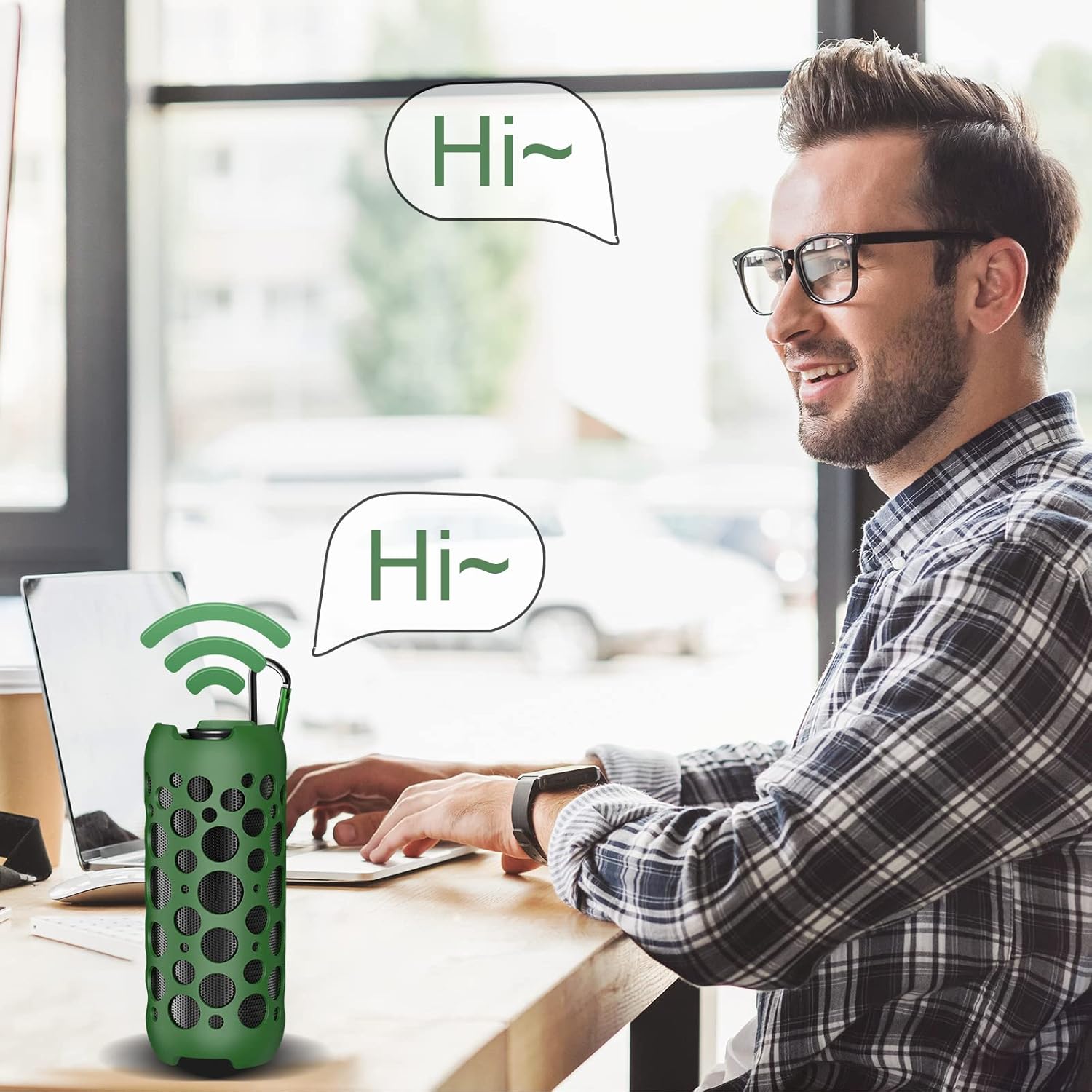
Image Description: This image shows a person sitting at a desk, appearing to interact with the KINGSTAR K045 speaker, which is placed on the desk. Speech bubbles indicate voice commands, demonstrating the voice assistant feature.
Maintenance
- Cleaning: Use a soft, dry cloth to clean the speaker and earbuds. Do not use abrasive cleaners or solvents.
- Storage: Store the device in a cool, dry place away from direct sunlight and extreme temperatures.
- Battery Care: To prolong battery life, avoid fully discharging the device frequently. Charge it regularly, even if not in use for extended periods.
- Water Resistance: The product is not waterproof. Avoid exposure to water or excessive moisture.
Troubleshooting
| Problem | Possible Cause | Solution |
|---|---|---|
| Device does not power on | Low battery | Charge the speaker and/or earbuds fully. |
| Cannot pair via Bluetooth | Bluetooth not enabled, device out of range, or already connected to another device. | Ensure Bluetooth is enabled on your device. Move closer to the speaker/earbuds. Disconnect from other devices. Restart the speaker/earbuds and try pairing again. |
| No sound from speaker/earbuds | Volume too low, device not connected, or incorrect audio output selected. | Increase volume on both the speaker/earbuds and your connected device. Verify successful Bluetooth connection. Ensure "K045 Speaker" or "K045 Earbuds" is selected as the audio output on your device. |
| Earbuds not charging | Earbuds not properly seated, or speaker battery low. | Ensure earbuds are correctly placed in their slots. Charge the speaker. Clean charging contacts if necessary. |
| Poor sound quality | Interference, device too far, or low quality audio source. | Move closer to the connected device. Avoid obstacles. Try a different audio source. |
Specifications
| Feature | Specification |
|---|---|
| Brand | KINGSTAR |
| Model Number | K045 |
| Connectivity Technology | Bluetooth |
| Speaker Maximum Output Power | 5 Watts |
| Audio Output Mode | Stereo, Surround |
| Control Method | Button (Speaker), Touch (Earbuds) |
| Maximum Range | 10 Meters |
| Power Source | Battery Powered (1 Lithium Polymer battery included) |
| Speaker Size | 2 Inches |
| Item Dimensions (D x W x H) | 2.56"D x 2.56"W x 5.7"H |
| Signal-to-Noise Ratio | 103 dB |
| Compatible Devices | iPhone, Android, iPad |
| Built-In Media | Wireless headset, Bluetooth speaker, Type-C charging cable, user manual |
| Additional Features | Built-in Microphone, Shockproof, USB Port, Bluetooth Speaker With Wireless Earbuds |
Warranty and Support
The KINGSTAR K045 Bluetooth Speaker and Wireless Earbuds Combo comes with a 1-year limited warranty from the date of purchase.
For technical support, warranty claims, or any product-related inquiries, please contact KINGSTAR customer service. Refer to the contact information provided on the product packaging or the official KINGSTAR website.


