1. Introduction
The Cressi Raffaello is an advanced diving computer designed for recreational and technical divers. It offers multiple operating modes, a high-contrast display, and robust construction to provide essential dive data and enhance safety. This manual provides detailed instructions for the proper setup, operation, and maintenance of your Raffaello diving computer.
2. Safety Information
Always read and understand this manual completely before using the Cressi Raffaello diving computer. Failure to follow these instructions may result in serious injury or death.
- This device is a diving aid and should not replace proper dive training or professional judgment.
- Always plan your dives and dive within your training and experience limits.
- Perform pre-dive checks to ensure the computer is functioning correctly and the battery level is sufficient.
- Do not attempt to open or repair the computer yourself, as this may compromise its waterproof integrity and void the warranty.
- Rinse the computer with fresh water after each dive and allow it to air dry.
3. Product Overview
The Cressi Raffaello features a large, high-contrast rectangular display for optimal readability of dive data. Its slim profile ensures comfortable wear on the wrist.

Figure 3.1: Front view of the Raffaello display, highlighting its four dive modes, integrated compass, and long-lasting battery indicator.

Figure 3.2: Side view of the Raffaello, illustrating the control buttons used for navigation and settings adjustments.
3.1. Components
- High-Contrast Display: Large, backlit screen for clear data visibility.
- Control Buttons: Used for menu navigation and mode selection.
- Durable Casing: Reinforced material with micro-structured nanoload technology.
- Silicone Strap: Long strap designed for comfortable wear, even over a dry suit.
- User-Replaceable Battery: CR2 type battery with an approximate 4-year lifespan.
4. Setup
4.1. Battery Installation
The Raffaello diving computer comes with a user-replaceable CR2 battery. Ensure the battery is correctly installed before first use.
- Locate the battery compartment on the back of the computer.
- Using a suitable tool, carefully open the battery cover.
- Insert the CR2 battery, ensuring correct polarity (+/-).
- Securely close the battery cover, ensuring the O-ring seal is properly seated to maintain waterproof integrity.

Figure 4.1: Rear view of the Raffaello, indicating the user-replaceable battery compartment.
4.2. Initial Settings
Upon first power-on or after a battery change, you will need to configure basic settings.
- Language: Select your preferred language.
- Units: Choose between metric (meters, Celsius) or imperial (feet, Fahrenheit) units.
- Time and Date: Set the current time and date.
- Personal Settings: Adjust conservatism levels if applicable. Refer to the on-screen prompts for guidance.
4.3. Strap Adjustment
The long silicone strap is designed to fit comfortably over wetsuits or drysuits. Adjust the strap to ensure a snug but not overly tight fit on your wrist.
5. Operating Modes
The Raffaello offers four primary operating modes: Air, Nitrox, Gauge, and Free (Apnea).

Figure 5.1: Raffaello on a diver's wrist, displaying essential dive data and indicating a user-friendly menu interface.
5.1. Air Mode
For diving with standard air (21% oxygen). The computer calculates decompression limits based on the Cressi RGBM algorithm.
5.2. Nitrox Mode
Allows diving with enriched air nitrox mixes. The Raffaello supports up to three different Nitrox gas mixes, which can be managed during the dive. Ensure the oxygen percentage (FO2) and partial pressure of oxygen (PPO2) limits are correctly set for each mix before diving.
5.3. Gauge Mode
Functions as a bottom timer, displaying current depth, maximum depth, and dive time. No decompression calculations are performed in this mode. This mode is suitable for technical diving where external decompression planning is used.
5.4. Free/Apnea Mode
Optimized for freediving and spearfishing, this mode tracks dive time, depth, and surface intervals without decompression calculations.
5.5. Menu Navigation
Use the side buttons to navigate through menus, select options, and confirm settings. Refer to the on-screen prompts for specific button functions in each mode.
6. Key Features
- Integrated Compass: Provides reliable underwater navigation.
- Cressi RGBM Algorithm: Advanced algorithm for precise decompression calculations and adaptive dive profiles.
- Flexible Deep Stop Function: Customizable deep stop settings for enhanced safety.
- Adjustable PPO2 Range: User-configurable partial pressure of oxygen limits (1.2-1.6 bar).
- Dive Logbook: Stores data for up to 50 dives, including maximum depth, dive time, and surface interval.
- Bluetooth Connectivity: Optional Bluetooth docking station interface allows tracking and recording dives via the Cressi app.
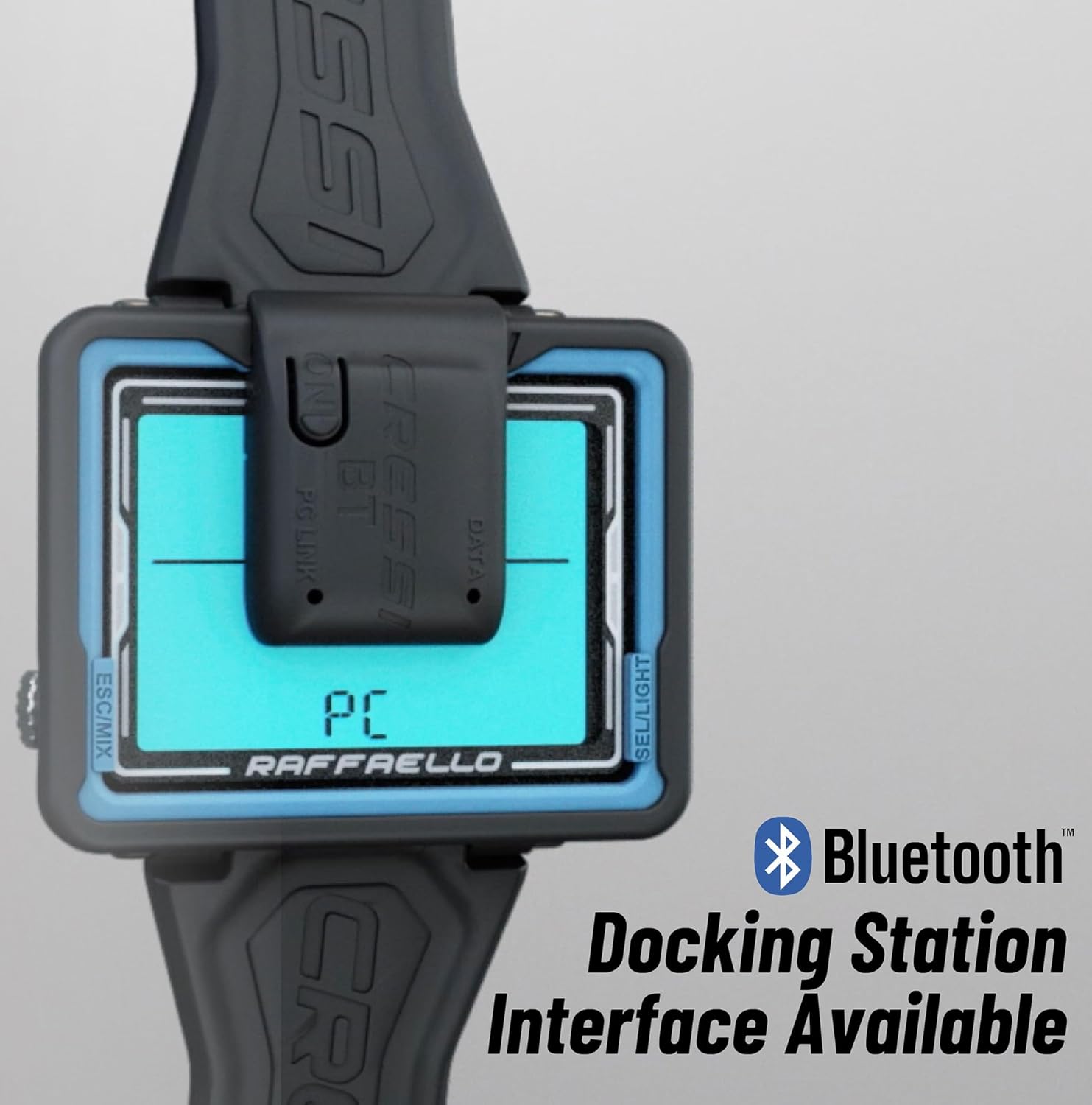
Figure 6.1: The Raffaello display indicating the Bluetooth docking station interface, enabling data transfer to the Cressi app.
7. Maintenance
7.1. Cleaning
After each dive, rinse your Raffaello diving computer thoroughly with fresh water. Allow it to air dry completely before storage. Do not use chemical cleaners or solvents.
7.2. Battery Replacement
The battery has an estimated lifespan of 4 years. When the low battery indicator appears, replace the CR2 battery promptly. Ensure the O-ring is clean and properly seated to maintain the computer's waterproof seal.
7.3. Storage
Store the computer in a cool, dry place away from direct sunlight and extreme temperatures. Avoid storing it with other sharp objects that could scratch the display.
8. Troubleshooting
If you encounter issues with your Raffaello diving computer, refer to the following common solutions:
- Display Not Working: Check the battery level. If low, replace the battery. Ensure the battery is inserted with correct polarity.
- Inaccurate Depth/Time: Ensure the computer is properly calibrated and that no debris is obstructing the pressure sensor.
- Buttons Unresponsive: Rinse the computer thoroughly with fresh water to remove any salt or debris that might be jamming the buttons.
- Water Leakage: If you suspect water ingress, immediately cease use and contact Cressi customer support. Do not attempt to open the computer.
- Error Messages: If an error code appears on the display, consult the full Cressi Raffaello manual available on the official Cressi website or contact customer support for specific instructions.
9. Specifications
| Feature | Detail |
|---|---|
| Model Number | KS880052 |
| Dimensions (L x W x H) | 22 x 10 x 10 cm |
| Weight | 120 Grams |
| Material | Electronic Components, Plastic |
| Battery Type | 1 x CR2 (included) |
| Battery Life | Approx. 4 years |
| Operating Modes | Air, Nitrox, Gauge, Free/Apnea |
| Nitrox Gas Mixes | Up to 3 |
| Logbook Capacity | Up to 50 dives |
| Connectivity | Optional Bluetooth interface |
10. Warranty & Support
The Cressi Raffaello Diving Computer is covered by a manufacturer's warranty against defects in materials and workmanship. For specific warranty terms and conditions, please refer to the documentation included with your product or visit the official Cressi website.
For technical support, service, or inquiries regarding your product, please contact Cressi customer service through their official website or authorized dealers. Keep your proof of purchase for warranty claims.


