
1. Introduction
The erjigo KZ PR1 HiFi Edition In-Ear Headphones are designed to deliver high-fidelity audio with advanced planar driver technology. This manual provides essential information for the proper setup, operation, and maintenance of your KZ PR1 earphones to ensure optimal performance and longevity.
Featuring 13.2mm planar drivers, the KZ PR1 offers a wide frequency response and precise sound reproduction, making them suitable for critical listening. The HiFi Edition includes a microphone for communication.
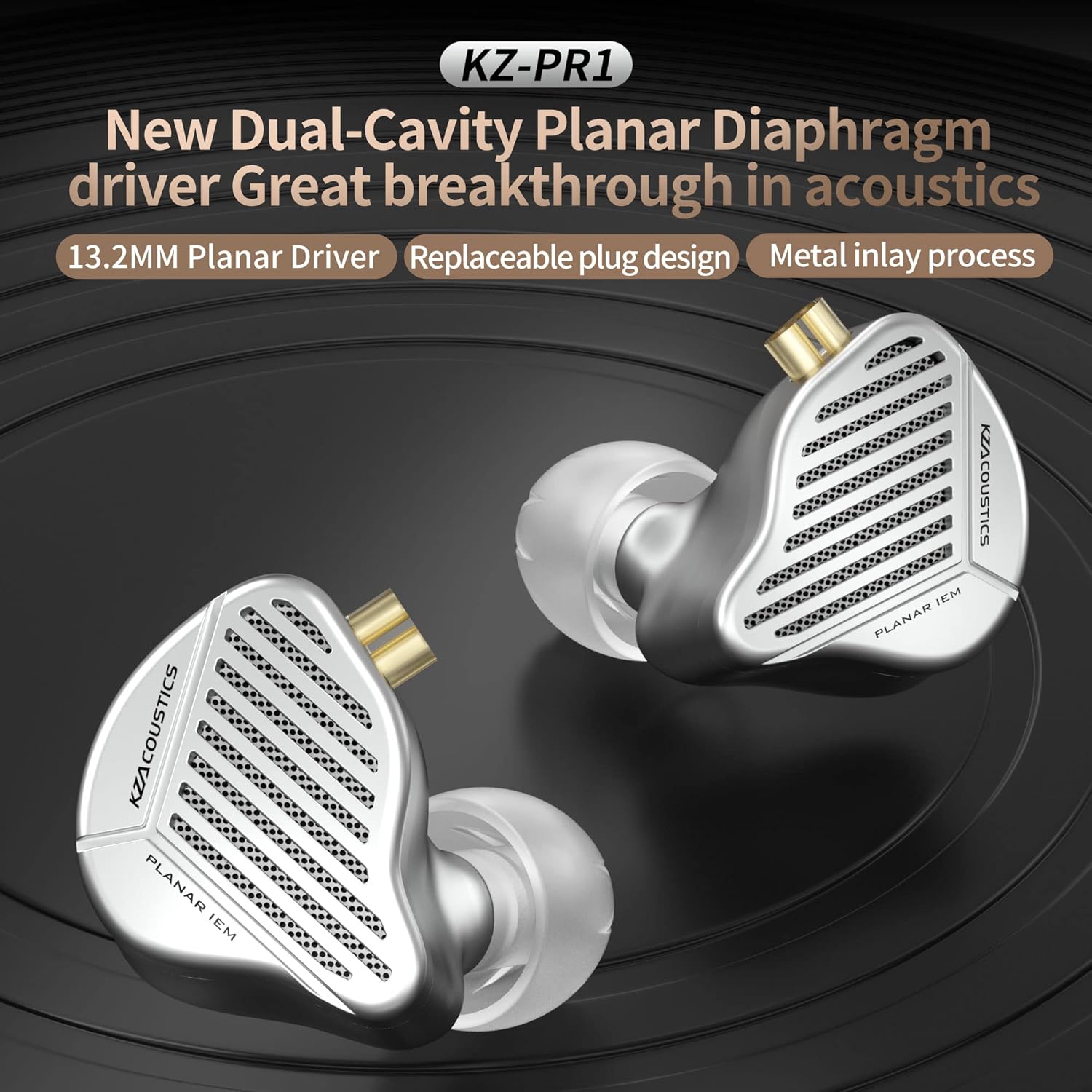
Image 1.1: KZ PR1 HiFi Edition In-Ear Headphones highlighting the new dual-cavity planar diaphragm driver technology.
2. Package Contents
Please check the package for the following items:
- KZ PR1 In-Ear Headphones (HiFi Edition)
- Detachable OFC (Oxygen-Free Copper) Cable with Microphone
- Silicone Ear Tips (various sizes)
3. Setup
3.1 Attaching the Cable
- Identify the left (L) and right (R) earpieces and the corresponding connectors on the cable. The cable features a 0.75mm 2-pin design.
- Carefully align the pins on the cable with the sockets on the earpieces. Ensure the correct orientation to avoid bending the pins.
- Gently push the cable connectors into the earpiece sockets until they are securely seated. Do not force the connection.

Image 3.1: Illustration of the upgraded 2-pin plug design for cable attachment.
3.2 Selecting and Installing Ear Tips
Proper ear tip selection is crucial for sound quality and comfort. Experiment with the included silicone ear tips to find the best fit for your ears.
- Choose ear tips that create a good seal in your ear canal. A good seal enhances bass response and passive noise isolation.
- Gently remove the pre-installed ear tips by pulling them off.
- Push the desired ear tips onto the nozzle of the earpiece until they are firmly attached.
3.3 Wearing the Earphones
The KZ PR1 earphones are designed for an ear-around wear style for comfort and stability.
- Insert the earpieces into your ear canals, tilting them at approximately a 45° angle.
- Guide the cable over the top of your ear, wrapping it around the back of your auricle (outer ear) for a secure fit. The design allows for a 270° fit to the pinna.
- Adjust the earpieces and cable until they feel comfortable and stable.

Image 3.2: Example of comfortable and stable ear-around wearing style.
3.4 Connecting to an Audio Source
Connect the 3.5mm jack of the cable to the headphone output of your audio device (e.g., smartphone, digital audio player, computer).
4. Operating Instructions
The KZ PR1 HiFi Edition with Microphone features an in-line control for media playback and call management.

Image 4.1: Diagram of the smart line-control HD-call microphone functions.
- Short Press: Play/Pause music, Answer/Hang up calls.
- Long Press: Decline an incoming call.
- Press Twice: Skip to the next song.
- Press Three Times: Go to the previous song.
5. Maintenance
Proper maintenance ensures the longevity and performance of your KZ PR1 earphones.
- Cleaning Ear Tips: Regularly remove and clean ear tips with mild soap and water. Ensure they are completely dry before reattaching.
- Cleaning Earphones: Use a soft, dry, lint-free cloth to wipe the earpieces. Avoid using harsh chemicals or abrasive materials.
- Cable Care: Store the cable neatly to prevent tangling and damage. Avoid sharp bends or excessive pulling.
- Storage: When not in use, store the earphones in a protective case to prevent dust accumulation and physical damage.
6. Troubleshooting
If you encounter issues with your KZ PR1 earphones, refer to the following common solutions:
| Problem | Possible Cause | Solution |
|---|---|---|
| No sound or low volume | Loose cable connection, incorrect audio source volume, damaged cable/earpiece | Ensure cable is securely connected. Increase volume on audio device. Test with another audio device or cable if possible. |
| Poor sound quality (e.g., weak bass, distorted audio) | Improper ear tip seal, dirty ear tips/nozzles, low-quality audio source | Try different ear tip sizes for a better seal. Clean ear tips and earpiece nozzles. Use high-quality audio files. |
| Microphone not working | Loose cable connection, device settings, incompatible device | Ensure cable is fully inserted. Check microphone settings on your audio device. Some older devices may not fully support in-line controls. |
| Discomfort or falling out of ears | Incorrect ear tip size, improper wearing technique | Experiment with different ear tip sizes. Re-adjust the ear-around fit as described in Section 3.3. |
7. Specifications
The following are the technical specifications for the erjigo KZ PR1 HiFi Edition In-Ear Headphones:
- Model: PR1
- Driver Type: 13.2mm Planar Drivers
- Impedance: 16 ± 3Ω
- Frequency Range: 20 Hz - 40 kHz
- Ear Placement: In Ear
- Connectivity Technology: Wired
- Headphones Jack: 3.5 mm Jack
- Cable: Detachable OFC (Oxygen-Free Copper)
- Cable Connector: 0.75mm 2-pin
- Microphone: Yes (In-line)
- Control Type: Media Control
- Item Weight: 2.4 ounces
- Enclosure Material: Copper, Metal
- Manufacturer: Shenzhen Yuanze Electronics Co.,Ltd.

Image 7.1: Detailed view of the 13.2mm dual-cavity planar unit.

Image 7.2: Frequency response curve illustrating the tuning for both Balanced and HiFi Editions.
8. Warranty
The erjigo KZ PR1 In-Ear Headphones come with a 1-year manufacturer's warranty from the date of purchase. This warranty covers defects in materials and workmanship under normal use. It does not cover damage caused by misuse, accidents, unauthorized modifications, or normal wear and tear. Please retain your proof of purchase for warranty claims.
9. Support
For further assistance, technical support, or warranty inquiries, please contact the manufacturer or your retailer. Refer to the contact information provided with your purchase or visit the official erjigo website.