
DEATTI ZS-GX3S
DEATTI Outdoor Battery Security Camera
Model: ZS-GX3S
Introduction
Thank you for choosing the DEATTI Outdoor Battery Security Camera. This wireless camera is designed to provide reliable surveillance for both indoor and outdoor environments, featuring high-resolution 2K video, advanced motion detection, and convenient two-way audio communication. This manual will guide you through the installation, operation, and maintenance of your new security camera.

Image: The DEATTI Outdoor Battery Security Camera, a compact white and black unit with a lens and sensor on the front.
What's in the Box
Please check the package contents to ensure all items are present:
- Outdoor Security Camera
- Mounting Bracket
- USB Charging Cable
- Mounting Screws and Wall Plugs
- User Manual

Image: The camera, user manual, charging cable, mounting bracket, screws, and batteries laid out next to the product box.
Setup
1. Charging the Camera
Before initial use, fully charge the camera using the provided USB cable. Connect the cable to the camera's charging port and a standard USB power adapter (not included). The charging indicator will show the charging status.
2. App Download and Account Creation
Download the "CloudEdge" app from your smartphone's app store (iOS or Android). Follow the on-screen instructions to create an account and log in.
3. Adding the Camera to the App
- Open the CloudEdge app and tap the "+" icon to add a new device.
- Select your camera model from the list.
- Follow the in-app instructions to connect the camera to your 2.4GHz Wi-Fi network. Ensure your phone is connected to the same Wi-Fi network during setup.
- Scan the QR code displayed on your phone with the camera lens. You will hear a confirmation sound once connected.
4. Mounting the Camera
Choose a suitable location for your camera, considering Wi-Fi signal strength and desired viewing angle. Use the included mounting bracket, screws, and wall plugs to securely attach the camera to a wall or ceiling. The camera is 100% wireless, allowing for flexible placement.

Image: The DEATTI camera mounted on an outdoor wall, highlighting its cordless design and internal battery.
Operating the Camera
PIR Motion Detection and Smart Alerts
The camera features advanced PIR (Passive Infrared) human AI motion detection to minimize false alarms. When motion is detected, the camera can:
- Activate a built-in siren to deter intruders.
- Turn on integrated spotlights for clear visibility and deterrence.
- Send instant push notifications to your smartphone via the CloudEdge app.

Image: An illustration showing the camera detecting a person, triggering a spotlight, siren, and sending a notification to a smartphone.

Image: A person walking in a garden at night, with the camera's spotlight illuminating them and a red outline indicating detection.
2K Color Night Vision
Equipped with 2K resolution and two combo lights, the camera provides sharp and fluid image quality. It supports both color night vision and infrared (black and white) night vision, ensuring clear monitoring even in low-light conditions up to 15 meters.

Image: A split image showing the same outdoor scene at night, one side in full color night vision and the other in infrared (black and white) mode.
Two-Way Audio
The built-in noise-canceling speaker and microphone allow for clear two-way communication. You can speak to visitors, delivery personnel, or even deter unwanted guests directly through the app, no matter where you are.

Image: A delivery person at a door, with a speech bubble indicating "Hello, package delivery." Below, a hand holding a smartphone shows the camera's live view with a microphone icon, and a speech bubble saying "Place the package by the door. Thanks."
Storage Options: Cloud and SD Card
The camera offers flexible storage solutions for your recordings:
- Micro-SD Card: Supports up to 128GB (not included). Recordings are automatically overwritten when the card is full.
- Cloud Service: A 7-day free trial is available. Cloud storage provides secure, remote access to your video history.
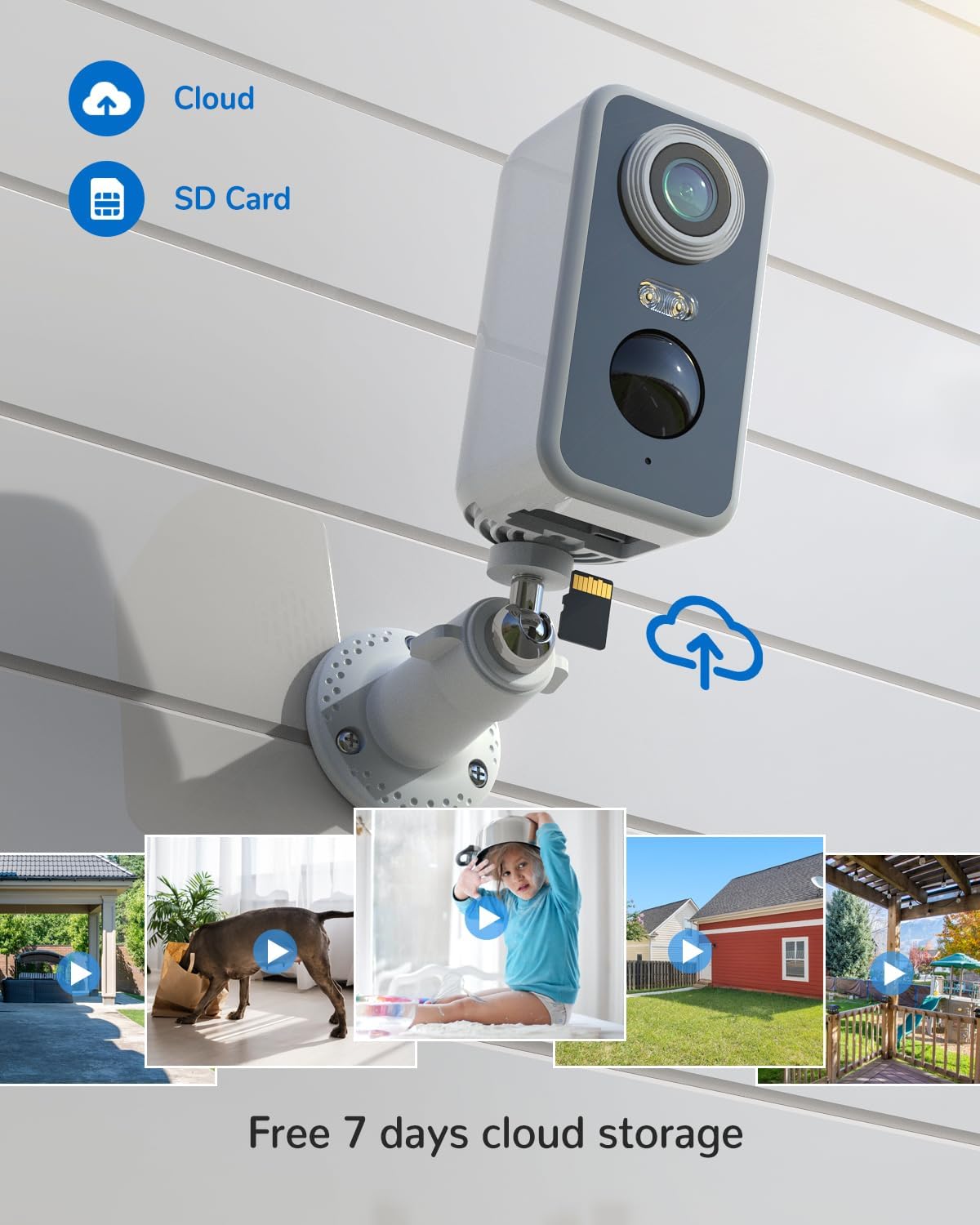
Image: The camera mounted outdoors, with icons for cloud storage and an SD card, indicating storage capabilities.
Device Sharing
You can easily share access to your camera with family members or trusted individuals through the CloudEdge app. This allows multiple users to view live feeds and receive alerts simultaneously.

Image: A couple sitting on a couch, both looking at their smartphones, with circular icons above them showing different people, symbolizing shared camera access.
Maintenance
- Battery Charging: Monitor the battery level via the app and recharge the camera as needed. Battery life varies based on usage and motion detection frequency.
- Cleaning: Gently wipe the camera lens and body with a soft, damp cloth to remove dust and dirt. Do not use harsh chemicals.
- Weatherproofing: The camera is IP66 waterproof, designed to withstand various weather conditions. Ensure the charging port cover is securely closed to maintain its waterproof rating.

Image: The DEATTI camera mounted outdoors, with rain falling on it, illustrating its IP66 weatherproof capability.
Troubleshooting
- Camera Offline: Check your Wi-Fi connection and ensure the camera is within range. Restart the camera and your router if necessary.
- Motion Detection Issues: Adjust the motion detection sensitivity in the app settings. Ensure there are no obstructions blocking the camera's view.
- Short Battery Life: Frequent motion detection events, live viewing, and two-way audio use can drain the battery faster. Consider reducing sensitivity or placement in high-traffic areas.
- Poor Image Quality: Ensure the lens is clean. Check your Wi-Fi signal strength, as a weak signal can affect video streaming quality.
For more detailed troubleshooting or technical support, please refer to the CloudEdge app's help section or contact DEATTI customer support.
Specifications
| Feature | Specification |
|---|---|
| Model Number | ZS-GX3S |
| Usage Environment | Indoor, Outdoor |
| Connectivity Technology | Wireless (WLAN, Bluetooth) |
| Power Source | Battery Powered (Lithium-ion, included) |
| Battery Capacity | 5200 mAh |
| Video Resolution | 2K |
| Viewing Angle | 120 Degrees |
| Night Vision Range | 15 Meters |
| Water Resistance Rating | IP66 Waterproof |
| Mounting Type | Wall Mount (Screw-in) |
| Dimensions (L x W x H) | 25.4 x 25.4 x 25.4 cm |
| Item Weight | 350 g |
| Special Features | Local Recording, HD Resolution, Motion Sensor, 2-Way Audio, Night Vision |
Warranty and Support
Your DEATTI Security Camera comes with a standard warranty. For specific warranty terms and conditions, please refer to the product documentation included in your package or contact DEATTI customer support.
For any questions, technical assistance, or support, please contact us:
- Official Email: support@deatti.com
Related documentsZS-GX3S


Ask a question about this manual
Ask about setup, troubleshooting, compatibility, parts, safety, or missing instructions. Manuals+ will review the question and use this page’s manual context to help answer it.