
1. Introduction
This manual provides detailed instructions for the installation, operation, and maintenance of your Eversecu 2K 4.0MP HD Wireless PTZ Security Camera (Model ES-951B). Please read this manual thoroughly before using the product to ensure proper functionality and safety.
The Eversecu PTZ dome surveillance camera features a highly sensitive motion sensor, auto-tracking capabilities, and real-time alerts. It includes two-way audio for communication and a sound alert function. With its E27 light screw compatibility, installation is designed to be straightforward.
Key Features
- 2K 4.0MP HD Video Resolution: Provides clear 1920×1080 Ultra HD video with 2 megapixels, 2 IR LEDs + 6 white LEDs for full-color night vision.
- Wireless & Easy Installation: Compatible with E26/E27 light sockets (110V~240V), requiring no drilling, wiring, or complex setup.
- PTZ Functionality: 355° pan, 110° tilt, and 4x digital zoom, controllable via the Tuya app.
- Motion Detection & Auto Tracking: Automatically detects and tracks movement, recording activity and sending alerts.
- Two-Way Audio & Sound Alarm: Built-in microphone and speaker for communication and deterring intruders.
- Multiple Views & Storage: Share camera access with others and save videos to an SD card (not included) or cloud storage (30-day free trial).
- Privacy Protection: High-level encryption ensures video access is restricted to authorized users.
2. Package Contents
Please check the package for the following items:
- Eversecu 2K 4.0MP HD Wireless PTZ Security Camera (Model ES-951B)
- User Manual (this document)
- Note: An SD card for local storage is not included and must be purchased separately.

Image 1.1: Eversecu 2K 4.0MP HD Wireless PTZ Security Camera (Model ES-951B).
3. Setup and Installation
3.1 System Requirements
- Standard E26/E27 light socket (110V~240V power supply).
- 2.4GHz Wi-Fi network (5GHz Wi-Fi is not supported).
- Smartphone (Android or iOS) with the Tuya Smart Life app installed.
3.2 App Installation
- Download the "Tuya Smart" or "Smart Life" app from your smartphone's app store (Google Play Store for Android, Apple App Store for iOS).
- Register for a new account or log in if you already have one.
3.3 Camera Installation
The camera is designed for easy installation into a standard E26/E27 light socket.
- Power Off: Ensure the power to the light socket is turned off at the main switch before installation.
- Screw In: Carefully screw the Eversecu camera into the E26/E27 light socket until it is secure. No additional wiring or drilling is required.
- Power On: Restore power to the light socket. The camera will power on and initiate its startup sequence.

Image 3.1: The camera is designed to screw directly into an E27 light socket for easy outdoor or indoor installation.

Image 3.2: Example of the camera installed in a ceiling light fixture.
3.4 Connecting to the App
- Open App: Launch the Tuya Smart or Smart Life app on your smartphone.
- Add Device: Tap the "+" icon (usually in the top right corner) to add a new device.
- Select Camera: Choose "Security & Video Surveillance" and then "Smart Camera (Wi-Fi)".
- Follow On-Screen Prompts: The app will guide you through connecting the camera to your Wi-Fi network. This typically involves scanning a QR code displayed on your phone with the camera lens.
- Name Device: Once connected, you can name your camera for easy identification.

Image 3.3: Key features of the Eversecu camera, including easy installation and Wi-Fi connectivity.
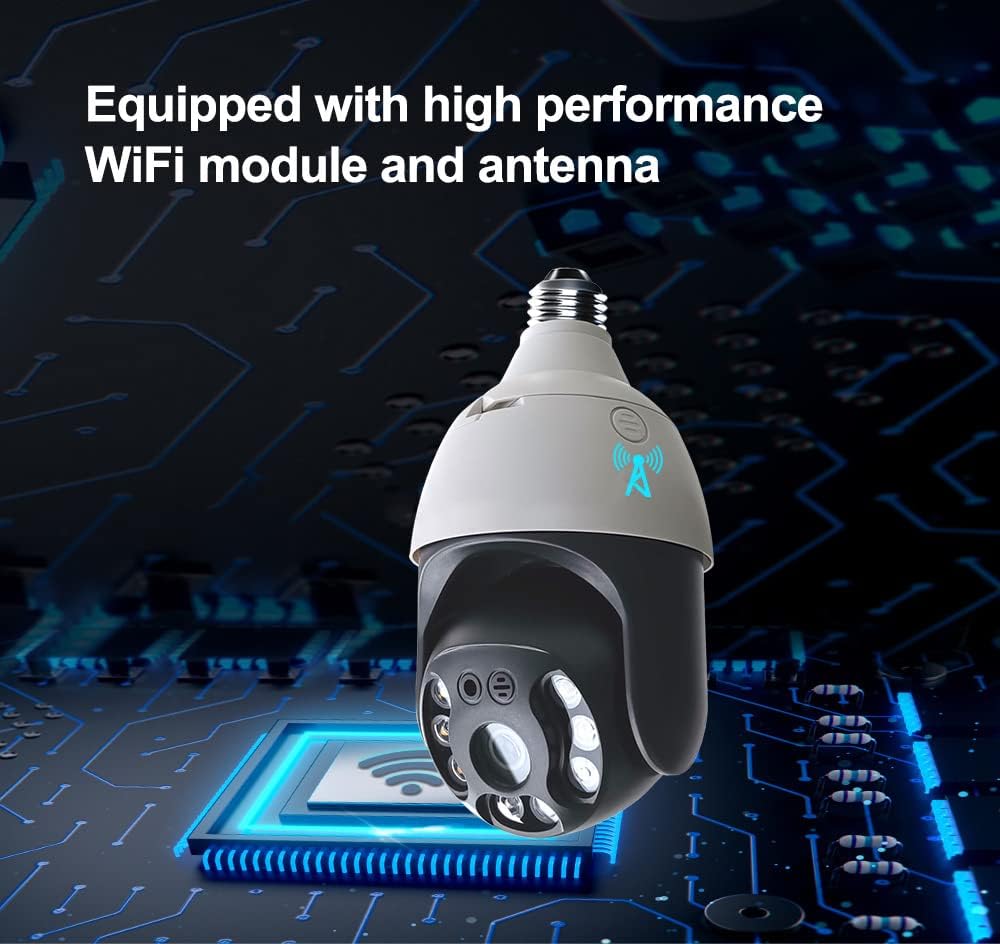
Image 3.4: The camera is equipped with a high-performance WiFi module and antenna for stable wireless connection.
4. Operating Instructions
4.1 Live View and PTZ Control
- Open the Tuya Smart or Smart Life app and select your camera.
- The live video feed will appear.
- Use the on-screen controls to pan (355°), tilt (110°), and digitally zoom (4x) the camera view.
4.2 Motion Detection and Auto Tracking
- The camera features a highly sensitive motion sensor. When motion is detected, the camera will automatically track the movement.
- Real-time alerts will be sent to your smartphone.
- You can customize motion detection sensitivity and alert settings within the app.

Image 4.1: The camera's smart auto-tracking feature follows moving objects.

Image 4.2: Smart motion detection sends alerts when an intrusion is detected.
4.3 Two-Way Audio and Sound Alarm
- Utilize the built-in microphone and speaker for two-way communication. Tap the microphone icon in the app to speak.
- A sound alarm can be activated through the app to deter unwanted visitors.
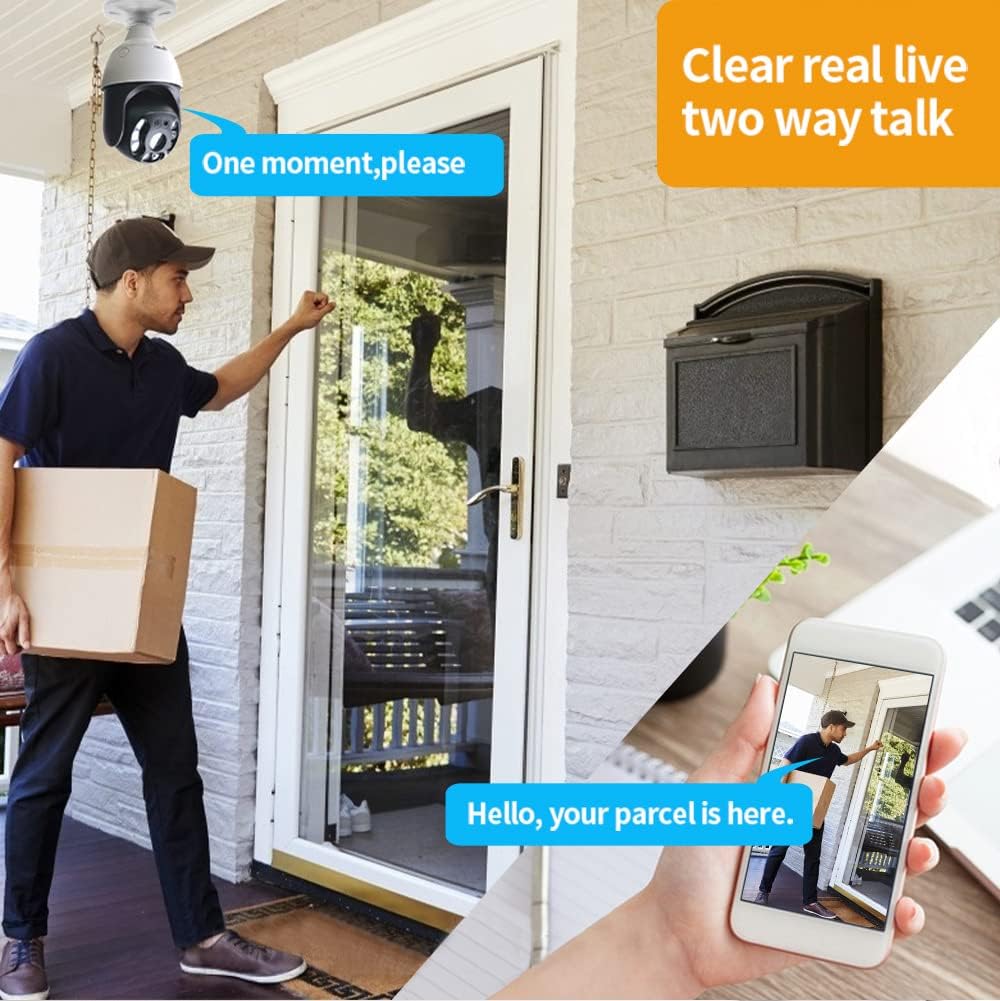
Image 4.3: Clear two-way audio allows communication with visitors.
4.4 Night Vision
- The camera is equipped with 2 IR LEDs for infrared night vision and 6 white LEDs for full-color night vision.
- The camera can automatically switch between modes based on ambient light conditions or be manually configured in the app.

Image 4.4: The camera offers both infrared and smart full-color night vision capabilities.
4.5 Video Storage
- SD Card Storage: Insert a microSD card (not included) into the camera's designated slot for local video recording. The camera supports continuous recording or event-triggered recording.
- Cloud Storage: A 30-day free trial of cloud storage is available. After the trial, a subscription may be required for continued cloud service.
- All stored videos are protected with high-level encryption.
4.6 Sharing Access
- You can share access to your camera's live feed and recordings with family and friends through the Tuya Smart or Smart Life app.
- Navigate to the camera settings in the app and select the sharing option.
5. Maintenance
5.1 Cleaning the Camera
- Ensure the camera is powered off before cleaning.
- Use a soft, dry cloth to wipe the camera body.
- For the lens, use a specialized lens cleaning cloth to avoid scratches. Do not use harsh chemicals or abrasive cleaners.
5.2 Firmware Updates
- Periodically check the Tuya Smart or Smart Life app for available firmware updates.
- Firmware updates can improve performance, add new features, and enhance security. Follow the in-app instructions for updating.
6. Troubleshooting
| Problem | Possible Cause | Solution |
|---|---|---|
| Camera not powering on. | No power to the E27 socket; camera not screwed in properly. | Ensure the light socket has power. Re-screw the camera firmly into the socket. |
| Unable to connect to Wi-Fi. | Incorrect Wi-Fi password; 5GHz Wi-Fi network used; camera too far from router. | Verify Wi-Fi password. Ensure you are connecting to a 2.4GHz network. Move the camera closer to the router or consider a Wi-Fi extender. |
| Poor video quality or lag. | Weak Wi-Fi signal; network congestion. | Check Wi-Fi signal strength in the app. Reduce network traffic or move the camera closer to the router. |
| Motion detection not working. | Motion detection disabled in app; sensitivity too low. | Enable motion detection in the app settings. Adjust sensitivity levels as needed. |
| Two-way audio not functioning. | Microphone/speaker permissions not granted to app; volume too low. | Check app permissions on your smartphone. Adjust volume settings in the app and on your phone. |
7. Specifications
| Feature | Detail |
|---|---|
| Model Number | ES-951B |
| Brand | EVERSECU |
| Video Resolution | 2K 4.0MP (1920x1080p Ultra HD video output) |
| Pan/Tilt Range | Pan 355°, Tilt 110° |
| Digital Zoom | 4x |
| Night Vision | Infrared (2 IR LEDs) & Full-Color (6 white LEDs) |
| Connectivity | 2.4GHz Wi-Fi (IEEE 802.11b/g/n) |
| Power Source | E26/E27 Light Socket (110V~240V AC) |
| Storage Options | MicroSD Card (not included), Cloud Storage |
| Two-Way Audio | Yes (Built-in microphone and speaker) |
| Motion Detection | Yes (with Auto Tracking and Real-Time Alerts) |
| Material | Plastic |
| Dimensions (L x W x H) | 10.41 x 10.41 x 20.32 cm (approx. 4.1 x 4.1 x 8 inches) |
| Weight | 522 g |
| Compatible App | Tuya Smart / Smart Life |
8. Warranty and Support
For information regarding warranty coverage, technical support, or service inquiries, please refer to the official EVERSECU website or contact their customer support directly. Details are typically provided on the product packaging or the manufacturer's official online resources.

