
Dr.meter ES-PS01
Dr.meter Fish Scale Luggage Scale Instruction Manual
Model: ES-PS01
Brand: Dr.meter
Introduction
Thank you for choosing the Dr.meter Fish Scale Luggage Scale. This versatile digital scale is designed for precise weighing of various items, from fish to luggage, with a maximum capacity of 110lb/50kg. It features a backlit LCD display for easy readability and a built-in measuring tape for added convenience. This manual provides detailed instructions for setup, operation, and maintenance to ensure optimal performance and longevity of your device.
Product Features
- Extreme Accuracy: Weighs from 0.2 lbs up to 110 lbs (50 kg) with state-of-the-art weight sensor.
- Unit Conversion: Easily switch between pounds (lb), ounces (oz), and kilograms (kg).
- Backlit LCD Display: Clear and easy-to-read display, even in low light conditions.
- Built-in Measuring Tape: Integrated tape measure for items up to 3 feet (1 meter) in length.
- Durable Construction: Crafted from premium stainless steel and high-density ABS material.
- Concealed Hook: Large, durable stainless steel hook conveniently stores in a back slot.
- Tare Function: Allows for zeroing out the weight of a container.
- Auto-Off Function: Conserves battery life by automatically turning off after a period of inactivity.
- Portable Design: Lightweight and compact with a built-in carrying strap.
Package Contents
- 1 x Dr.meter Fish Scale Luggage Scale (Model: ES-PS01)
- 2 x AAA Batteries
- 1 x User Manual (this document)
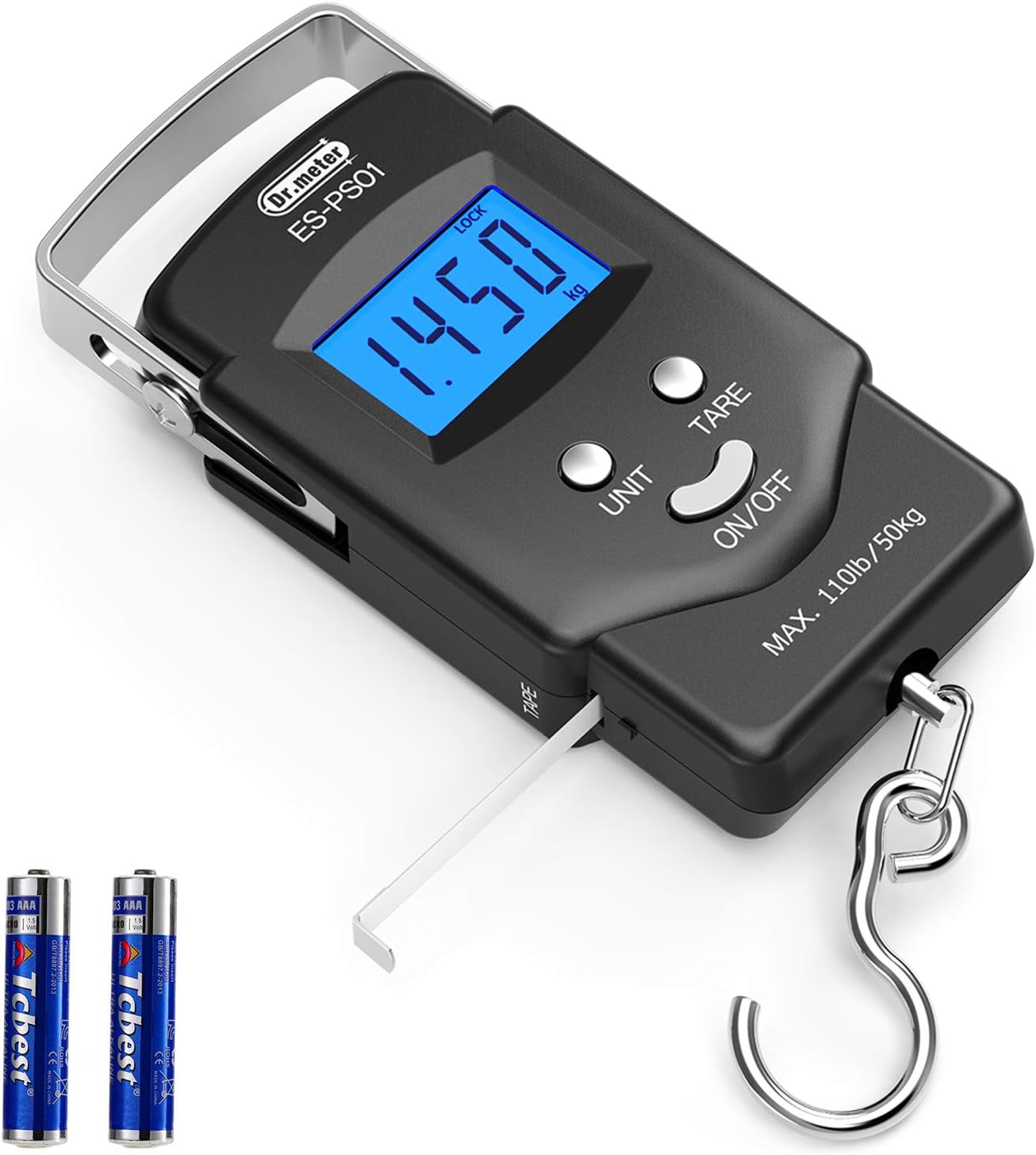
Image: The Dr.meter ES-PS01 digital scale shown with two AAA batteries, highlighting the main components.
Setup
Battery Installation
- Locate the battery compartment on the back of the scale.
- Slide open the battery compartment cover.
- Insert two AAA batteries, ensuring correct polarity (+/-) as indicated inside the compartment.
- Close the battery compartment cover securely.
Initial Power On
After installing the batteries, press the ON/OFF button to turn on the scale. The LCD display will light up and show "8888" followed by "0.00" or "0.0" with the current unit of measurement.

Image: Detailed diagram of the Dr.meter ES-PS01 scale, labeling its various parts including the battery compartment on the back.
Operating Instructions
Power On/Off
- To turn on the scale, press the ON/OFF button.
- To turn off the scale, press and hold the ON/OFF button for 3 seconds. The scale will also automatically turn off after 120 seconds of inactivity to conserve battery life.
Unit Conversion
- With the scale turned on, press the UNIT button to cycle through the available units: kilograms (kg), pounds (lb), and ounces (oz).
- The selected unit will be displayed on the LCD screen.

Image: The LCD screen of the scale showing how weight is displayed and the options for unit conversion between ounces, pounds, and kilograms.
Tare Function
- To weigh items in a container, first hang the empty container on the hook.
- Wait for the reading to stabilize.
- Press the TARE button. The display will reset to "0.00" and the "TARE" indicator will appear.
- Now, place the items to be weighed into the container. The display will show only the net weight of the items.
Weighing Procedure
- Ensure the scale is powered on and displaying "0.00" (or "0.0") in your desired unit.
- Attach the item to be weighed to the stainless steel hook. For fish, ensure the hook is securely placed. For luggage, use the handle or a strap.
- Lift the scale by its handle, ensuring the item hangs freely and is not touching any surfaces.
- Hold the scale steady. The display will show the weight, and once stable, the "LOCK" indicator will appear, and the reading will be held.
- To clear the locked reading, press the ON/OFF button briefly.

Image: A person using the Dr.meter scale to weigh a fish, demonstrating the practical application of the device.

Image: A visual representation of the scale's versatility, showing it being used for weighing various items such as vegetables, fish, grain, and luggage.
Using the Built-in Measuring Tape
- Gently pull out the measuring tape from the side of the scale.
- Measure the desired item. The tape measures up to 3 feet (approximately 1 meter) in both centimeters and feet.
- Once finished, gently release the tape, and it will retract back into the scale.

Image: A close-up view of the scale demonstrating the built-in measuring tape, extended to show its markings and maximum length.
Maintenance
- Cleaning: Wipe the scale with a soft, damp cloth. Do not use abrasive cleaners or immerse the scale in water.
- Storage: Store the scale in a cool, dry place away from direct sunlight and extreme temperatures.
- Battery Replacement: If the display becomes dim or the scale does not turn on, replace both AAA batteries. Remove batteries if the scale will not be used for an extended period to prevent leakage.
- Hook Care: The stainless steel hook is durable, but ensure it is clean and dry after use, especially if exposed to water, to prevent rust.
Troubleshooting
| Problem | Possible Cause | Solution |
|---|---|---|
| Scale does not turn on. | Dead or incorrectly installed batteries. | Check battery polarity. Replace batteries with new ones. |
| Inaccurate readings. | Scale not held steady; item touching surface; overload. | Ensure scale is held steady and item hangs freely. Do not exceed 110lb/50kg capacity. Recalibrate if necessary (refer to advanced settings if available, or contact support). |
| "O-Ld" or "Err" displayed. | Overload beyond maximum capacity. | Remove the item immediately. The scale's capacity is 110lb/50kg. |
| Display is dim. | Low battery power. | Replace batteries. |
| Measuring tape does not retract. | Mechanism obstruction or damage. | Gently try to guide it back. Avoid pulling the tape out forcefully. If damaged, it may not be repairable. |
Specifications
| Feature | Detail |
|---|---|
| Brand | Dr.meter |
| Model | ES-PS01 |
| Color | Black |
| Display Type | LCD with Backlight |
| Weight Capacity | 0.2 lbs - 110 lbs (50 kg) |
| Readout Accuracy | 0.2 Pounds |
| Units | lb, oz, kg |
| Measuring Tape Length | Up to 3 feet (1 meter) |
| Power Source | 2 x AAA Batteries (Included) |
| Material | Stainless Steel, ABS |
| Item Weight | 162 Grams |
| Dimensions (LxWxH) | 5.8 x 1.6 x 3.6 inches |

Image: A diagram illustrating the compact size and dimensions of the Dr.meter ES-PS01 scale.
Warranty and Support
Dr.meter products are designed for reliability and performance. For specific warranty information, please refer to the product packaging or contact Dr.meter customer support directly. You can find more information and support resources by visiting the official Dr.meter store online.
Official Dr.meter Store: Dr.meter Store on Amazon
Ask a question about this manual
Ask about setup, troubleshooting, compatibility, parts, safety, or missing instructions. Manuals+ will review the question and use this page’s manual context to help answer it.