
Introduction
The Supco Tradefox Jumper King is a multi-jumper tool designed to safely bypass low voltage thermostats and activate specific leads or circuits. This tool helps eliminate compressor short cycling and allows for safe system startup, particularly useful in HVAC troubleshooting.
Key features include:
- Innovative circuit selector switches for activating desired leads/circuits.
- Resettable popper fuse to prevent short circuits.
- No batteries required; powered by the low voltage from the A/C unit.
- Compatibility with multi-stage units, including heat pumps.
- Equipped with magnets and a fold-out hook for hands-free operation.
Package Contents
The Jumper King kit includes the following components:
- 1x Jumper King Thermostat Bypass Tool
- 1x Hard Zip-Up EVA Sectioned Case
- 6x Jumper Leads
- 6x Alligator Clamps
- 6x Magnetic Tips
- 6x Self-Piercing Insulation Tips
- 2x Spade Adapters
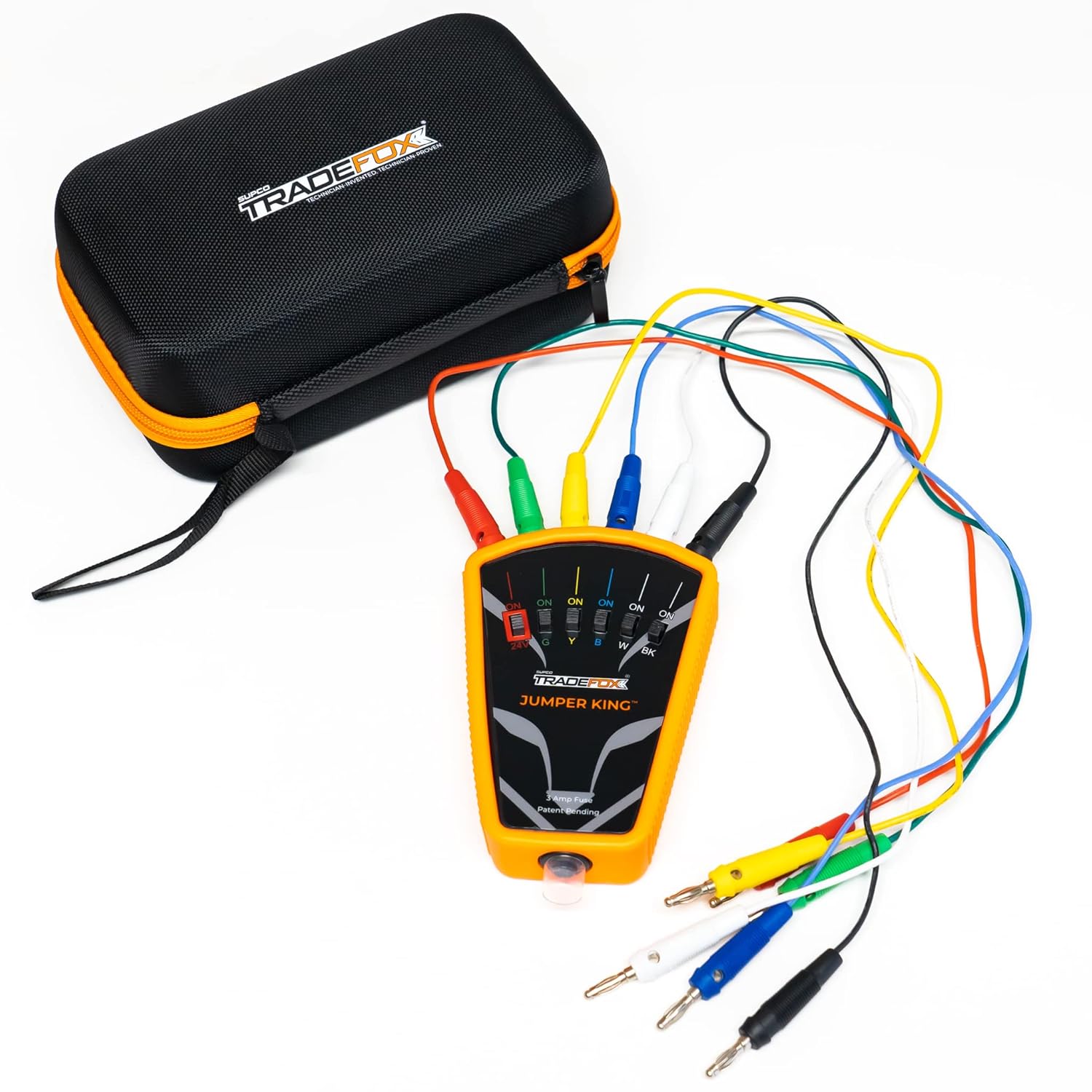
Figure 1: The Jumper King tool, its carrying case, and the included assortment of leads and adapters.
Setup
Before using the Jumper King, ensure you are working with low voltage circuits (0-30VAC/VDC) only. Identify the thermostat wiring connections you intend to bypass or test.
- Select Appropriate Tips: Choose from the included spade adapters, alligator clamps, magnetic tips, or self-piercing insulation tips based on the type of terminal or wire you need to connect to.

Figure 2: Spade Adapters for connecting to flat terminals.

Figure 3: Alligator Clamps for secure connections to wires or terminals.
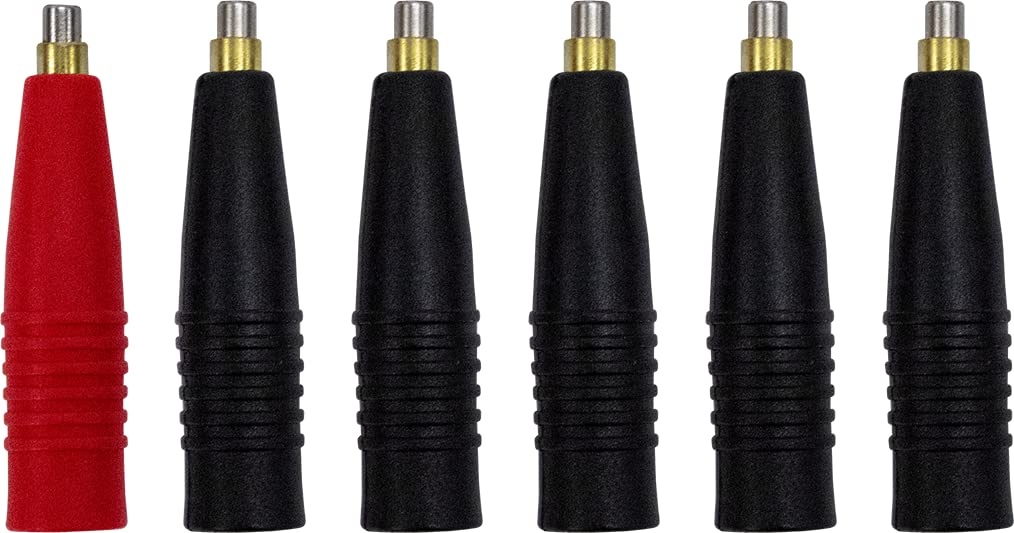
Figure 4: Magnetic Tips for quick attachment to ferrous surfaces or terminals.

Figure 5: Self-Piercing Insulation Tips for non-invasive wire connections.
- Connect Leads: Attach the chosen tips to the Jumper King's color-coded ports. Ensure a firm connection.

Figure 6: Jumper Leads with banana plugs for connecting to the Jumper King tool.
- Secure the Tool: Utilize the integrated magnets on the back of the Jumper King or the fold-out hook to secure the tool to a metal surface or hang it, allowing for hands-free operation.
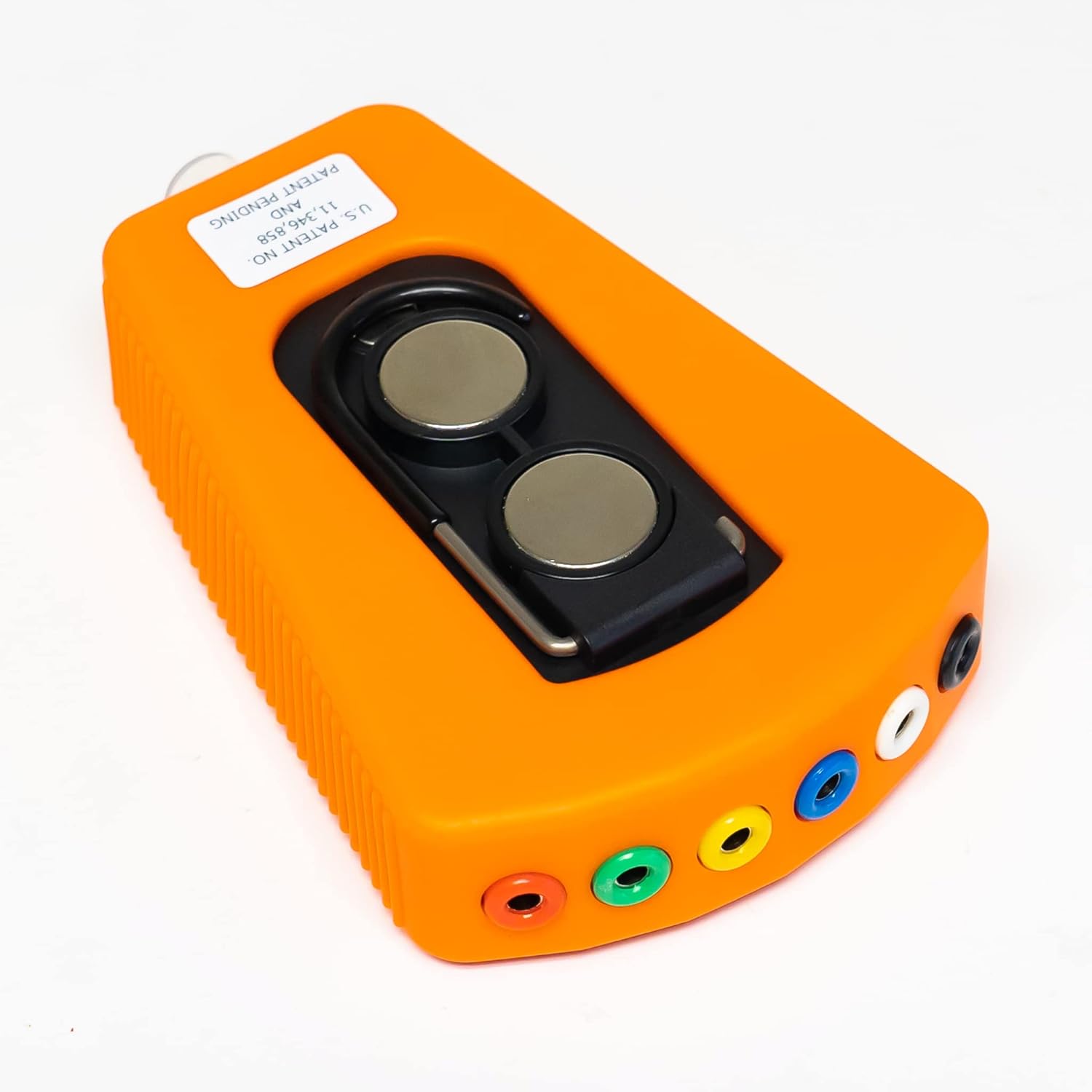
Figure 7: Rear view of the Jumper King, highlighting its magnetic back and fold-out hook for convenient placement.
Operating Instructions
The Jumper King allows you to individually activate low voltage circuits for testing and troubleshooting HVAC systems.
- Connect to Power (R-terminal): Connect the main power lead (typically red, corresponding to the R-terminal) from the Jumper King to the 24VAC power source of the HVAC unit. The Jumper King is powered by this low voltage, requiring no internal batteries.
- Connect Circuit Leads: Connect the other color-coded leads from the Jumper King to the corresponding terminals on the HVAC unit (e.g., Y for cooling, G for fan, W for heating, O/B for heat pump reversing valve).
- Activate Circuits: Use the individual selector switches on the Jumper King to activate the desired circuits. For example, to test the cooling function, switch on the 'Y' circuit. The LED indicator above each switch will illuminate when the circuit is active.

Figure 8: The Jumper King's control panel, showing the circuit selector switches and LED indicators for active circuits.
- Monitor and Test: Observe the system's response to the activated circuits. The resettable popper fuse will trip if a short circuit is detected, protecting the system and the tool. Reset the fuse by pushing it back in after resolving the short.
- Deactivate Circuits: Once testing is complete, switch off all active circuits before disconnecting the leads.
Maintenance
The Jumper King is designed for durability and requires minimal maintenance. Follow these guidelines to ensure its longevity:
- Cleaning: Wipe the tool and leads with a dry, clean cloth after each use to remove any dirt or debris. Avoid using harsh chemicals or abrasive cleaners.
- Storage: Store the Jumper King and its accessories in the provided hard zip-up EVA sectioned case when not in use. This protects the components from damage and keeps them organized.
- Fuse Check: The tool features a resettable popper fuse. If the fuse trips frequently, investigate the circuit for persistent shorts. Do not attempt to bypass or modify the fuse.
- Lead Inspection: Periodically inspect the leads and tips for any signs of wear, fraying, or damage. Replace any damaged components to ensure safe and effective operation.
Troubleshooting
If you encounter issues while using the Jumper King, consider the following:
- Tool Not Powering On:
- Ensure the main power lead (R-terminal connection) is securely connected to a live 24VAC low voltage source.
- Verify that the HVAC unit itself has power.
- Circuit Not Activating (LED not lighting up):
- Check that the corresponding selector switch on the Jumper King is in the 'ON' position.
- Inspect the lead connection for that specific circuit at both the Jumper King and the HVAC terminal.
- The resettable fuse may have tripped due to a short circuit on that line. Push the fuse button to reset it. If it immediately trips again, there is a persistent short in the circuit you are trying to activate.
- Fuse Trips Repeatedly:
- A repeatedly tripping fuse indicates a short circuit in the connected HVAC system. Disconnect the Jumper King and troubleshoot the HVAC wiring for faults.
- Ensure you are only using the tool on low voltage circuits (0-30VAC/VDC).
- Inaccurate Readings/System Behavior:
- Verify all connections are clean and secure. Loose connections can lead to intermittent operation.
- Ensure the correct tips are being used for the terminals.
For complex issues or if troubleshooting steps do not resolve the problem, consult a qualified HVAC technician.
Specifications
| Feature | Detail |
|---|---|
| Model Number | TFXJK |
| Power Source | Low Voltage (0-30VAC/VDC) |
| Fuse Type | Resettable Popper Fuse |
| Included Tips | Spade Adapters, Alligator Clamps, Magnetic Tips, Self-Piercing Insulation Tips |
| Dimensions (Package) | 8.62 x 4.84 x 3.9 inches |
| Item Weight | 1.72 Pounds (0.78 Kilograms) |
| Color | Orange |
Warranty Information
Supco products are manufactured to high-quality standards. For specific warranty details, please refer to the warranty card included with your product or visit the official Supco website. Keep your proof of purchase for warranty claims.
Support
For technical assistance, product inquiries, or to purchase replacement parts, please contact Supco customer support:
- Website: www.supco.com (Please note: This is a placeholder URL. Refer to your product packaging for the official website.)
- Phone: Refer to the contact information provided on the product packaging or the official Supco website.
When contacting support, please have your product model number (TFXJK) and purchase date available.


