
Introduction
This manual provides essential instructions for the installation, maintenance, and troubleshooting of AVIALOGIC spare parts for the M2 drone. It covers the replacement of propellers, motors, and gears. Please read this manual carefully before attempting any installation or repair to ensure safe and correct operation.
Product Overview
The AVIALOGIC M2 Drone Spare Parts package includes components necessary for maintaining your M2 drone's flight performance.
- 8 PCS Spare Propellers: Designed for efficient thrust and stable flight.
- 2 PCS Motors: Replacement motors to restore full power and responsiveness.
- A Set of Gears: Essential for the smooth operation of the drone's propulsion system.
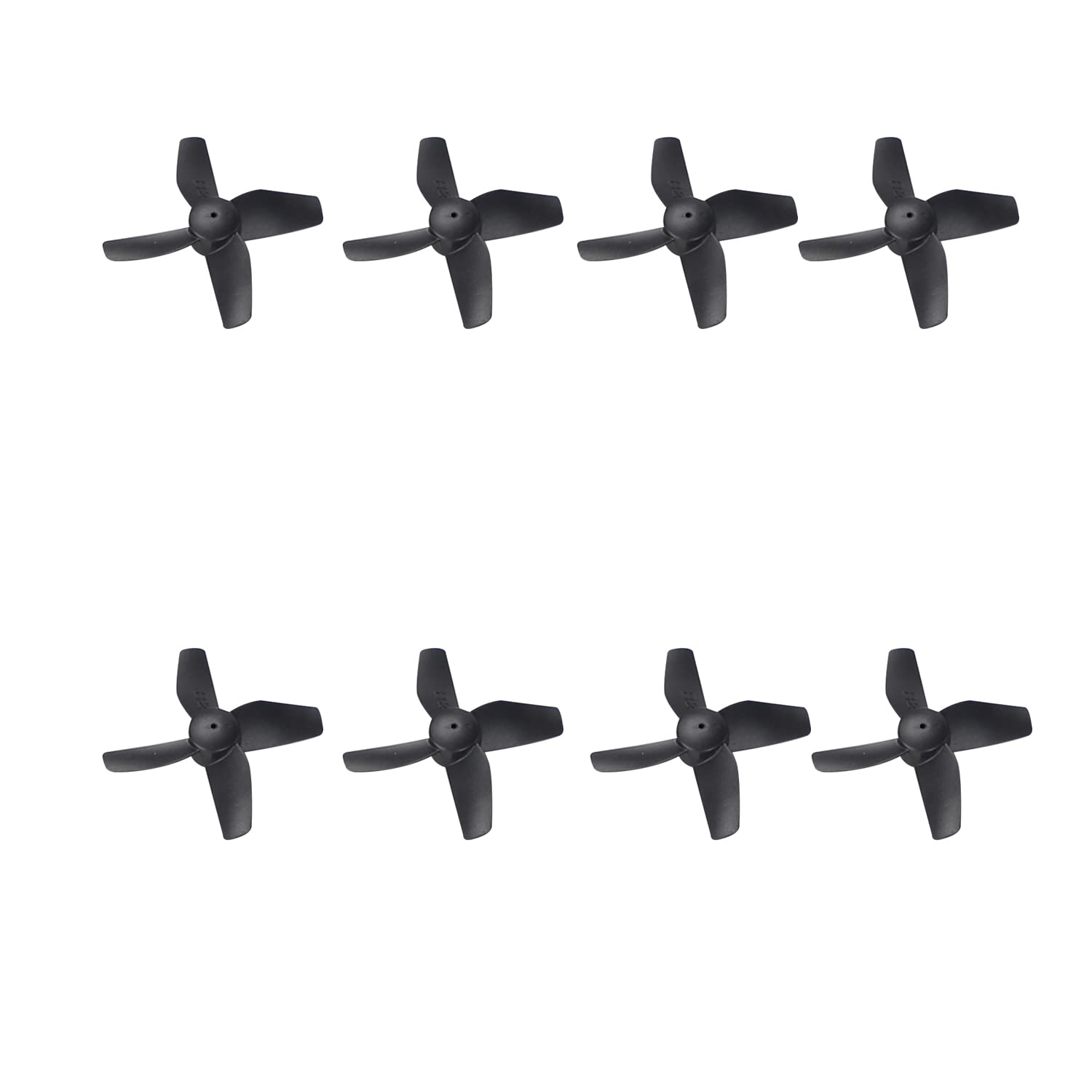
Image showing the complete package of AVIALOGIC M2 drone spare parts, including propellers, motors, and gears.
Installation Guide
Before beginning any installation, ensure the drone's battery is disconnected to prevent accidental activation. Refer to your M2 drone's original user manual for specific disassembly and reassembly instructions.
Propeller Replacement
- Identify the damaged propeller. Note its position (e.g., front-left, rear-right) and rotation direction (clockwise or counter-clockwise).
- Carefully remove the screw(s) securing the damaged propeller to the motor shaft.
- Gently pull the old propeller off the motor shaft.
- Select a new propeller that matches the removed one in terms of size, shape, and rotation direction. Propellers are often marked (e.g., A or B, or with a dot) to indicate their type.
- Align the new propeller with the motor shaft and push it down firmly but gently.
- Secure the new propeller with the screw(s), ensuring it is tight but not overtightened.
- Repeat for all necessary propeller replacements.
Motor Replacement
- Locate the motor requiring replacement. This may involve disassembling parts of the drone's frame.
- Carefully disconnect the motor's wires from the drone's flight controller or circuit board. Note the color coding and connection points.
- Remove any screws or clips holding the motor in place.
- Install the new motor, ensuring it is correctly oriented.
- Secure the new motor with screws or clips.
- Connect the new motor's wires to the corresponding points on the flight controller, matching the original color coding. Incorrect wiring can damage the motor or flight controller.
Gear Replacement
- Identify the gear(s) that need replacement. Gears are typically located at the base of the motor shaft or within the propeller assembly.
- Carefully remove the old gear. This may require a small tool to pry it off the shaft or release a retaining clip.
- Clean any debris from the motor shaft or gear housing.
- Install the new gear, ensuring it slides smoothly onto the shaft and is properly seated.
- If applicable, reattach any retaining clips or covers.
Safety Warning: Always handle drone components with care. Small parts can be easily lost or damaged. If you are unsure about any step, seek professional assistance.
Post-Installation Check
After replacing any spare parts, perform the following checks before attempting flight:
- Visual Inspection: Ensure all new parts are securely fastened and no loose wires or components are visible.
- Propeller Rotation: Manually spin each propeller to confirm it rotates freely without obstruction.
- Motor Functionality: With the battery connected, carefully test each motor at a low throttle setting (without propellers attached, if possible, for safety) to ensure they spin correctly and smoothly.
- Balance Check: If possible, perform a balance check on the drone to ensure the new components have not affected its stability.
Only proceed with flight once all checks are satisfactory and you are confident in the drone's integrity.
Maintenance
Regular maintenance of your drone's spare parts can extend their lifespan and ensure optimal performance.
- Propellers: Regularly inspect propellers for cracks, bends, or nicks. Even minor damage can affect flight stability and efficiency. Replace damaged propellers immediately.
- Motors: Keep motors free from dust, dirt, and debris. Avoid operating the drone in sandy or dusty environments, which can cause premature wear. Listen for unusual noises during operation, which may indicate a failing motor.
- Gears: Check gears for wear, stripped teeth, or accumulation of foreign material. Clean gears periodically to ensure smooth meshing.
- Storage: Store spare parts in a clean, dry environment away from direct sunlight and extreme temperatures.
Troubleshooting
If you encounter issues after replacing parts, consider the following common problems and solutions:
- Drone unstable or drifting after propeller replacement:
- Ensure correct propeller type (A/B or CW/CCW) is installed in the correct position.
- Check that propellers are securely fastened and not loose.
- Inspect for any remaining damage on other propellers or parts.
- Motor not spinning or spinning weakly:
- Verify motor wire connections are secure and correctly matched (positive/negative).
- Check for any obstructions preventing the motor from spinning freely.
- Ensure the gear is properly seated and not binding.
- If the issue persists, the motor or flight controller may be faulty.
- Unusual noise from drone:
- Inspect propellers for damage or imbalance.
- Check gears for wear or foreign objects.
- Ensure motors are securely mounted and free of debris.
For complex issues not resolved by these steps, consult the drone's original manual or contact AVIALOGIC customer support.
Specifications
| Brand | AVIALOGIC |
| Model (for which parts are intended) | M2 Drone |
| Item Weight (approx.) | 2 Grams (total package) |
| Package Contents | 8 PCS Spare Propellers, 2 PCS Motors, A Set of Gears |
| Manufacturer | AVIALOGIC |
Warranty Information
Specific warranty terms for AVIALOGIC M2 drone spare parts may vary. Please refer to the warranty information provided at the time of purchase or contact the seller directly for details regarding coverage, duration, and claims process.
Keep your proof of purchase for any warranty claims.
Customer Support
If you have any questions, require technical assistance, or need further support regarding your AVIALOGIC M2 drone spare parts, please contact the retailer from whom you purchased the product or visit the official AVIALOGIC website for customer service contact information.
When contacting support, please have your product model (M2 drone) and purchase details readily available.