
Tamron SP 150-600mm f/5-6.3 Di VC USD G2
Tamron SP 150-600mm f/5-6.3 Di VC USD G2 for Nikon F - Instruction Manual
Model: SP 150-600mm f/5-6.3 Di VC USD G2
1. Introduction
This manual provides detailed instructions for the proper use and care of your Tamron SP 150-600mm f/5-6.3 Di VC USD G2 telephoto zoom lens. Designed for FX-format Nikon F-mount cameras, this versatile lens offers a long-reaching focal range, extending to a 225-900mm equivalent on DX models.
Key features include three low dispersion elements to minimize chromatic aberrations, and eBAND and BBAR coatings to reduce ghosting and flare, ensuring high clarity and color fidelity in various lighting conditions.
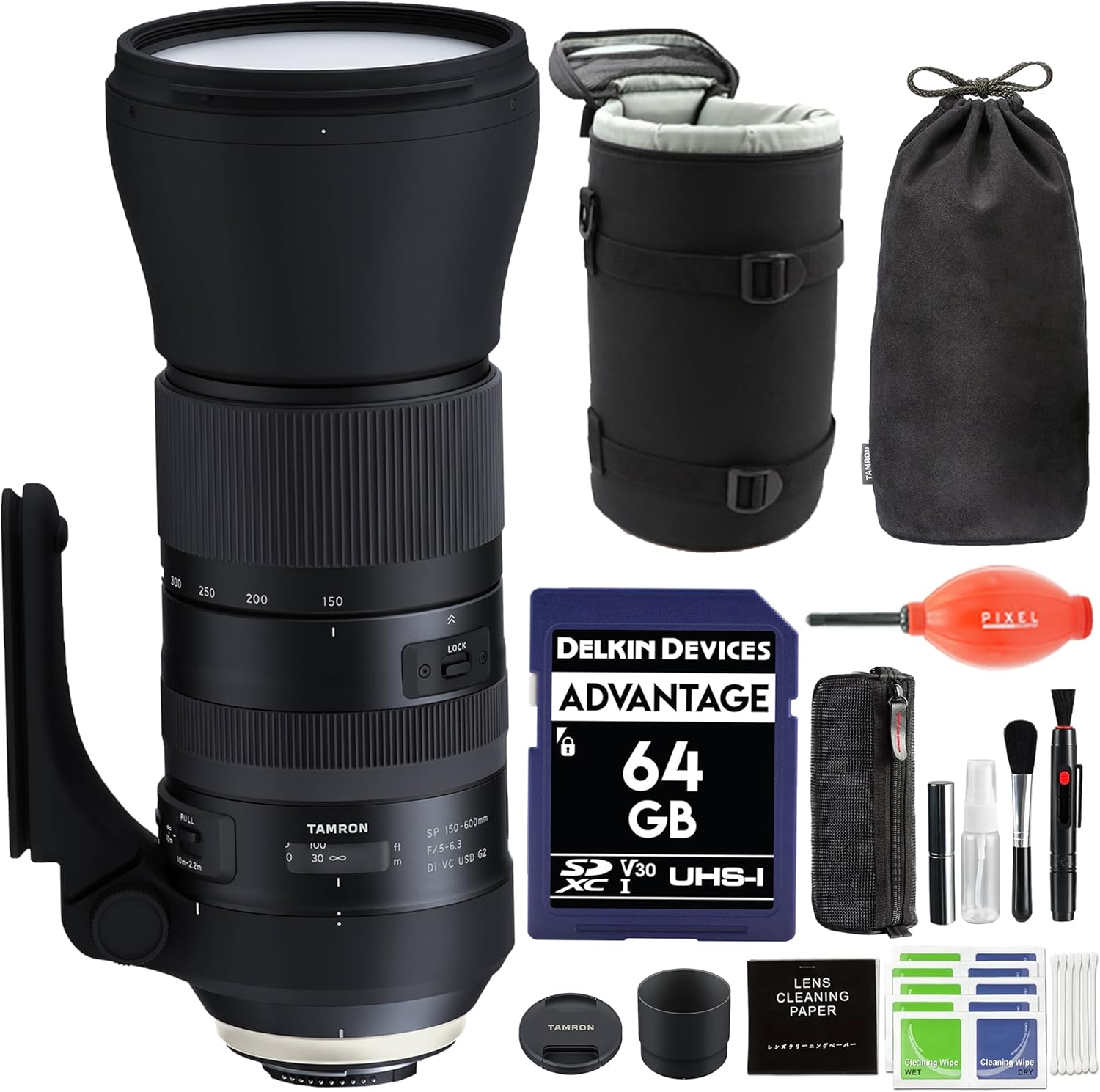
Image: The Tamron SP 150-600mm f/5-6.3 Di VC USD G2 lens shown with its full accessory bundle.
2. What's in the Box
Your Tamron SP 150-600mm f/5-6.3 Di VC USD G2 package includes the following items:
- Tamron SP 150-600mm f/5-6.3 Di VC USD G2 Lens for Nikon F
- Lens Hood
- Front Lens Cap
- Rear Lens Cap
- Tripod Collar
- Delkin 64GB SD Card
- Pixel Connection Cleaning Kit (includes lens cleaning paper, wet/dry wipes, brush, blower, and other tools)
- LC8 Case
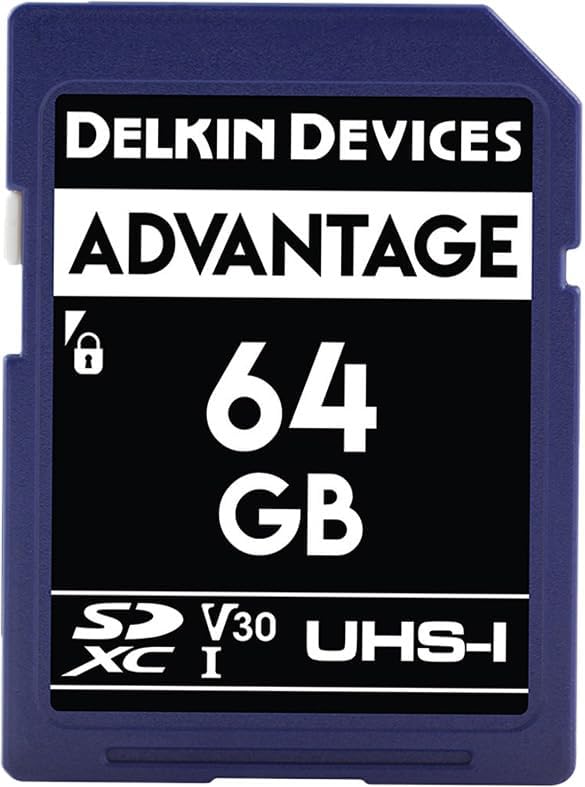
Image: Delkin Devices Advantage 64GB SD Card.

Image: Components of the Pixel Connection Cleaning Kit.
3. Setup
3.1 Attaching the Lens
- Ensure your camera is turned off.
- Align the mounting index on the lens with the corresponding index on your Nikon F-mount camera body.
- Rotate the lens clockwise until it clicks into place, indicating it is securely locked.
3.2 Using the Tripod Collar
The included tripod collar provides stable support for the lens, especially important given its size and weight. Attach the collar to the lens barrel and secure it before mounting to a tripod or monopod.

Image: The lens with its sturdy, easy-to-use tripod mount.
4. Operating the Lens
4.1 Zooming
To adjust the focal length, rotate the zoom ring on the lens barrel. The lens offers a versatile range from 150mm to 600mm, allowing for wide-angle to super-telephoto perspectives.
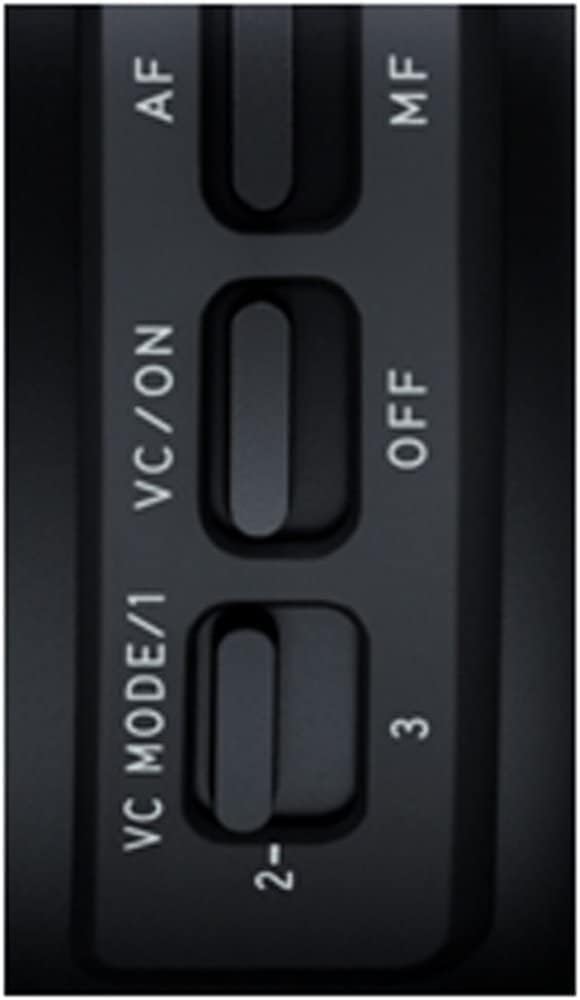
Image: Top view of the lens, highlighting the zoom ring and focal length markings.
4.2 Focus Control (AF/MF)
The lens features an AF/MF switch to toggle between autofocus and manual focus modes. For precise manual focusing, ensure the switch is set to 'MF'.
4.3 Vibration Compensation (VC)
The Vibration Compensation (VC) mechanism helps reduce camera shake, especially at longer focal lengths or slower shutter speeds. Use the VC ON/OFF switch to activate or deactivate this feature.
The lens also offers multiple VC modes:
- VC Mode 1: Standard mode, balancing stabilization for both viewfinder image and captured image.
- VC Mode 2: Optimized for panning shots, stabilizing vertical movement while allowing horizontal movement.
- VC Mode 3: Prioritizes stabilization of the captured image, providing maximum shake reduction at the moment of exposure.

Image: Close-up of the AF/MF, VC ON/OFF, and VC MODE switches on the lens barrel.
4.4 Focus Limiter
The focus limiter switch allows you to restrict the autofocus range, which can improve autofocus speed when shooting subjects within a specific distance. The available settings are typically FULL (full range) and a limited range (e.g., 10m-2.2m).
5. Maintenance
5.1 Cleaning the Lens
Regular cleaning helps maintain the optical performance of your lens. Use the provided cleaning kit or other suitable lens cleaning products.
- Use a lens blower to remove dust and loose particles from the lens surface.
- For smudges or fingerprints, use a clean, soft microfiber cloth with a small amount of lens cleaning solution. Wipe gently in a circular motion from the center outwards.
- Avoid using harsh chemicals or abrasive materials that could damage the lens coatings.

Image: A lens blower, useful for removing dust.

Image: Various tools found in a typical lens cleaning kit.
5.2 Protection and Storage
The lens features a moisture-resistant construction and protection rubber at the mount to help prevent dust and moisture from entering the camera body. Always attach the front and rear lens caps when the lens is not in use. Store the lens in a dry, cool place, preferably in its dedicated case, to protect it from environmental elements and physical damage.

Image: Detail of the protection rubber at the lens mount.

Image: Illustration of the lens's moisture-resistant construction.
6. Troubleshooting
If you encounter issues with your Tamron SP 150-600mm lens, consider the following common troubleshooting steps:
- Autofocus not working: Ensure the AF/MF switch on the lens is set to 'AF'. Check your camera's focus mode settings. Verify the lens is securely mounted.
- Blurry images: Check if Vibration Compensation (VC) is enabled and set to an appropriate mode for your shooting conditions. Ensure your shutter speed is fast enough for the focal length being used. Clean the lens elements.
- Lens not recognized by camera: Ensure the lens is properly attached and the camera's firmware is up to date.
- Unusual noises: A slight whirring sound from the USD (Ultrasonic Silent Drive) motor during autofocus is normal. If you hear grinding or other unusual noises, discontinue use and contact support.

Image: The USD (Ultrasonic Silent Drive) motor ensures speedy and accurate autofocus response.
7. Specifications
| Feature | Detail |
|---|---|
| Product Dimensions | 10.24 x 30 x 30 inches |
| ASIN | B0BHJ5R4ZN |
| Date First Available | October 6, 2022 |
| Manufacturer | Tamron |
| Brand | Pixel Connection |
| Focal Length Description | 150-600 millimeters |
| Lens Type | Telephoto |
| Compatible Mountings | Nikon F |
| Camera Lens Description | 600 month |
8. Warranty and Support
Your Tamron SP 150-600mm f/5-6.3 Di VC USD G2 lens is backed by Tamron USA's full factory warranty and repair services. Pixel Connection is an authorized Tamron dealer, ensuring that your purchase qualifies for this warranty.
For any product inquiries, technical assistance, or warranty claims, please contact Pixel Connection directly. Purchasing from an authorized dealer like Pixel Connection ensures you receive genuine, factory-condition products and access to reliable, knowledgeable support.

Image: Pixel Connection is an authorized Tamron dealer.
8.1 Official Product Video
Video: Learn more about the Tamron warranty and Pixel Connection's commitment to quality products and service.
Related documentsSP 150-600mm f/5-6.3 Di VC USD G2


Ask a question about this manual
Ask about setup, troubleshooting, compatibility, parts, safety, or missing instructions. Manuals+ will review the question and use this page’s manual context to help answer it.