
Introduction
This manual provides detailed instructions for the installation, operation, and maintenance of your Ledvion Motion Detector. This 360-degree motion sensor is designed for both indoor and outdoor use, featuring a day/night sensor and an 8-meter detection range. Please read this manual carefully before installation and use to ensure proper function and safety.
The motion detector is made from durable black plastic and is designed to integrate seamlessly with various environments. It can be connected to incandescent lamps up to 1200W and LED lamps up to 600W.
Product Overview
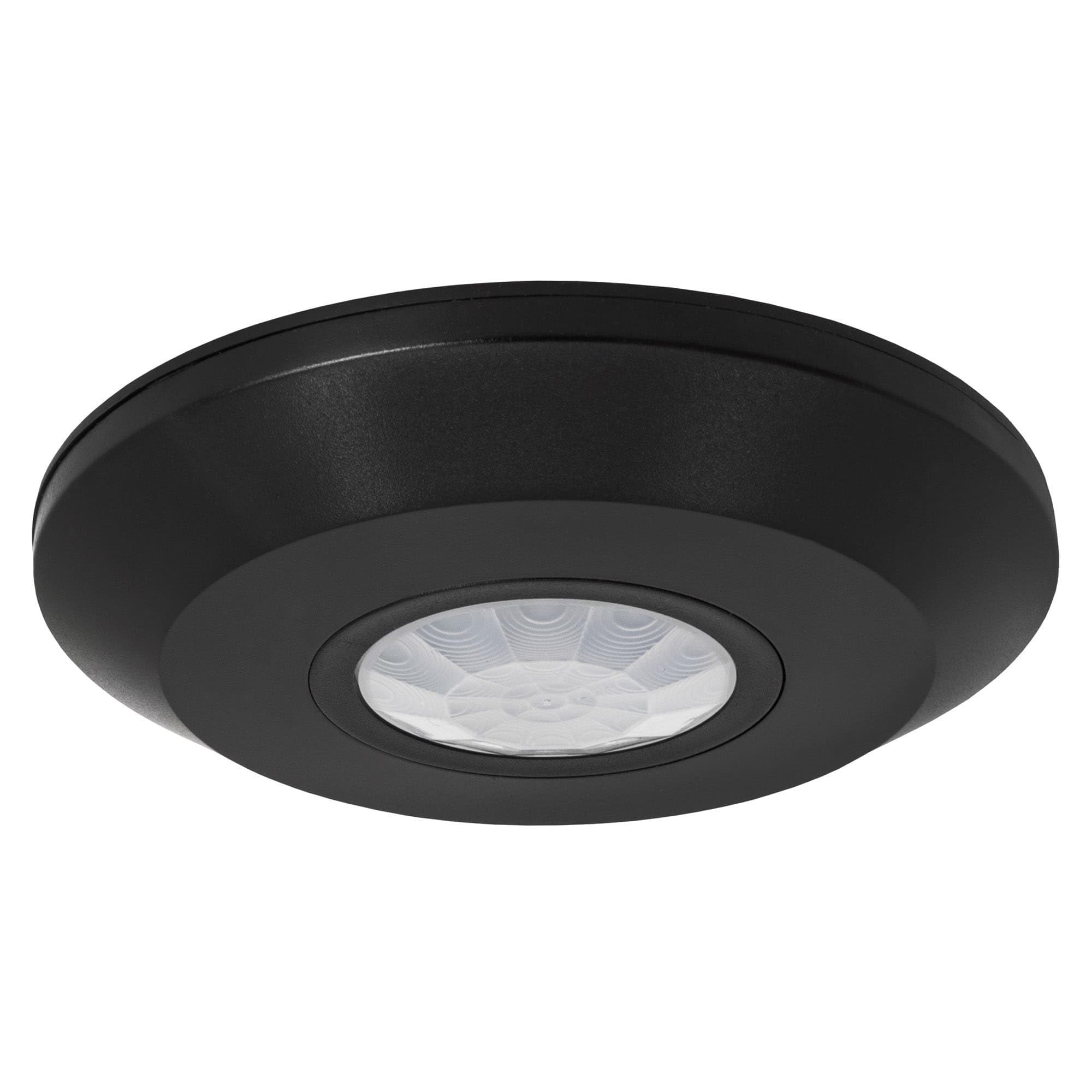
Figure 1: Front view of the Ledvion Motion Detector. This image shows the sleek black design with the central sensor dome.
The Ledvion Motion Detector is a compact, ceiling-mountable device designed to automatically switch connected lighting based on detected movement and ambient light levels. Its 360-degree detection capability ensures comprehensive coverage.
Key Features:
- 360-Degree Detection: Provides full area coverage.
- Day/Night Sensor (LUX Adjustment): Allows adjustment of ambient light threshold for activation.
- Adjustable Time Delay: Configurable lighting duration from 10 seconds to 30 minutes.
- Wide Detection Range: Up to 8 meters.
- Installation Height: Optimal performance between 2.2 and 4 meters.
- High Load Capacity: Supports incandescent lamps up to 1200W and LED lamps up to 600W.
- Durable Construction: IP65 protection rating, suitable for indoor and outdoor use.
Safety Information
- Always disconnect power before installation or maintenance.
- Installation should be performed by a qualified electrician if you are unsure.
- Do not exceed the maximum load capacity for connected lighting.
- Ensure the mounting surface is stable and can support the device.
- Keep the device away from direct heat sources or excessive moisture.
Setup and Installation
The Ledvion Motion Detector is designed for quick and easy installation using the provided screws and wall plugs.
Installation Steps:
- Choose Location: Select a suitable location on the ceiling, ensuring it is within the recommended installation height of 2.2 to 4 meters. The detection range is up to 8 meters, so consider the area you wish to cover.
- Disconnect Power: Before beginning any electrical work, ensure the main power supply to the installation area is switched off at the circuit breaker.
- Mounting:
- Carefully detach the mounting base from the detector unit.
- Position the mounting base on the desired ceiling location and mark the drilling points.
- Drill holes and insert the provided wall plugs.
- Secure the mounting base to the ceiling using the provided screws.
- Wiring:
- Connect the electrical wires to the terminals on the detector unit according to the wiring diagram (refer to the diagram on the device or packaging if available). Typically, this involves Live (L), Neutral (N), and Switched Live (L').
- Ensure all connections are secure and properly insulated.
- Attach Detector: Once wiring is complete, carefully attach the detector unit to the mounting base, ensuring it clicks securely into place.
- Restore Power: Switch the main power supply back on.

Figure 2: Example of the motion detector installed on a wall, demonstrating its discreet design.

Figure 3: Illustration of the 360-degree detection range and recommended installation height (2.2 - 4 meters) with an 8-meter detection distance.
Operating Instructions
The Ledvion Motion Detector features adjustable settings for both ambient light (LUX) and time delay (TIME).
Adjusting Settings:
The adjustment dials are typically located on the detector unit, often under a removable cover or on the back. Refer to Figure 4 for an example.

Figure 4: View of the adjustable dials for TIME and LUX settings on the motion detector.
- Time Delay (TIME): This setting determines how long the connected light remains on after motion is no longer detected.
- Rotate the "TIME" dial to set the desired duration.
- The range is typically from a minimum of 10 seconds to a maximum of 30 minutes.
- Ambient Light (LUX): This setting determines the ambient light level at which the detector will activate.
- Rotate the "LUX" dial.
- Setting it towards the "sun" symbol (higher LUX value) means the detector will only activate in brighter conditions (e.g., during the day).
- Setting it towards the "moon" symbol (lower LUX value) means the detector will activate in darker conditions (e.g., only at night or in low light).
- The adjustable range is typically between 3 and 2000 LUX.
Testing: After adjusting settings, test the detector by moving within its detection zone. Observe if the light activates as expected and stays on for the set duration.
Maintenance
The Ledvion Motion Detector requires minimal maintenance to ensure optimal performance.
- Cleaning: Periodically wipe the sensor lens and housing with a soft, dry cloth to remove dust or dirt. Do not use abrasive cleaners or solvents.
- Inspection: Regularly check for any visible damage to the housing or wiring. If damage is found, disconnect power and have it inspected by a qualified technician.
- Obstructions: Ensure there are no new obstructions (e.g., furniture, plants) blocking the sensor's field of view, which could affect detection performance.
Troubleshooting
| Problem | Possible Cause | Solution |
|---|---|---|
| Light does not turn on when motion is detected. |
|
|
| Light stays on continuously. |
|
|
| Light turns on too frequently or at inappropriate times. |
|
|
If problems persist after attempting these solutions, please contact Ledvion customer support.
Specifications

Figure 5: Dimensions of the Ledvion Motion Detector.
| Feature | Detail |
|---|---|
| Model Number | Noir |
| Brand | Ledvion |
| Detection Angle | 360 degrees |
| Detection Range | Up to 8 meters |
| Installation Height | 2.2 - 4 meters |
| Time Delay Adjustment | 10 seconds to 30 minutes |
| Ambient Light (LUX) Adjustment | 3 - 2000 LUX |
| Max Load (Incandescent) | 1200W |
| Max Load (LED) | 600W |
| IP Rating | IP65 (Suitable for indoor and outdoor use) |
| Dimensions (L x W x H) | 10 x 10 x 4.5 cm |
| Weight | 110 grams |
| Power Source | Mains Powered |
| Mounting Type | Ceiling Mount |
Warranty
This Ledvion product comes with a 2-year warranty from the date of purchase. This warranty covers defects in materials and workmanship under normal use. It does not cover damage caused by improper installation, misuse, accidents, or unauthorized modifications.

Figure 6: Warranty information, emphasizing the product's durable construction.
Please retain your proof of purchase for warranty claims.
Support
For further assistance, technical support, or warranty inquiries, please contact Ledvion customer service through their official website or the retailer where the product was purchased.
You can find more information and contact details on the Ledvion Brand Store.