
Introduction
The Ion Luxe 4-in-1 Autowrap™ Airstyler is a versatile hair styling tool designed to dry, curl, wave, and smooth all hair types efficiently. Featuring advanced ionic and Autowrap™ technologies, it aims to reduce frizz, enhance shine, and significantly cut down styling time.
- Ionic technology dries hair faster, sealing the cuticle to reduce frizz and flyaways, provides radiant shine.
- Create amazing waves, curls, & volume with revolutionary Autowrap technology.
- Features 3 heat settings, cool shot, 3 airflow settings, diffuser and concentrator.
- Variable temperature settings for all hair types.
- Time saver: simultaneously dry and style.
What's Included
Your Ion Luxe 4-in-1 Autowrap™ Airstyler package includes the following components:
- Main Airstyler Unit (Hair Dryer)
- 1-inch Left Direction Curling Barrel
- 1-inch Right Direction Curling Barrel
- Diffuser Attachment
- Concentrator Attachment
- Heat-Resistant Finger Glove

Image: The Ion Luxe 4-in-1 Airstyler main unit displayed with its interchangeable attachments, including two curling barrels, a diffuser, and a concentrator.

Image: The Ion Luxe 4-in-1 Airstyler and its various attachments, including the main unit, curling barrels, diffuser, and concentrator, presented in their original packaging.
Setup
Before first use, ensure all components are present and undamaged. The attachments are designed for easy and secure connection to the main airstyler unit.
Attaching and Detaching Accessories:
- Align the desired attachment (curling barrel, diffuser, or concentrator) with the front opening of the main airstyler unit.
- Look for the small arrow indicator on both the attachment and the main unit. Align these arrows.
- Gently push the attachment onto the main unit until you hear a click, indicating it is securely locked in place.
- To detach, locate the release button on the main unit (typically near the attachment point). Press and hold this button while gently pulling the attachment away from the unit.
- Allow attachments to cool completely before handling or storing, especially the curling barrels which can get very hot during use.
Operating Instructions
The Ion Luxe 4-in-1 Autowrap™ Airstyler offers multiple settings for customized styling. Always ensure your hair is damp, not soaking wet, for optimal results, especially when using the curling barrels.
General Controls:
- Power On/Off: Use the main power switch on the handle.
- Airflow Settings: Adjust the fan speed using the dedicated button (3 settings: low, medium, high).
- Heat Settings: Select your desired temperature (3 settings: low, medium, high) suitable for your hair type.
- Cool Shot: Press and hold the cool shot button to instantly deliver a burst of cool air, which helps to set your style.
Drying Hair (with Concentrator or Diffuser):
- Attach the Concentrator for precise drying and smoothing, or the Diffuser for enhancing natural curls and waves.
- Select your preferred heat and airflow settings.
- Direct the airflow towards your hair, moving the airstyler continuously to avoid concentrating heat in one area.
- For best results, dry hair until it is about 80% dry before proceeding to styling with curling barrels.
Curling Hair (with Autowrap™ Barrels):
The Autowrap™ technology uses air to automatically wrap hair around the barrel, creating effortless curls and waves.
- Ensure hair is damp-to-touch, towel-dried.
- Select the appropriate curling barrel (left or right direction) based on the side of your head you are styling and your desired curl direction. The arrows on the barrel indicate the curl direction.
- Take a 1-inch section of hair. Hold the airstyler vertically with the barrel near the ends of the hair section.
- The air will automatically draw and wrap the hair around the barrel. Guide the hair as it wraps.
- Hold for 10-15 seconds, or until the hair is completely dry and the curl is formed.
- Press the cool shot button for a few seconds to set the curl before releasing the hair.
- Repeat for all sections of hair. For tighter curls, use smaller sections.

Image: The Ion Luxe 4-in-1 Airstyler with a curling barrel, illustrating the automatic hair-wrapping feature for creating curls.
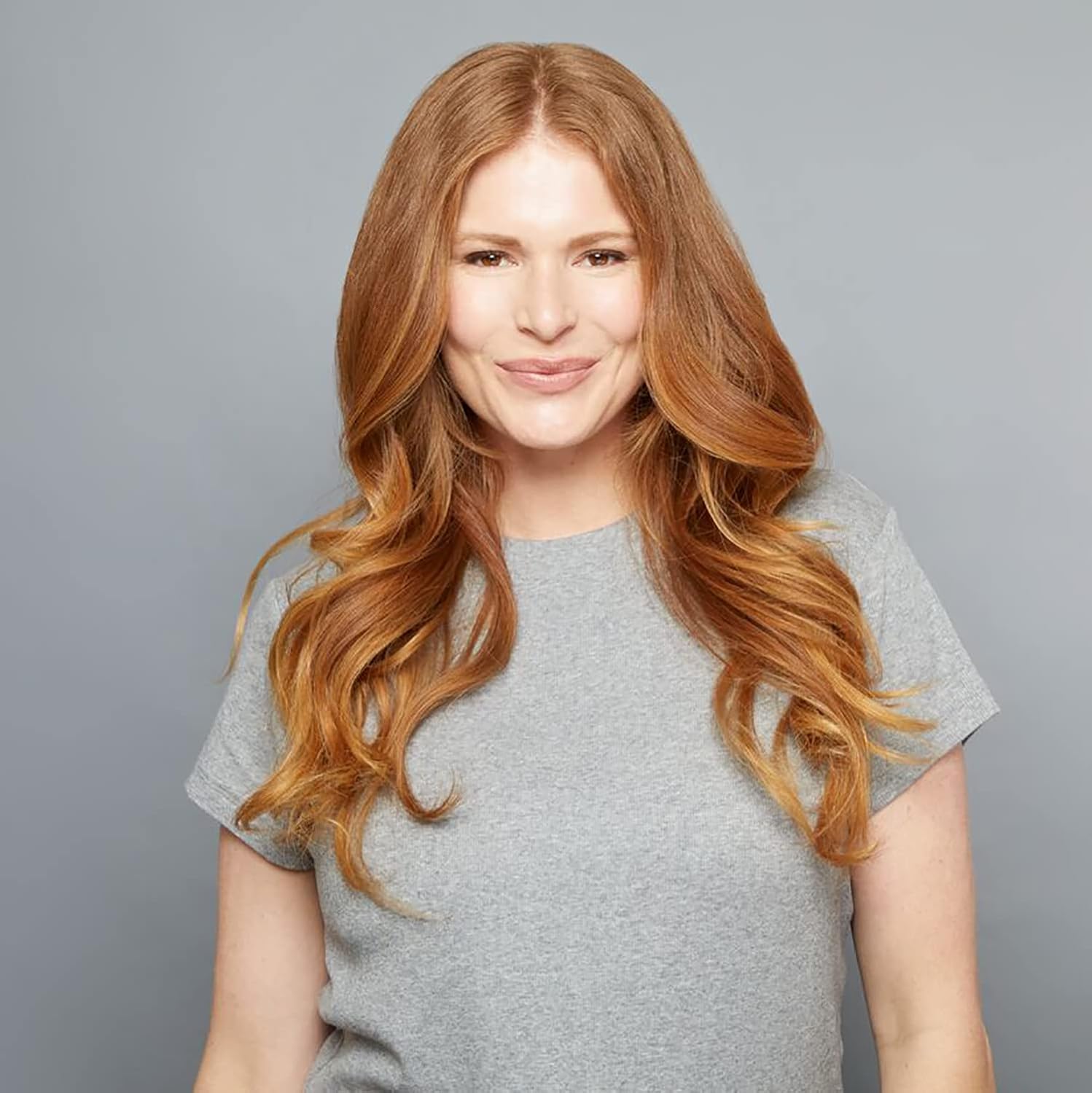
Image: A person showcasing voluminous, styled hair, demonstrating the results achievable with the Ion Luxe 4-in-1 Airstyler.
Maintenance
Regular maintenance ensures the longevity and optimal performance of your airstyler.
- Cleaning: Ensure the device is unplugged and completely cool before cleaning. Wipe the exterior with a soft, damp cloth. Do not use abrasive cleaners or solvents.
- Filter Cleaning: Periodically check and clean the air inlet filter at the back of the main unit to prevent dust and hair buildup, which can affect performance.
- Storage: Store the airstyler and its attachments in a cool, dry place, away from direct sunlight and moisture. Ensure the cord is not wrapped tightly around the unit to prevent damage.
Troubleshooting
If you encounter issues with your Ion Luxe 4-in-1 Autowrap™ Airstyler, try the following solutions:
| Problem | Possible Cause | Solution |
|---|---|---|
| Device not turning on. | Not plugged in; Power outlet issue; Device malfunction. | Ensure securely plugged in. Test outlet with another device. Contact customer support if issue persists. |
| Weak airflow or overheating. | Blocked air inlet filter. | Unplug and clean the air inlet filter. |
| Hair not wrapping around barrel. | Hair too wet/dry; Section too large; Incorrect barrel direction. | Ensure hair is damp-to-touch. Use smaller sections. Verify barrel direction matches styling side. |
| Curls not holding. | Insufficient heat/cool shot; Hair type. | Ensure adequate heat exposure and use cool shot to set. Consider hair products for curl retention. |
Specifications
- Product Dimensions: 9 x 4 x 9 inches
- Weight: 3.95 Pounds
- Wattage: 1875 watts
- Bulb Voltage: 120 volts of alternating current
- Power Source: Corded Electric
- Special Feature: Ionic Technology
- Color: Black
- Manufacturer: Arcadia Beauty Labs LLC
- First Available: September 27, 2022
Warranty and Support
For detailed warranty information and customer support, please refer to the official Ion product website or contact Arcadia Beauty Labs LLC directly. Keep your proof of purchase for any warranty claims.


