
1. Introduction
Thank you for choosing the Admiral ADTM45MSQ Two-Door Refrigerator. This appliance is designed to provide efficient and reliable cooling for your food and beverages. Featuring a 14.4 cubic feet (410 liters) capacity, Multi-Air Flow technology, and an automatic No-Frost system, it ensures optimal food preservation. Please read this manual thoroughly before installation, operation, or maintenance to ensure safe and correct use of your refrigerator.
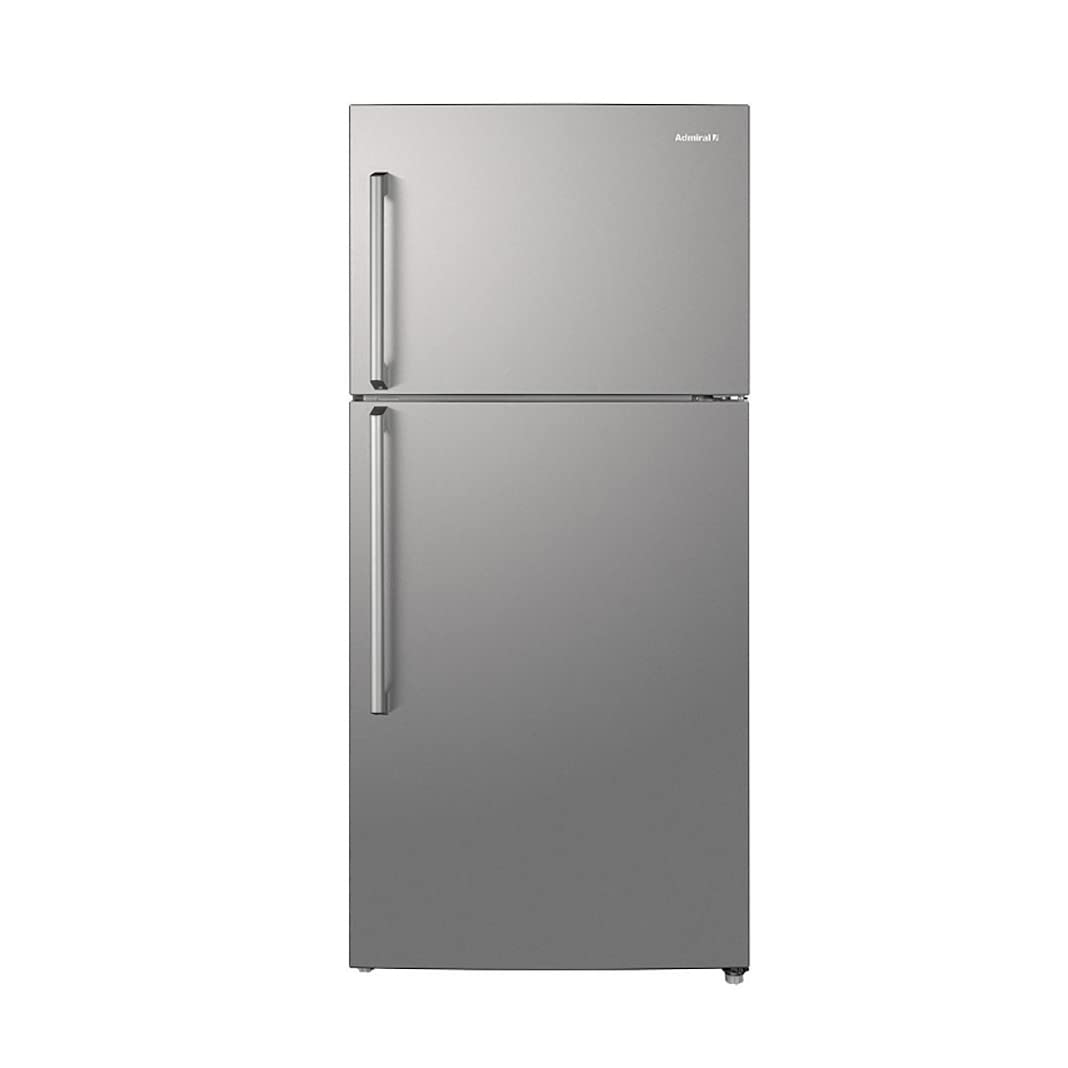
Figure 1: Front view of the Admiral ADTM45MSQ Refrigerator.
2. Safety Information
To reduce the risk of fire, electric shock, or injury when using your refrigerator, follow these basic precautions:
- Electrical Safety: Ensure the refrigerator is connected to a properly grounded 220V power outlet with a Type G plug. Do not use extension cords or ungrounded adapters.
- Ventilation: Maintain adequate space around the refrigerator for proper air circulation. Blockage of air vents can lead to overheating and reduced efficiency.
- Flammable Materials: Do not store or use gasoline or other flammable vapors and liquids in the vicinity of this or any other appliance.
- Child Safety: Supervise children to ensure they do not play with the appliance. Old refrigerators can be dangerous if children climb inside. Remove doors from unused appliances.
- Cleaning and Maintenance: Always unplug the refrigerator before cleaning or performing any maintenance.
- Damage: If the power cord is damaged, it must be replaced by the manufacturer, its service agent, or similarly qualified persons to avoid a hazard.
3. Setup and Installation
3.1 Unpacking
- Remove all packaging materials, including foam, tape, and protective film.
- Inspect the refrigerator for any shipping damage. Report any damage immediately to your retailer.
3.2 Placement
- Place the refrigerator on a firm, level floor. Use the adjustable leveling feet to ensure stability.
- Allow at least 10 cm (4 inches) of space at the back and sides, and 30 cm (12 inches) at the top for proper ventilation.
- Avoid placing the refrigerator in direct sunlight or near heat sources such as stoves, heaters, or radiators.
- Ensure the ambient temperature is within the recommended operating range for optimal performance.
3.3 Electrical Connection
- Before plugging in, allow the refrigerator to stand upright for at least 2-4 hours. This allows the refrigerant to settle.
- Connect the refrigerator to a dedicated 220V, 50/60Hz AC power supply with a Type G plug.
- Do not overload the circuit with other appliances.
3.4 Initial Cleaning
- Before first use, clean the interior and exterior of the refrigerator with a mild detergent and warm water. Wipe dry thoroughly.
4. Operating Instructions
4.1 Temperature Control
Your Admiral ADTM45MSQ refrigerator features a digital thermostat for precise temperature adjustment. The control panel is typically located inside the refrigerator compartment. Refer to the diagram below for general location.
- Press the 'Temp' button to cycle through available temperature settings.
- Allow several hours for the refrigerator to reach the newly set temperature.
- Recommended refrigerator temperature is between 2°C and 5°C (35°F and 41°F).
- Recommended freezer temperature is -18°C (-0.4°F) or colder.
4.2 Food Storage Guidelines
The Multi-Air Flow system ensures even cooling throughout both compartments, helping to keep your food fresh longer.

Figure 2: Interior view showing organized food storage in the refrigerator compartment.
- Refrigerator Compartment: Ideal for fresh foods, dairy products, fruits, and vegetables. Utilize the adjustable shelves and crisper drawers for optimal organization.
- Freezer Compartment: Suitable for long-term storage of frozen foods. Ensure packages are sealed to prevent freezer burn.
- Do not place hot food directly into the refrigerator; allow it to cool to room temperature first.
- Avoid overcrowding the shelves to allow for proper air circulation.

Figure 3: Interior layout of the refrigerator, highlighting shelves and drawers.
5. Maintenance
5.1 Cleaning
- Always unplug the refrigerator before cleaning.
- Interior: Clean regularly with a solution of mild detergent and warm water. Rinse with clean water and dry thoroughly. Do not use abrasive cleaners or harsh chemicals.
- Exterior: Wipe surfaces with a soft cloth dampened with mild detergent. For stainless steel finishes, use a specialized stainless steel cleaner.
- Door Gaskets: Clean door seals regularly to ensure a tight seal. Use warm soapy water and wipe dry.
5.2 Defrosting
This refrigerator features an automatic No-Frost system, eliminating the need for manual defrosting of the freezer compartment. Any frost that forms will be automatically melted and evaporated.
5.3 Power Outage
- During a power outage, keep the refrigerator and freezer doors closed as much as possible to maintain internal temperatures.
- Avoid opening the doors unnecessarily.
5.4 Vacation Care
- Short Vacations (less than 3 weeks): Leave the refrigerator operating.
- Long Vacations (more than 3 weeks): Unplug the refrigerator, empty all food, clean thoroughly, and leave the doors ajar to prevent odors and mold growth.
6. Troubleshooting
Before contacting service, check the following common issues and solutions:
| Problem | Possible Cause | Solution |
|---|---|---|
| Refrigerator does not operate | No power; thermostat set to 'Off' or too warm; power cord not plugged in. | Check power supply; adjust thermostat; ensure plug is secure. |
| Refrigerator not cooling sufficiently | Door left open; warm food placed inside; poor ventilation; thermostat setting too high. | Ensure door is closed; allow hot food to cool; check ventilation space; lower thermostat setting. |
| Excessive noise | Refrigerator not level; objects touching the back or sides; normal compressor operation. | Adjust leveling feet; move objects away; some noise is normal. |
| Water on floor | Drain pan overflowing; door seal not tight. | Check and empty drain pan; clean or replace door seal. |
| Door does not close properly | Door gasket dirty or damaged; refrigerator not level; food packages blocking door. | Clean or replace gasket; level the refrigerator; rearrange food items. |
7. Specifications
Key technical specifications for the Admiral ADTM45MSQ Refrigerator:
| Feature | Detail |
|---|---|
| Brand | Admiral |
| Model Number | ADTM45MSQ |
| Product Type | Two-Door Refrigerator (Top Freezer) |
| Color | Silver |
| Total Capacity | 410 Liters (14.4 cu ft) |
| Fresh Food Capacity | 310 Liters |
| Freezer Capacity | 100 Liters |
| Product Dimensions (DxWxH) | 70.3 cm x 70.3 cm x 168 cm |
| Item Weight | 68 Kilograms |
| Defrost System | Automatic (No-Frost) |
| Temperature Control | Digital, Adjustable |
| Cooling Method | Air Compressor (Multi-Air Flow) |
| Number of Doors | 2 |
| Number of Shelves | 4 |
| Installation Type | Freestanding |
| Voltage | 220 Volts |
| Power Plug Type | Type G |
| Annual Energy Consumption | 279 kWh |
| Energy Efficiency Rating | G (4 BEE Stars) |
8. Warranty and Support
8.1 Warranty Information
Your Admiral ADTM45MSQ Refrigerator comes with a 2-year warranty from the date of purchase. This warranty covers manufacturing defects and faulty materials under normal use. Please retain your proof of purchase for warranty claims. The warranty does not cover damage caused by misuse, improper installation, or unauthorized repairs.
8.2 Customer Support
For installation assistance or any technical support, please contact Admiral customer service at the following numbers:
- Riyadh: +966-11-4094006 (Extension 113)
- Jeddah: +966-12-6577714
- Dammam: +966-13-8343691
- Qassim: +966-581044198
- Abha: +966-593322785
Please have your model number (ADTM45MSQ) and purchase details ready when contacting support.
