Introduction
The Pettadore Nutri Turn is an intelligent automatic pet feeder designed to provide scheduled meals for your cats and dogs. This device supports both wet and dry food, offering up to six distinct meal times per day. Control and monitoring are managed conveniently through a dedicated smartphone application, ensuring your pet receives balanced nutrition even when you are away.
Safety Information
- Always ensure the feeder is placed on a stable, level surface to prevent tipping.
- Keep the device away from water and direct heat sources.
- Do not allow pets to chew on the power cable.
- For optimal food preservation, especially with wet food, ensure the feeder is cleaned regularly.
- The feeder includes a paw protection mechanism to prevent injury during rotation.
- In case of a power outage, the device can operate on backup batteries (not included) to ensure continuous feeding.
Package Contents
Verify that all items are present in the package:
- 1 x Pettadore Nutri Turn Smart Pet Feeder
- 1 x USB Cable (1.2 meters)
- 1 x User Manual (this document)
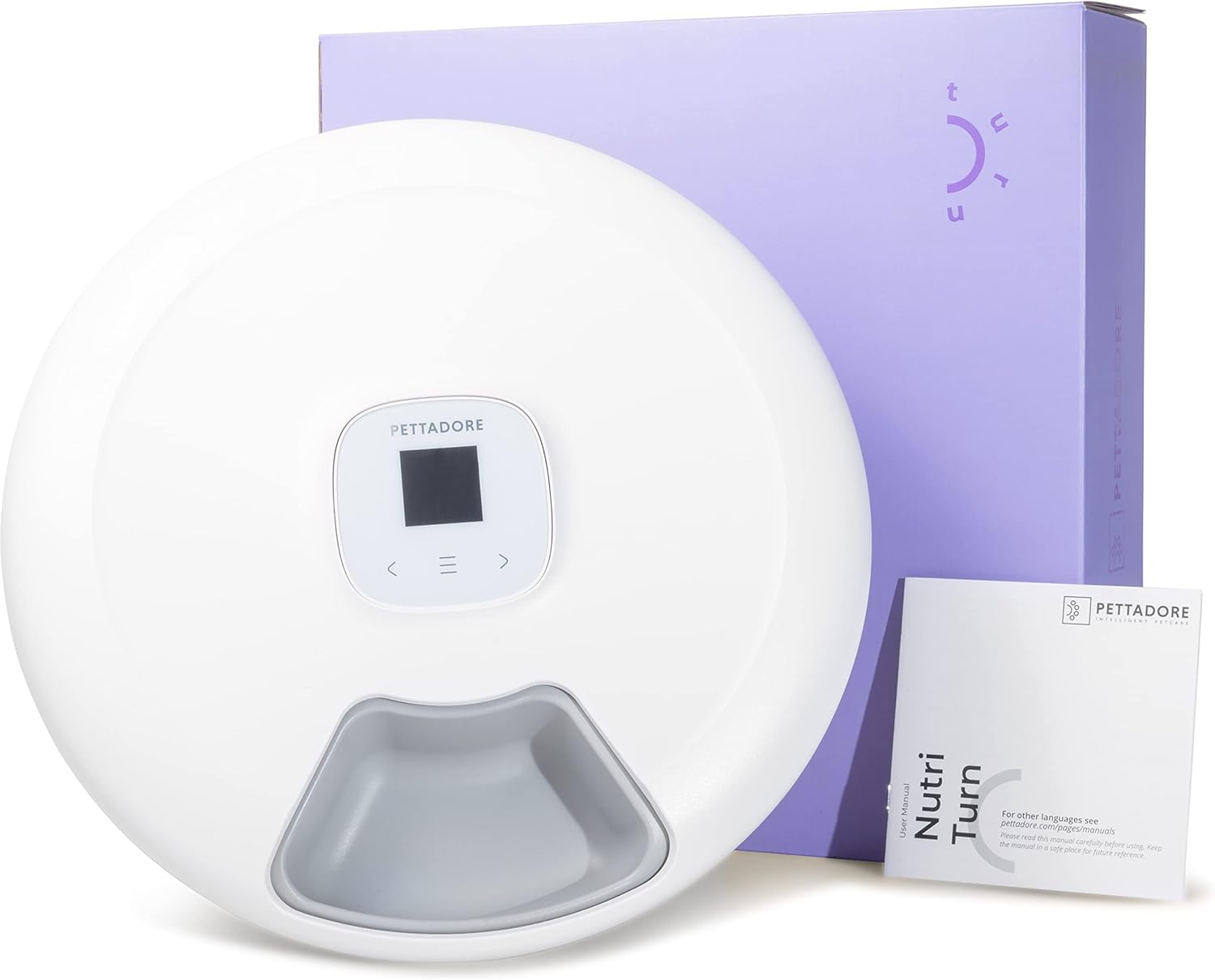
Image: The Nutri Turn feeder, its USB cable, and the user manual, displayed alongside the product packaging.
Product Overview
The Nutri Turn features a circular design with six individual food compartments, allowing for varied meal scheduling. It is equipped with an intuitive control panel and anti-slip feet for stability.

Image: Top-down view of the Nutri Turn feeder, highlighting its key features: 6 meal trays, app control, backup battery option, paw safety, customizable feeding plan, feeding notifications, and compatibility with both wet and dry food.

Image: Detailed view of the Nutri Turn, pointing out the USB connection port, the central control panel, and the anti-slip feet on the base for stability.
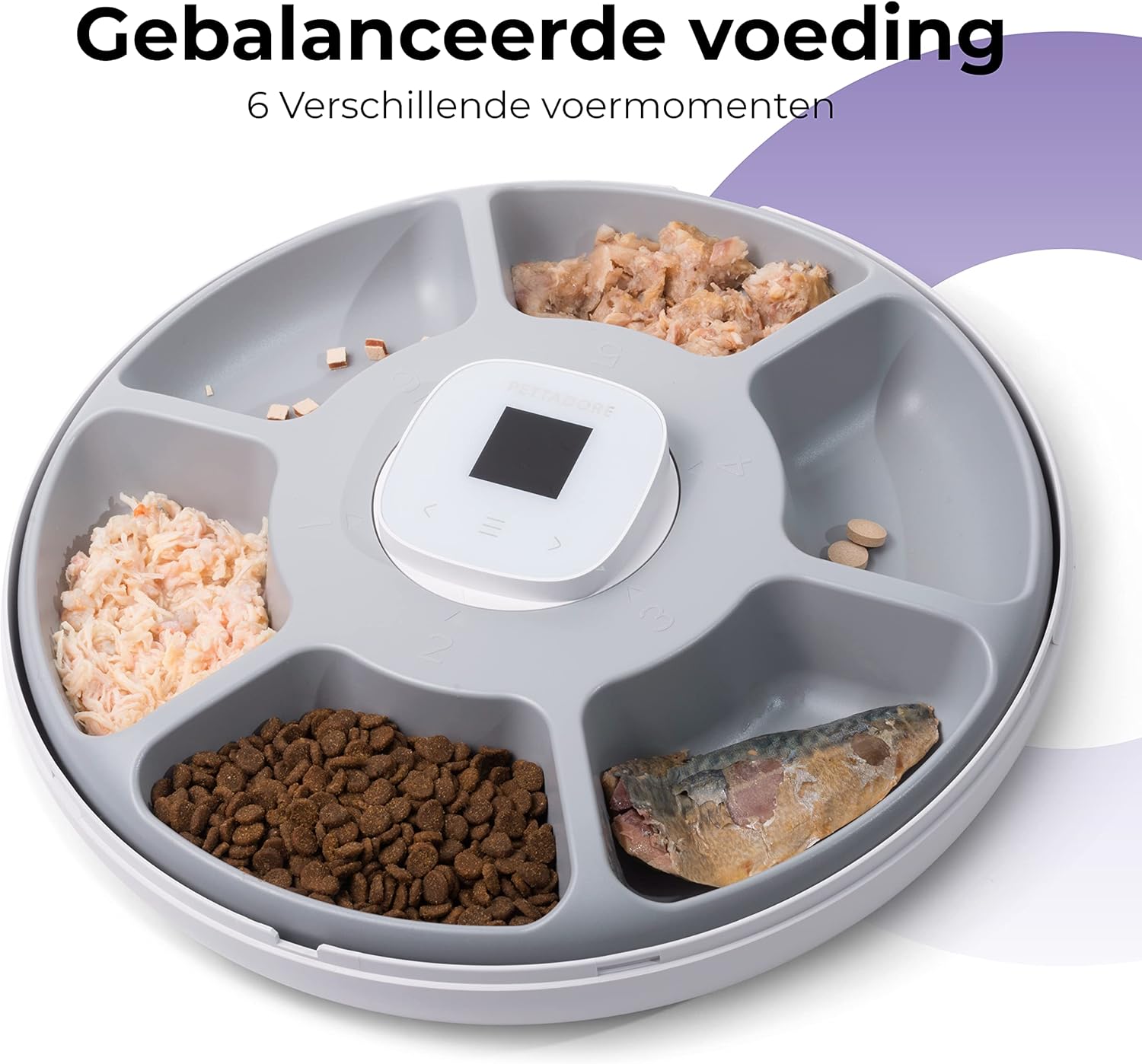
Image: The Nutri Turn feeder with its six compartments filled with a variety of pet foods, demonstrating its versatility for different meal types and treats.
Setup
- Unpack the Feeder: Carefully remove all components from the packaging.
- Power Connection: Connect the provided USB cable to the feeder's USB port and plug the other end into a compatible USB power adapter (not included) or a powered USB port.
- Install Backup Batteries (Optional): For uninterrupted operation during power outages, insert appropriate batteries (e.g., C-cell, check manual for exact type) into the battery compartment located on the underside of the feeder. Ensure correct polarity.
- Download the App: Search for the "Pettadore" app on your smartphone's app store (iOS or Android) and install it.
- Pair with App: Follow the in-app instructions to pair your Nutri Turn feeder with your smartphone via Bluetooth. This typically involves creating an account and selecting "Add Device."
- Fill Food Compartments: Lift the top cover and fill each of the six compartments with the desired amount of wet or dry pet food. Ensure not to overfill.

Image: The underside of the Nutri Turn feeder revealing the battery compartment for backup power, alongside an illustration of the paw protection feature.
Operating Instructions
Using the Pettadore App
The primary method for controlling your Nutri Turn feeder is through the Pettadore smartphone application. This allows for precise scheduling and monitoring of your pet's meals.
- Meal Scheduling: Within the app, you can set up to six different feeding times per day. Each time corresponds to one of the feeder's compartments.
- Customizing Portions: Fill each compartment with the appropriate portion size for your pet. The app manages the rotation, not the quantity per compartment.
- Manual Feeding: The app allows you to dispense a meal instantly, overriding the schedule if needed.
- Feeding Notifications: Enable notifications in the app to receive alerts when a meal has been dispensed. A bell sound will also play from the feeder to alert your pet.
- Monitoring: The app provides a log of feeding activities, allowing you to track your pet's meal consumption.
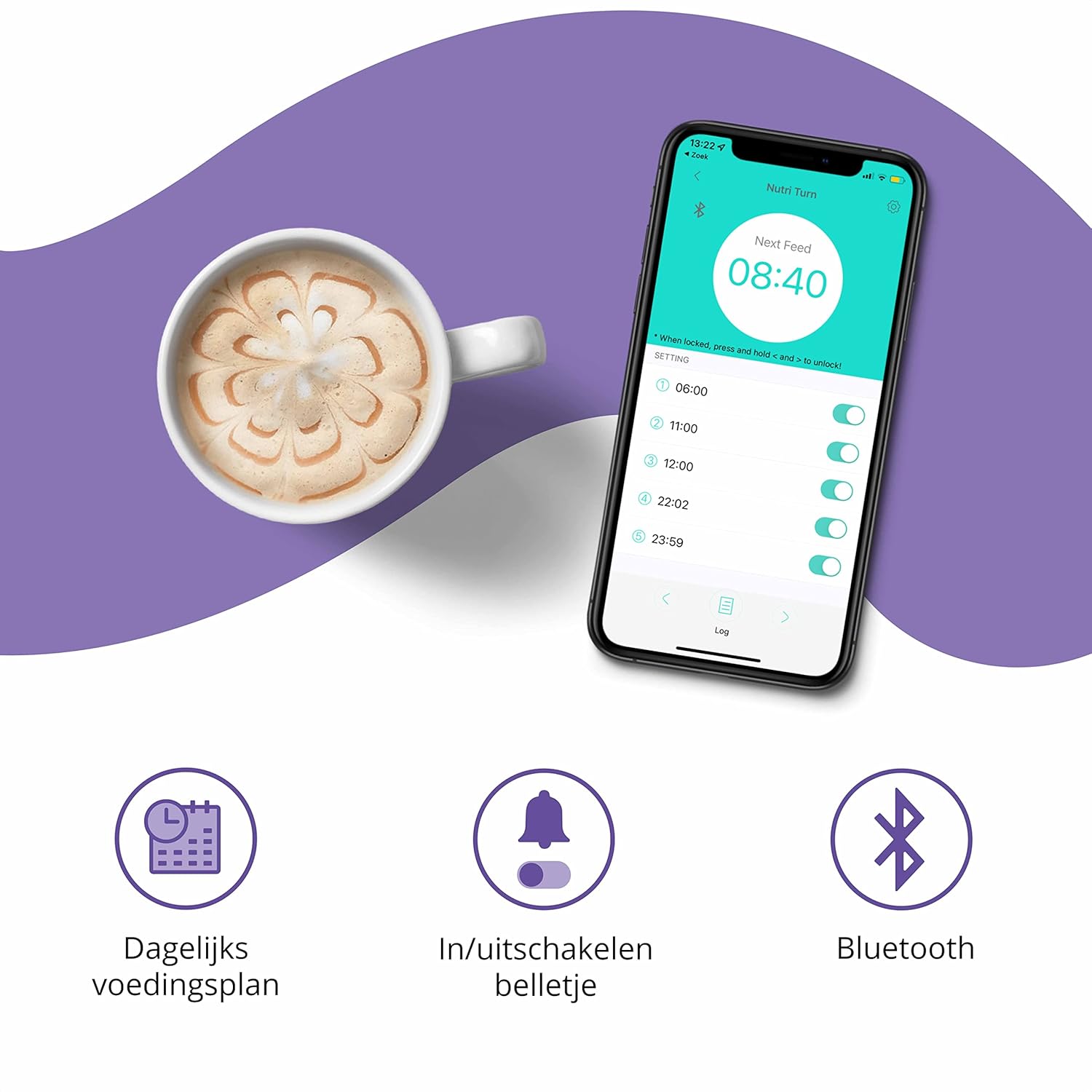
Image: A smartphone displaying the Pettadore app, showing the daily feeding schedule, options to enable/disable the feeding bell, and the Bluetooth connectivity icon.
Manual Operation (Limited)
While the app offers full control, the feeder also has a basic control panel for manual advancement if necessary. Refer to the small display and buttons on the feeder for direct interaction.

Image: A cat reaching into one of the feeder's compartments to access its food, demonstrating the product in use.
Maintenance
Regular cleaning is essential to maintain hygiene and ensure the longevity of your Nutri Turn feeder, especially when using wet food.
- Disassembly: Disconnect the feeder from power. Gently lift and remove the top cover and the rotating food tray.
- Cleaning the Tray: The food tray is removable for easy cleaning. Wash it with warm, soapy water. Rinse thoroughly and dry completely before reassembling. Do not place electronic components in water.
- Cleaning the Base: Wipe the base unit with a damp cloth. Do not submerge the base in water.
- Reassembly: Once all parts are dry, place the food tray back into the base, ensuring it aligns correctly. Then, replace the top cover.

Image: The Nutri Turn feeder illustrating its easy-to-clean removable tray, its low power consumption, and its capacity to hold 1 to 2 days' worth of food across its 6 trays.
Troubleshooting
| Problem | Possible Cause | Solution |
|---|---|---|
| Feeder not turning/dispensing food. | No power, batteries low/incorrectly installed, food jammed, app schedule not set. | Check USB power connection. Replace backup batteries. Clear any food obstructions. Verify feeding schedule in the app. |
| App shows feeder offline. | Bluetooth disconnected, feeder out of range, app issue. | Ensure Bluetooth is enabled on your phone. Move phone closer to the feeder. Restart the app or feeder. Re-pair the device if necessary. |
| Food spoiling quickly. | High ambient temperature, wet food left too long. | Clean feeder more frequently. Consider using ice packs (not included) under the tray for wet food in warm environments, ensuring they do not obstruct rotation. Reduce the amount of wet food left in the feeder. |
| Feeder makes unusual noises. | Food obstruction, internal mechanism issue. | Check for and remove any food debris or foreign objects. If the issue persists, contact customer support. |
Specifications
| Model Number | PF001 |
| Brand | Pettadore |
| Dimensions (L x W x H) | 32 x 32 x 3.8 cm |
| Weight | 1.51 Kilograms |
| Material | Plastic |
| Color | White-417 |
| Target Species | Dogs/Cats |
| Connectivity Technology | USB (for power) |
| Operation Mode | Automatic (App-controlled) |
| Special Features | Lightweight, BPA-free, Backup Battery Option, Paw Protection |
| Included Components | 1x Nutri Turn Feeder, 1x 1.2m USB Cable, 1x User Manual |
Warranty and Support
The Pettadore Nutri Turn comes with a 2-year availability of spare parts in the EU. For warranty claims, technical support, or further assistance, please contact your retailer or visit the official Pettadore website.
Please retain your proof of purchase for warranty purposes.


