
Introduction
This manual provides detailed instructions for the setup, operation, maintenance, and troubleshooting of your Varmilo VA Series V2 Warrior Soar TKL Mechanical Keyboard with Cherry MX Red switches. Please read this manual thoroughly to ensure proper use and to maximize your keyboard's performance and longevity.
Package Contents
- Varmilo VA Series V2 Warrior Soar TKL Mechanical Keyboard
- USB-C Cable
Inspect all items for any signs of damage. If any components are missing or damaged, contact Varmilo customer support.
Setup
1. Connecting the Keyboard
- Locate the USB-C port on the back of your Varmilo keyboard.
- Connect one end of the provided USB-C cable to the keyboard's USB-C port.
- Connect the other end of the USB-C cable to an available USB port on your computer (Laptop or PC).
- The keyboard is plug-and-play and should be recognized automatically by your operating system.
The keyboard features cable grooves on the bottom case, allowing the USB-C cable to exit from the left, right, or middle for optimized desk organization.

Image: Angled view of the Varmilo VA Series V2 Warrior Soar TKL Mechanical Keyboard, highlighting the USB-C port and cable routing options.
2. Adjusting Keyboard Height
The keyboard is equipped with a double-section kickstand, providing multiple height adjustment options for ergonomic comfort. Gently flip out the desired section of the kickstand located on the underside of the keyboard.
Operating Instructions
Keyboard Layout and Key Functions
The Varmilo VA Series V2 Warrior Soar is a Tenkeyless (TKL) mechanical keyboard, offering a compact design without the numeric keypad while retaining essential function keys and navigation cluster.

Image: Top-down view of the Varmilo VA Series V2 Warrior Soar TKL Mechanical Keyboard, illustrating the key layout.
Function Key Combinations (Fn Layer)
Utilize the Fn key in combination with other keys to access secondary functions, such as media controls, volume adjustments, and backlight settings (if applicable). Refer to the keycap legends for specific Fn key combinations.
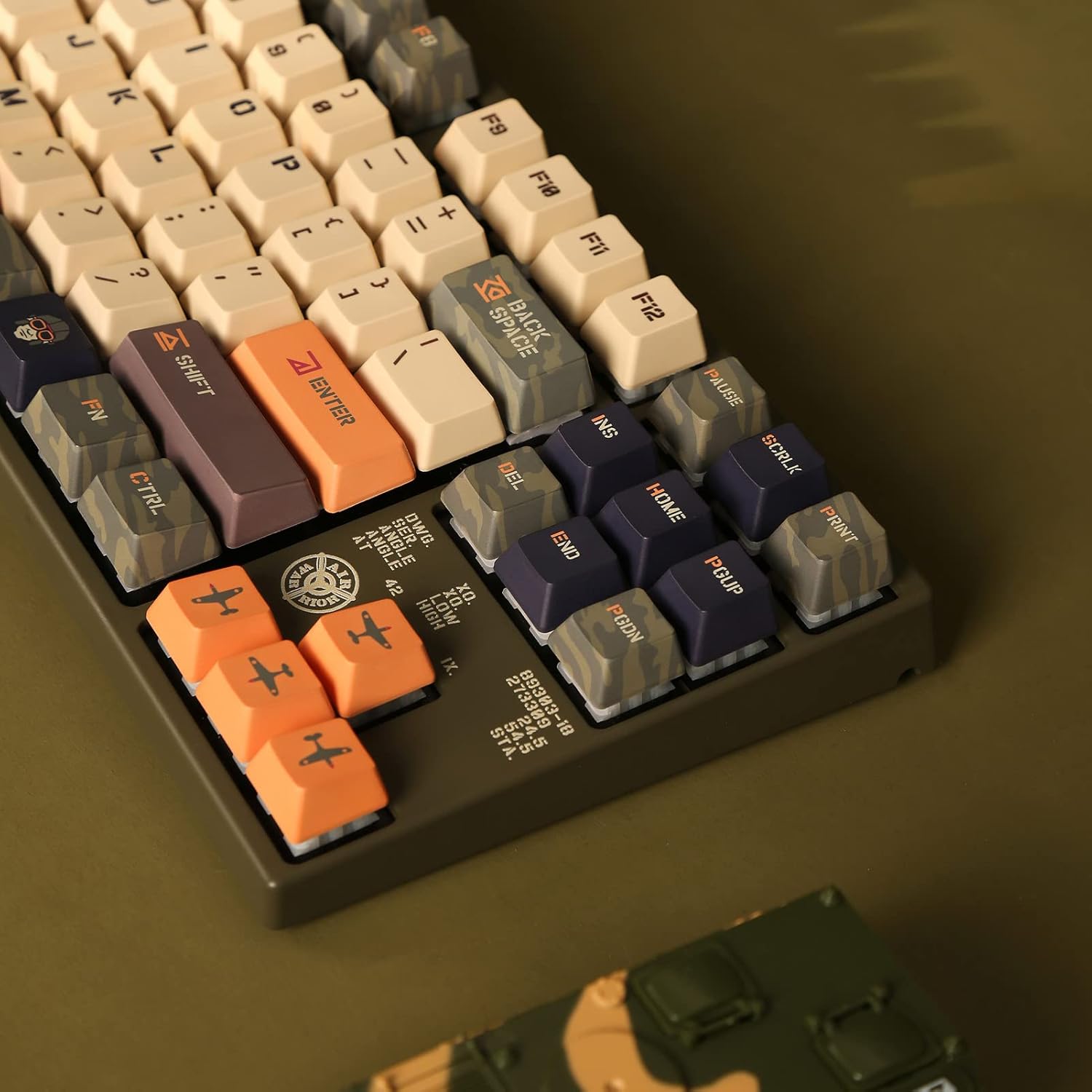
Image: Close-up of the left side of the keyboard, showing the Fn key and other modifier keys.
Indicator Lights
Indicator lights for Caps Lock, Scroll Lock, etc., are located on the top right of the keyboard to provide clear status without distraction.
Cherry MX Red Switches
This keyboard is equipped with genuine Cherry MX Red mechanical switches. These are linear switches known for their smooth, consistent keystroke without a tactile bump or audible click. They have an actuation force of 45gf, making them suitable for fast typing and gaming.

Image: Detailed diagram of a Cherry MX Red switch with its force-travel characteristics.
Maintenance
Cleaning the Keyboard
- Disconnect the keyboard from your computer before cleaning.
- Use a soft, lint-free cloth slightly dampened with water or a mild cleaning solution to wipe down the keycaps and casing. Avoid harsh chemicals or abrasive materials.
- For dust and debris between keycaps, use compressed air.
- The keycaps are made of durable Thick Dye Sub PBT, which resists shine and wear over time.
General Care
- Avoid spilling liquids on the keyboard.
- Do not expose the keyboard to extreme temperatures or direct sunlight for extended periods.
- Handle the USB-C cable gently to prevent damage to the connector or port.
Troubleshooting
| Problem | Possible Cause | Solution |
|---|---|---|
| Keyboard not responding | Loose USB-C connection, faulty USB port, driver issue. | Ensure the USB-C cable is securely connected to both the keyboard and the computer. Try a different USB port on your computer. Restart your computer. |
| Specific keys not working | Debris under keycap, switch malfunction. | Use compressed air to clear debris. If the issue persists, contact Varmilo support. |
| Unexpected input or ghosting | Software conflict, firmware issue. | Ensure your operating system and any keyboard-related software are up to date. Check the Varmilo website for firmware updates. |
If you encounter issues not listed here or if the suggested solutions do not resolve the problem, please contact Varmilo customer support for further assistance.
Specifications
- Model: VEA87
- Brand: Varmilo
- Connectivity: USB-C
- Switch Type: Cherry MX Red Mechanical Switches
- Operation Force: 45gf (grams-force)
- Keycap Material: Thick Dye Sub PBT
- Form Factor: Tenkeyless (TKL)
- Case Material: Polybutylene Terephthalate, Silicone
- Compatible Devices: Laptop, PC
- Included Components: USB Cable
- Special Features: Double-section kickstand, cable grooves, North-facing LEDs (for models with LEDs), sound-proof silicone pads.
Warranty and Support
For information regarding the product warranty, please refer to the warranty card included with your purchase or visit the official Varmilo website. Warranty terms and conditions may vary by region and retailer.
For technical support, product inquiries, or service requests, please visit the Varmilo official support page or contact their customer service department through the contact information provided on their website.
Official Varmilo Website: Varmilo Store on Amazon

