
Soundcore A33A1
Contents
Soundcore Rave Neo 2 Portable Speaker User Manual
Model: A33A1
1. Introduction
The Soundcore Rave Neo 2 is a portable speaker designed to deliver powerful stereo sound with dynamic light effects. It features IPX7 waterproofing, allowing it to float on water, and offers extended playtime. Advanced features include PartyCast 2.0 for multi-speaker synchronization and customizable audio settings via the Soundcore App.

Figure 1: Front view of the Soundcore Rave Neo 2 Portable Speaker, showcasing its speaker grille and integrated light rings.
2. What's in the Box
- Soundcore Rave Neo 2 Portable Speaker
- USB-C Charging Cable
- Quick Start Guide / User Manual
3. Controls and Features
Top Panel Controls
- Power Button: Press to power on/off.
- Bluetooth Button: Press to enter Bluetooth pairing mode.
- Volume Up/Down: Adjusts the speaker's master volume.
- Play/Pause Button: Controls media playback.
- Track Skip Buttons: Skips to the previous or next track.
- BassUp Button: Enhances bass output.
- Light Show Button: Cycles through various light modes.
- AI Vocal Removal Button: Reduces or removes vocals from a playing track for karaoke.
- Reverb Knob: Adjusts the reverb effect for connected microphones.
- Microphone Volume Knob: Adjusts the volume of connected microphones.
Rear Panel Ports
- USB-C Charging Port: For charging the speaker.
- AUX In Port: For wired audio input from external devices.
- Microphone Input (6.35mm): For connecting wired microphones.
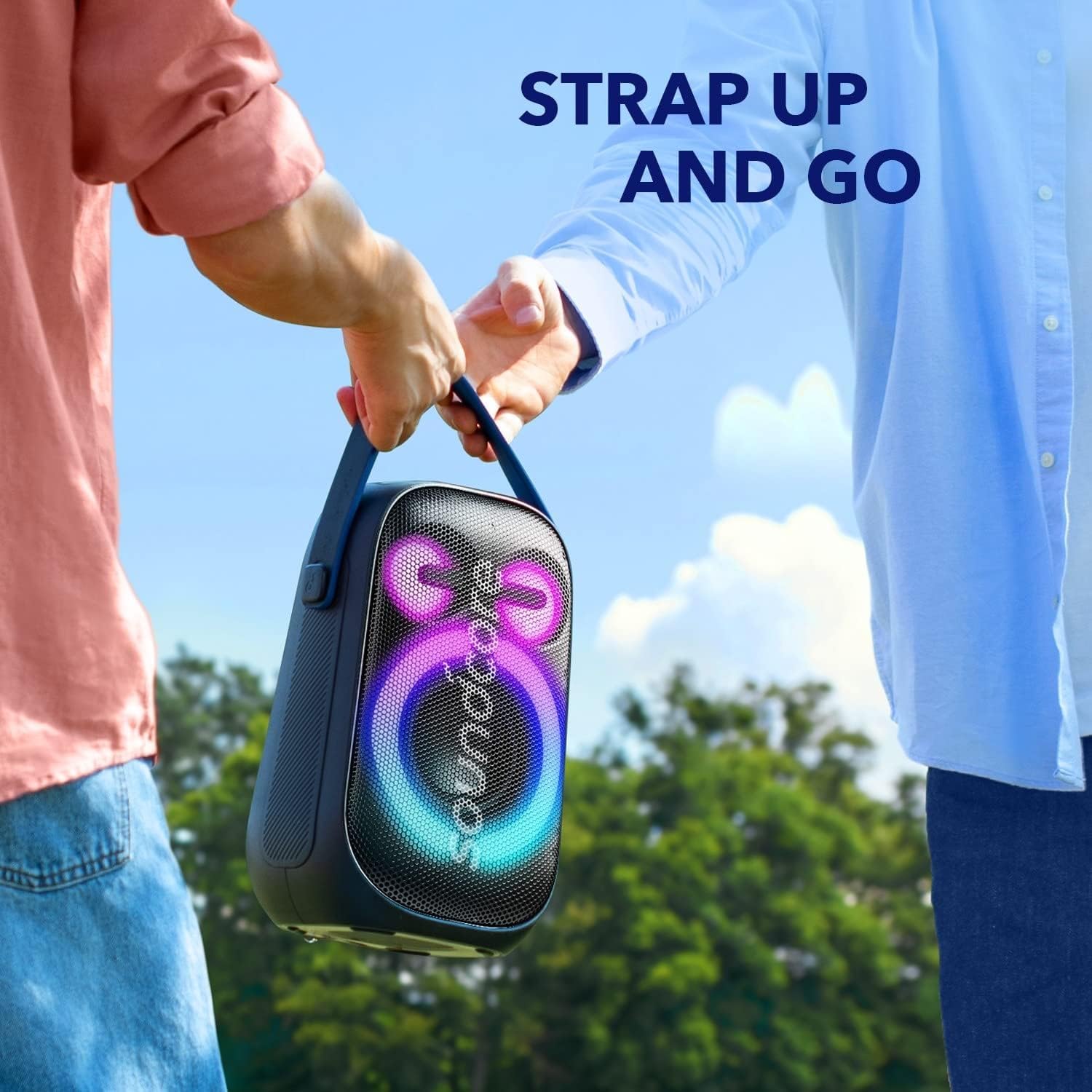
Figure 2: The Soundcore Rave Neo 2 demonstrating its portability with a built-in carry strap.
4. Setup
4.1 Charging the Speaker
Before first use, fully charge the speaker using the provided USB-C cable and a compatible power adapter (not included). The battery indicator lights will show charging progress.
4.2 Bluetooth Pairing
- Power on the Rave Neo 2. The Bluetooth indicator will flash blue.
- On your device, enable Bluetooth and select "Soundcore Rave Neo 2" from the list of available devices.
- Once connected, the Bluetooth indicator will turn solid blue.
4.3 PartyCast 2.0 Pairing
To connect multiple Rave Neo 2 speakers for synchronized audio and light show:
- Connect one Rave Neo 2 speaker to your device via Bluetooth (this will be the primary speaker).
- Power on the secondary Rave Neo 2 speakers.
- On the primary speaker, press and hold the PartyCast button for 2 seconds. The PartyCast indicator will flash white.
- On the secondary speakers, press the PartyCast button. They will connect to the primary speaker automatically.

Figure 3: Multiple Soundcore Rave Neo 2 speakers synchronized via PartyCast 2.0, creating a larger audio and light experience.
5. Operating Instructions
5.1 Audio Playback
Once connected via Bluetooth or AUX, simply start playing audio from your device. Use the volume controls on the speaker or your device to adjust the sound level. Press the BassUp button for enhanced low-frequency response.

Figure 4: The Soundcore Rave Neo 2 delivering 80W stereo sound in an outdoor setting.
5.2 Light Show Customization
Press the Light Show button on the top panel to cycle through different lighting modes. For more advanced customization, including patterns and colors, download and use the Soundcore App.

Figure 5: The Soundcore Rave Neo 2 displaying its vibrant light show feature in a low-light environment.
5.3 AI Vocal Removal
The AI Vocal Removal feature allows you to reduce or eliminate the vocal track from a song, making it suitable for karaoke. Press the AI Vocal Removal button on the top panel to activate this feature. You can adjust the intensity of vocal removal using the Soundcore App.
5.4 Soundcore App
Download the Soundcore App from your device's app store to unlock additional features and customization options, including:
- Customizable EQ settings.
- Advanced light show controls.
- Switching between Indoor and Outdoor sound modes.
- Firmware updates.

Figure 6: A user interacting with the Soundcore App on a smartphone to control the speaker's settings.
6. Maintenance
6.1 Cleaning
Wipe the speaker with a soft, damp cloth. Do not use any abrasive cleaners or solvents. Ensure all port covers are securely closed before cleaning or exposing to water.
6.2 Waterproofing (IPX7)
The Rave Neo 2 is IPX7 waterproof, meaning it can withstand immersion in water up to 1 meter for 30 minutes. Ensure the charging port cover is fully sealed before exposing the speaker to water. The speaker is designed to float on water.

Figure 7: The Soundcore Rave Neo 2 speaker floating on the surface of water, demonstrating its IPX7 waterproof capability.
6.3 Storage
Store the speaker in a cool, dry place away from extreme temperatures and direct sunlight. If storing for an extended period, charge the battery every 3 months to maintain its lifespan.
7. Troubleshooting
| Problem | Possible Cause | Solution |
|---|---|---|
| Speaker does not power on. | Battery is depleted. | Charge the speaker fully. |
| Cannot pair via Bluetooth. | Speaker is not in pairing mode or already connected. | Ensure speaker is in pairing mode (flashing blue light). Disconnect from other devices. Clear Bluetooth history on your device. |
| No sound. | Volume too low; incorrect input source. | Increase volume on speaker and device. Check if correct input (Bluetooth/AUX) is selected. |
| PartyCast not connecting. | Speakers are too far apart or not in PartyCast mode. | Ensure speakers are within range. Follow PartyCast pairing steps carefully. |
8. Specifications
- Model Name: A33A1
- Speaker Type: Outdoor
- Connectivity Technology: Bluetooth, USB
- Audio Output Mode: Stereo
- Speaker Maximum Output Power: 80 Watts
- Battery Life: 18 Hours
- Waterproof Rating: IPX7
- Product Dimensions: 7.8"D x 6.06"W x 11.77"H
- Item Weight: 1.27 ounces (approx. 36 grams)
- Maximum Range: 15 Meters
- Control Method: App Control
- Manufacturer: Anker
9. Warranty and Support
Soundcore products come with a limited manufacturer's warranty. For detailed warranty information, product registration, or technical support, please visit the official Soundcore website or contact their customer service. Contact information can typically be found in the product packaging or on the Soundcore support page.
For further assistance, please refer to the Soundcore support website: Soundcore Support
Documents and downloads
Ask a question about this manual
Ask about setup, troubleshooting, compatibility, parts, safety, or missing instructions. Manuals+ will review the question and use this page’s manual context to help answer it.