1. Product Overview
The Lenovo Tab P11 Pro Gen 2 is a high-performance Android tablet designed for both productivity and entertainment. It features a MediaTek Kompanio 1300T octa-core processor, ensuring smooth multitasking and efficient operation. The tablet boasts an impressive 11.2-inch 2.5K OLED display, offering vibrant colors, deep blacks, and support for Dolby Vision and HDR10+ for an immersive viewing experience. Its slim and lightweight design makes it highly portable.

Front view of the Lenovo Tab P11 Pro Gen 2, highlighting its vibrant OLED display.

Angled view of the Lenovo Tab P11 Pro Gen 2, showcasing its sleek design.

Rear view of the Lenovo Tab P11 Pro Gen 2, displaying its camera and two-tone finish.

Close-up of the rear panel, highlighting the audio branding.
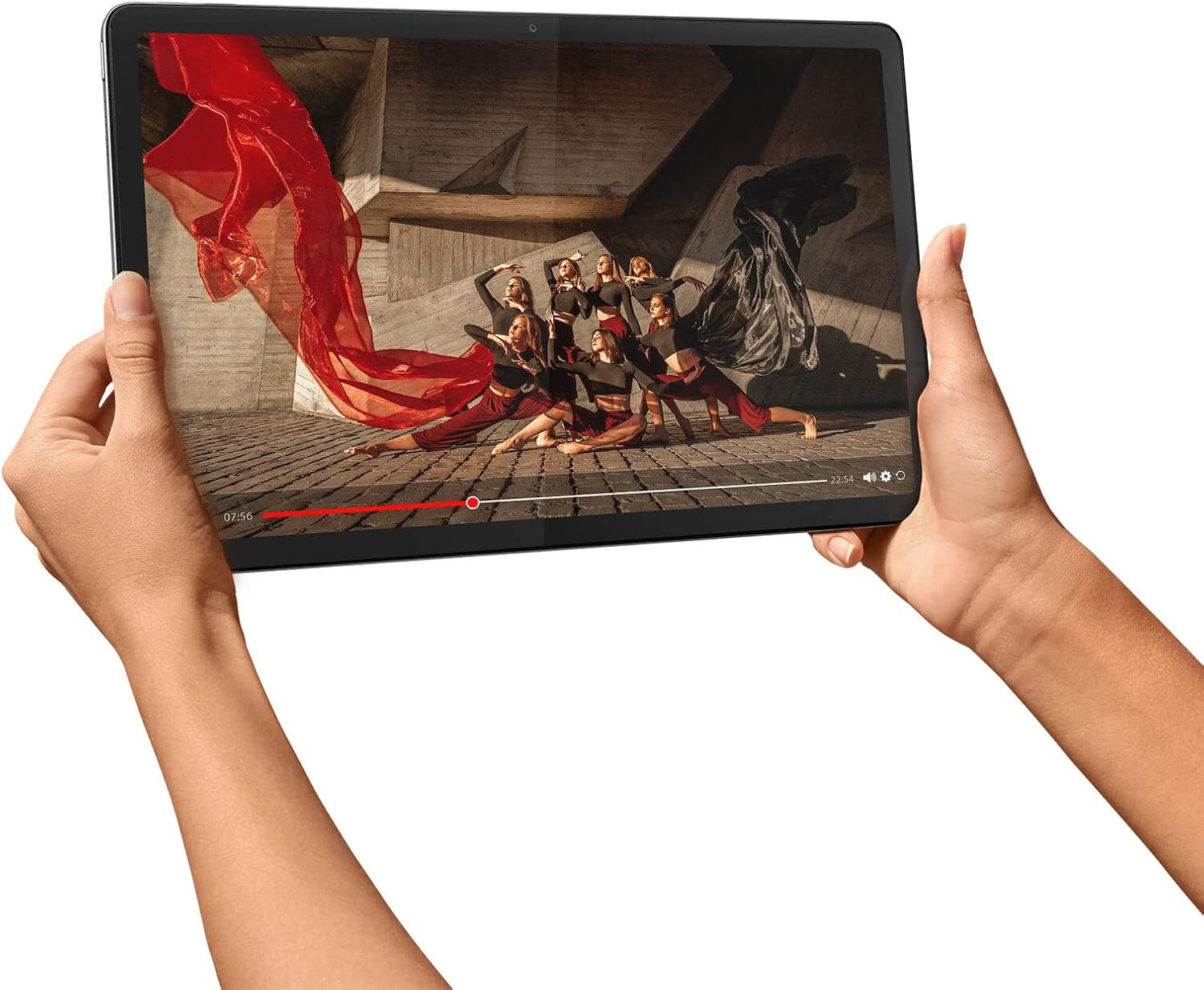
The tablet being held horizontally, demonstrating its suitability for video consumption.
2. What's in the Box
Your Lenovo Tab P11 Pro Gen 2 package includes the following items:
- Lenovo Tab P11 Pro 2nd Gen Tablet
- USB-C 2.0 Charging Cable
- 10V/2A Charging Adapter
- MicroSD Tray Pin
- Quick Start Guide
3. Setup
- Charge the Tablet: Before initial use, fully charge your tablet using the provided USB-C 2.0 charging cable and 10V/2A charging adapter.
- Power On: Press and hold the Power button (usually located on the side or top edge) until the Lenovo logo appears on the screen.
- Initial Setup: Follow the on-screen prompts to select your language, connect to a Wi-Fi network, sign in with your Google account, and configure basic settings.
- Insert MicroSD Card (Optional): Use the provided tray pin to open the MicroSD card slot. Insert a compatible MicroSD card for expanded storage.
4. Operating the Device
4.1 Display
The Lenovo Tab P11 Pro Gen 2 features an 11.2-inch 2.5K (2560 x 1536) OLED display. It supports Dolby Vision and HDR10+ for enhanced visual quality, a DCI-P3 color range, and a 1,000,000:1 contrast ratio. The display is TÜV-certified for full eye care, reducing blue light emission for comfortable long-term use.
4.2 Audio
Experience rich, immersive sound with the 4 x JBL Speaker System, enhanced by Dolby Atmos® Speaker System technology. This setup provides clear and powerful audio for movies, music, and games.
4.3 Software
The tablet runs on Android™ 12, with an upgradable path to Android™ 14. It comes preloaded with useful applications such as Entertainment Space, Google Kids Space, Lenovo Instant Memo, Myscript Calculator 2®, Nebo®, and Netflix, offering a versatile user experience out of the box.
4.4 Optional Accessories (Sold Separately)
- 2-in-1 Keyboard: Transform your tablet into a productivity powerhouse with the optional keyboard, ideal for typing and document creation.
- Lenovo Precision Pen 3: Enhance your creativity and note-taking with the optional Precision Pen 3, offering precise input for drawing, writing, and navigation.
5. Performance
Powered by the MediaTek™ Kompanio 1300T octa-core processor (4 x A78 at 2.6 GHz, 4 x A55 at 2.0 GHz, ARM G77, MC9 836 MHz), the Lenovo Tab P11 Pro Gen 2 delivers robust performance for daily tasks, media consumption, and gaming. It is equipped with 6GB LPDDR4X memory and 128GB UFS 3.1 storage, providing ample space and speed for applications and files.
The 8000mAh battery offers up to 14 hours of video playback under optimal conditions. Actual battery performance may vary based on usage and settings.
6. Camera Features
The tablet includes a 13MP auto-focus rear camera for capturing clear photos and an 8MP fixed-focus front camera, suitable for video calls and selfies.
7. Specifications
| Feature | Specification |
|---|---|
| Processor | MediaTek™ Kompanio 1300T Octa-core |
| Operating System | Android™ 12 (upgradable to Android™ 14) |
| Display | 11.2″ (2560 x 1536) 2.5K OLED, Dolby Vision, HDR10+ |
| Memory | 6GB LPDDR4X |
| Storage | 128 GB UFS 3.1 |
| Battery Life | Up to 14 hours (video playback) |
| Audio | 4 x JBL Speaker System, Dolby Atmos® |
| Rear Camera | 13MP Auto Focus |
| Front Camera | 8MP Fixed Focus |
| Dimensions (H x W x D) | 6.8mm x 263.66mm x 166.67mm (0.26″ x 10.38″ x 6.56″) |
| Weight | Starting at 480g (1.05lbs) |
| Color | Storm Grey |
| Connectivity | 802.11a/b/g/n/ac/ax, Bluetooth® 5.1, GPS + GLONASS |
| Ports | MicroSD card slot, USB-C 3.2 Gen 1 |
8. Maintenance
- Cleaning: Use a soft, lint-free cloth to clean the screen and body of the tablet. Avoid using harsh chemicals or abrasive materials.
- Battery Care: To prolong battery life, avoid exposing the tablet to extreme temperatures. It is recommended to keep the battery charge between 20% and 80% for optimal longevity.
- Software Updates: Regularly check for and install system updates to ensure your tablet has the latest features, security patches, and performance improvements.
- Storage Management: Periodically clear unnecessary files and apps to free up storage space and maintain smooth operation.
9. Troubleshooting
- Device Not Turning On: Ensure the tablet is fully charged. If it still doesn't power on, try holding the power button for 10-15 seconds to perform a forced restart.
- Screen Unresponsive: If the touchscreen is not responding, perform a forced restart. If the issue persists, consider a factory reset (backup your data first).
- Wi-Fi Connectivity Issues: Restart your Wi-Fi router and the tablet. Forget the network on your tablet and reconnect. Ensure your tablet's software is up to date.
- Apps Crashing/Freezing: Clear the cache and data for the problematic app in Settings > Apps. If the issue continues, uninstall and reinstall the app.
- Slow Performance: Close unused apps, clear cache, and ensure sufficient free storage space. Consider performing a factory reset if performance remains poor.
10. Warranty and Support
For detailed warranty information and technical support, please refer to the warranty card included in your product packaging or visit the official Lenovo support website. You can find additional resources, FAQs, and contact options for service and repairs.
Visit the Lenovo Store for more information: Lenovo Official Store