
Introduction
Thank you for choosing the Mesqool MEU-1020DAB-B Emergency Radio. This versatile device combines a DAB/FM radio, a powerful LED flashlight, a reading lamp, and a 3000mAh power bank, all designed for reliability in various situations, from daily use to outdoor adventures and emergencies. This manual provides detailed instructions for safe and effective operation.
Safety Instructions
- Do not expose the device to extreme temperatures, direct sunlight, or high humidity.
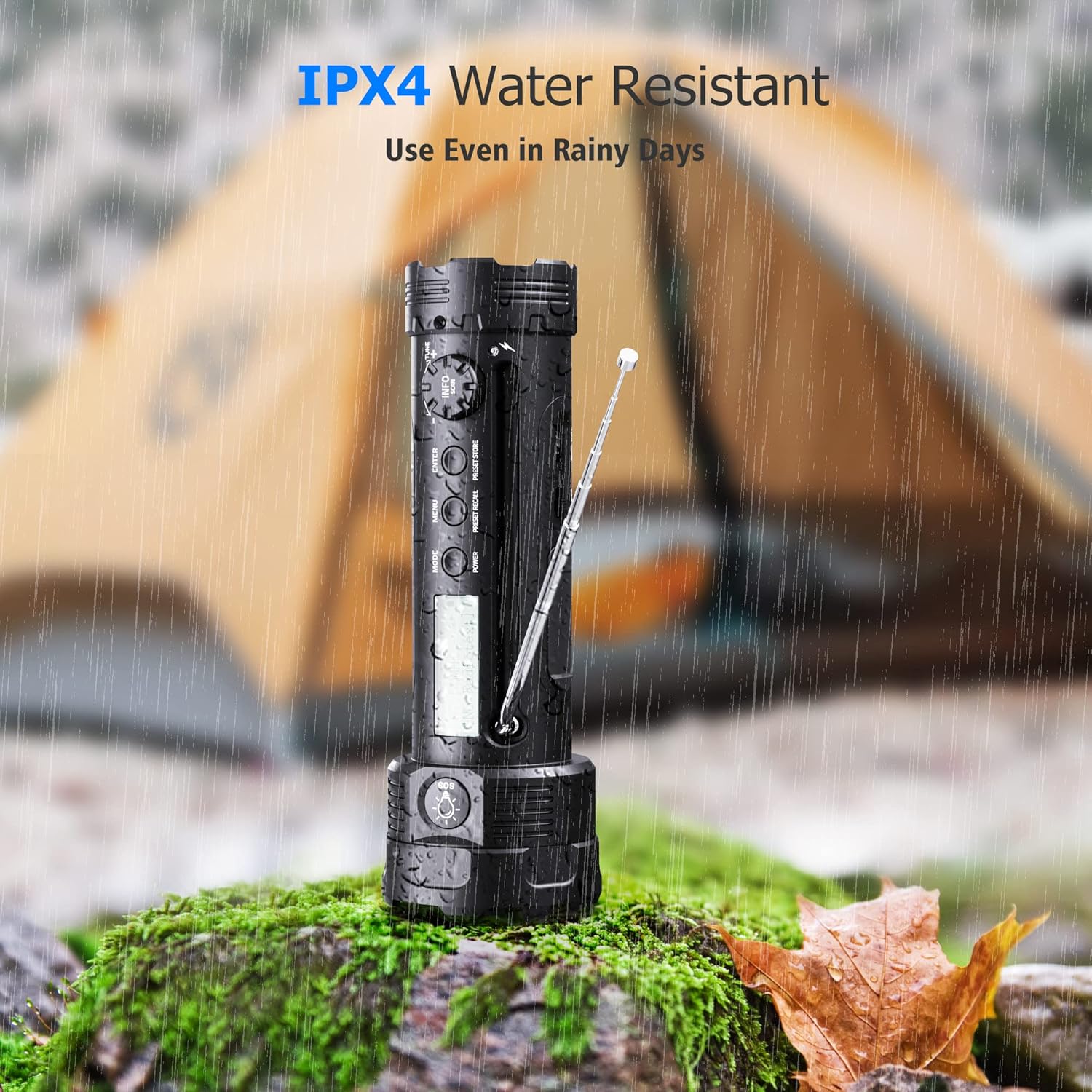
- Keep the device away from water and liquids, except for its IPX4 water-resistant capability which protects against splashing water. Do not submerge.
- Avoid dropping or subjecting the device to strong impacts.
- Do not attempt to disassemble or modify the device. This will void the warranty and may cause damage.
- Use only specified charging cables and adapters.
- When using the hand crank, ensure smooth rotation to prevent damage.
- The flashlight is powerful; avoid shining it directly into eyes.

The Mesqool MEU-1020DAB-B radio is IPX4 water resistant, suitable for use in light rain or splashing water. It should not be submerged.
Product Overview
The Mesqool MEU-1020DAB-B is an all-in-one emergency device. Familiarize yourself with its components:
- LED Flashlight: Located at the front, with multiple lighting modes.
- Reading Lamp: Integrated on the side, providing diffused light.
- DAB/FM Radio: With telescopic antenna and digital display.
- Control Buttons: Power, Mode, Menu, Enter, Volume, Tuning.
- Hand Crank: For manual power generation.
- Solar Panel: For solar charging.
- USB Charging Ports: Input for charging the device, output for charging external devices.
- SOS Alarm: Emergency siren and flashing light.
- 3000mAh Rechargeable Battery: Internal power source.

An overview of the Mesqool MEU-1020DAB-B emergency radio, highlighting its multi-functional design.
Setup
- Initial Charge: Before first use, fully charge the device using the USB cable. Connect the USB cable to a power adapter (not included) and the device's USB input port. The charging indicator will show progress.
- Antenna: For optimal radio reception, extend the telescopic antenna fully.
Operating Instructions
Power On/Off
Press and hold the POWER button to turn the device on or off.
Radio Operation (DAB/FM)
- Select Mode: Press the MODE button to switch between DAB and FM radio modes.
- Extend Antenna: Fully extend the telescopic antenna for best reception.
- Auto Scan (DAB): In DAB mode, the radio will automatically scan for available stations. The display will show station information.
- Manual Tuning (FM): In FM mode, use the tuning knob or buttons to manually adjust the frequency.
- Volume Control: Use the VOL +/- buttons to adjust the volume.
- Memory Slots: The radio supports 30 DAB and 30 FM memory slots for saving your favorite stations. Refer to the on-screen menu for saving and recalling stations.
- DRC Function: The Dynamic Range Control (DRC) function allows you to adjust the compression rate for DAB radio, improving listening experience in noisy environments. Access this through the menu.

The radio display shows DAB/FM frequencies and station information. An SOS alert icon is also visible.
Flashlight Operation
The flashlight offers 5 lighting modes:
- High: Maximum brightness for powerful illumination (up to 300 lumens, 150-200m beam).
- Medium: Balanced brightness for general use.
- Low: Energy-saving mode for extended use.
- Strobe: Flashing light for signaling or disorientation.
- SOS: Morse code SOS signal (three short, three long, three short flashes) for emergencies.
To cycle through modes, press the dedicated flashlight button (often located near the flashlight head). Press and hold to turn off.

Visual representation of the five flashlight modes: High, Medium, Low, SOS, and Strobe.
Reading Lamp Operation
To activate the reading lamp, locate the lamp panel on the side of the device and open it. The lamp will illuminate, providing soft, diffused light suitable for reading in low-light conditions. Close the panel to turn off the lamp.
The reading lamp provides convenient illumination for activities like reading in a tent.
Charging the Device (3 Modes)
The Mesqool MEU-1020DAB-B offers three ways to recharge its internal 3000mAh battery:
- USB Charging: Connect the provided USB cable to the device's input port and a standard USB power source (e.g., wall adapter, computer, power bank). This is the fastest charging method.
- Hand Crank Power: Extend the hand crank handle and rotate it clockwise or counter-clockwise at a steady pace (approximately 130-150 RPM). A few minutes of cranking can provide power for a short period of radio or flashlight use.
- Solar Power: Place the device with its solar panel facing direct sunlight. The solar panel will slowly charge the internal battery. This method is ideal for maintaining charge or for emergency trickle charging when other power sources are unavailable.

The three versatile charging methods: USB, hand crank, and solar power, ensuring power availability in various situations.
Power Bank Function
The built-in 3000mAh battery can also serve as a power bank to charge small electronic devices in an emergency. Connect your smartphone or other USB-powered device to the USB output port of the Mesqool radio using your device's charging cable. This function is intended for emergency use to provide a critical charge.

The emergency radio can charge small electronic devices like smartphones via its USB output port.
SOS Alarm
In an emergency, activate the SOS alarm by pressing the dedicated SOS button. This will trigger a loud siren and the flashlight will flash in an SOS pattern, attracting attention for assistance.
Maintenance
- Cleaning: Wipe the device with a soft, damp cloth. Do not use abrasive cleaners or solvents.
- Storage: Store the device in a cool, dry place away from direct sunlight when not in use.
- Battery Care: To prolong battery life, fully charge the device at least once every three months, even if not in regular use.
Troubleshooting
| Problem | Possible Solution |
|---|---|
| Device does not turn on. | Ensure the battery is charged. Try charging via USB, hand crank, or solar power. |
| Poor radio reception. | Fully extend the telescopic antenna. Move to an open area away from obstructions or interference. Try rescanning for DAB stations or manually tuning FM. |
| Flashlight is dim or not working. | Check battery level. Recharge the device. |
| Cannot charge external devices. | Ensure the Mesqool radio has sufficient charge. Use a compatible USB cable for your external device. |
| Hand crank is stiff or not generating power. | Ensure the crank is fully extended and rotating smoothly. Do not force it. If it remains stiff, contact support. |
Specifications
- Model: MEU-1020DAB-B
- Brand: Mesqool
- Color: Black
- Battery: 3000mAh Rechargeable
- Radio Bands: DAB, FM
- DAB Frequency Range: 174.928 - 239.200 MHz (Band III)
- FM Frequency Range: 87.5 - 108 MHz
- Flashlight Brightness: Up to 300 Lumens
- Beam Distance: 150-200 meters
- Charging Methods: USB, Hand Crank, Solar Panel
- Output: USB (for charging external devices)
- Water Resistance: IPX4 (splash-proof)
- Dimensions: 7.6L x 7.6W x 22H cm
- Included Components: User Manual
Warranty and Support
Mesqool offers a 24-month warranty for this product, covering manufacturing defects from the date of purchase. Please retain your proof of purchase for warranty claims. For technical support, troubleshooting assistance, or warranty inquiries, please contact Mesqool customer service through the retailer where you purchased the product or visit the official Mesqool website for contact information.
We are committed to providing excellent customer service and will assist you with any questions or concerns you may have.


