
TCFUNDY Enclosed Low Profile Ceiling Fan with Light and Bluetooth Speaker
Model: TCFD-HD0000055-WH | Brand: TCFUNDY
1. Safety Instructions
Please read all instructions carefully before installation and use. Retain this manual for future reference.
- Electrical Safety: Ensure power is disconnected at the circuit breaker before installation or maintenance. All wiring must be in accordance with national and local electrical codes.
- Installation: This fan is designed for semi-flush mount installation. Ensure the mounting surface can support the fan's weight (approximately 8.75 lbs). Do not install in damp locations.
- Blade Safety: The fan features enclosed blades for safety. Do not insert objects into the fan grille while it is operating.
- Remote Control: Keep the remote control away from children to prevent accidental operation.
2. Package Contents
Verify that all components are present and undamaged:
- Enclosed Low Profile Ceiling Fan Unit
- Remote Control
- Mounting Hardware (screws, wire nuts, etc.)
- User Manual
3. Installation
This ceiling fan is designed for easy installation and mounts directly to the ceiling. Professional installation is recommended if you are unfamiliar with electrical wiring.
- Prepare for Installation: Turn off power at the main circuit breaker. Remove any existing light fixture.
- Mount the Bracket: Secure the mounting bracket to the ceiling junction box using the provided screws. Ensure it is firmly attached.
- Wire the Fan: Connect the fan's electrical wires to the household wiring according to local electrical codes. Typically, this involves connecting live, neutral, and ground wires. Use the provided wire nuts to secure connections.
- Attach the Fan Unit: Carefully lift the fan unit and attach it to the mounting bracket. Secure it with the screws provided.
- Restore Power: Once the fan is securely installed and wired, restore power at the circuit breaker.
4. Operating Instructions
Your TCFUNDY ceiling fan can be controlled via the included remote control or a compatible smartphone application.
4.1 Remote Control Functions
The remote control allows independent operation of the fan and light. Ensure batteries are correctly installed.

Figure 4.1: Remote control with various function buttons.
- ON/OFF (Light): Turns the LED light on or off.
- ALL OFF: Turns off both the fan and the light.
- Reverse Turns (R): Changes the fan blade direction to upward airflow (Winter Mode).
- Forward Turns (F): Changes the fan blade direction to downward airflow (Summer Mode).
- Fan Speed (1-6): Adjusts the fan speed from 1 (lowest) to 6 (highest).
- Color Temperature Switch (K): Cycles through Cool White, Natural White, and Warm White light temperatures.
- Small Night Light (Moon icon): Activates a low-brightness night light mode.
- Adjust Color Temperature (+/- K): Fine-tunes the color temperature within each mode.
- Guide Cover Function (Wave icon): Activates the oscillating guide cover for wider air distribution.
- Timer Function (2H): Sets the fan to turn off automatically after 2 hours.
- Natural Winds (Wave icon): Simulates natural wind patterns by varying fan speed.
- Strengthen or Weaken Brightness (+/- Sun icon): Adjusts the brightness level of the LED light.
4.2 Fan Operation
The fan offers 6 distinct speeds and reversible blades for year-round comfort.

Figure 4.2: Fan speed settings.
- Speed Control: Use buttons 1-6 on the remote to select your desired fan speed.
- Reversible Blades: Use the 'F' (Forward) button for downward airflow in summer to create a cooling effect. Use the 'R' (Reverse) button for upward airflow in winter to circulate warm air.

Figure 4.3: Reversible blade function for seasonal use.
4.3 Dimmable LED Lighting
The integrated LED light offers dimmable functionality and three color temperatures.
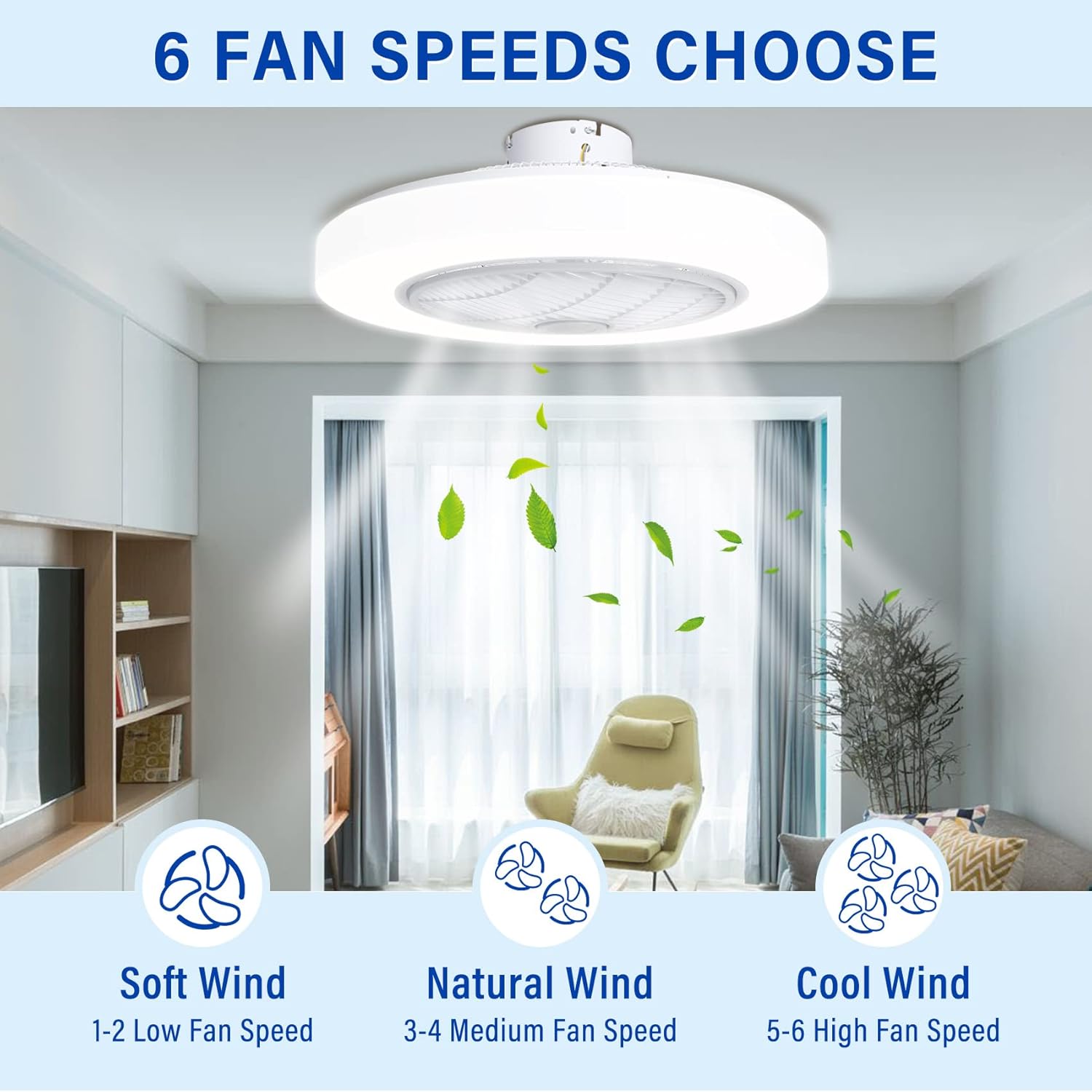
Figure 4.4: Dimmable LED light with adjustable color temperatures.
- Color Temperature: Cycle through Cool White (6000K), Natural White (4500K), and Warm White (3000K) using the 'K' button on the remote or the app.
- Brightness Adjustment: Use the '+/- Sun icon' buttons on the remote or the app to increase or decrease light brightness.
4.4 Bluetooth Speaker
The fan includes a built-in Bluetooth speaker for audio playback.

Figure 4.5: Bluetooth speaker integration.
- Pairing: Activate Bluetooth on your smartphone or audio device. Search for the fan's Bluetooth name (usually 'TCFUNDY Fan' or similar) and pair.
- Audio Playback: Once paired, audio from your device will play through the fan's speaker.
4.5 App Control
For enhanced control, download the compatible smartphone application. The app provides additional features for light and fan management.
Video 4.1: Demonstration of the TCFUNDY ceiling fan's features, including remote and app control, light color and brightness adjustment, fan speed, and oscillation. This video is provided by the seller.
- Download App: Scan the QR code in the quick start guide or search for the 'Smart Life' or 'Tuya Smart' app in your app store.
- Pairing: Follow the in-app instructions to pair your fan with the application.
- Features: The app allows for precise control over fan speeds, light color temperature, brightness, timer settings, and the guide cover function.
5. Maintenance
Regular maintenance ensures optimal performance and longevity of your ceiling fan.
- Cleaning: Turn off power before cleaning. Use a soft, damp cloth to wipe down the fan housing and light cover. Do not use abrasive cleaners or solvents.
- Blade Cleaning: The enclosed design minimizes dust accumulation on blades, but occasional cleaning of the grille may be necessary.
- Bulb Replacement: The LED light is integrated and not user-replaceable. Contact customer support if the light fails.
6. Troubleshooting
Refer to the following table for common issues and their solutions.
| Problem | Possible Cause | Solution |
|---|---|---|
| Fan does not operate | No power; Remote battery low; Incorrect wiring | Check circuit breaker; Replace remote batteries; Verify wiring connections. |
| Light does not turn on | No power; Remote battery low; Integrated LED failure | Check circuit breaker; Replace remote batteries; Contact customer support for LED issues. |
| Remote not responding | Low batteries; Out of range; Not paired | Replace batteries; Move closer to fan; Re-pair remote (refer to pairing instructions in app/manual). |
| Bluetooth not connecting | Bluetooth off on device; Fan not in pairing mode; Interference | Ensure Bluetooth is enabled on your device; Restart fan and device; Try pairing in a different location. |
7. Specifications
| Feature | Detail |
|---|---|
| Brand | TCFUNDY |
| Model Number | TCFD-HD0000055-WH |
| Dimensions (L x W x H) | 22"L x 7"W x 21"H |
| Item Weight | 8.75 Pounds |
| Material | Acrylic, Acrylonitrile Butadiene Styrene, Plastic |
| Power Source | Corded Electric |
| Voltage | 110 Volts |
| Wattage | 65 watts |
| Light Source | LED |
| Light Color Temperatures | Cool white, Natural white, Warm white |
| Fan Speeds | 6 |
| Control Method | App, Remote Control |
| Special Features | Bluetooth Speaker, Dimmable LED Lights, Reversible Blades, Guide Cover Function, Timer Function, Natural Winds |
| Mounting Type | Semi Flush Mount |
| Indoor/Outdoor Usage | Indoor |
8. Warranty and Support
This TCFUNDY product comes with a manufacturer warranty for 180 days from the date of purchase. For warranty claims, technical support, or any inquiries, please contact TCFUNDY customer service through the retailer's platform or the contact information provided with your purchase.