
1. Introduction
Thank you for purchasing the Panasonic Humidifying Air Purifier nanoeX F-VXV90-TM. This appliance is designed to improve your indoor air quality by thoroughly removing pollen and house dust, suppressing various harmful substances with nanoeX technology, and providing powerful, speedy humidification. This manual provides essential information for the safe and efficient use of your air purifier.
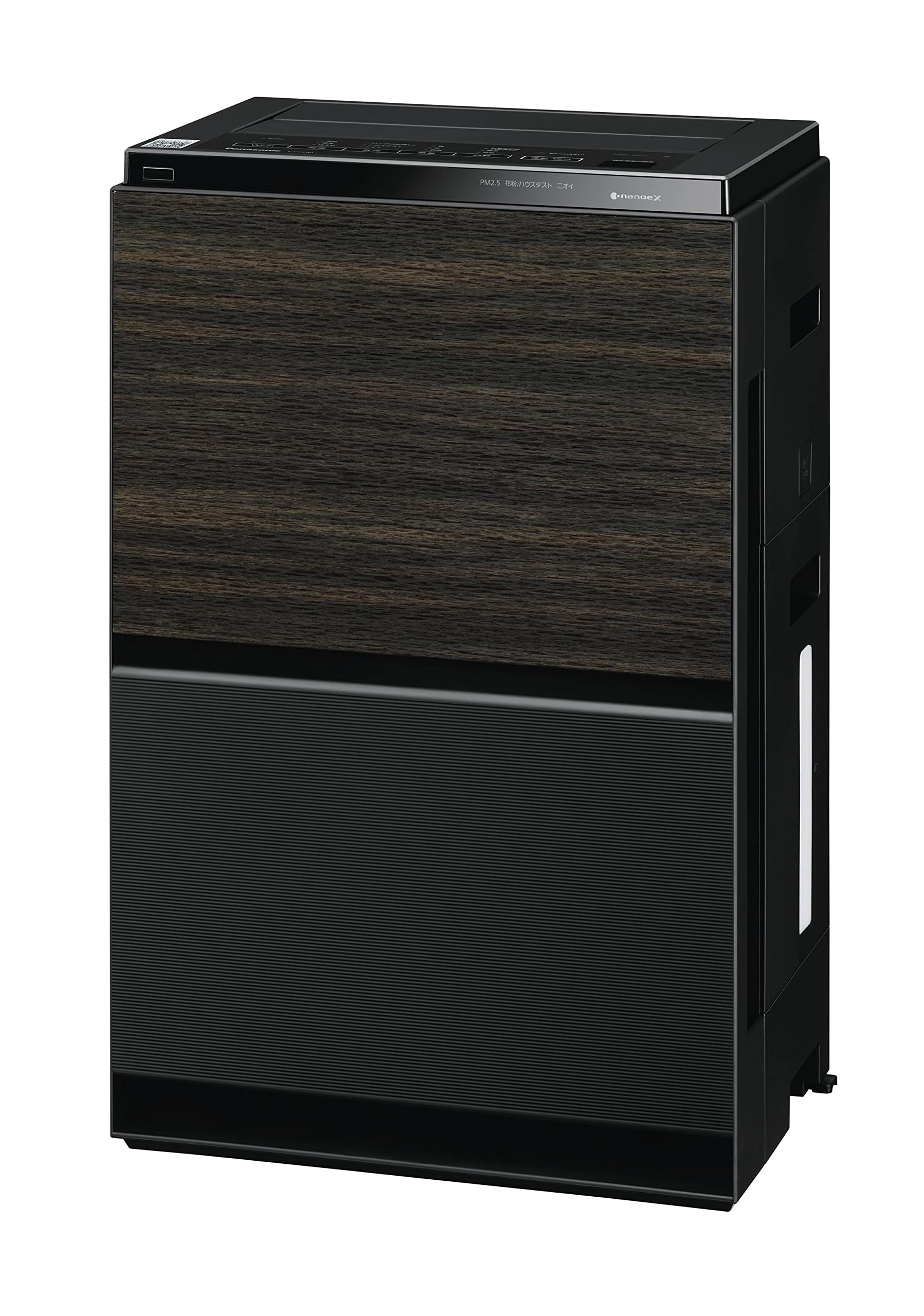
Figure 1: Panasonic Humidifying Air Purifier F-VXV90-TM
2. Safety Information
WARNING: To reduce the risk of fire, electric shock, or injury, please read and follow all instructions carefully before using this appliance. Keep this manual in a safe place for future reference.
- Always ensure the power cord is securely plugged into a grounded outlet.
- Do not operate the appliance with a damaged cord or plug.
- Keep the appliance away from water and moisture.
- Do not block air inlets or outlets.
- Unplug the appliance before cleaning or performing any maintenance.
3. Product Overview
Key Features:
- nanoeX Technology: Generates 48 trillion hydroxyl radicals per second to suppress various harmful substances, including pollen, allergens, and odors.
- 3D Flow Pollen Buster Airflow: Effectively collects pollen and house dust from a wide area, including the 30cm living zone on the floor.
- Econavi: Intelligent operation that learns and optimizes air purification based on room conditions.
- Quick Humidification Mode: Provides rapid humidification to maintain comfortable indoor humidity levels.
- High-Precision Sensors: Detects fine particles and adjusts operation accordingly.
- Smartphone Integration: Connects with the "Millea" app for remote control and air quality monitoring.
Dimensions and Weight:
- Dimensions (D x W x H): 28.7 cm x 39.8 cm x 64 cm
- Weight: 13.1 kg

Figure 2: 3D Flow Pollen Buster Airflow for enhanced pollen collection.

Figure 3: Quick Humidification Mode for comfortable air.

Figure 4: Evolution of nanoeX Technology.

Figure 5: Enhanced Pollen Suppression with nanoeX.

Figure 6: Smartphone Integration with the Millea App.

Figure 7: Aesthetic Cubic Form Design.
4. Setup
Follow these steps to set up your Panasonic Humidifying Air Purifier and connect it to the "Millea" smartphone app. For a visual guide, please refer to the setup video below.
4.1 Pre-setup Checklist:
- Ensure you have a smartphone with the "Millea" app installed.
- Verify you have a stable Wi-Fi internet environment.
- Register for a CLUB Panasonic account.
- Have your wireless LAN broadband router ready.
4.2 Initial Connection Steps:
- Plug the air purifier's power cord into a wall outlet.
- If the air purifier is running, press the [Operation On/Off] button to stop it.
- Launch the "Millea" app on your smartphone.
- Review the terms of use and tap "Agree to terms of use and start".
- Log in with your CLUB Panasonic account. If you don't have an account, tap "New registration for CLUB Panasonic".
- The app will prompt you to connect the air purifier to your home network. Tap "Connect".
- Select your air purifier model (F-VXV90) from the list.
4.3 Manual Network Connection (if WPS button is not available):
- On the app, tap "WPS button is not available (Manual setting)".
- On the air purifier unit, press and hold the [Wi-Fi] button for 3 seconds. Confirm that "A0" is displayed on the humidity sign section.
- Press the [Airflow] button. Confirm that "A1" is displayed.
- Press and hold the [Humidification] button for 3 seconds. Confirm that "A1" and the Wi-Fi lamp are blinking.
- On the smartphone screen, tap "[A1] and [Wi-Fi lamp] are blinking".
- Enter your home Wi-Fi password and tap "Connect".
- Wait for "A2" to be displayed and the Wi-Fi lamp to light up on the air purifier.
- On the smartphone screen, tap "[A2] is displayed, [Wi-Fi lamp] is lit".
4.4 Device Registration:
- On the app, tap "Register" to register the air purifier.
- From the list of "Unregistered devices", tap "Register" next to your air purifier's model number (e.g., F-VXV90-TM).
- Confirm that "A2" is displayed on the humidity sign section of the air purifier.
- On the smartphone screen, tap "[A2] is displayed".
- Press and hold the [Humidification] button for 3 seconds. Confirm that "A2" and the Wi-Fi lamp are blinking.
- On the smartphone screen, tap "[A2] and [Wi-Fi lamp] are blinking".
- Wait for the device registration to complete.
- Enter a nickname for the device and installation room information, then tap "Register".
- You can choose between "Easy Registration" or "Custom Registration" to set your preferred style.
- Confirm any notifications and tap "Confirm".
Setup Video Guide
This video demonstrates the step-by-step process for setting up your Panasonic Humidifying Air Purifier and connecting it to the Millea app. It covers initial preparations, manual network connection, and device registration.
5. Operating Instructions
Once set up, your air purifier can be operated via the control panel on the unit or through the "Millea" smartphone app.
5.1 Control Panel Operation:
- Power On/Off: Press the [Operation On/Off] button.
- Mode Selection: Use the mode buttons (e.g., Airflow, Humidification, Auto) to select desired operation.
- Econavi: The Econavi feature automatically optimizes operation based on detected pollutants and human activity.
5.2 Smartphone App Operation:
The "Millea" app provides enhanced control and monitoring capabilities:
- Remote Control: Operate the air purifier from anywhere.
- Air Quality Monitoring: View real-time air quality status in your home.
- Custom Settings: Adjust settings and modes to your preference.
- Notifications: Receive alerts for filter replacement or water tank refills.
6. Maintenance
Regular maintenance ensures optimal performance and longevity of your air purifier.
- Filter Cleaning: The air filters should be cleaned regularly (e.g., once a month) by vacuuming or rinsing with water, as specified in the full user manual.
- Water Tank: Clean the water tank and humidifying filter regularly to prevent mold and bacteria growth. Refill with fresh tap water only.
- Sensor Cleaning: Periodically clean the sensors to maintain accurate detection of pollutants.
For detailed cleaning instructions and replacement schedules for filters, please refer to the comprehensive user manual.
7. Troubleshooting
If you encounter any issues with your air purifier, please refer to the following common troubleshooting tips. For more complex problems, consult the full user manual or contact customer support.
- No Power: Ensure the power cord is securely plugged in and the outlet is functional.
- Weak Airflow: Check if the filters are clogged and require cleaning or replacement.
- Humidification Not Working: Ensure the water tank is filled and properly installed, and the humidifying filter is clean.
- App Connection Issues: Verify your Wi-Fi network is active and the air purifier is within range. Re-attempt the connection steps if necessary.
8. Specifications
| Specification | Value |
|---|---|
| Brand | Panasonic |
| Model Number | F-VXV90-TM |
| Color | Wood Grain |
| Product Dimensions (D x W x H) | 28.7 cm x 39.8 cm x 64 cm |
| Product Weight | 13.1 kg |
| Power Source | Corded Electric |
| Control Method | Touch |
| Controller Type | Pull Chain Control |
| Special Features | Humidification Function |
| Product Type | Humidifying Air Purifier |
9. Warranty and Support
This Panasonic Humidifying Air Purifier F-VXV90-TM comes with a 1-year manufacturer's warranty.
For warranty claims, technical support, or further assistance, please refer to the contact information provided in your product packaging or visit the official Panasonic website.


