
JBL JBL-PRX912-NA
JBL Professional PRX912 Powered Portable Loudspeaker User Manual
Model: JBL-PRX912-NA
1. Introduction
The JBL PRX912 is a next-generation 12-inch powered portable 2-way loudspeaker, part of the PRX900 Series. Designed for professional audio applications, it features advanced acoustics, comprehensive DSP, and robust power performance. This manual provides essential information for the safe and effective operation of your PRX912 loudspeaker.
2. Safety Information
Please read and understand all safety instructions before operating this product. Retain this manual for future reference.
- Power Source: Connect the unit only to the specified power supply voltage.
- Ventilation: Ensure adequate ventilation around the unit. Do not block ventilation openings.
- Moisture: Do not expose the unit to rain or moisture. Do not place objects filled with liquids on the unit.
- Servicing: Refer all servicing to qualified service personnel. Do not attempt to service this product yourself.
- Mounting: When mounting the speaker on a pole or stand, ensure the stand is stable and rated for the speaker's weight. Always follow manufacturer's instructions for stands and mounting hardware.
3. What's in the Box
Upon unpacking your JBL PRX912, please verify that all listed components are present:
- 1 x JBL PRX912 Powered Portable Loudspeaker
- 1 x 10' (3M) IEC Power Cable
- 1 x Quick Start Guide (not included in this manual)
4. Product Overview
The PRX912 features a durable composite cabinet and an intuitive control panel. Familiarize yourself with the various parts of your loudspeaker.


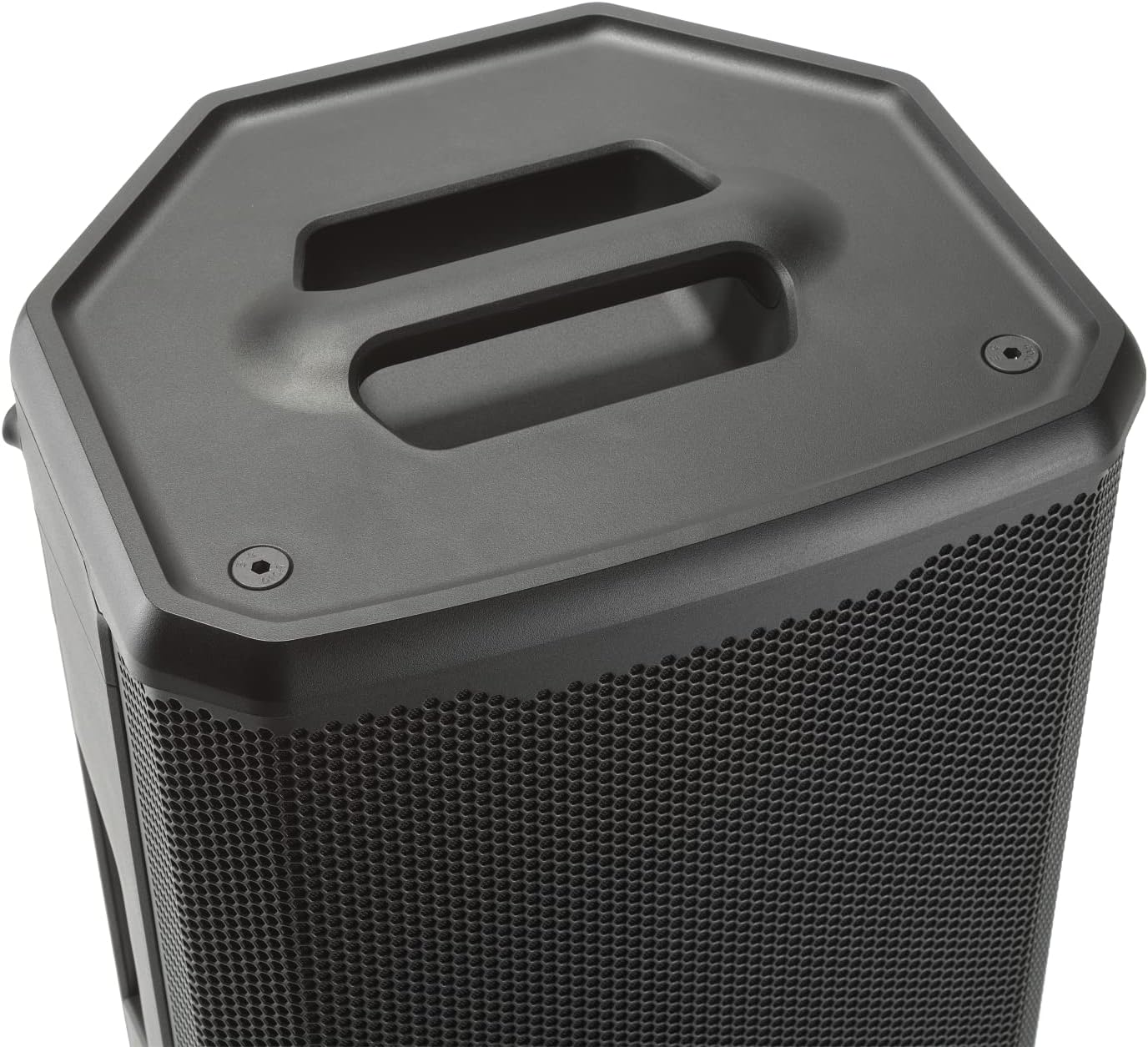
5. Setup
Proper setup is crucial for optimal performance and safety.
5.1 Placement Options
- Floor Standing: Place the speaker directly on a stable, flat surface.
- Pole Mounting: Insert the speaker onto a standard 35mm speaker pole or tripod stand. Ensure the stand is rated for the speaker's weight (43 lbs / 19.5 kg) and is placed on a level surface.

5.2 Connections
Refer to the rear control panel (Figure 4.3) for input and output connections.
- Power: Connect the supplied IEC power cable to the AC inlet and a suitable power outlet (120 Volts).
- Audio Inputs: Use XLR or 1/4-inch TRS cables to connect your mixer, microphone, or musical instrument to the CH1 or CH2 inputs.
- Mix Output: The XLR MIX OUT allows you to send the combined audio signal to another PRX900 series speaker or an external device.
6. Operating Instructions
The PRX912 offers advanced DSP and control options for precise sound shaping.
6.1 Powering On/Off
Press the power button on the rear panel to turn the unit on or off. Allow a few seconds for the system to initialize.
6.2 Onboard DSP Control
The integrated color LCD screen and rotary encoder on the rear panel provide access to the speaker's DSP functions:
- 12-Band Parametric EQ: Fine-tune the frequency response for optimal sound in any environment.
- dbx DriveRack Technology: Includes features like Automatic Feedback Suppression (AFS) to eliminate feedback, a soft system limiter with Soundcraft Overeasy option to protect the speaker, and speaker delay settings for time alignment in multi-speaker setups.
- Presets: Access various factory and user-defined presets for quick setup in different scenarios.
6.3 JBL Pro Connect App Control
For enhanced control and system integration, download the JBL Pro Connect app on your mobile device. The PRX912 supports Bluetooth Low Energy (BLE) for wireless control.
- Pairing: Follow the app's instructions to pair your device with the PRX912.
- Remote Control: Adjust all DSP parameters, including EQ, gain, and effects, directly from your device.
- System Integration: Control up to 10 speakers and integrate PRX900 Series models with JBL EON ONE MK2, PRX ONE, and EON700 systems.
- App-Exclusive Functions: Access features like speaker snapshots and grouping for streamlined workflow.
7. Maintenance
Regular maintenance ensures the longevity and optimal performance of your PRX912 loudspeaker.
- Cleaning: Use a soft, dry cloth to clean the exterior of the speaker. Do not use abrasive cleaners or solvents.
- Storage: When not in use, store the speaker in a dry, temperate environment, away from direct sunlight and extreme temperatures.
- Inspection: Periodically check cables and connections for any signs of wear or damage.
8. Troubleshooting
If you encounter issues with your PRX912, refer to the following common problems and solutions:
| Problem | Possible Cause | Solution |
|---|---|---|
| No Sound Output | No power; Input cable disconnected; Volume too low; Mute engaged. | Check power connection; Ensure input cables are securely connected; Increase gain/volume; Check DSP settings for mute. |
| Distorted Sound | Input signal too high (clipping); Speaker overloaded; EQ settings incorrect. | Reduce input gain; Do not exceed maximum volume; Adjust EQ settings. |
| Feedback | Microphone too close to speaker; Gain too high. | Reposition microphone; Reduce microphone gain; Utilize Automatic Feedback Suppression (AFS) in DSP. |
| Bluetooth Connection Issues | Device out of range; Bluetooth not enabled; Interference. | Move device closer to speaker; Ensure Bluetooth is enabled on both devices; Minimize other wireless devices. |
If the issue persists after attempting these solutions, please contact JBL Professional customer support.
9. Specifications
Detailed technical specifications for the JBL PRX912 loudspeaker:
| Feature | Specification |
|---|---|
| Model Name | PRX912 |
| Speaker Type | PA, 2-Way Powered |
| Subwoofer Diameter | 12 Inches |
| Speaker Maximum Output Power | 2000 Watts |
| Connectivity Technology | Auxiliary, Bluetooth Low Energy |
| Control Method | Touch (Onboard LCD), App Control |
| Product Dimensions (D x W x H) | 13.1" x 15.6" x 25.1" (33.3cm x 39.6cm x 63.8cm) |
| Item Weight | 43 Pounds (19.5 kg) |
| Input Voltage | 120 Volts |
| Included Components | PRX912, 10' (3M) IEC Power Cable |
| Warranty Type | 7 year |
10. Warranty and Support
The JBL PRX912 is backed by a seven-year warranty, reflecting JBL Professional's commitment to quality and durability. For warranty claims, technical support, or service inquiries, please visit the official JBL Professional website or contact their customer support directly.
Online Resources: For the latest information, software updates, and additional support resources, please visit the JBL Professional website.
Related documentsJBL-PRX912-NA


Ask a question about this manual
Ask about setup, troubleshooting, compatibility, parts, safety, or missing instructions. Manuals+ will review the question and use this page’s manual context to help answer it.