
SV3C C16
SV3C 5MP PTZ WiFi Camera Outdoor User Manual
Model: C16
1. Introduction
The SV3C 5MP PTZ WiFi Camera is an advanced outdoor security camera designed to provide comprehensive surveillance for your property. Featuring 5-megapixel resolution, pan-tilt-zoom capabilities, auto-tracking, and various night vision modes, it offers clear, detailed footage day and night. With two-way audio, motion detection, and flexible storage options, this camera ensures you stay connected and informed about your surroundings.
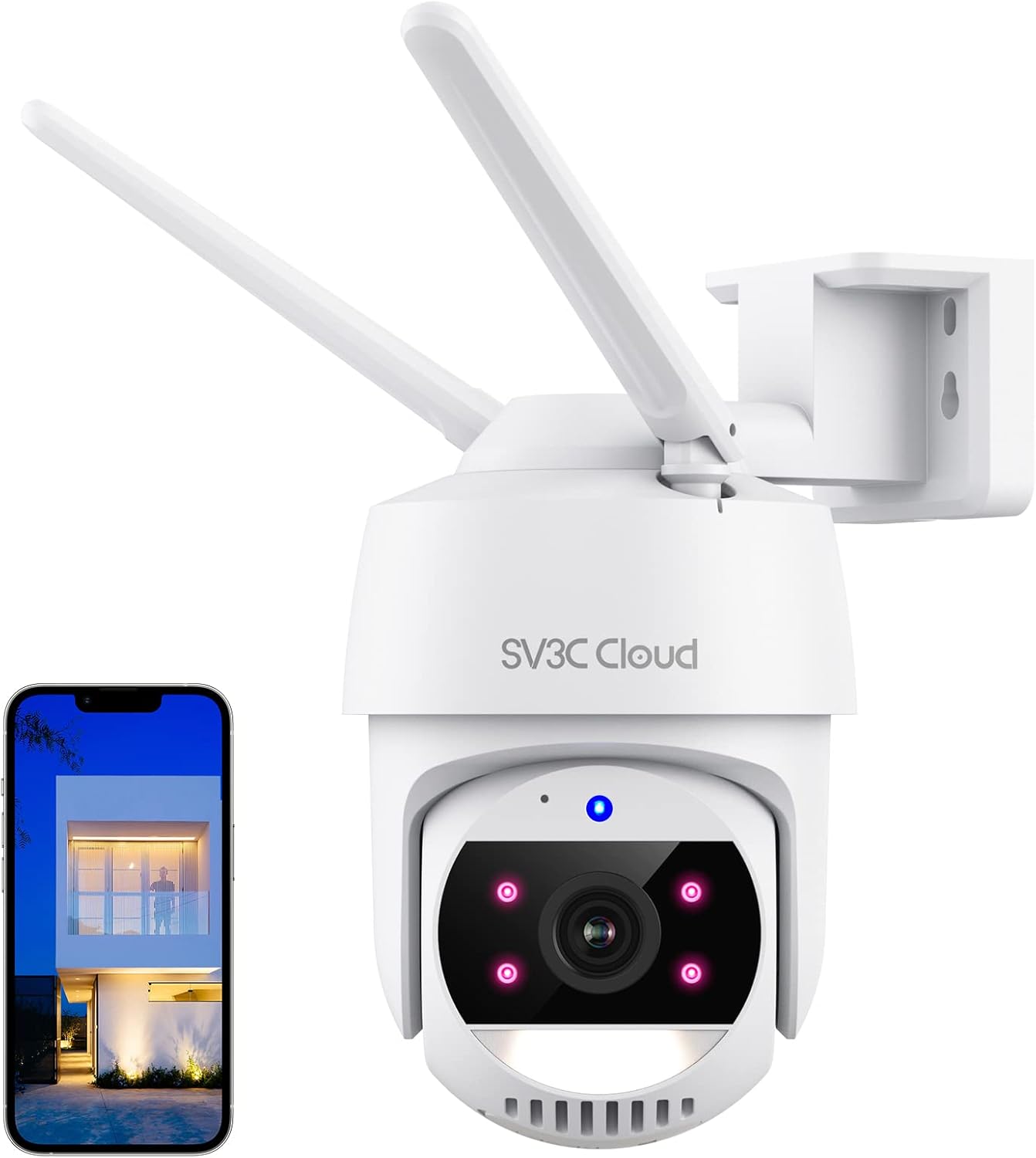
The SV3C 5MP PTZ WiFi Camera, showcasing its design and a smartphone displaying its live feed.
2. What's in the Box
Please check the package contents to ensure all items are present:
- 1 x 5MP Pan Tilt security camera
- 1 x DC 5V power adapter
- 1 x Screw bag (for mounting)
- 1 x Paper manual

All components included in the SV3C 5MP PTZ WiFi Camera package.
3. Setup
3.1. App Download and Installation
To begin, download the official "SV3C Cloud" App from your smartphone's app store (iOS App Store or Google Play Store). Follow the on-screen instructions to create an account and log in.
3.2. Powering On the Camera
Connect the provided DC 5V power adapter to the camera's USB power port and plug it into a power outlet. The camera will power on and initiate its self-test sequence.
3.3. Wi-Fi Connection
The camera supports 2.4G Wi-Fi networks. Ensure your smartphone is connected to a 2.4G Wi-Fi network during the setup process. Open the SV3C Cloud App, select 'Add Device', and follow the prompts to scan the QR code displayed within the app using the camera's lens. The camera will beep to confirm a successful connection.

The camera features double antennas for stable 2.4G Wi-Fi connectivity.
3.4. Mounting the Camera
The camera can be mounted on a wall or ceiling. Use the included screw bag and follow the mounting template (if provided in the paper manual) to securely install the camera in your desired location. Ensure the camera has a clear line of sight and is within range of your Wi-Fi signal.

Mounting options for the camera, including ceiling and wall installation.
4. Operating the Camera
4.1. Pan, Tilt & Auto Tracking
The camera supports 355 degrees horizontal rotation and 90 degrees vertical tilt, providing extensive coverage without blind spots. It features digital zoom functionality. When a moving object is detected, the camera can automatically track its movement, allowing you to view the entire process clearly.

The camera's pan and tilt capabilities, along with its auto-tracking function.
4.2. Night Vision Modes
The 5MP outdoor WiFi camera offers three night vision modes:
- Normal Night Vision: Provides black and white footage in low light conditions.
- Full Color Night Vision: Maintains color video even in darkness.
- Smart Night Vision: Switches to color night vision only when motion is detected, otherwise remains in black and white.

Illustrations of the three available night vision modes: black and white, full color, and smart mode.
4.3. Motion Detection & Alarms
The camera supports both motion and noise detection with adjustable sensitivity (Low, Medium, High). Upon detection, the camera can trigger an alarm sound, activate its floodlight (at night), and send text notifications to your device. You can configure the system to alert only when human motion is detected to reduce false alarms.

The camera's motion detection feature, showing an alert being sent to a smartphone.
4.4. Recording & Storage Methods
The camera supports 24/7 continuous recording and alarm-triggered recording. Storage options include:
- Cloud Storage: Securely stores data online, accessible even if the camera is damaged. A free 7-day cloud storage trial is available.
- SD Card Storage: Supports up to 128GB Micro SD card (not included). Ensure you use a Micro SD card, not a SIM card.

The camera offers both cloud and local Micro SD card storage solutions.
4.5. Two-Way Audio
Equipped with a built-in microphone and speaker, the camera enables two-way audio communication. This allows you to speak with visitors or deter suspicious individuals directly through the camera via the app.

Utilize the two-way audio feature to communicate with individuals near the camera.
4.6. Smart Home Integration & ONVIF Compatibility
The camera is compatible with Amazon Alexa Echo Show and Google Assistant, allowing for live viewing with simple voice commands. It also supports ONVIF conformity, enabling integration with third-party software like Blue Iris and iSpy.

The camera integrates seamlessly with smart home ecosystems like Google Assistant.
4.7. Sharing Camera Access
You can easily share access to your camera's live feed and recordings with family members or trusted individuals through the SV3C Cloud App.

Share camera access with multiple users for collaborative monitoring.
4.8. Official Product Video
An official video demonstrating the SV3C Cloud Series Pan Tilt WiFi Camera for outdoor and indoor use.
5. Maintenance
The SV3C 5MP PTZ WiFi Camera has an IP65 water resistance rating, meaning it is protected against dust and low-pressure water jets. While designed for outdoor use, regular inspection and cleaning can prolong its lifespan.
- Periodically wipe the camera lens with a soft, damp cloth to ensure clear image quality.
- Check the power cable and connections for any signs of wear or damage.
- Ensure the mounting screws remain tight and secure.

The camera is designed with an IP65 rating for protection against various weather conditions.
6. Troubleshooting
- Camera not connecting to Wi-Fi: Ensure your router is broadcasting a 2.4G Wi-Fi signal. The camera does not support 5G Wi-Fi. Verify the Wi-Fi password is correct and the camera is within range of the router. Try moving the camera closer to the router during initial setup.
- QR code scanning issues: Make sure the QR code on your phone screen is clear and well-lit. Adjust the distance between the camera lens and the phone screen until you hear a confirmation beep.
- Frequent false alarms: Adjust the motion detection sensitivity settings within the SV3C Cloud App. Consider enabling the 'human only' detection feature if available, and define specific detection zones to minimize triggers from pets or environmental factors.
- Camera unresponsive / needs reset: The camera has a reset button. Refer to the physical camera for its exact location, typically a small button that may require a pin to press. Press and hold for several seconds to reset the camera to factory settings. Note that the reset button is easily accessible on the top of the unit.
- Poor image quality: Ensure the camera lens is clean and free from dust or smudges. Check your Wi-Fi signal strength, as a weak connection can affect video streaming quality.
7. Specifications
| Model Name | C16 |
| Brand | SV3C |
| Indoor/Outdoor Usage | Indoor, Outdoor |
| Connectivity Technology | WiFi, Wireless |
| Video Capture Resolution | 5 MP (2560 x 1920) |
| Pan/Tilt Range | 355° Horizontal, 90° Vertical |
| Night Vision Range | 15 Meters |
| Storage Options | Cloud Storage, Micro SD Card (up to 128GB) |
| Two-Way Audio | Yes |
| Smart Home Compatibility | Amazon Alexa, Google Assistant |
| ONVIF Support | Yes |
| Water Resistance Level | IP65 |
| Power Source | Corded Electric (DC 5V) |
| Item Dimensions (L x W x H) | 3 x 6 x 5.9 inches |
| Item Weight | 1.34 pounds |
8. Warranty and Support
SV3C is committed to providing high-quality products and customer service. While specific warranty details are not provided in this manual, for any technical assistance, troubleshooting, or warranty inquiries, please contact SV3C customer support through their official website or the contact information provided with your purchase. SV3C continuously optimizes its products and services based on customer feedback.
Related documentsC16


Ask a question about this manual
Ask about setup, troubleshooting, compatibility, parts, safety, or missing instructions. Manuals+ will review the question and use this page’s manual context to help answer it.