
oraolo A9
Oraolo Roller Loud Bluetooth Speaker A9 User Manual
Model: A9 | Brand: Oraolo
Introduction
Thank you for choosing the Oraolo Roller Loud Bluetooth Speaker A9. This portable wireless speaker is designed to deliver powerful sound with vibrant light effects, offering a versatile audio experience for various environments. This manual provides detailed instructions on how to set up, operate, and maintain your speaker to ensure optimal performance and longevity.

Image: Front view of the Oraolo Roller Loud Bluetooth Speaker A9, showcasing its black casing and a large, colorful LED light panel on the front grille.
Safety Information
- Do not expose the speaker to extreme temperatures, direct sunlight, or high humidity.
- Avoid dropping or subjecting the speaker to strong impacts.
- Do not disassemble, repair, or modify the speaker yourself. Refer to qualified service personnel.
- Keep the speaker away from water and other liquids.
- Use only the provided charging cable and adapter.
- Clean the speaker with a soft, dry cloth. Do not use abrasive cleaners.
Package Contents
Please check the package for the following items:
- Oraolo Roller Loud Bluetooth Speaker A9
- USB-C Charging Cable
- AUX Audio Cable
- User Manual
Product Overview
Familiarize yourself with the various parts and controls of your Oraolo speaker.

Image: Top view of the speaker, highlighting the control panel with icons for Bluetooth, AUX-in, Mic-in, TF Card, and USB inputs.
Control Panel Layout:
- Power Button: Press and hold to power on/off.
- Mode Button: Short press to switch between Bluetooth, AUX, USB, and TF Card modes.
- Play/Pause Button: Play or pause audio.
- Volume Knobs: Adjust master volume and microphone volume.
- Light Mode Button: Cycle through different LED light effects.
- USB-C Port: For charging the speaker.
- USB Port: For USB drive playback.
- TF Card Slot: For TF (MicroSD) card playback.
- AUX-in Port: For connecting external audio devices via 3.5mm cable.
- Mic-in Port: For connecting a microphone.
Setup
Charging the Speaker:
- Connect the provided USB-C charging cable to the USB-C port on the speaker.
- Connect the other end of the cable to a USB power adapter (5V/2A recommended) or a computer's USB port.
- The charging indicator light will illuminate. It will turn off or change color once fully charged. A full charge provides approximately 24 hours of playtime.

Image: The Oraolo speaker next to a circular graphic indicating 24 hours of playback, emphasizing its long battery life.
Powering On/Off:
- To power on, press and hold the Power button until you hear an audible prompt.
- To power off, press and hold the Power button again until the speaker shuts down.
Operating Instructions
Bluetooth Pairing:
- Ensure the speaker is powered on and in Bluetooth mode (indicated by a flashing blue light or audible prompt). If not, short press the Mode button to switch.
- Enable Bluetooth on your smartphone or other device.
- Search for "Oraolo A9" in the list of available Bluetooth devices.
- Select "Oraolo A9" to connect. Once connected, you will hear a confirmation sound.
- The speaker will automatically reconnect to the last paired device when powered on, if the device's Bluetooth is active and within range.
True Wireless Stereo (TWS) Pairing:
TWS allows you to connect two Oraolo A9 speakers together for a stereo sound experience.

Image: Two Oraolo speakers shown wirelessly connected, with people enjoying music, illustrating the True Wireless Stereo (TWS) feature.
- Ensure both Oraolo A9 speakers are powered on and in Bluetooth mode, but not connected to any device.
- On one of the speakers (this will be the primary speaker), double-press the Play/Pause button. You will hear a prompt indicating TWS pairing mode.
- The two speakers will automatically search and connect to each other. Once connected, you will hear a confirmation sound.
- Now, connect your device to the primary speaker via Bluetooth as described in the "Bluetooth Pairing" section. Audio will play through both speakers in stereo.
- To disconnect TWS, double-press the Play/Pause button on either speaker.
Using AUX/USB/TF Card Inputs:
- AUX Mode: Insert a 3.5mm audio cable into the AUX-in port on the speaker and the other end into your audio device. The speaker will automatically switch to AUX mode.
- USB Mode: Insert a USB flash drive (FAT32 format, max 32GB) into the USB port. The speaker will automatically switch to USB mode and begin playing supported audio files.
- TF Card Mode: Insert a TF (MicroSD) card (FAT32 format, max 32GB) into the TF card slot. The speaker will automatically switch to TF Card mode and begin playing supported audio files.
- Use the Play/Pause and Skip buttons on the speaker to control playback in USB and TF Card modes.
LED Light Modes:
The speaker features multiple dynamic LED light modes to enhance your listening experience.
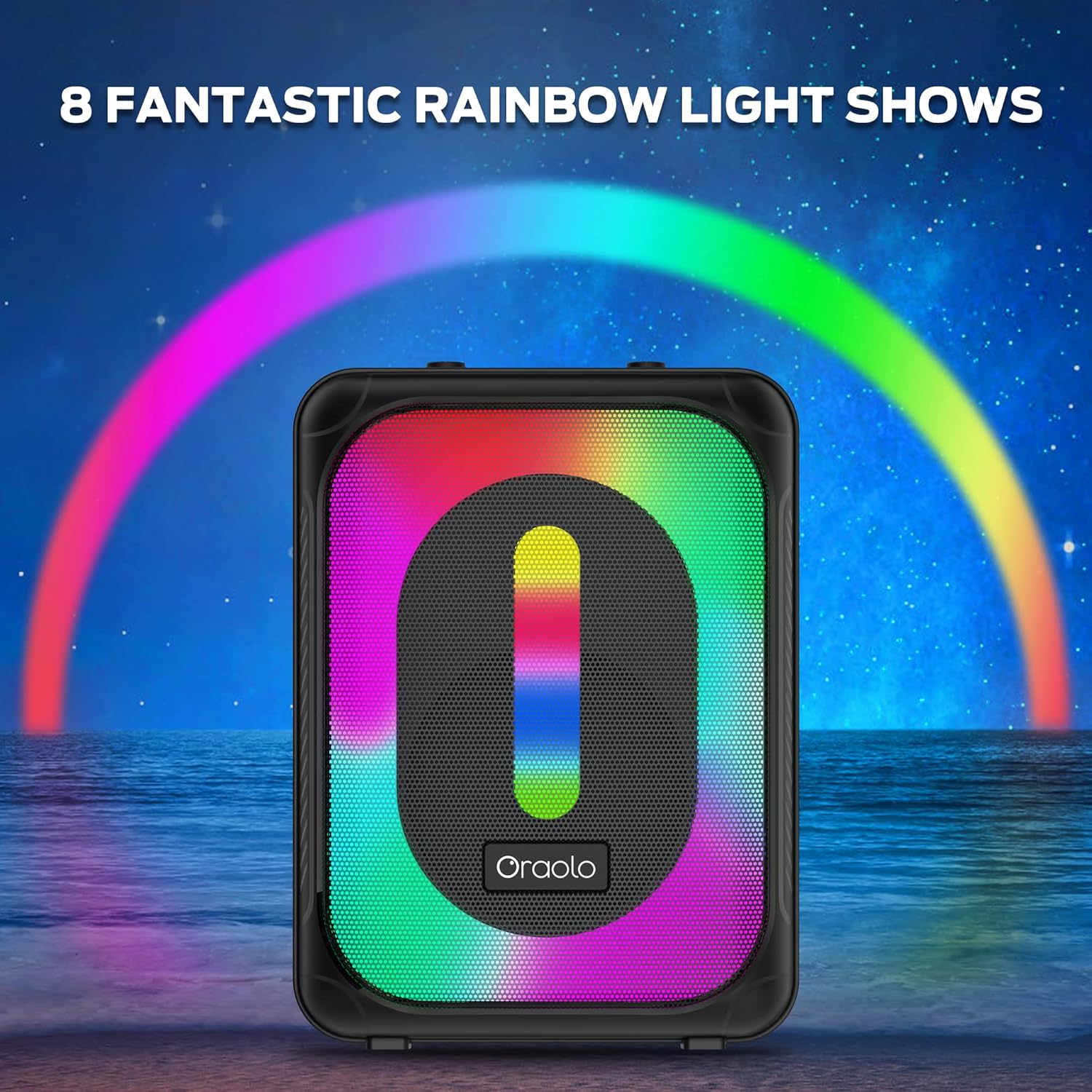
Image: The Oraolo speaker with its front panel illuminated by a vibrant rainbow light show, set against a starry night sky with a rainbow arc.
- Short press the Light Mode button to cycle through the available light effects.
- Press and hold the Light Mode button to turn the lights off or on.
Microphone Usage:
- Connect a wired microphone (not included) to the Mic-in port.
- Adjust the microphone volume using the dedicated Mic Volume knob on the control panel.
Maintenance
- Cleaning: Wipe the speaker's surface with a soft, dry, lint-free cloth. Do not use liquid cleaners, aerosols, or solvents.
- Storage: When not in use for extended periods, store the speaker in a cool, dry place away from direct sunlight and extreme temperatures.
- Battery Care: To prolong battery life, fully charge the speaker before first use and recharge it at least once every three months if not used regularly.
Troubleshooting
| Problem | Possible Cause | Solution |
|---|---|---|
| Speaker does not power on. | Low battery. | Charge the speaker fully. |
| No sound. | Volume too low; incorrect mode; device not connected. | Increase volume; ensure correct input mode (Bluetooth, AUX, USB, TF); re-pair Bluetooth device. |
| Bluetooth connection unstable. | Device too far; interference. | Move device closer to speaker (within 10 meters); avoid obstacles; turn off other Bluetooth devices. |
| TWS pairing fails. | Speakers already connected to a device; not in TWS pairing mode. | Ensure both speakers are disconnected from any device; double-press Play/Pause button on one speaker to initiate TWS pairing. |
| USB/TF card not playing. | Unsupported file format; card/drive not formatted correctly; card/drive corrupted. | Ensure files are supported (e.g., MP3); format card/drive to FAT32; try a different card/drive. |
Specifications
- Model: A9
- Output Power: 40W
- Bluetooth Version: (Not specified in input, assuming a common version like 5.0 for modern speakers)
- Battery Capacity: 4000 mAh
- Playtime: Up to 24 hours (at 50% volume)
- Charging Time: Approximately 3-4 hours
- Wireless Range: Up to 10 meters (33 feet)
- Inputs: Bluetooth, AUX-in, USB, TF Card, Mic-in
- Dimensions: 35D x 15W x 16H Centimetres
- Material: Plastic
- Special Features: LED Light Modes, TWS Pairing, Built-in Mic (for calls, if supported, or for external mic input)

Image: The Oraolo speaker with arrows and measurements indicating its dimensions: 35cm height, 15cm depth, and 16cm width.
Warranty and Support
Oraolo products are designed and manufactured to the highest quality standards. For warranty information, technical support, or customer service inquiries, please refer to the warranty card included with your purchase or visit the official Oraolo website. Please retain your proof of purchase for any warranty claims.
Contact Information:
- For the most up-to-date support information, please visit the Oraolo official website.
- Email: support@oraolo.com (Example email, actual email not provided in data)
Related documentsA9


Ask a question about this manual
Ask about setup, troubleshooting, compatibility, parts, safety, or missing instructions. Manuals+ will review the question and use this page’s manual context to help answer it.