Introduction
This manual provides comprehensive instructions for the assembly, operation, and care of your Hot Wheels City Ferris Wheel Whirl playset. Please read all instructions carefully before use to ensure proper setup and safe enjoyment of the product. Retain this manual for future reference.
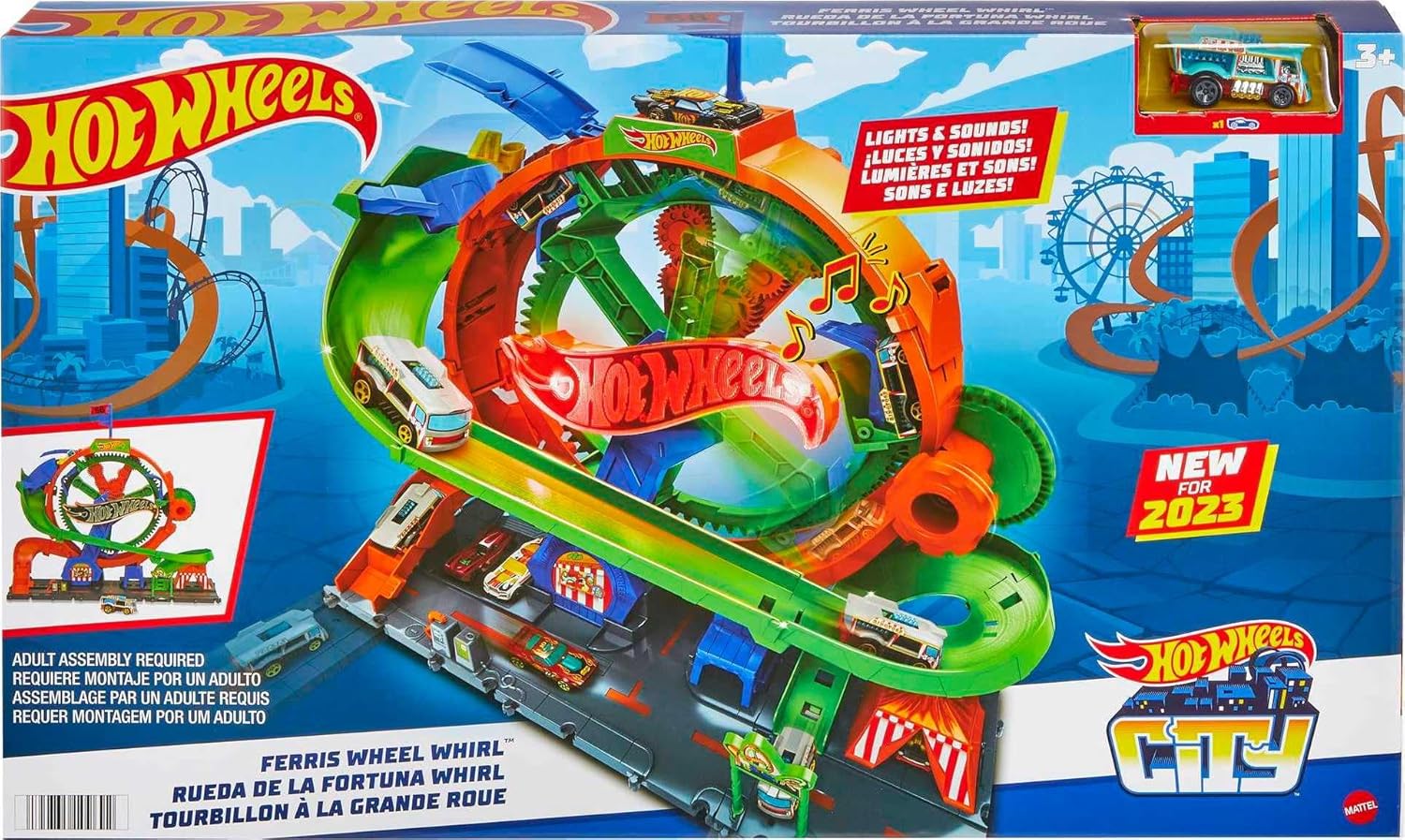
Image: The Hot Wheels City Ferris Wheel Whirl playset packaging, illustrating the complete playset with a Hot Wheels car, lights, and sounds features.
Package Contents
Verify that all components are present before beginning assembly.
- 1 Hot Wheels City Ferris Wheel Whirl Playset
- 1 Hot Wheels Car

Image: The fully assembled Hot Wheels City Ferris Wheel Whirl playset, demonstrating its scale and interactive elements.
Assembly Instructions
Adult assembly is required. Follow these steps to set up your playset.
- Unpack Components: Carefully remove all parts from the packaging.
- Connect Track Sections: Assemble the main track pieces according to the visual guides on the packaging or included diagrams (if any). Ensure all connections are secure.
- Attach Ferris Wheel Structure: Securely connect the Ferris Wheel mechanism to the base track.
- Install Batteries: Locate the battery compartment, typically on the base of the playset. Insert 3 AAA batteries, ensuring correct polarity. Close the compartment securely.
- Verify Connections: Double-check all track and structural connections to ensure stability and proper function.
Operating Instructions
Follow these steps to operate the Hot Wheels City Ferris Wheel Whirl playset.
- Power On: If applicable, switch the playset to the 'ON' position to activate lights and sounds.
- Place Car on Ramp: Position a Hot Wheels car at the start of the entrance ramp. The playset includes one car, and up to three cars can ride the Ferris Wheel simultaneously.
- Drive to Loading Area: Guide the car up the ramp and into one of the Ferris Wheel's loading bays.
- Spin the Ferris Wheel: Turn the knob located on the side of the Ferris Wheel. This action rotates the wheel, moving the car(s) through the ride and activating carnival-themed lights and sounds.
- Car Exits: As the Ferris Wheel rotates, the car(s) will eventually exit onto the track, continuing the play experience.
- Additional Parking: Utilize the designated parking areas to store additional Hot Wheels cars, keeping them ready for play.
- Connecting to Other Sets: This playset is designed to connect with other Hot Wheels sets, allowing for expanded track configurations and imaginative play scenarios.
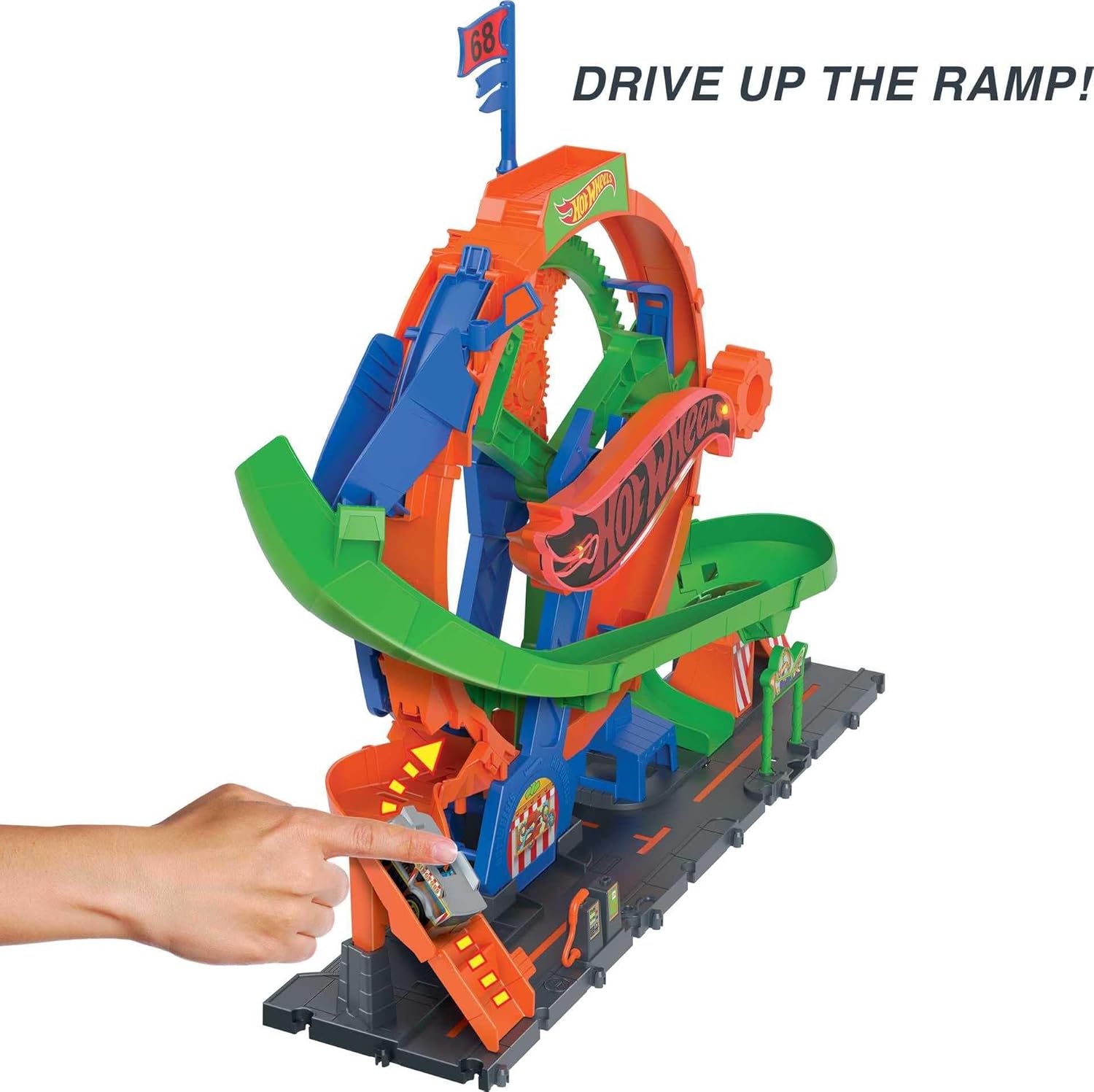
Image: A Hot Wheels car being driven up the playset's entrance ramp towards the Ferris Wheel loading area.

Image: A hand operating the manual crank to spin the Ferris Wheel, demonstrating the interactive play feature.

Image: A Hot Wheels car exiting the Ferris Wheel and speeding down the track, illustrating the completion of the ride cycle.
Maintenance
Proper care will extend the life of your playset.
- Cleaning: Wipe the playset with a soft, dry cloth. Do not use harsh chemicals or abrasive cleaners.
- Storage: Store the playset in a cool, dry place away from direct sunlight when not in use.
- Battery Care: Remove batteries if the playset will not be used for an extended period to prevent leakage.
Troubleshooting
If you encounter issues, refer to the following common solutions.
- Lights/Sounds Not Working:
- Check if the playset is switched 'ON'.
- Ensure batteries are inserted correctly with proper polarity.
- Replace old batteries with new ones.
- Car Not Moving Smoothly:
- Ensure all track connections are secure and properly aligned.
- Verify that the car is placed correctly on the track.
- Some Hot Wheels car models may perform differently on specific track sections. Try a different car if available.
- Ferris Wheel Not Spinning:
- Ensure the manual knob is being turned firmly.
- Check for any obstructions preventing the wheel's rotation.
Specifications
| Model Number | HKX46 |
| Product Dimensions | 6.69 x 20.47 x 18.11 inches |
| Item Weight | 3.08 pounds |
| Manufacturer Recommended Age | 4 years and up |
| Batteries Required | 3 AAA batteries (not included) |
| Manufacturer | Mattel |
Warranty and Support
For warranty information or customer support, please refer to the contact details provided on the product packaging or visit the official Hot Wheels website. Keep your proof of purchase for any warranty claims.


